Hannah has had over six years of experience in researching, writing, and editing quality content. She loves gaming, dancing, and animals, and can usually be found under a weighted blanket with a cup of coffee and a book.
We may earn money when you buy through our links. Join 7M+ viewers on our YouTube channel >>
Hannah has had over six years of experience in researching, writing, and editing quality content. She loves gaming, dancing, and animals, and can usually be found under a weighted blanket with a cup of coffee and a book.
For over 11 years, SafeWise experts have conducted independent research and testing to create unbiased, human reviews. We may earn money when you click links on our site, but this does not affect our recommendations. Learn how we test and review.
Motion sensors are one of the simplest ways to monitor and secure your home. These little devices detect when somebody or something enters a room, approaches your door, window, or hallway and sends an alert to your security system. With newer and smart home-compatible sensors, the alert is sent straight to your mobile phone.
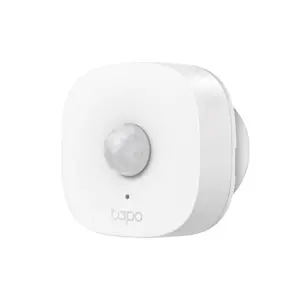
Our top motion sensor pick is the TP-Link Tapo Smart Motion Sensor which sends alerts straight to your phone. It can also be used with other smart home components, like smart globes, to turn on lights as you walk down the hallway at night.
We’ve compiled a list of our favourite motion sensors for smart homes, security, and nightlights, so you can evaluate which motion sensor is best suited to you and your family’s needs.

One of the best ways to add a motion sensor to your home is by using the TP-Link Tapo Smart Motion Sensor. It can be used to add a layer of security to your home, or it can be used as a nightlight. Assembling the sensor is easy – all you need to do is mount it using the built-in magnets or 3M adhesive.
When you stumble through the hallways at night, the sensor detects your movement and turns on any assigned smart lights. It can be set to light up as people come through and then turn off automatically two minutes after so your hallway isn’t lit up longer than it needs to be.
If you choose to use the motion sensor for security purposes, you can set it to trigger the Hub alarm, which will send you notifications via the Tapo app whenever motion is detected. Secure it on your patio or front yard to keep out any people or animals roaming the area. You’ll also receive an alert straight to your phone if anyone or anything triggers the alarm. If you do put the sensor outside, keep an eye on it, as it’s not water-resistant or weatherproof.
It's compatible with Alexa and Google Home, meaning you can control it with your smart assistant of choice.
Like other Tapo smart home products, the motion sensor needs the H100 hub. The hub comes armed with an alarm function and allows you to connect up to 64 devices (including door sensors, smart bulbs, and doorbells). While the sensor itself is an affordable price, it doesn't account for the hub you need to purchase, which is around the same price.
Unless you’re purchasing multiple sensors or already have Tapo products that use a Tapo Hub in your home, it can end up being quite pricey. That being said, it's not as expensive as other picks on our list.
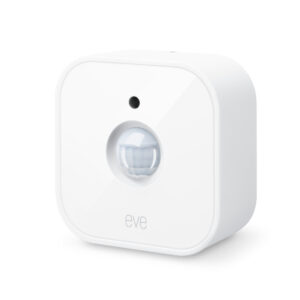
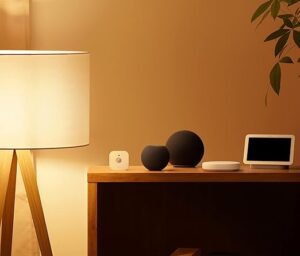
The Eve Motion Smart Motion and Light Sensor is ideal for those with a smart home ecosystem. Eve makes it easy to control any connected smart lights or appliances by adding rules and automations in the app. Unfortunately, the app is only available for iOS, however it's compatible with just about every smart home platform under the sun.
The Eve Motion sensor needs a hub to work, but if your home is mostly built up of smart products it's likely you already have one. It's compatible with most platforms, like the Apple HomePod, Amazon Echo and Google Nest Hub (visit the Eve website to find a whole list of supported platforms).
The Eve sensor can capture motion from up to 9m away, which is longer than any pick on our list. It can also be used as an outdoor motion sensor, thanks to its IPX3 water resistance rating and wireless battery operation.
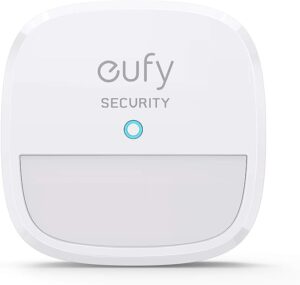
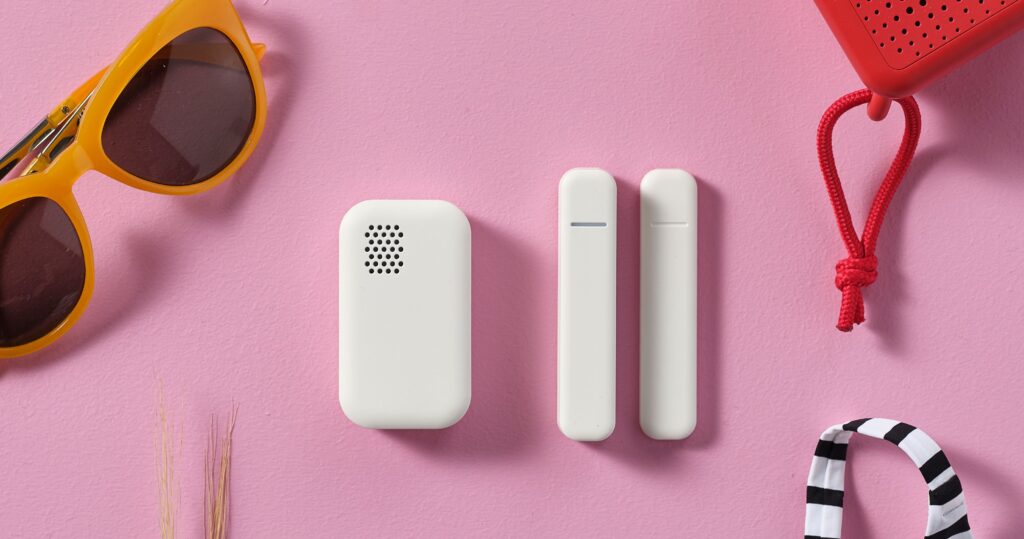
Eufy's security cameras and systems are popular for a reason, and their motion sensor is no different. Unfortunately, like many of Eufy’s doorbells and cameras, the Eufy Security Motion Sensor will need a Eufy Homebase to work. While the sensor itself is quite affordable, the Homebase is not. We’d highly recommend this sensor for anyone who already has a Eufy Homebase. Once you purchase the Homebase, you can connect up to 16 compatible cameras and up to 34 devices like sensors and smart locks.
When the motion sensor is triggered, an intruder siren is emitted from the Homebase, and an alert is sent to the Eufy security app on your phone. The sensitivity of the sensor can also be tailored so it’s only triggered by humans, rather than your pets roaming around the home.
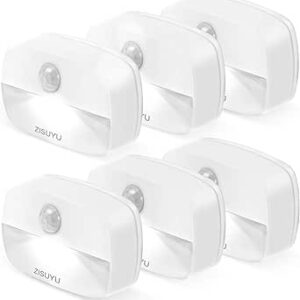
The ZISUYU Motion Sensor Night Light does exactly what it says on the tin. It will only turn on when it's dark enough and detects motion within 4m of the sensor. It will also automatically turn itself off after 30 seconds of no motion. At 20 lumens, the light is soft and perfect for kids who might wake up during the night for a glass of water. The light is not bright enough to light up a whole room, so we’d recommend placing it near any stairs, or outside your child’s bedroom, so they can safely travel from one place to another without being in complete darkness.
The sensor is easy to install and can be mounted anywhere in your home with the 3M adhesive that’s included in your purchase. It’s also easy to maintain – it doesn't need a hub or a home base, just 3 x AAA batteries and it's good to go.
The TP-Link Tapo Smart Motion Sensor is our top pick for the best motion sensor. It can be used as a hallway or bedroom nightlight, or for security purposes. It's easy to set up, sends alerts straight to your phone, and can be used with other Tapo products.
While the actual sensor is one of the most affordable on our list, it needs the Tapo H100 smart hub to work, which costs about the same as the sensor itself. Given its features and versatility, we think it's well worth the cost!
That will depend on if you're using the sensors for security purposes, as a night light, or as an add-on to your smart home ecosystem.
The more motion sensors in your home, the more control you have. At a minimum, we recommend placing a motion sensor at every area you want to monitor or add extra light to (like main entrances, bedrooms, and outdoor areas).
Some motion sensors detect heat or movement within a certain range, and some send out microwave pulses and measure how long it takes to get back to the sensor. If an object or person moves into the detection zone, it takes longer for the pulses to arrive back to the sensor, triggering the alarm.
Visit our motion sensor guide for a month in-depth look at the different types of motion sensors.
For a smart motion sensor that uses an app, you can test it on your phone. Other types may have an additional test button you can press to test the alarm or chirp of the sensor. It's smart to test your sensors in person before trusting them with your home alone.
We wanted to feature motion sensors that don't require too many other components. So we started with online reviews to find the best candidates. Most of the sensors we chose in our lineup connect to your home's Wi-Fi and send updates directly to your phone.
From there, we looked at the price, user experience, ease of installation, mobile app support, smart home compatibility, and other factors that make the best motion sensors.
Learn more about how we conduct reviews, like this one, in our full methodology.