Bark Phone Review

We compared the Bark Phone’s features to the Bark app and other kids phones. We’re impressed!
Best overall: Kids Safety Awards
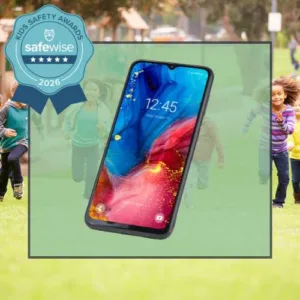
The Bark Phone wins best overall kids phone and best phone for high school in the 2026 SafeWise Kids Safety Awards.
Bark Phone
4.8 out of 5 stars
4.75
Starts at$39/mo
  • pro
    Samsung Galaxy with Bark built-in
  • pro
    Unlimited talk and text
  • pro
    Contact management and spam blocking
Plan name
Price
Starter
Advanced
4GB data
8GB data
35GB data
Why you can trust SafeWise
products considered
250+
research hours in 25+ in-home tests
10k+
years of combined experience
176+
homes and people protected
10M+

For over 13 years, SafeWise experts have conducted independent research and testing to write unbiased, human reviews (not robots). Learn more.

Cathy Habas
Jul 09, 2026
Icon Time To Read5 min read
Icon CheckReviewed ByRebecca Edwards

Cathy, a Safe Sleep Ambassador, specializes in family safety, simplifying complex topics for trusted sites like Safety.com with 8+ years of writing experience.

The Bark Phone ticks all the boxes on our wish list for a safe kids' phone. The parental controls are even more finely tuned in the Bark Phone than the Bark app—no more restrictive third-party rules getting in the way.

In this review, we’ll explain everything the Bark Phone does, why your kid will (probably) like it, and how it compares to other kids' phones.

Bark Phone was once again picked as the Best Overall kids phone in our third annual Kids Safety Awards. 

pro
Pros
pro No contract
pro No hidden fees
pro Remote internet shutdown
pro Built-in web browser
pro Parents approve app downloads
pro Excellent text and message monitoring
pro Location tracking and geofencing
pro Contact management
pro Spam call blocking
pro Workaround prevention
pro Screen time schedules
pro 60-day money-back guarantee
con
Cons
con No multi-line discount
con Not compatible with carriers other than Bark Wireless
con Relatively short warranty

Bark Phone vs. other kids' smartphones

You have to make a couple of decisions when shopping for a kids smartphone, and your choices may knock the Bark Phone out of the running by default:

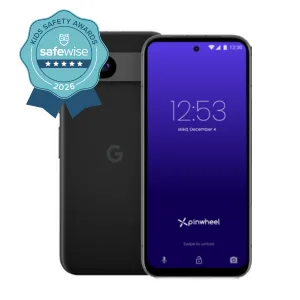
  • Web browser: The Bark Phone does have a web browser with safe search protections and a parent-controlled block list. Pinwheel and Gabb phones don't have a web browser, and it’s optional on Troomi phones.
  • Text monitoring: Bark keeps your child’s texts private unless it detects a problem. Your kid will appreciate this. Pinwheel and Troomi let you see all of your child’s texts. Text monitoring isn’t available on Gabb phones.
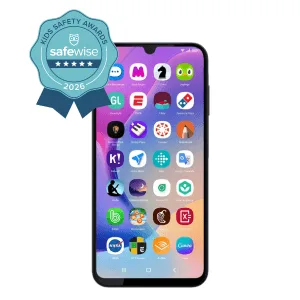
  • App access: Parents get to approve all app downloads before they’re installed on the Bark Phone. Pinwheel, Troomi, and the Gabb Phone Plus include a small number of third-party apps they’ve deemed kid-friendly. Bark’s approach gives your child more options, but it also means you’ll need to do some research about dangerous apps for kids.
  • Storage: The Bark Phone has 128 GB of storage, which is plenty for most kids. Budding photographers and videographers may want the Pinwheel or Troomi phones, which have more storage options.
  • Carrier: You can’t add the Bark Phone to your current cell service, be it Verizon, AT&T, T-Mobile, or any other carrier. You have to pay for Bark Wireless. Pinwheel is the best option for folks wanting a specific carrier.

Everything else works in Bark’s favor. We especially like that Bark respects kids' privacy regarding their text history and browsing history—unless it goes against the content filters, of course. And Bark has the best parent notifications of any parental control we’ve come across. The app even provides talking points if having a heart-to-heart conversation isn’t your strong suit.

We also like that Bark gives parents the freedom to decide whether their kids should have internet access or what kind of apps they can use. Bark’s flexibility allows it to grow with your child.

Compare Bark Phone to the competition

Product
Recommended ages
Lowest phone price
Lowest service price
Cost to add another line
Money-back period
Warranty
Learn more
Ages 11-18 $29.00/mo. Full price
Icon Yes  Light60 days
Icon Yes  Light1 year
Ages 14-18 (Gabb phone 4 for ages 10-13)$24.99 Flat rate of $24.99/mo. for extra lines
Icon Yes  Light15 days
Icon Yes  Light1 year
Ages 10-18$17.99/mo. 15% off
Icon Yes  Light30 days
Icon No  LightNone
Ages 10-11

$19.95/mo.

Full price
Icon Yes  Light30 days
Icon No  LightPaid warranty only

What's in the box

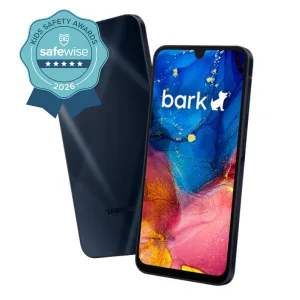
Bark sells two phones with the same protections but slightly different technical specs, like more RAM. Image: Cathy Habas, SafeWise

  • Bark Phone
  • USB-C charging cable (adapter not included)
  • Ejection pin
  • Quick Start Guide

You get a Bark Premium subscription too

Bark Phones automatically come with a Bark Premium subscription (normally $99/yr.), allowing you to put similar controls on your child’s computer or tablet via the Bark app.

With Bark Premium, you can connect an unlimited number of devices and customize an unlimited number of child profiles. This is especially useful for younger kids who may not be ready for a phone but who still like to play on the computer.

Bark Phone goes above and beyond the Bark app

We’d be happy even if the Bark Phone was nothing more than the Bark app permanently installed on a smartphone. Uninstall protection is a major sticking point for parental control apps—including Bark.

On a normal smartphone, kids can end up uninstalling the controls or downloading VPNs to browse the internet without any filters. But the Bark Phone is tamperproof. There isn’t a “grown-up” iOS underneath the Bark controls. It’s all Bark, all day long.

And it gets even better—the Bark Phone does things the Bark app can’t:

  • App download approvals
  • App time limits
  • Contact management
  • Spam call blocking
  • Improved location tracking

Plus, linking your child’s social media accounts to Bark is way easier on the Bark Phone than on the Bark app—you don’t have to ask your child to manually sign in to all of them during setup. Monitoring begins as soon as they log into an app that Bark monitors.

To learn more about the core Bark features—listed below—hop over to our Bark app review. They work the same way on the Bark Phone.

  • Social media monitoring
  • Screen time usage reports
  • Content filters
  • Push, text, and email alerts for parents
  • Remote internet shutdown

Bark Phone tech specs

The Bark Phone looks like a grown-up smartphone because, well, it is. It’s a Samsung Galaxy A16 or A37. There’s no Bark branding on the outside—your kid can truthfully say they've got a Samsung Galaxy.

Here's a quick look at the major differences between the Bark Phone and the Bark Phone Pro.

PhoneBark PhoneBark Phone Pro
Base deviceSamsung Galaxy A16Samsung Galaxy A37
Price$10/mo. for 24 months, plus Bark plan$25/mo. for 24 months, plus Bark plan
RAM4GB6GB
Battery25W fast charge45W super fast charge
Water resistanceIP54IP68
OtherN/ABetter selfie camera, faster processor, more durable screen

Does the Bark Phone really work?

For the most part, yes, the Bark Phone works as advertised.

Bark loaned me the Bark Phone and Bark Phone Pro so I could test it myself. (Note: Because they have the same protections, I'll call both the Bark Phone going forward.) After setting up content controls on the parent phone, I used various web browsers on the Bark Phone to try to look up adult content.

SafeSearch is automatically turned on for search engines like Google Chrome, Bing, and DuckDuckGo. Any search engine that doesn't have SafeSearch (like Yahoo) is automatically blocked. Yahoo is how I accessed explicit content on the UK phone Wingio, so I was pleased to see that Bark is already aware of this workaround. Your child can type something into Yahoo search, but the results screen will never load. 

But SafeSearch isn't perfect. Kids can still access informational content about adult topics on sites like Wikipedia. For example, Wikipedia pages describe sex in graphic detail and feature explicit drawings, all of which were visible on the Bark Phone. These will show up in search engine results — your child doesn't necessarily have to know to look for them.

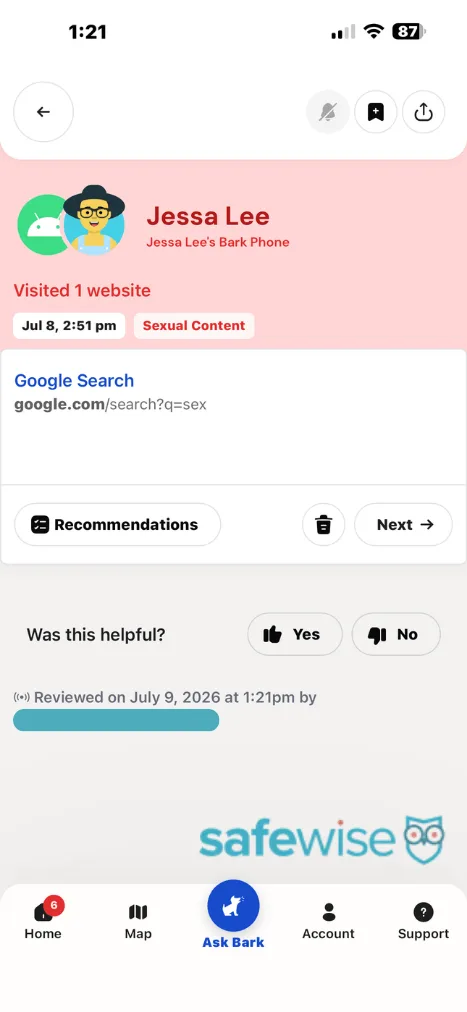
But, one of Bark's strengths is its content monitoring. You can set up alerts for various categories (like sexual content) to know what kinds of sites your child is visiting. 

The only downside is that these alerts aren't always immediate. For example, I got an instant alert after searching for a sexual topic on YouTube through the Bark Phone. But when I visited the Wikipedia pages, I didn't get an alert until the next morning — nearly 17 hours later.

Bark customer service says their system processes alerts in batches so that really important alerts (like threats of violence) go out as soon as possible. However, they acknowledged that my sexual content alerts took much longer than usual to process. 

Still, I think a late notification is better than no notification, and Bark still shines as one of the best kids phones with content alerts. You'll even get alerts if your child searches for inappropriate keywords but doesn't click on a site. 

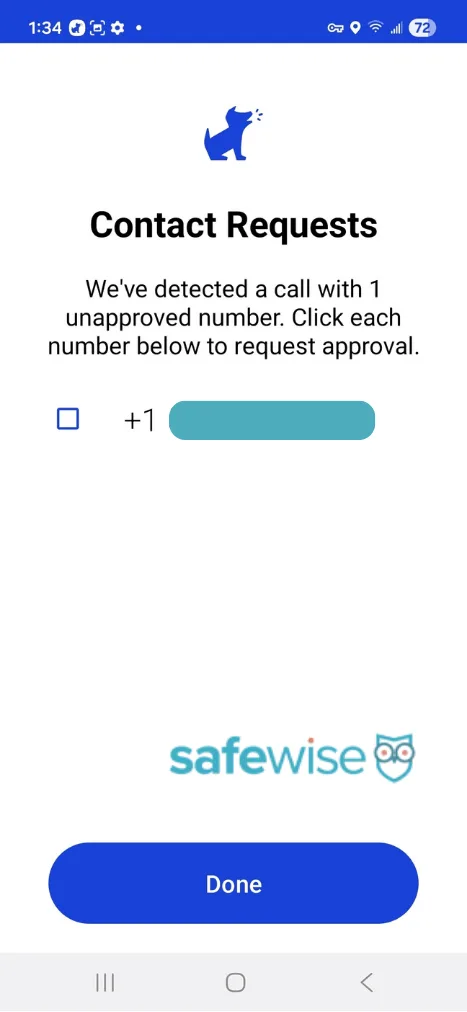
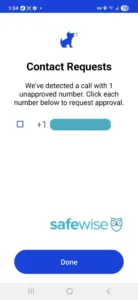
The Bark Phone successfully blocked my attempts to chat with or call unknown numbers, and I appreciate that more than one person's phone number and email can be set up for alerts. 

Click each screenshot to read its caption. Screenshot credit: Cathy Habas, SafeWise

Is there anything bad about the Bark Phone?

If we could wave a magic wand, we’d change these things about the Bark Phone:

  • Add a multi-line discount: If you have more than one kiddo who’s ready for a phone, you pay full price every month for each Bark Phone.
  • Provide a longer warranty: The phone is covered for just one year.

Get Bark protection on the go!

Bark is a repeat Kids Safety Awards winner: Best Parental Control App and Best Kids Phone. And this year they also won best kids smartwatch!

Key features:

  • Bark Premium app subscription included
  • Water-resistant
  • Mobile talk & text
  • No games or web browsers
  • Cost: $169 for the device, then $15/mo for wireless plan
  • Manage your child’s contacts
  • GPS location tracking

Bark Phone FAQ

The Bark Phone is leased to you for $10/mo. or $25/mo. for 24 months.  

Monthly service fees start at $29 a month.

Parents can choose whether to allow kids to delete texts on the Bark Phone.

Yes, the Bark Phone parent portal works on any smartphone.

Yes, you’re eligible for an upgraded phone after 30 months of use.

How we reviewed the Bark Phone

To review the Bark Phone, we examined its features compared to the original Bark app and other kids' phones. We've tested the Bark app hands-on multiple times, spoken to real users, and read hundreds of online reviews. Bark sent the Bark Phone and Bark Phone Pro to us to test, review, and return. To learn more, visit our methodology page.

Final word

We think the Bark Phone is easily the best kids phone on the market today thanks to its unparalleled focus on message monitoring. We also love that parents can adjust the settings to be as restrictive or laid back as necessary, and that Bark provides instant alerts when there’s an issue.


Disclaimer

*Product prices and availability are accurate as of post date and are subject to change. Any price and availability information displayed on Amazon at the time of purchase will apply to the purchase of this product. Safewise.com utilizes paid Amazon links.

Certain content that appears on this site comes from Amazon. This content is provided “as is” and is subject to change or removal at any time.

Cathy Habas
Written by
With over 12 years of experience as a content writer, Cathy has a knack for untangling complex information. Her natural curiosity and ability to empathize help Cathy offer insightful, friendly advice. She believes in empowering readers who may not feel confident about a purchase, project, or topic. Cathy earned her Bachelor of Arts degree in English from Indiana University Southeast and began her professional writing career immediately after graduation. She has focused on family safety, home guides, and health content since 2021 and earned a gerontology certificate to learn more about the medical side of senior safety. Over the years, Cathy has contributed to sites like SELF.com, SingleCare, My Health Teams, Safety.com, Reviews.com, Hunker, Popular Living, and Thumbtack.

Recent Articles

Technician installing a smoke alarm
Best Smoke Detectors of 2026
We reviewed the top fire and smoke alarms for your home in 2026. Protect your...
woman checking on home security system via app on smartphone
The Best Alexa-Compatible Home Security Systems
Best for built-in integration ADT Voice control of ADT system Works with Alexa Guard View...
Vivint App: A Complete Guide to Features and Use
Tour the Vivint app and discover its features, navigation, and customization capabilities. Learn how to...
dangerous apps for kids
Dangerous Apps for Kids: What Parents Need to Know in 2026
Dangerous apps for kids include ones you’ve heard of (TikTok, Instagram) and some new arrivals....