Reolink Solar Floodlight Cam Review

The Reolink Solar Floodlight Cam sheds light on any situation, without worrying about charging the batteries.
Best for bright lighting without charging
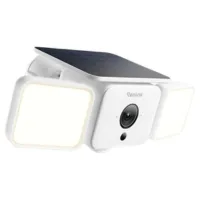
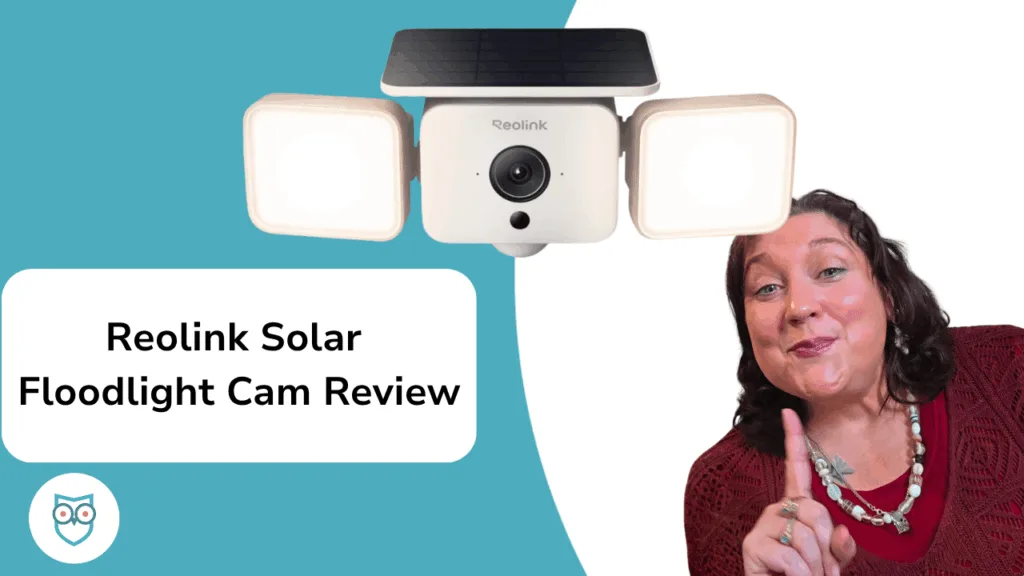
Reolink Solar Floodlight Cam product shot. Clicking this image will send you to it's sales page.
Reolink Solar Floodlight Cam
4 out of 5 stars
4
$109.99
  • pro
    Adjustable floodlights
  • pro
    No need to charge
  • con
    Footage could be clearer
Reolink Cloud Storage
Price
Number of cameras supported
Single-Device LTE Plan (30D)1
Standard LTE Plan5
Why you can trust SafeWise
products considered
250+
research hours in 25+ in-home tests
10k+
years of combined experience
176+
homes and people protected
10M+

For over 13 years, SafeWise experts have conducted independent research and testing to write unbiased, human reviews (not robots). Learn more.

Alina Bradford
Mar 24, 2026
Icon Time To Read4 min read
Icon CheckEdited ByRebecca Edwards

I installed the Reolink Solar Floodlight Cam at home and ran it through a series of tests. There's a lot to love about this truly wireless floodlight camera.

First, once it's installed, you never have to charge it. Second, it seems to identify vehicles and people pretty well. The footage quality could be better, but for the price, you're getting a fantastic solar security camera.

  • Special features: Brightness control, night vision, smart floodlight
  • Compatible devices: Desktop, Reolink Home Hub, smartphone, Amazon Alexa
  • Water resistance: Waterproof
  • Light source: 1,000 lumens LED adjustable lights
  • Field of view: 150 degrees
  • Video capture resolution: 2K
  • Siren:  110dB
  • Number of channels: 1
  • Video encoding: H.265
  • Video capture format: MP4
  • Night vision range: 33 Feet
  • Night vision type: Color
  • Connectivity: Wi-Fi
  • Charging: 3W SolarEase panel with 7800mAh rechargeable battery
pro
Pros
pro Doesn't need to be charged
pro Detects objects accurately
pro Active Deterrence Mode
pro Easy to install
pro Low price
con
Cons
con Video footage isn't the best

Video: Reolink Solar Floodlight Cam Review

Play Video

Subscribe to our YouTube channel and learn how to protect your home, loved ones, and belongings.


Reolink Solar Floodlight Cam costs

The Reolink Solar Floodlight Cam costs just a little over $100, which is incredibly cheap for a high-quality security camera. Often, top brands will cost you anywhere from $200 to $400. 

Another way Reolink saves you money is by giving you local storage options (I'll talk more about that later) so you don't need to pay for cloud storage for your video footage. 

If you do want to go with cloud storage, Reolink's cloud storage plans are also crazy inexpensive. While many companies charge around $10-$20 per month, you can get up to 30 days of cloud video history for around $6. Want 60 days of storage? That will cost around a measly $12.

Here's a better look at all of the cloud storage plans.

Price for 30 days
Price for 60 days
Number of cameras supported
Amount of storage
Learn More
Single-Device LTE Plan 1 16-32GB
Standard LTE Plan Pro 5 80GB
Premier LTE Plan Pro 10160GB
Standard LTE Plan 530GB

Info current as of post date. Offers and availability may vary by location and are subject to change.

Reolink Solar Floodlight Cam vs. other solar security cameras

Camera
Typical price
Video resolution
Battery life (capacity) Icon Tooltip  Dark
Solar panel
Panel cord length
Learn more
1440p (2K)Up to 6 mo. (7800mAh) IncludedNA
1440p (2K)Up to 6 mo. (6,000 mAh) Included13 ft.
1440p (2K)Up to 6 mo. (13,000 mAh) Sold separately8 ft.
2160p (4K)Up to 12 mo. (13,400 mAh) Built-inNo cord
2KUp to 6 mo. (5,960 mAh) Included6.5 ft.
2KUp to 6 mo. (5,200 mAh) Sold separately13 ft.

Amazon.com price as of post date. Read full disclaimer

What's in the box

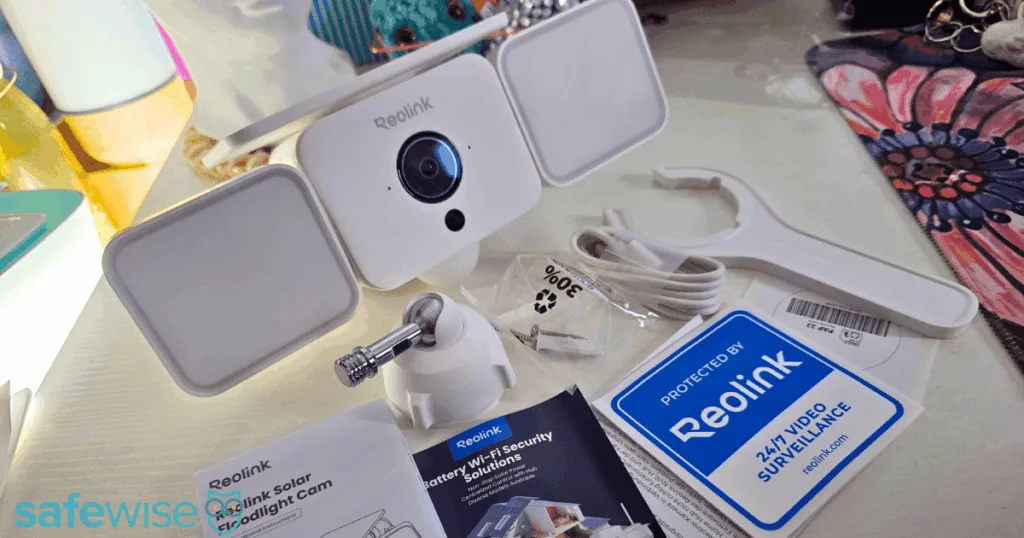
Reolink Solar Floodlight Cam surrounded by what comes in the box.

A look at what you'll get with your Reolink Solar Floodlight Cam, including hardware and instructions for installation. Image: Alina Bradford, SafeWise

  • Reolink Solar Floodlight Cam
  • Adjustable mount
  • Installation screws
  • Charging cable
  • Adjusting wrench
  • Installation template
  • "Protected by Reolink" stickers in various languages
  • Instruction booklet

Reolink Solar Floodlight Cam: Worry-free solar charging

One thing I hate most about security cameras that aren't wired into your home's electricity is charging them. Even the best cameras need their batteries charged every few months. And if your camera is installed high, like above the garage door, that can mean dangerous ladder trips several times each year.

Luckily, the Reolink Solar Floodlight Cam only needs to be charged once, right before you install it. From then on, it charges itself using the solar panel on top of the camera. Even on cloudy days, I found that this camera didn't run out of power, and it's only in a sunny spot for a few hours each day. 

I really like that the solar panel is attached to the camera. Some other brands sell the solar panels separately. That means you pay more, and you also need to install the solar panel. That's more effort than I like. 

Notepad
How long does it take to install the Reolink Solar Floodlight Cam?

It took a couple of hours for the camera to fully charge and it took me about 30 minutes to install it. You can see full installation instructions here: How to Install the Reolink Solar Floodlight Cam

Reolink Solar Floodlight Cam: Can identify objects

Most security cameras say they can detect objects, but I've found in my extensive testing that many confuse an animal for a person, or a package for a pet. The Reolink Solar Floodlight Cam doesn't seem to have that problem, for the most part.

When a vehicle pulls up my driveway, I've noticed that the camera notifications consistently identify the vehicle as, well, a vehicle. It's the same with people.

It gets a little tripped up on pets and other objects, though. It will just tell you it detected movement, instead of letting you know exactly what caused it.

Thumbs Up
Reolink Solar Floodlight Cam deters intruders

When you tap the alarm, it triggers the camera's active deterrence mode. It flashes its 1000-lumen floodlights and sounds a 110dB siren to scare off potential thieves or wild animals.

Reolink Solar Floodlight Cam: Camera footage isn't ideal

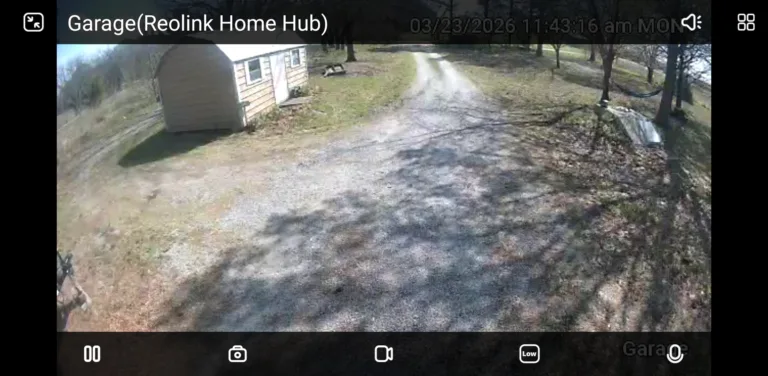
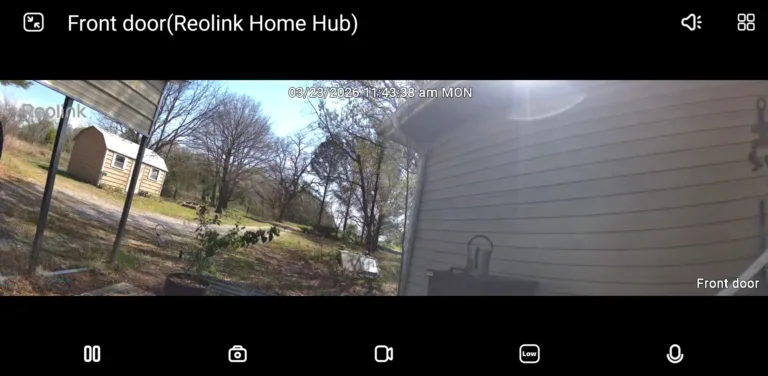
Reolink cameras are known for their fantastic clarity when it comes to camera footage. So I was a little disappointed with the Reolink Solar Floodlight Cam. The footage is a little grainy and doesn't have the high contrast of some of the brand's other models. 

I wondered if I was just expecting too much, so I compared the floodlight camera to the Reolink Argus 4 Pro, one of SafeWise's favorite security cameras. I was definitely shocked. The Argus was far and away much clearer than its little floodlight sibling. 

Here's a comparison. As you can see, the floodlight footage looks a little washed out and grainy. The Argus footage is vibrant and clear.

The Reolink Solar Floodlight footage is grainy and washed out.

The Reolink Solar Floodlight footage is grainy and washed out.

Image: Alina Bradford, SafeWise

Reolink's Argus 4 Pro give you clear, vibrant video footage.

Reolink's Argus 4 Pro give you clear, vibrant video footage.

Image: Alina Bradford, SafeWise

It's important to note that the Argus 4 Pro has 4K video resolution while the Solar Floodlight has only 2K. You can definitely tell the difference. 

Reolink Solar Floodlight Cam: Local storage, two ways

Another thing Reolink cameras are known for is local storage. This means all of your footage is offline, either on a mini SD card or on the Reolink Home Hub. Both can be purchased separately and added to your camera.

The Reolink Home Hub Pro (around $300) can store up to 2TB of footage and comes with no monthly fees. It needs to be connected by an Ethernet cable to your internet router. 

The mini SD card is inserted into the back of the camera. How much storage it provides depends on the card you buy.

Reolink Solar Floodlight Cam FAQ

Yes, it does! It uses the Reolink Home Hub and cameras. You can read our full review here: Reolink Wireless Security System Review: Not Your Average Security System

It sure is. You can move the camera and both of the lights up, down, and sideways. You can also adjust its detection zones and motion detector sensitivity.

No, you don't need the Reolink Home Hub to use the camera. If you decide to go hub-less, you'll need to purchase a mini SD card for storage.

How we reviewed Reolink Solar Floodlight Cam

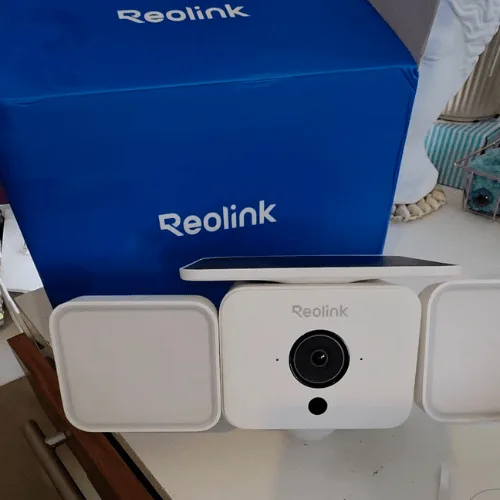
Reolink Solar Floodlight Cam next to its blue box.

Image: SafeWise

I've been testing Reolink products for years. For my reviews, I test a unit at home. So that's what I did with the Reolink Solar Floodlight Cam. 

I installed the camera above my carport and put it through several tests:

  • How it performs during the day/night
  • How well it detects various objects
  • How easy it is to use the app
  • Customization options in the app
  • How easy it is to install
  • How practical it is for most homes

I also spoke with Reolink representatives and researched the camera specs, prices, and more.

Read our full methodology page.

Final word

I found that, for the price, the Reolink Solar Floodlight Cam is a great option if you want a reliable floodlight camera that can light up the darkest parts of your yard. While the camera footage isn't as good as it could be, it still works well enough that you can tell if a visitor is someone you know or a stranger. And I really like that it can actively deter intruders.

Related articles on SafeWise


Disclaimers

Product prices and availability are accurate as of post date and are subject to change. Any price and availability information displayed on Amazon at the time of purchase will apply to the purchase of this product. Safewise.com utilizes paid Amazon links.

Certain content that appears on this site comes from Amazon. This content is provided “as is” and is subject to change or removal at any time.

Alina Bradford
Written by
Alina is a safety and security expert with over 25 years of experience. She has contributed her insights to CNET, CBS, Digital Trends, MTV, Top Ten Reviews, and many others. After testing thousands of devices, apps, services, and more, her goal is to make safety and security gadgets less mystifying one article at a time. In the early 2000s, Alina worked as a volunteer firefighter, earning her first responder certification and paving the way to her current career. Plus, she has tested hundreds of pieces of security and safety equipment over the years. Places published: CBS, MTV, CVS, Rachael Ray, eBay, Reader’s Digest, ConsumerAffairs, and more. Certifications: Fire Service Training, Oklahoma State University. Awards: Received the Experience Leader certificate from Authority, putting her “in the top 25% among the thousands of professional content creators analyzed by Authory for the Fall 2023 audit.” You can view more of Alina's work at alinabradford.com.

Recent Articles

Reolink Solar Floodlight Cam Review Video
Reolink Solar Floodlight Cam Review
The Reolink Solar Floodlight Cam sheds light on any situation, without worrying about charging the...
SimpliSafe security system in boxes.
Best Home Security Systems in 2026 – paid search
Best Home Security Systems of 2026 After hundreds of hours of tests and research, we...
SimpliSafe security system in boxes.
Best Security Reviews in 2026 – paid search
Best Home Security Reviews in 2026 After hundreds of hours of tests and research, we...
SimpliSafe security system in boxes.
Best Home Security Providers in 2026 – paid search
Best Home Security Providers of 2026 After hundreds of hours of tests and research, we...