


The BoT Talk is a kids GPS tracker that sticks to the basics: location tracking, geofencing, and voice messaging. It's difficult to find a screenless GPS tracker with two-way communication, so we were excited to give the BoT Talk a try. Although it's a good substitute for a kids smartwatch or kids phone for everyday communication and general tracking, we're concerned it won't be reliable in an emergency.
BoT Talk Review
If your child isn't quite ready for a smartwatch, you may be considering a basic GPS tracker like the BoT Talk.

Why you can trust SafeWise
products considered
250+
research hours in 25+ in-home tests
10k+
years of combined experience
176+
homes and people protected
10M+
For over 13 years, SafeWise experts have conducted independent research and testing to write unbiased, human reviews (not robots). Learn more.

 5 min read
Cathy has been researching, testing, and reviewing family safety products since 2021. She takes a scientific, hands-on approach.

Pros
 Battery lasts at least one week
Responsive geofencing alerts
Clear two-way audio
Simple for kids to use
Affordable monthly fees
Battery lasts at least one week
Responsive geofencing alerts
Clear two-way audio
Simple for kids to use
Affordable monthly fees 
Cons
 No live location refreshes
Location updates and messages are sometimes delayed
You must buy a new device if you wish to restart service after cancelling
No live location refreshes
Location updates and messages are sometimes delayed
You must buy a new device if you wish to restart service after cancelling What's in the box
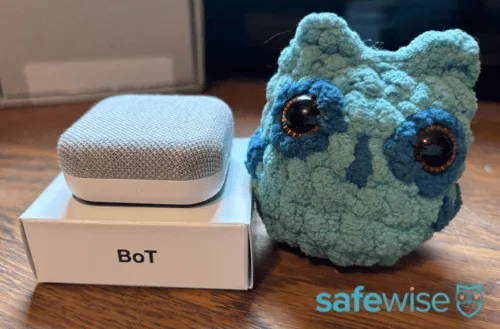
Image credit: Cathy Habas, SafeWise
The BoT Talk doesn't come with much. It's just the device and a user manual.
If you don't already have a USB-C charging cable on hand, you'll need to buy one separately. Silicone covers are also sold separately (about $20) and include a backpack clip. There's also a slot to connect a lanyard or keychain to the BoT Talk.
How much does the BoT Talk cost?
The BoT Talk costs $59.99 upfront. There's no activation fee.
Two subscription plans are available:
- GPS only: $4.99/mo.
- GPS plus talk: $6.99/mo.
These are relatively affordable prices compared to other GPS trackers. However, there's a major caveat to be aware of. If you decide to cancel your subscription, you can't restart it later. You'll need to buy an entirely new device. That makes it tough for families who may want to hold on to the BoT Talk for a younger sibling.
Location tracking: Unreliable
The BoT Talk offers location interval updates every 1.5 minutes or every 3 minutes. A week's worth of location history and geofencing alerts are also included.
During our hands-on tests, the BoT Talk's location tracking proved to be less accurate than other options. The app displayed a location that was anywhere from 50 to 200 feet away from the true location of the device. It seemed to perform better in more populated areas, where its Wi-Fi positioning tech may have allowed for more precise triangulation.
This level of accuracy may be okay for parents who want to know their child hasn't left school or sports practice, but it's not good enough for situations where a child may be lost in a large or crowded area. Precision matters during an emergency.
We also noticed there's no way to ask for a live location update. If your child is lost, you'll have to wait a full 90 seconds before receiving another location update. Many other devices, including Tracki and most kids smartwatches, allow you to refresh the location on demand for nearly real-time tracking.
Worryingly, sometimes the location didn't update according to schedule. While testing the BoT Talk in a park, the location didn't update for nearly 15 minutes.
On the plus side, geofencing worked well. We received a push notification a few seconds after the BoT Talk exited the safe zone. And, in over a month of testing, we never received a false alert.
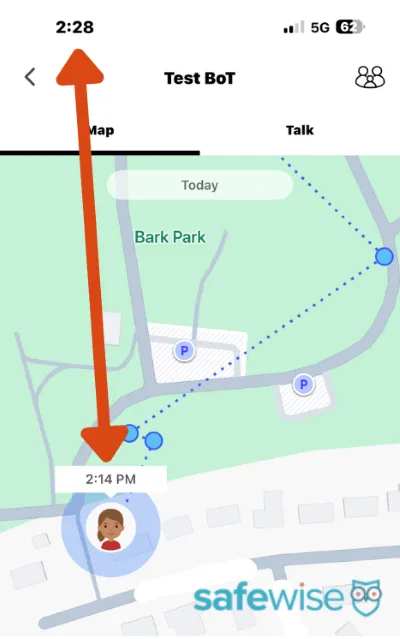
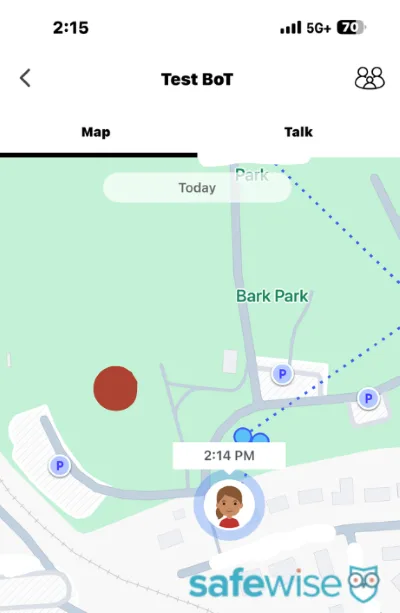
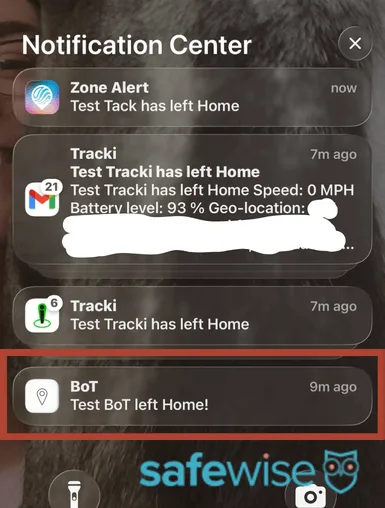
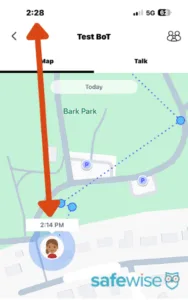
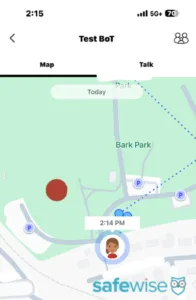
Click the magnifying glass icon above for more information about each screenshot. Screenshots: SafeWise
Voice messaging: Works well despite slight delay
Voice messaging is the BoT Talk's strongest feature, but it's not necessarily perfect.
First, it's important to know that the BoT Talk is truly just a messaging device. It doesn't support phone calls. Messages are delivered according to the location update schedule you've selected: every 1.5 or 3 minutes. We know location updates are sometimes delayed, which suggests that voice messages may also be delayed. We've read reviews that confirm this, but we didn't experience messaging delays first-hand.
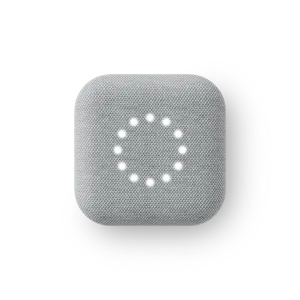
To send a message, kids press and hold the button hidden in the middle of the BoT Talk speaker. Their 30-second message will be recorded while they hold the button, and it will be sent when the button is released. Parents and approved contacts can send messages through the BoT Talk app. A circle of white lights appears on the device when a message is delivered. Kids press the button once to listen.
The audio sounds clear for messages both sent and received.
Battery life: Can last longer than advertised
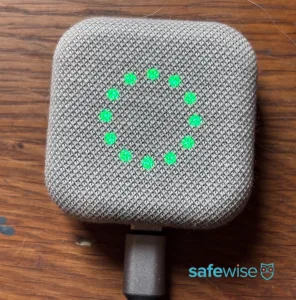
A full circle of green dots means the BoT Talk is fully charged. Image: SafeWise
The BoT Talk has an advertised battery life of seven days. Based on our tests, it could last at least three times longer than that with basic use.
It's difficult for us to say exactly how fast the BoT Talk battery drains. The app doesn't display battery life as an exact percentage. Instead, the green circle around your child's profile picture represents the battery life. If the circle is complete, the battery is 100%. If only three-fourths of the circle is green, the battery is 75%, etc.
Parents can choose to receive push notifications when the battery gets low. When plugged in, the circle of lights on the BoT Talk shows charging progress. When the full circle is lit, the device is fully charged.
The BoT Talk doesn't come with a charging cable, but you probably already have a compatible one on hand. It uses a USB-C cable, which is the same used by more recent iPhones and Android devices.
BoT Talk app: Basic with a small learning curve
The BoT Talk is a simple device without too many settings, which helps keep the app simple as well. But even though there aren't many pages to rifle through, the layout isn't necessarily intuitive.
For example, there's a tab marked "Notifications." Our testers thought this was just a historical list of push notifications and didn't think to look there to set up geofencing boundaries.
We appreciate the ability to add multiple contacts to the app and to control their notifications. You can allow contacts to receive geofencing alerts and/or voice messages, but only the admin account can receive low battery alerts. All guardians can view the device's location.
BoT Talk vs other kids GPS trackers
Product | Best for | Price | Monthly subscription | Max. battery life |
| Smartwatch pick | $7/mo. lease | $15.00/mo. | 24 hours | |
| Best overall | FREE device* | $44.99+/mo. | 24 hours | |
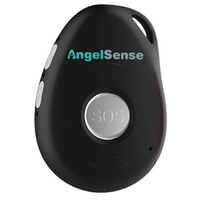
| Best screen-free alternative | $14.50 | $9.95+/mo. | 30 days | |
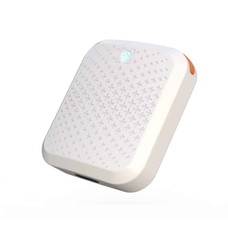
| Screen-free two-way talk | $59.99 | $4.99+/mo. | 30 days | |
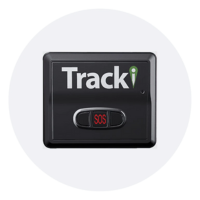
| Budget pick | $79.95 | $2.95+/mo. | 30 days |



Amazon.com price as of post date. Offers and availability may vary by location and are subject to change. Read full disclaimer.
*Limited time deal.
How we reviewed the BoT Talk
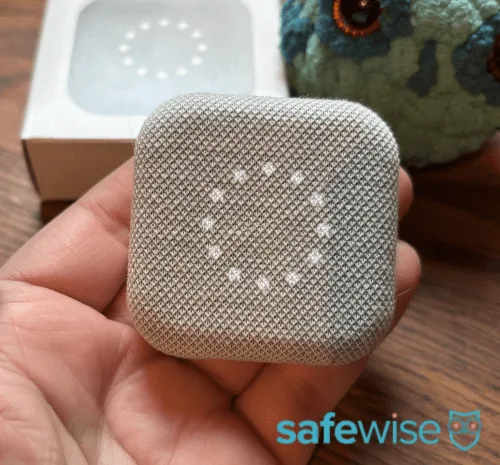
Image credit: Cathy Habas, SafeWise
To review the BoT Talk, we bought and tested it ourselves. Here's how we evaluated its performance:
- Set up the device and parent app: Is it an intuitive process or do we need guidance from customer service?
- Charge the device: Is it easy to secure the charging cable and to know the confirm the device is charging?
- Test audio: Are messages easy to understand thanks to clear audio quality in the microphone and speaker?
- Test geofencing: Are parents alerted in a timely manner? Do false alerts come through?
- Test location accuracy: How precise is the location marker when the device is in an open field, outside with obstacles (in a car parked under a tree), and in a residence?
- Other features: Does anything else stand out about the device or app?
Learn more about how we rank and review on the SafeWise methodology page.
Final word
We love the idea of the BoT Talk — a screenless GPS tracker with two-way talk — but can't recommend it for most families based on our first-hand testing experiences. We believe most parents want GPS trackers they can count on to be accurate and reliable in an emergency, and the BoT Talk's delayed notifications cast doubt on its ability to provide that level of assurance.
For general day-to-day tracking and communication, the BoT Talk may be sufficient. But if you're willing to invest in this kind of technology for your child, we recommend looking into kids smartwatches. We've tested many models to find that ones that offer nearly perfect location tracking.
Disclaimers
*Product prices and availability are accurate as of post date and are subject to change. Any price and availability information displayed on Amazon at the time of purchase will apply to the purchase of this product. Safewise.com utilizes paid Amazon links.
Certain content that appears on this site comes from Amazon. This content is provided “as is” and is subject to change or removal at any time.


Recent Articles

The Best Fall Detection Devices
Find the best medical alert systems with fall detection. Compare equipment, price, accuracy, customer reviews,...
Jury Finds Meta and YouTube Negligent in Landmark Social Media Addiction Case
Meta and YouTube were found negligent in a landmark addiction case. Here’s why it matters...

How Safe Are the Fastest-Growing U.S. Cities?
Does a surge in population lead to a surge in crime? Find out in our...
Package Theft and Cybercrime Are Now the Most Common Crimes in America
State of Safety data shows Americans are more likely to experience package theft and cybercrime...


