Reolink TrackFlex Floodlight WiFi Review

The Reolink TrackFlex Floodlight WiFi's top-tier video isn't cheap, but it is an easy pick for best 4K floodlight camera.
Best 4K floodlight camera
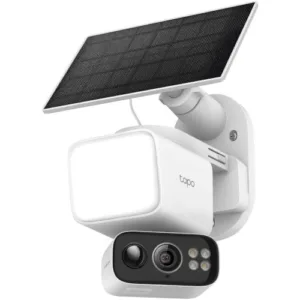
reolink trackflex floodlight wifi security camera
Reolink TrackFlex Floodlight WiFi
4.3 out of 5 stars
4.25
$299.99
  • pro
    Exceptional video quality in all conditions
  • pro
    Extra-bright, 3,000-lumen floodlight
  • con
    Some of the setup process is difficult
Plan name
Price
Number of devices
Video history
Basic LTE Plan
$0.00/mo
1 (1-cam limit)7 days
Single-Device LTE Plan
$5.99/mo
130 days
Standard LTE Plan
$6.99/mo
530 days
Premier LTE Plan
$10.99/mo
1030 days
Business LTE Plan
$15.99/mo
2060 days
Business LTE Plan
$26.99/mo
3060 days
Why you can trust SafeWise
products considered
250+
research hours in 25+ in-home tests
10k+
years of combined experience
176+
homes and people protected
10M+

For over 13 years, SafeWise experts have conducted independent research and testing to write unbiased, human reviews (not robots). Learn more.

John Carlsen
Jun 25, 2026
Icon Time To Read8 min read
Icon CheckEdited ByRebecca Edwards

John has 9+ years in journalism, testing smart home tech and security gear for ASecureLife and as Smart Home Editor at Top Ten Reviews.

Floodlight security cameras are a niche just outside what's typical for an outdoor security camera, but they can provide excellent color video, bright lighting for finding your way around and an imposing profile that shows you're serious about deterring would-be intruders. The Reolink TrackFlex Floodlight WiFi is a prime example of what's possible toward the upper end of the pricing spectrum: 4K video, dual lenses, 6x hybrid zoom, pan-tilt controls, local video storage and a powerful 3,000-lumen floodlight. Its video quality is crisp and smooth, some of the best I've seen in a long time.

Still, the installation process has a few quirks that make it tedious. Reolink's cloud storage plans make my head spin, and the price means it's not ideal for the budget-conscious homeowner. But Reolink TrackFlex Floodlight WiFi is easily my new favorite 4K floodlight security camera for the premium crowd.

  • Special features: 4K video quality, dual lenses, auto-tracking pan-tilt
  • Compatible devices: Android, iOS, Windows, Mac OS, Google Home, Amazon Alexa, web browsers
  • Water resistance: IP66 weatherproofing 
  • Video capture resolution: Wide-angle lens: 4K (3840 x 2160); Telephoto lens: 1080p (1920 x 1080)
  • Field of view: Wide-angle lens: 104 degrees; Telephoto lens: 38 degrees
  • Frame rate: 2-20 fps
  • Night vision type: Infrared, color
  • Infrared night vision range: 100 feet
  • Floodlight brightness: 3,000 lumens
  • microSD storage capacity: Up to 512GB
  • Connectivity: Dual-band Wi-Fi (2.4 GHz, 5 GHz)
  • Warranty: 2 years
pro
Pros
pro Exceptional video quality in all conditions
pro 6x optical zoom on telephoto lens
pro Extra-bright, 3,000-lumen floodlight
pro Advanced settings for maximum customization
con
Cons
con Complex mess of cloud storage plans
con Some of the setup process is difficult
con Limited frame rate of 15 fps
con Hardwired installation may require an electrician

Reolink TrackFlex Floodlight costs

The Reolink TrackFlex Floodlight WiFi is one of the more expensive security cameras I've tested, with a suggested retail price of around $300. Fortunately, the company frequently offers sales, with one sale during the review period bringing the price down to $220.

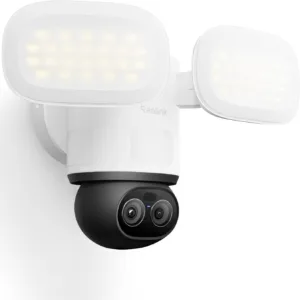
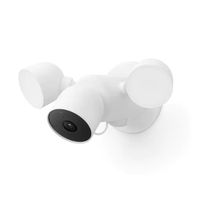
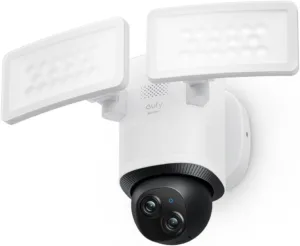
In any case, expect the price to be on par with other floodlight cameras like the Google Nest Cam with Floodlight, Arlo Pro 3 Floodlight (solar kit) and Eufy E340. Even at this price, it easily offers a great value for the money in terms of video quality and customization. The TrackFlex Floodlight is decidedly a premium product, so folks on a budget might consider a more affordable model like the $110 Reolink Solar Floodlight Cam or the $100 Tapo C615F.

Reolink offers some of the best local storage options on the market, including up to 512GB of local microSD capacity, various network video recorders (NVRs), and a massive selection of remote camera protocols like ONVIF, RTSP and FTP. Depending on your skill and budget, Reolink TrackFlex Floodlight fits well into any local storage plan. While Tapo and Eufy come close on the microSD storage front, Reolink is still the best option for NVR and protocol support.

Monthly price
Annual price
Number of cameras supported
Video history
Learn More
Basic LTE Plan 1
(1-cam limit)
7 days
Single-Device LTE Plan 1 30 days
Standard LTE Plan 5 30 days
Premier LTE Plan 10 30 days
Single-Device LTE Plan 1 60 days
Business LTE Plan 20 60 days
Standard LTE Plan Pro 530 days
Business LTE Plan 3060 days
Premier LTE Plan Pro 1030 days
Business LTE Plan Pro 2060 days

Info current as of post date. Offers and availability may vary by location and are subject to change.

Cloud storage, on the other hand, is one of Reolink's weakest aspects, with its base plan starting at $6 per month per camera, which is one of the highest costs among the competition. While Reolink has some reasonable options among its nine paid cloud plans, I don't consider any of the single-device plans or Pro plans to be worth the money for typical customers.

Arlo indeed has a more expensive single-camera plan, but its unlimited camera plans kick in at $18 per month — unlike Reolink, which doesn't offer an unlimited camera plan. Still, Reolink's 10-camera Premier LTE Plan ($11 monthly) is a competitive option that will work for most homes when you realistically account for not needing very many cameras.

The brightest spot in Reolink's cloud storage is that you can get the Basic LTE Plan for free — seven days of cloud storage on a single device — which is great as far as cloud plans go.


Reolink TrackFlex Floodlight vs. other floodlight security cameras
Camera
Typical price
Type
(power source)
Video resolution
Floodlight brightness
Local video storage
Cloud video storage
Learn more
Pan-tilt dual lenses
(Wired)
Wide-angle lens:
4K
(3840 x 2160)

Telephoto lens:
1080p
(1920 x 1080)
3,000 lumensmicroSD
(up to 512GB)
Plans start at $5.99/mo.
Fixed lens
(Battery, wired, solar)
2K
(2560 x 1440)
2,000 lumens
(battery, solar)

3,000 lumens
(wired)
Only with Arlo Pro SmartHub ($99.99)Plans start at $7.99/mo.
Fixed lens
(Wired)
1080p
(1920 x 1080)
2,400 lumens1 hour of backup footage
(1 week of clips)
Plans start at $9.99/mo.
Pan-tilt dual lenses
(Wired)
Wide-angle lens:
3K
(2880 x 1620)

Telephoto lens:
2K
(2304 x 1296)
2,000 lumensmicroSD
(up to 128GB)
Plans start at $3.99/mo.
Fixed lens
(Wired)
2K
(2560 x 1440)
3,000 lumensmicroSD
(up to 256GB)
Plans start at $2.99/mo.
Pan-tilt lens
(Battery, wired, solar)
2K
(2304 x 1296)
800 lumensmicroSD
(up to 512GB)
Plans start at $3.49/mo.

*Amazon.com price as of post date. Read full disclaimer

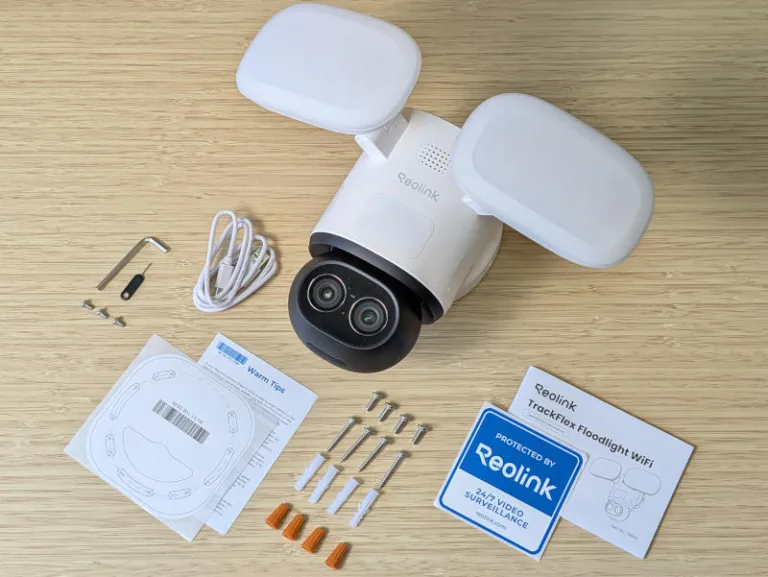
What's in the box

reolink trackflex floodlight wifi security camera box contents on desk
  • Reolink TrackFlex Floodlight WiFi
  • USB-C power cable
  • Mounting hardware (mounting plate, hardware, template)
  • Surveillance sticker
  • Operational instructions

Image: John Carlsen, SafeWise

Reolink TrackFlex Floodlight: Performance

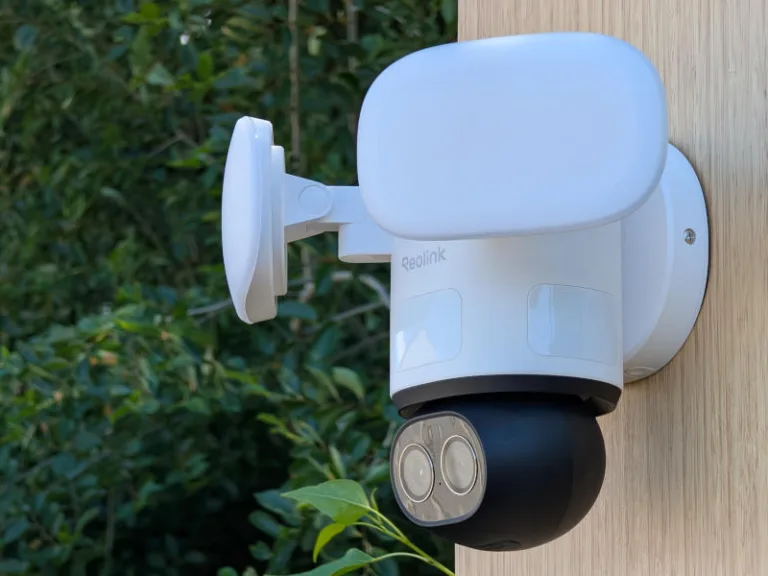
reolink trackflex floodlight wifi security camera outside on wall with tree in background

Images: John Carlsen, SafeWise

Video quality

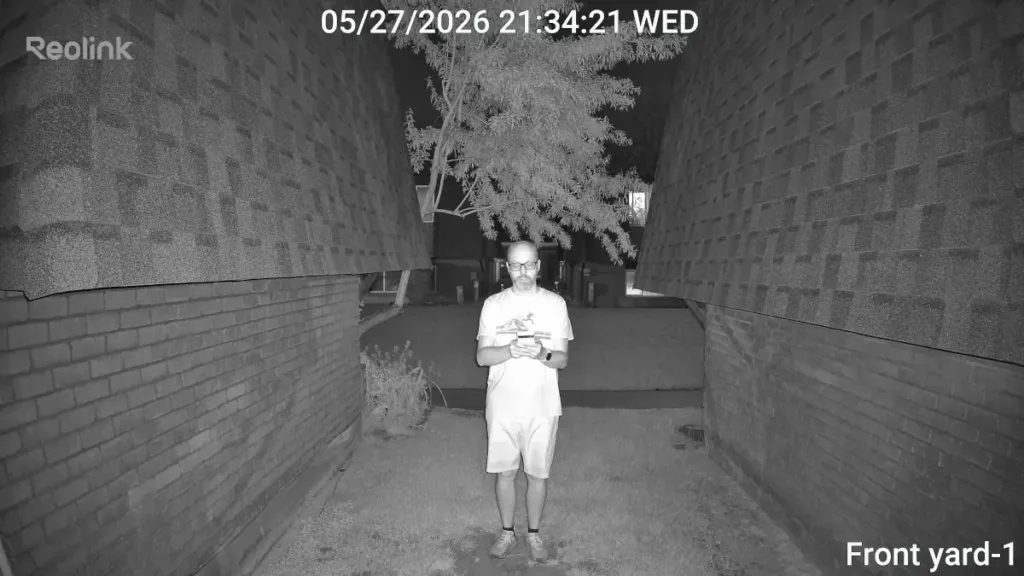
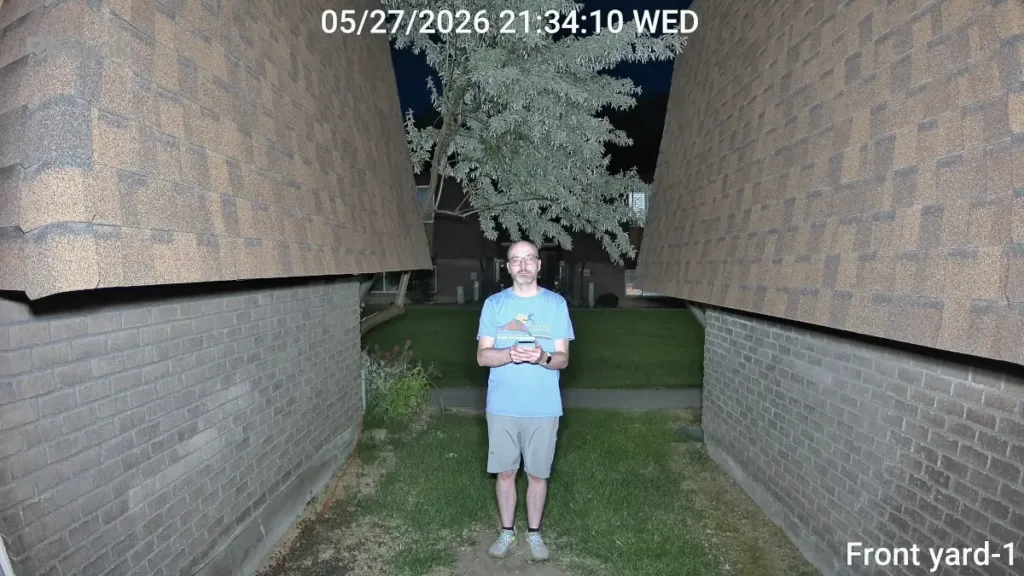
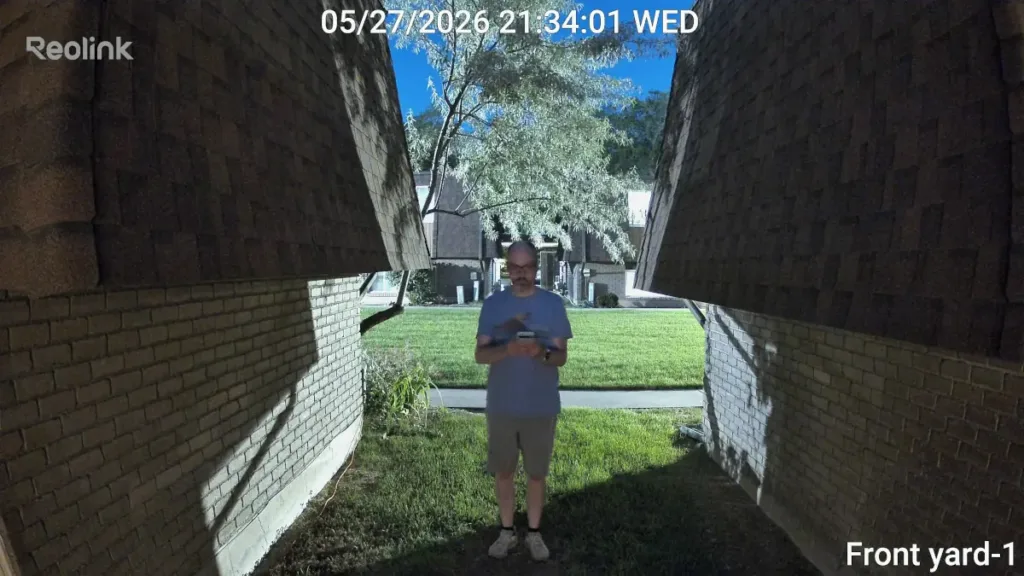
Few security camera brands do video quality better than Reolink, and the Reolink TrackFlex Floodlight WiFi is no exception. In fact, the TrackFlex might be the most consistently outstanding Reolink camera I've ever used. Before I jump into how it performed, I want to address the dual-lens system.

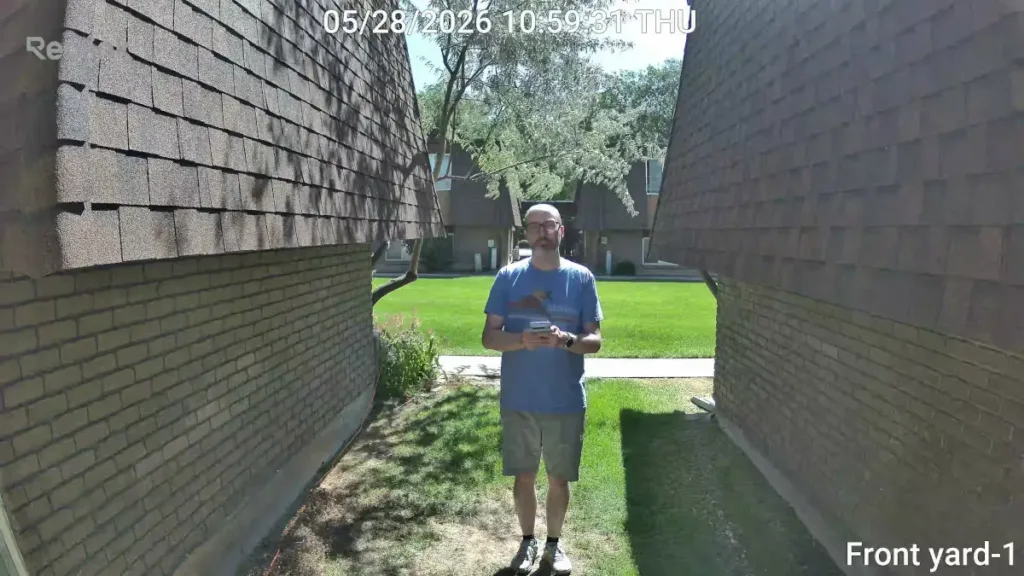
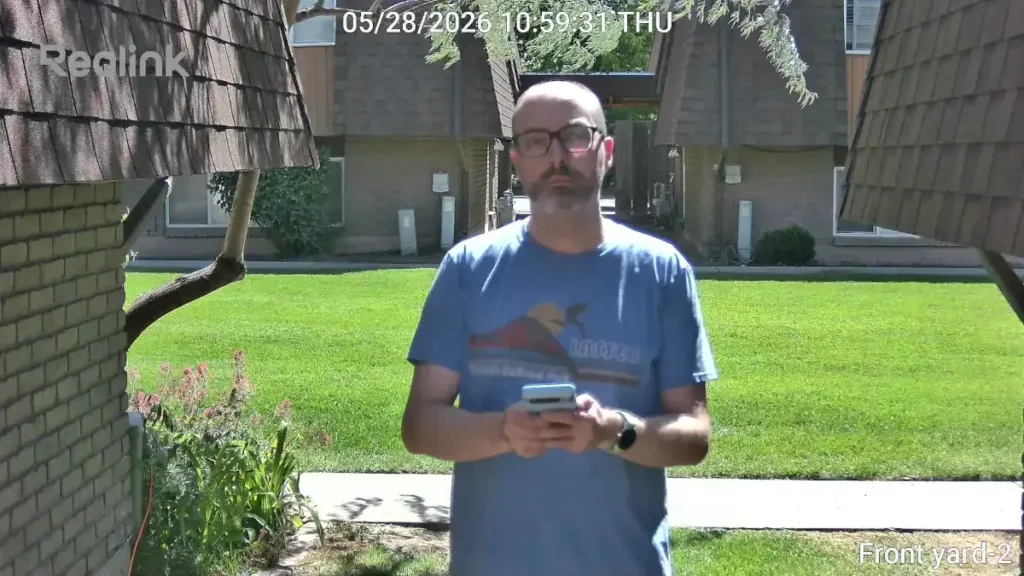
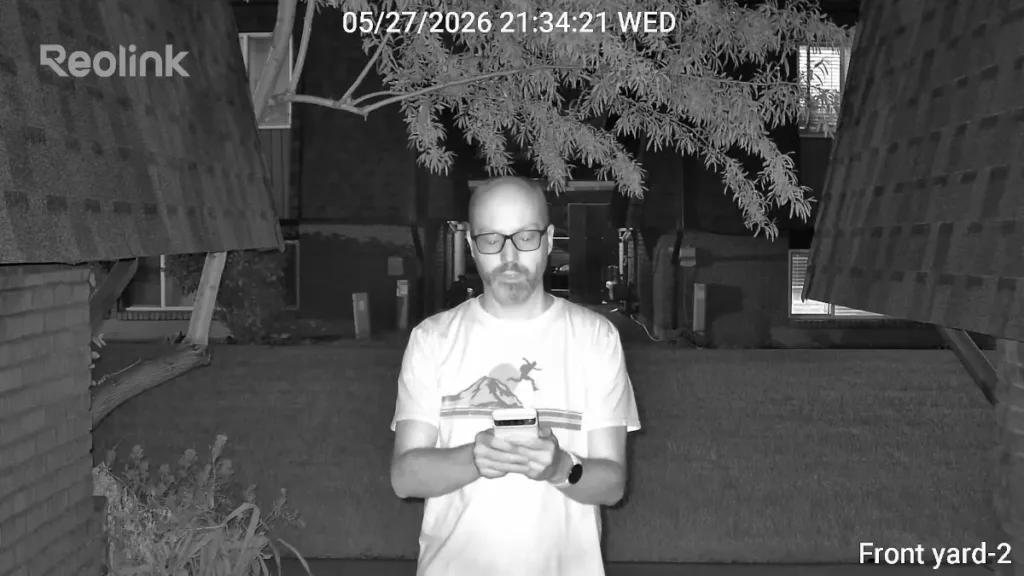
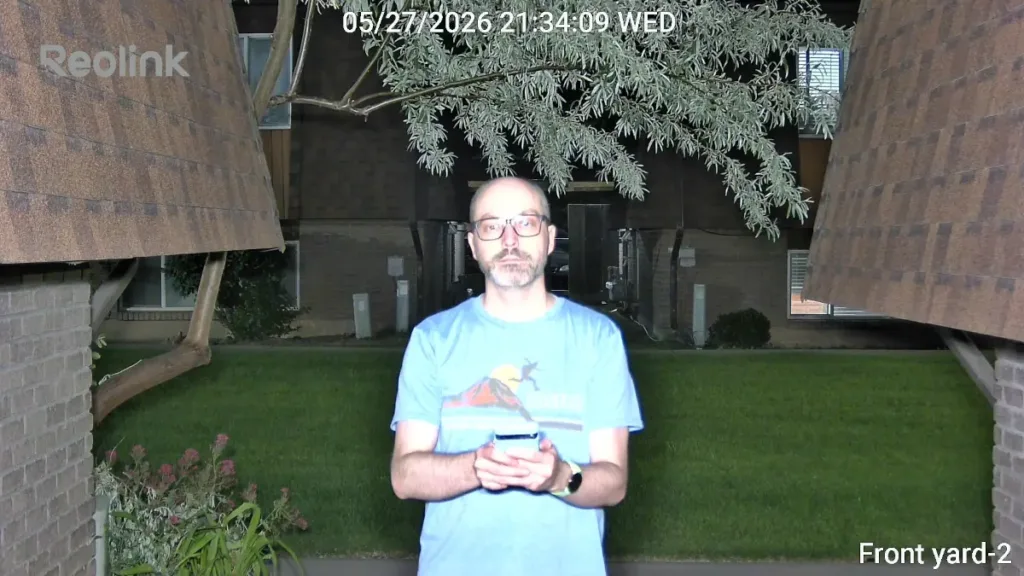
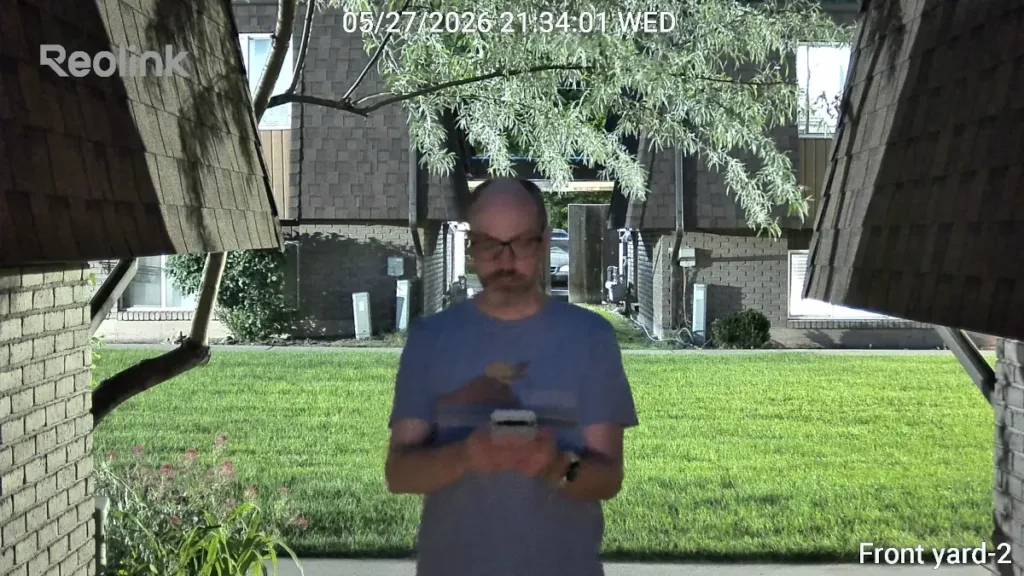
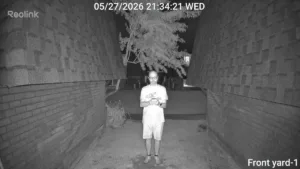
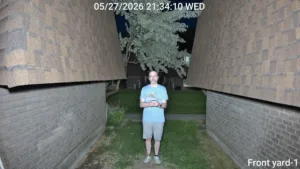
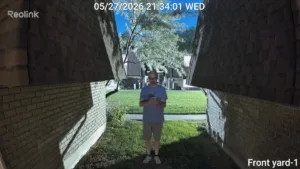
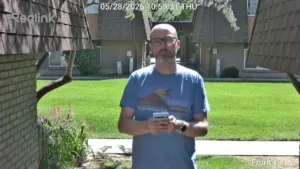
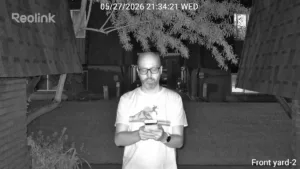
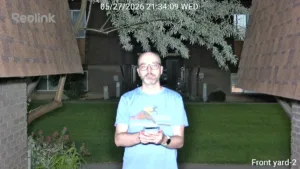
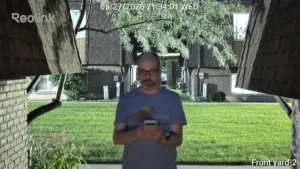
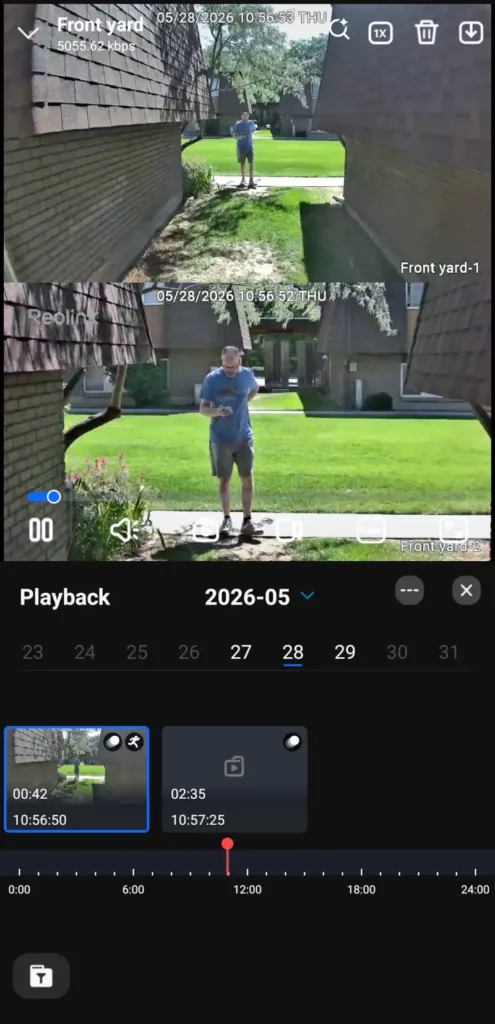
The TrackFlex Floodlight WiFi uses wide-angle and 6x telephoto lenses with unique strengths. The wide-angle lens uses a 4K video resolution to help capture more detail in a scene, and does best when subjects are around 5 to 25 feet away from the camera. In contrast, the 1080p telephoto lens excels at distances beyond 15 feet. While the telephoto lens's longer focal length means that people standing closer than 10 feet will appear blurrier, it still collects more than enough information for identification. (Admittedly, I stood a little too close in the reference images below.)

Because each lens plays to situational strengths, the TrackFlex Floodlight WiFi delivers a better overall result than a camera with a single lens. The telephoto lens makes up for the weaknesses of the wide-angle lens and vice versa.

Images: John Carlsen, SafeWise

Daytime video quality is flawless, with almost no motion blur on moving subjects, thanks to a frame rate of 20 frames per second. While this isn't as smooth as 30 fps cameras from Arlo and Google, Reolink might handle movement better overall.

At night, the camera is very competent, using powerful black-and-white infrared and full-color floodlight modes. Both the infrared lights and floodlights cause some overexposure on the telephoto lens when a subject is within 10 feet of the camera, but the wide-angle view looks fantastic at the same distance and closer. The power of the lighting is clear in the end result of the video. I also turned off all of the lighting to see how TrackFlex handles ambient light in color, and it did surprisingly well whenever the subject was at least partially lit. In a darker setting, the camera struggled to resolve details, but it's also not typical to skip the infrared or floodlight modes.

Bell
Reolink TrackFlex audio quality

Many camera speakers tend to struggle in loud environments, but I'm confident that this one will work well for two-way audio. TrackFlex's built-in speaker is excellent and is clearly audible from more than 25 feet away. The microphone performs almost as well, thanks to noise-reduction tools.

Reolink TrackFlex Floodlight: Features

reolink trackflex floodlight wifi security camera app live view
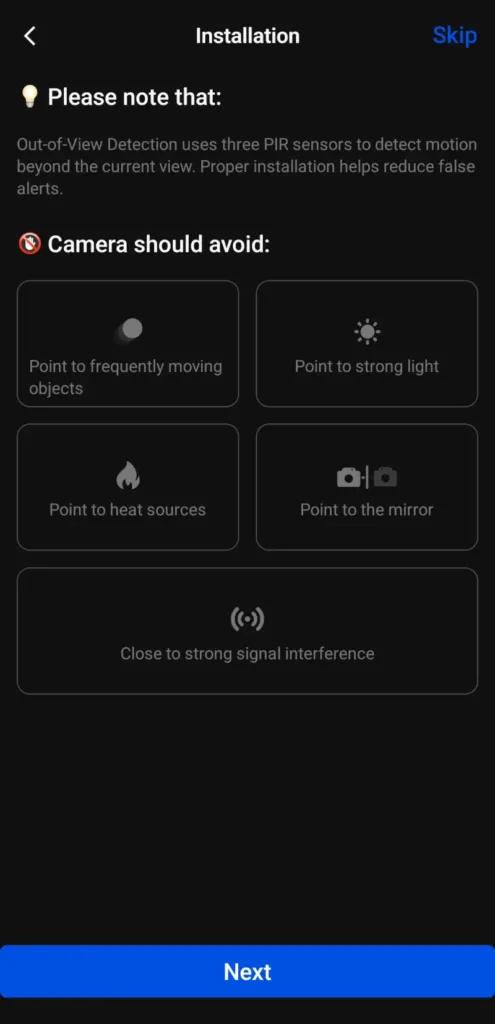
reolink trackflex floodlight wifi security camera app installation
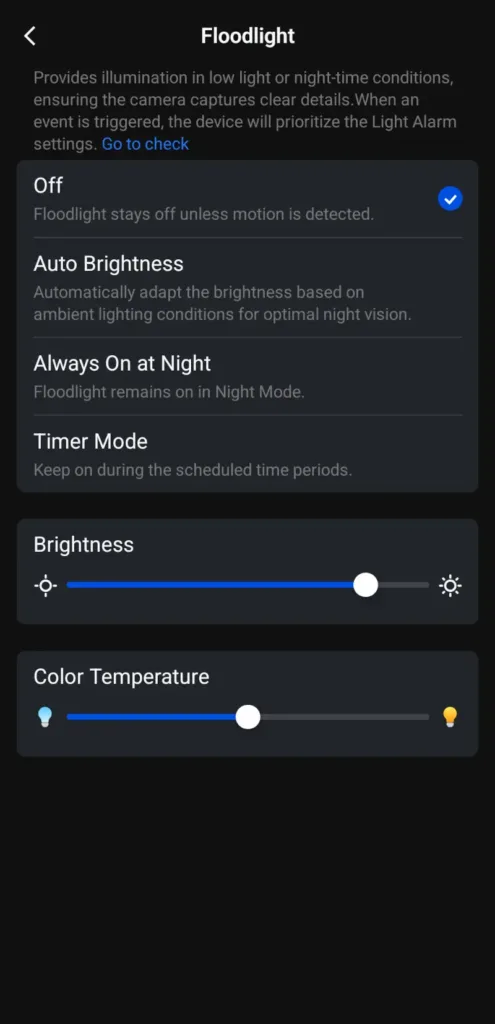
reolink trackflex floodlight wifi security camera app floodlight settings
reolink trackflex floodlight wifi security camera app playback timeline
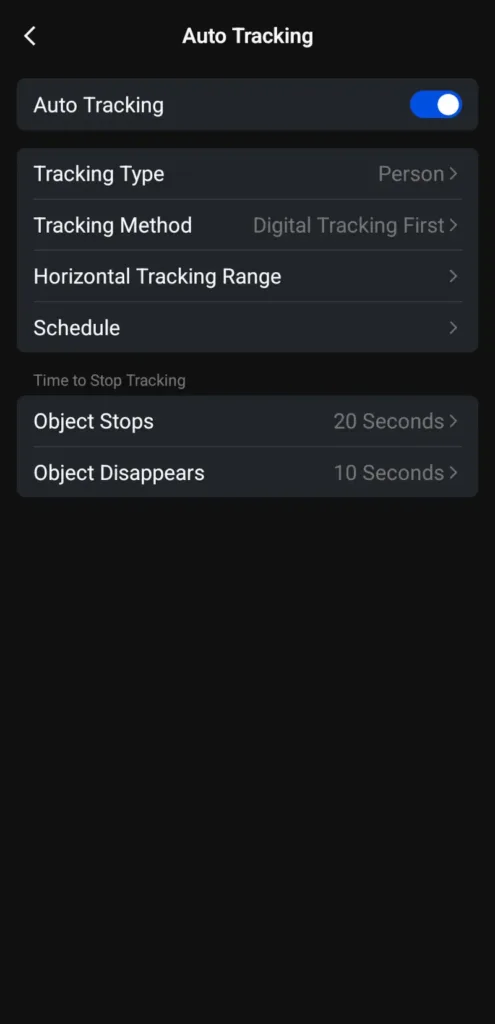
reolink trackflex floodlight wifi security camera app auto tracking settings

Images: John Carlsen, SafeWise

Floodlights

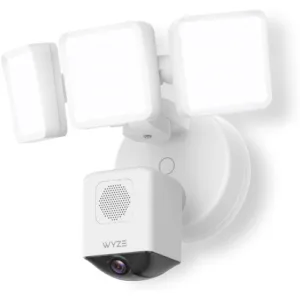
At 3,000 lumens, the floodlights on the Reolink TrackFlex are among the brightest you'll see. It's about as bright as the Wyze Floodlight Camera Pro, while outshining similar models from Arlo, Eufy and Google Nest — each light also has a good range of motion to point where you need it. The brightness and color temperature are adjustable, so you can customize the floodlights to suit your preferences.

Adjustable brightness is also a huge benefit if you're having trouble with light washing out details in video recordings. Finally, I like that you can customize the lights to run on a timer and adjust brightness automatically. The latter feature gives the camera more flexibility to adapt to lighting conditions for the best video quality.

Notepad
Advanced settings on the TrackFlex Floodlight

I won't go into too much depth, but Reolink's advanced settings are a major reason why I like this brand so much. You can customize almost everything. Let's run through a few notable examples:

  • Setting your night vision preference (infrared, floodlight or none).
  • Running a timelapse to see how a scene evolves.
  • Setting up a File Transfer Protocol (FTP) to communicate with other brands of video recorders and third-party cloud websites.
  • Smart home compatibility with Google Home and Amazon Alexa is a nice bonus.

Installation

reolink trackflex floodlight wifi security camera usb setup on desk

Images: John Carlsen, SafeWise

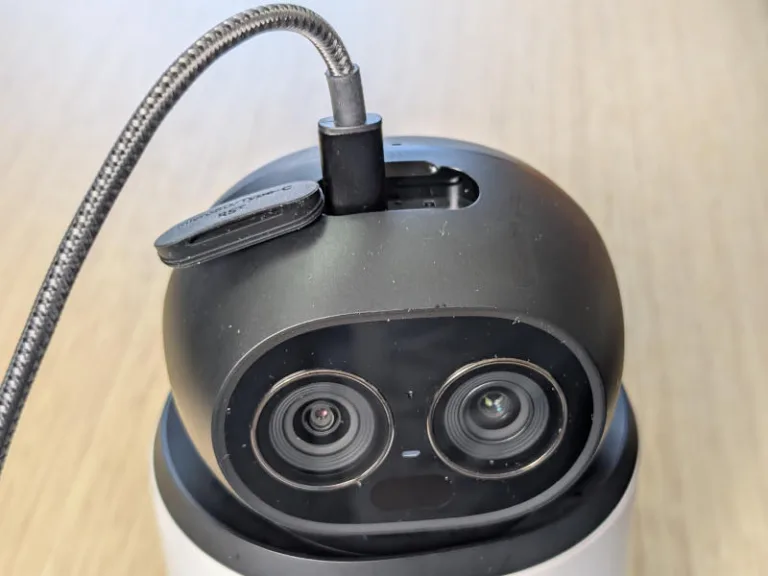
While I wouldn't say installing the Reolink TrackFlex Floodlight was much different than other floodlight cameras I've used, there are a few aspects to its installation that were tedious. I'll start with the good by saying that I like that Reolink includes a USB cable to temporarily power the camera before installation. This way, you can set up Wi-Fi and test the camera's basic functions in the app without having to go through the install process. It's a nice option for preventing someone from installing a camera only to find out it's not working properly.

I'm also a fan of the mounting base's built-in wire connector, which helps streamline the wiring since you don't need to fiddle with wire nuts. However, it does come with wire nuts in case you want a more traditional connection method that doesn't involve a tiny screwdriver. The mounting base connected securely to the junction box, but you can also install it directly on a wall if necessary. While I didn't test the overhang mounting method, I appreciate having the option for overhead junction boxes.

The biggest drawback of the installation process was something that appeared in a few customer reviews as well: the small screws used on either side of the camera to anchor it to the base. I found these screws difficult to work with while aligning the screw holes and keeping a heavy floodlight security camera from tipping forward — I even dropped each screw multiple times. My temporary testing setup doesn't involve a ladder, but I can see why losing tiny screws while standing on a ladder would be very frustrating. Likewise, if you can't figure out the wiring, then you'll likely need to hire an electrician to complete the installation, which increases the cost of the camera.

Reolink TrackFlex Floodlight FAQ

All Reolink cameras support local video storage via a microSD card, while most have optional cloud storage for a monthly fee (beyond the single-camera Basic LTE Plan). You can also use an NVR or security camera protocol to store video. It's even possible to view recorded footage remotely via the Reolink app.

The Reolink TrackFlex Floodlight has three motion sensors — one on the front and one on either side — that help it detect people who approach from a direction where the camera isn't pointing. This helps the camera's pan-tilt function know where to point its tracking mode without video confirmation. It also removes the need for the camera to use a "patrol mode" to constantly look around the area.

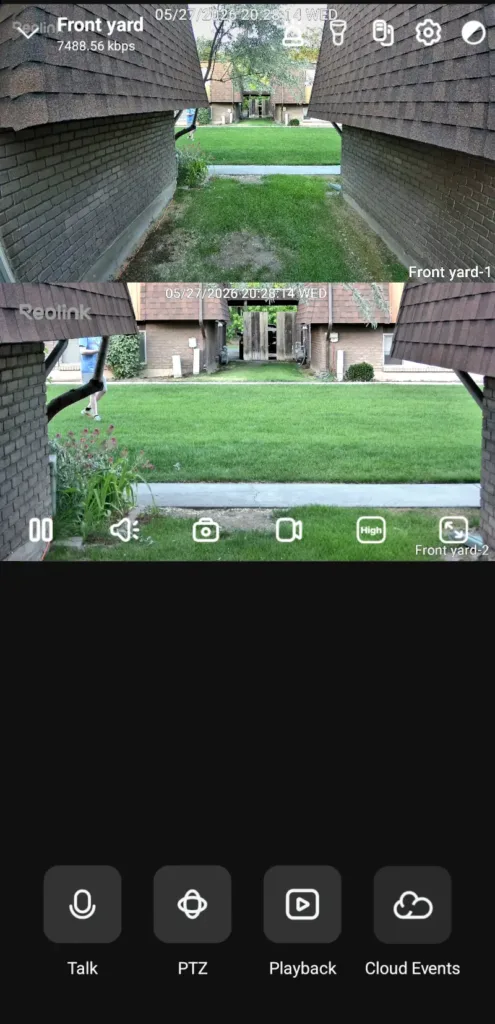
While the default mode shows the view from both lenses in the live view and the main app screen, there's a small icon between the floodlight and settings control in the live view that toggles between dual- and single-view modes. This function is available only in the live view menu.

How we reviewed Reolink TrackFlex Floodlight

reolink trackflex floodlight wifi security camera outside on testing rig with tree and shed in background

Image: John Carlsen, SafeWise

As in past reviews, Reolink provided a sample of the Reolink TrackFlex Floodlight WiFi for SafeWise to test.

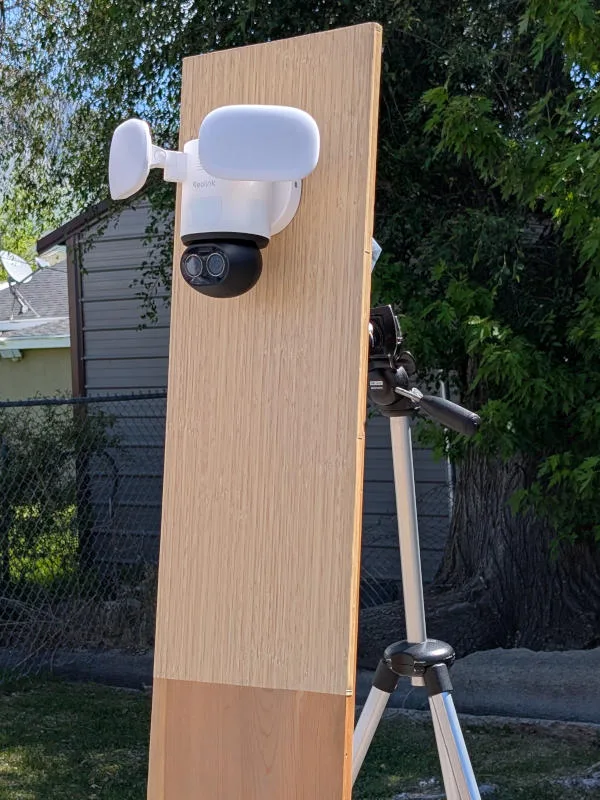
Because this camera has specific installation requirements that are incompatible with my apartment, I built a temporary mounting rig with a junction box that I can move around for testing and photos. It took a little extra work to set up, but it's a nice upgrade over my previous setup that I can reuse in future tests.

While it has some resistance against unexpected wet weather, the rig requires dry conditions. The rig is also nice for placing the camera roughly six feet off the ground.

I tested the camera's performance in the daytime and nighttime lighting conditions to see how it handles the environment. My tests alternate between still shots at fixed distances and videos to look for motion blur and compression artifacts that can degrade video performance. It's also a good chance to see how the mobile app keeps up with heavy usage as I explore various features and settings to get a better idea of the camera's capabilities. In this case, the Reolink app is rock solid.

After physical tests conclude, I look over the brand's customer support resources. Reolink has an extensive knowledge base, online chat and support tickets that are easy enough to use. However, the TrackFlex Floodlight WiFi wasn't properly listed during my review, so I had to search to find its support library.

Read our full methodology page.

Final word

Provided you can afford it and get through the installation process, the Reolink TrackFlex Floodlight WiFi is easily one of the best floodlight security cameras you can buy. I'm very impressed by the 4K video quality, the telephoto lens and the versatile floodlight settings. Still, installing this camera is an intermediate DIY project that requires a ladder, knowledge of electrical wiring (don't forget to turn off the circuit), and patience with a few small screws. Additionally, the cloud plan selection is overly complex and often too expensive. Overall, it's a top contender for best overall the next time I update SafeWise's floodlight camera rankings.

Related articles on SafeWise


Disclaimers

*Product prices and availability are accurate as of post date and are subject to change. Any price and availability information displayed on Amazon at the time of purchase will apply to the purchase of this product. Safewise.com utilizes paid Amazon links.

Certain content that appears on this site comes from Amazon. This content is provided “as is” and is subject to change or removal at any time.

Google, Google Nest Secure, [any other related Google Products] and other related marks are trademarks of Google LLC.

John Carlsen
Written by
John is a technology journalist specializing in smart home devices, security cameras, and home security systems. He has over a decade of experience researching, testing, and reviewing the latest tech—he was the Smart Home Editor for Top Ten Reviews and wrote for ASecureLife before joining SafeWise as a Staff Writer in 2020. John holds a Bachelor's degree in Communications, Journalism emphasis from Utah Valley University. In his spare time, he enjoys hiking, photography, cooking, and starting countless DIY projects he has yet to complete.

Recent Articles

dangerous apps for kids
Dangerous Apps for Kids: What Parents Need to Know in 2026
Dangerous apps for kids include ones you’ve heard of (TikTok, Instagram) and some new arrivals....
Map showing location pins for the city in each state with the highest burglary rate.
The Most Burglarized City in Every State
We found the most-burglarized city in every state — it looks like burglars are equal...
Ring Alarm security system unboxed.
Ring Security vs. Frontpoint
Frontpoint is our pick in this DIY security system matchup. Its starter package is more...
Technician installing a smoke alarm
Best Smoke Detectors of 2026
We reviewed the top fire and smoke alarms for your home in 2026. Protect your...