

The Home Security Mistakes People Make When Moving to a New Neighborhood

Why you can trust SafeWise
products considered
250+
research hours in 25+ in-home tests
10k+
years of combined experience
176+
homes and people protected
10M+

For over 13 years, SafeWise experts have conducted independent research and testing to write unbiased, human reviews (not robots). Learn more.

SafeWise Team
Jul 06, 2026
Icon Time To Read4 min read

Moving gives you a fresh start, but it also gives you a lot to track. Between boxes, utilities, keys, and delivery windows, it is easy to miss the small security steps that make a new place feel like yours.

That does not mean your new neighborhood is necessarily risky. It means the locks, devices, doors, windows, and routines are still new to you. The best home security tips when moving to a new neighborhood start with access. Know who can get in, reset anything you did not set up yourself, and learn how the block works.
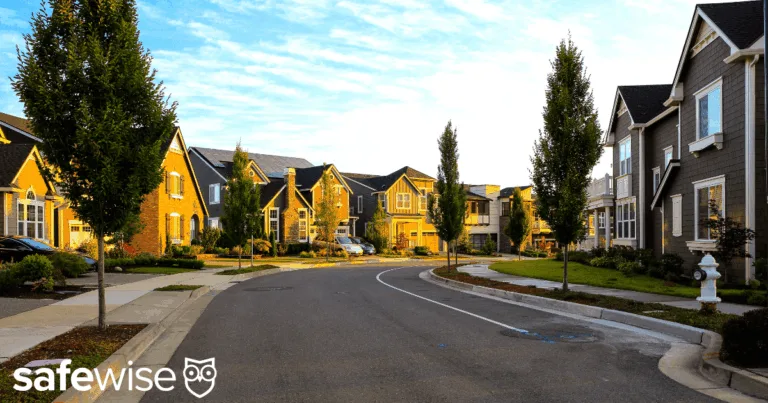
Neighborhood

Image credit: SafeWise

Start with keys, codes, and entry points

What should you do for home security when you move? Start with the first-week basics: rekey or change the locks, reset garage and smart lock codes, secure the router, check doors and windows, set up any camera or alarm gear you already have, and say hello to a neighbor or two.

Use this moving home security checklist before the move starts to feel normal. The goal is to make sure the old setup is not still running the new home.

Mistake 1: Assuming the old keys are fine

You get the keys at closing or lease signing, but that does not always mean you are the only person who has a copy. Previous owners, tenants, contractors, cleaners, relatives, or agents may have had copies.

That does not mean anyone plans to use them. You just do not know the full key history.

Should you change locks when you move into a new home? Yes, or at least rekey them. State Farm recommends changing or professionally rekeying locks when you take over from a previous owner so old keys no longer work.

For renters, ask the landlord what is allowed before changing hardware, and ask whether the lock was rekeyed after the last tenant moved out.

Reset smart locks, keypad codes, garage door openers, and side-door keypads too. The rule is simple: the people who can get in should be the people you choose.

Mistake 2: Keeping smart devices you did not set up

A doorbell camera, smart lock, thermostat, or security camera that came with the home may look helpful. Still, if you did not set it up, start fresh.

Factory reset connected devices, create your own accounts, change default passwords, remove shared users, and check which phones or apps still have access. The FTC recommends that sellers remove admin access and personal information from connected devices and reset them before handing over a smart home. As the new person in the home, it is smart to check.

Don't stop with the devices you can see. Your Wi-Fi router matters too, especially if cameras, locks, or smart speakers connect to it. CISA recommends changing default router usernames and passwords, updating firmware, and using strong Wi-Fi security.

Home security after moving is not only about doors. All home-related apps, accounts, and devices should belong to you too.

Mistake 3: Waiting until the boxes are unpacked

It is tempting to procrastinate security matters until the house looks settled. But moving week is when doors stay open, deliveries arrive, movers come and go, and expensive items may sit in labeled boxes. So the first week deserves a quick security check.

Before the first night, make sure every exterior door closes, latches, and locks. Check ground-floor windows, basement windows, sliding doors, and the door between the garage and the house.

If you already own a camera, doorbell camera, or alarm kit, set up the main entry first. It does not need to be perfect on day one. Even one camera or a few entry sensors can help during the busy move-in week.

If you are deciding what kind of monitoring makes sense after the move, SafeWise's guide to self-monitored security systems can help you compare options.

Mistake 4: Not walking the property before the first week gets busy

One of the easiest first steps home security new home tasks is a slow walk around the property and familiarize yourself with the home.

Start at the front door and move clockwise. Check side doors, back doors, basement doors, sliding doors, garage access, gates, and every ground-floor window.

Look for the small things that movers and previous residents may have stopped noticing: a latch that does not fully catch, a window that wiggles open, a sliding door without a track lock, a porch light that burned out, or an old spare-key spot near the door.

Break down boxes for TVs, computers, or other expensive items before pickup so your first week does not advertise what just moved in.

Mistake 5: Not learning what normal looks like nearby

How do you assess a new neighborhood for safety? Start by learning what normal routines look like nearby. Introduce yourself to close neighbors, notice trash pickup and parking patterns, and check local public safety pages or community groups for practical updates.

A quick hello can make the street feel friendlier. It also gives you someone nearby who can text if a package is sitting out.

Community groups can help, but use them for context, not doom-scrolling. If every post makes the area feel worse than it is, focus on what you can verify.

Mistake 6: Letting move-in shortcuts become everyday habits

Moves are messy, so people make exceptions. The garage stays open for another box. The back door stays unlocked for trash runs. Spare keys get handed around because relatives are helping. Those shortcuts may be normal for move-in day, but they should not become routine.

By the end of the first week, decide who has keys, where spares go, how packages are handled, which doors get checked at night, and what happens when someone leaves through the garage.

These small choices end move-in chaos faster. When moving to a new area, make sure temporary security mistakes don’t become habits. If you never reset the garage code, check the side gate, or meet the neighbor next door, those gaps can sit for months.

Use the first week to make the basics yours

You do not have to finish every security upgrade before the last box is unpacked. Start with the things that make the home yours: keys, codes, connected devices, doors, windows, and a few friendly faces nearby.

Once the basic locks, devices, and routines are handled, the new place starts to feel less like someone else's setup and more like your home.

SafeWise Team
Written by
The SafeWise Team is here to help you keep your home and family safe. Whether you’re looking to pick a security system or identify and remove common risks in your home, we’re here to help you find the best products and well-researched answers. At SafeWise we combine our years of experience in home safety and security with user reviews and feedback to help take the guesswork out of living safe.

Recent Articles

woman checking on home security system via app on smartphone
The Best Alexa-Compatible Home Security Systems
Best for built-in integration ADT Voice control of ADT system Works with Alexa Guard View...
Vivint App: A Complete Guide to Features and Use
Tour the Vivint app and discover its features, navigation, and customization capabilities. Learn how to...
dangerous apps for kids
Dangerous Apps for Kids: What Parents Need to Know in 2026
Dangerous apps for kids include ones you’ve heard of (TikTok, Instagram) and some new arrivals....
Map showing location pins for the city in each state with the highest burglary rate.
The Most Burglarized City in Every State
We found the most-burglarized city in every state — it looks like burglars are equal...