

Neighborhood Camera Networks: How Shared Video Is Changing Community Safety

Why you can trust SafeWise
products considered
250+
research hours in 25+ in-home tests
10k+
years of combined experience
176+
homes and people protected
10M+

For over 13 years, SafeWise experts have conducted independent research and testing to write unbiased, human reviews (not robots). Learn more.

Cherif A.
Jul 07, 2026
Icon Time To Read4 min read
Icon CheckEdited ByKit Smith

Doorbell cameras used to mostly focus on protecting your own front door. Now, many feed into a bigger neighborhood security camera network, where clips from porches, driveways, sidewalks, and streets can help neighbors piece together what happened after a package theft, car break-in, or burglary.

That can be useful. One camera may miss what another one catches. A doorbell camera across the street may show a car, a license plate, or which way someone went.

But the same setup also raises real questions about privacy, bias, and who gets access to footage. Shared video can help explain what happened, but it can also spread suspicion before anyone has the full story.

The short answer: neighborhood camera-sharing groups can be helpful, but they are not a substitute for calling police or filing a report.
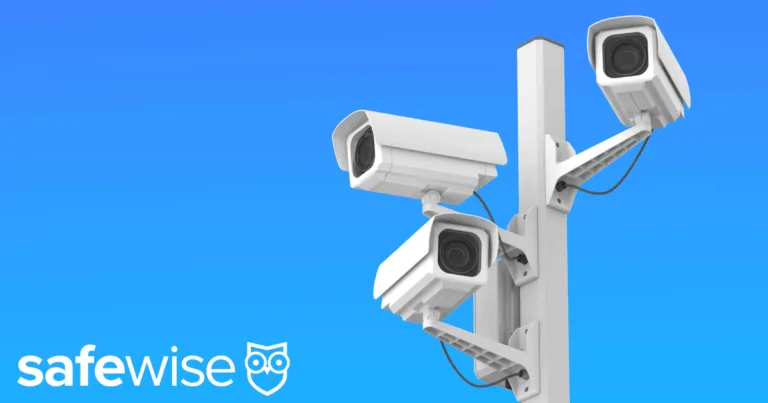

Network of neighborhood cameras against a blue sky

Image: SafeWise

How neighborhood camera networks work

The idea is simple: one resident saves a clip and shares it with neighbors, a group, or a public safety agency. That might be a package theft, a suspicious vehicle, a car break-in, a hit-and-run, or footage from around the time of a burglary.

How do neighborhood Ring groups work? Ring’s Neighbors app lets residents see local posts, share safety updates, and, in some cases, respond to public safety requests for footage.

Ring’s current Community Requests page says verified public safety agencies can post requests in the Neighbors feed for a specific area, date, and time, and users can choose whether to share relevant clips.

That voluntary part matters. In a neighborhood group, a camera owner usually decides what to share, where to share it, and whether to respond to a request at all.

Where shared footage can help

The appeal of community camera sharing safety is easy to understand. A single camera only sees one angle. Several cameras can sometimes help build a timeline.

Several clips can build a clearer timeline: one camera catches a person, another catches a car, and another shows which way they left.

Shared doorbell camera footage can help with package thefts, car break-ins, vandalism, and break-ins, but it is still only a lead. It can show who or what was nearby, not always who committed a crime.

Why privacy concerns are part of the story

The privacy concern starts with a simple fact: home cameras often record more than the owner’s property.

A doorbell camera may capture sidewalks, delivery workers, guests, kids walking home, a neighbor’s driveway, or someone passing through the area for a normal reason. Those people usually did not agree to be recorded, and they may not know the clip is being shared in a group.

That is where community surveillance privacy becomes part of the conversation. A video that feels helpful to one household may feel intrusive to someone else, especially if it is posted publicly with little context.

Digital rights groups have raised concerns about this kind of everyday surveillance for years. The ACLU has warned that Ring’s Neighbors app can create racial profiling concerns when users circulate videos of people they label as “suspicious” based on who they think belongs in a neighborhood.

That does not mean every shared clip is harmful. It means the way footage is described, posted, and interpreted matters.

The risk with “suspicious” posts

Ring neighbors app crime posts can alert people to real problems, but they can also turn ordinary behavior into a public accusation.

Bias can creep in when neighbors guess who “belongs” nearby, so stick to what the footage shows: “Someone tried the car door at 2:14 a.m.,” not “This person is a thief.”

Can police access your Ring footage without permission?

In routine Community Requests, Ring says your footage is not automatically shared with public safety agencies. The company’s current guidance states that users choose whether to respond, and only videos they specifically select are sent to the requesting agency via Axon Evidence.

Police generally cannot use a neighborhood app to simply watch your camera whenever they want. But footage may still be shared if you choose to send it, if there is a valid legal process, or in certain emergency circumstances based on platform policy.

If you use Ring or another camera platform, check the current privacy settings, request settings, and law enforcement policy yourself. These tools change, and the details matter.

How to share footage more responsibly

The goal is to share in a way that helps without creating unnecessary harm.

Before you post or send a clip, ask yourself:

  • Does this show a specific incident, or just a person I do not recognize?
  • Have I removed details that do not need to be public?
  • Am I describing what happened without guessing who did it?
  • Should this go to the police or an insurance company instead of a neighborhood feed?
  • Would I be comfortable if a harmless clip of me were shared this way?

If the footage shows a crime, file a police report and ask how they want the video submitted. If the footage is more general, like a car driving by or someone walking down the sidewalk, be careful about labeling it “suspicious.”

What to check before joining a camera group

Before you join or participate in a neighborhood camera group, check who can see posts, whether police or public safety agencies can participate, and whether clips can be downloaded, reshared, or sent outside the group.

Also review your camera’s privacy zones, audio settings, video storage settings, and notification settings. If the group has rules, read them. Stronger groups usually discourage public accusations, personal information, harassment, and posts based only on appearance.

If your neighborhood uses an app, review its settings regularly. If it uses neighborhood watch camera groups, group chats, or social media pages, be thoughtful about what you post and how long it stays up.

The real tradeoff behind shared camera footage

Neighborhood camera networks can help communities respond to thefts, break-ins, and other incidents. They can give police leads, help neighbors compare timelines, and show details one camera may have missed.

They also widen the circle of surveillance. More cameras mean more people are recorded, more clips are shared, and more room exists for mistakes, bias, or overreaction.

Shared videos can help, but they can also capture people who never asked to be included.

Cherif A.
Written by
Cherif A. is an SEO content strategist and blog writer. His writing covers consumer-focused subjects such as home safety, personal security, digital tools, smart home technology, and everyday preparedness. Drawing on a research-first approach, Cherif aims to make safety and technology topics feel accessible without oversimplifying them. When he’s not writing, Cherif enjoys following digital trends and studying what makes online content genuinely helpful for readers.

Recent Articles

woman checking on home security system via app on smartphone
The Best Alexa-Compatible Home Security Systems
Best for built-in integration ADT Voice control of ADT system Works with Alexa Guard View...
Vivint App: A Complete Guide to Features and Use
Tour the Vivint app and discover its features, navigation, and customization capabilities. Learn how to...
dangerous apps for kids
Dangerous Apps for Kids: What Parents Need to Know in 2026
Dangerous apps for kids include ones you’ve heard of (TikTok, Instagram) and some new arrivals....
Map showing location pins for the city in each state with the highest burglary rate.
The Most Burglarized City in Every State
We found the most-burglarized city in every state — it looks like burglars are equal...