What Your Social Media Tells Burglars About Your Home

Why you can trust SafeWise
products considered
250+
research hours in 25+ in-home tests
10k+
years of combined experience
176+
homes and people protected
10M+

For over 13 years, SafeWise experts have conducted independent research and testing to write unbiased, human reviews (not robots). Learn more.

SafeWise Team
Jun 26, 2026
Icon Time To Read4 min read
Icon CheckEdited ByKit Smith

Most people do not think twice about posting a vacation photo, a new TV, or a quick “finally out of town” update. That is part of how people share their lives now.

But some posts say more than you meant them to.

A public photo can show that you are away from home. A home tour can showcase your house's layout. A new-purchase post can show what is worth stealing. None of that means social media causes break-ins, but it can give opportunistic thieves useful clues.

Burglars can use public social media posts as signals, especially when posts reveal your location, schedule, valuables, or home layout. You do not have to stop sharing, but a few small habits can make your posts less useful to people you do not know.
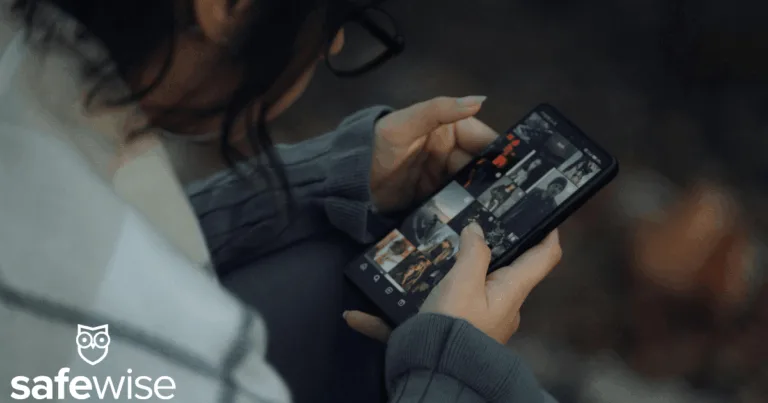

Woman looking at social media post

Image: SafeWise

What burglars can learn from your feed

The biggest oversharing on social media risks usually come down to three things: where you are, when you are away, and what is inside your home.

A vacation countdown can say when the house will be empty. A check-in at the airport can show you are away right now. A photo of a new gaming setup, bike, laptop, or jewelry can show what someone might want to take.

Photos can also reveal details you might not notice. A selfie by the front door may show your lock, entryway, or security keypad. A home tour may show where bedrooms, sliding doors, or side entrances are. A “morning routine” post may show when the house is quiet every weekday.

Most of these posts are harmless to friends and family. The problem is when they are public, reshared, tagged, or visible to people you do not really know.

Vacation posts can wait until you are home

For vacation posting safety, timing matters more than most people think.

Real-time vacation posts can tell people your home is empty, especially if your profile is public or your location tags are on. Do not announce vacation plans before or during a trip, and wait to post photos until you are back home.

You can still share the good photos. Just post them later, skip exact dates or hotel names, and use close friends lists or private messages if you want to share while you are away.

Be careful when posting new purchases

Unboxing posts are fun, but they can also advertise your valuables.

A new TV, bike, gaming console, camera, handbag, or piece of jewelry may not seem like a security issue when you are posting it. But if the post is public, it can show both the item and the fact that it is now in your house.

The same goes for delivery boxes. A photo of a large box on the porch can reveal what was delivered, where packages are left, and whether your front step is visible from the street.

You do not need to hide every purchase. Just think about what else is in the frame. Avoid showing the front of your home, street number, door locks, windows, or where the item sits inside.

Home photos can reveal more than decor

Home photos can show more than decor. A wide shot may reveal doors, windows, staircases, garage access, office setups, or where valuables are kept.

Check the background first. Crop out entry points, blur street numbers, and avoid showing security devices too closely. For families, this also applies to everyday photos. A back-to-school picture can accidentally show a house number, school name, bus stop, or daily routine.

Check who can see your posts

If your account is public, more people can see your posts than you may realize. That can include old contacts, people outside your neighborhood, and accounts you do not recognize.

CISA recommends reviewing social media privacy settings, and the FTC suggests checking app permissions for features like location, contacts, and photos.

Start with the basics:

  • Make personal accounts private if they do not need to be public.
  • Remove followers you do not know.
  • Turn off location tags for posts and stories.
  • Check who can tag you or add your location.
  • Turn off app permissions you do not use.

These quick checks help keep your posts closer to the people you actually meant to share with.

Social media safety tips that still let you share

The best social media safety tips are not about going completely offline. They are about being a little more cautious.

If you are traveling, consider posting photos after you get home. If you are excited about a new purchase, avoid showing where it is stored. If you are sharing a home project, keep doors, windows, locks, and street signs out of the shot.

It also helps to think about offline signals while you are away. Ask a neighbor to pick up mail, move packages, or keep an eye on the driveway. Use timers or smart lights so your house does not look empty.

These home burglary prevention tips work best together. Social media is only one part of the picture, but it can make the rest of your routine easier or harder to read.

What to avoid posting before you leave

Avoid posting anything that tells people your home is empty, where you live, or what is easy to grab. Be careful with real-time vacation posts, location tags, expensive purchases, full home tours, daily routines, kids’ school details, and photos that show your address, street sign, or license plate.

Posting vacation photos safely does not mean hiding your trip. It usually means waiting until you are home, leaving out exact details, and sharing with a smaller group of people you trust.

Share smarter, not less

Social media is part of daily life. You should not have to stop posting to keep your home safer. The safer approach is simple: delay real-time travel posts, limit who can see personal updates, turn off location tags, and look at the background before you share.

You can still share the trip, the new couch, the holiday decorations, or the home project. Just check what else the post gives away before you do.

SafeWise Team
Written by
The SafeWise Team is here to help you keep your home and family safe. Whether you’re looking to pick a security system or identify and remove common risks in your home, we’re here to help you find the best products and well-researched answers. At SafeWise we combine our years of experience in home safety and security with user reviews and feedback to help take the guesswork out of living safe.

Recent Articles

dangerous apps for kids
Dangerous Apps for Kids: What Parents Need to Know in 2026
Dangerous apps for kids include ones you’ve heard of (TikTok, Instagram) and some new arrivals....
Map showing location pins for the city in each state with the highest burglary rate.
The Most Burglarized City in Every State
We found the most-burglarized city in every state — it looks like burglars are equal...
Ring Alarm security system unboxed.
Ring Security vs. Frontpoint
Frontpoint is our pick in this DIY security system matchup. Its starter package is more...
Technician installing a smoke alarm
Best Smoke Detectors of 2026
We reviewed the top fire and smoke alarms for your home in 2026. Protect your...