

Back-to-School Safety Checklist: What Parents Actually Need to Prepare

Why you can trust SafeWise
products considered
250+
research hours in 25+ in-home tests
10k+
years of combined experience
176+
homes and people protected
10M+

For over 13 years, SafeWise experts have conducted independent research and testing to write unbiased, human reviews (not robots). Learn more.

Joanna Cailas
Jul 13, 2026
Icon Time To Read5 min read
Icon CheckEdited ByKit Smith

Back-to-school time means new routines, new schedules, new devices, and often a little more independence for kids. Whether your child is starting kindergarten, changing schools, getting their first smartphone, or walking home alone for the first time, the start of the school year is a good time to review a few safety basics.

Back-to-school safety preparation takes less time than getting all the supplies. A few conversations, a quick device check, and a simple family plan cover the essentials before the first bell rings.
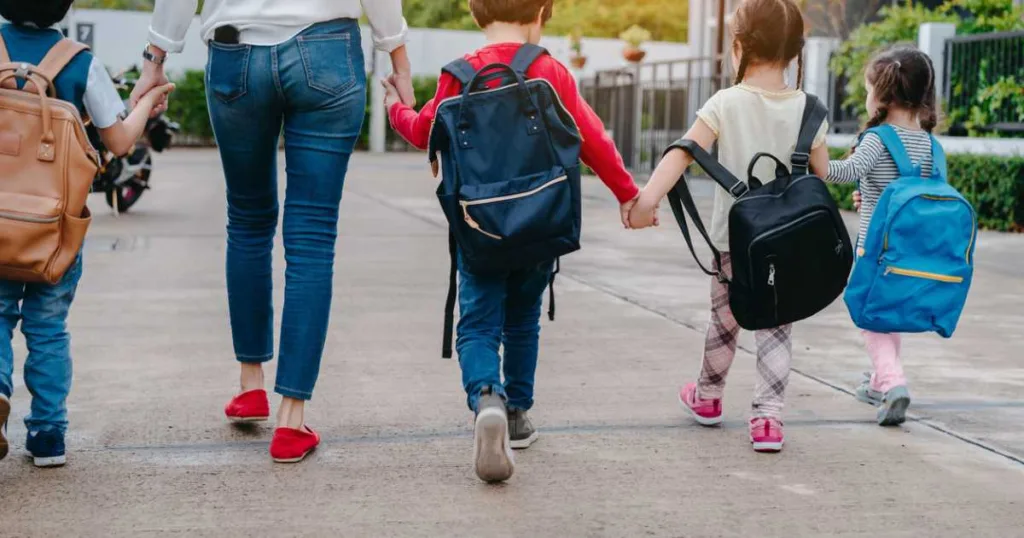

Mother and kids holding hands going to school, with backpacks.

Image credit: champpixs, iStock

What should I do to prepare my child for back-to-school safety?

The most important back-to-school safety tips cover four areas:

  • Route and commute safety
  • Digital setup and online safety
  • Family communication plans
  • Home safety routines

Most of these tasks take only a few minutes, and they’re important to check off your list before the school year gets busy.

Route and commute safety

Before the first day, walk or drive the route with your child. Younger children may benefit from several practice runs until they feel comfortable. Older children can use the opportunity to discuss what they would do if plans change unexpectedly.

Review the route together

Show your children these things on their route:

  • Crosswalks and traffic signals
  • Safe places to wait
  • Areas with heavy traffic
  • Trusted adults or businesses nearby

Some families also identify "safe houses" along the route. These might include a trusted neighbor, a local library, a community center, or a familiar business where a child could go if they felt uncomfortable or needed help.

If your child takes the bus or carpools, make sure to prepare for transportation details as well.

Prepare for bus transportation

  • Confirm pickup and drop-off locations
  • Review arrival and departure times
  • Discuss what to do if they miss the bus
  • Teach younger children to stay where they are and contact a parent or trusted adult

Prepare for carpools

  • Confirm pickup and drop-off locations and times
  • Make sure your child knows who is driving on each day
  • Share contact information with all participating parents
  • Review any schedule changes ahead of time
  • Teach children what to do if the usual driver is unavailable
  • Trusted adults: Review who is authorized to pick them up from school and who is not. This can be helpful, especially for younger children.

Set expectations for older students

As children gain independence, clear expectations become more important.

Discuss transportation expectations with your child:

  • Which route they should take
  • What to do if their phone battery dies
  • Who they should contact if plans change
  • Check-in expectations at key points in the day, such as arriving at school, leaving campus, or changing transportation plans (includes ride/share apps, carpools/a friend’s parent driving, and after-school activities)

Digital setup and online safety

Back-to-school season often comes with new devices, new apps, and new online accounts. Reviewing back-to-school online safety settings before classes begin helps children start the year with safer digital habits.

What online safety settings should I set up for my kids before school starts?

Start with the basics: privacy settings, parental controls, app permissions, and location-sharing settings. Then review who can contact your child, what information is visible to others, and which apps have access to their camera, microphone, photos, and location. The beginning of the school year is a natural time to audit devices and refresh family expectations around online safety.

Review device settings

Check the following on your child’s devices:

  • Privacy settings
  • App permissions
  • Location-sharing settings
  • Account recovery information
  • Software updates

This is also a good time to remove apps your child no longer uses and review any new downloads.

Set up parental controls together

Tools like Apple Screen Time and Google Family Link can help families establish healthy digital habits. Involve your child in the conversation and set up. Explain why certain limits exist and how they support safe, balanced device use.

Review social media privacy

If your child uses social media, review the following on their device:

  • Who can view their profile
  • Who can send messages
  • What information is publicly visible
  • How to report inappropriate behavior

Privacy settings are only one part of online safety. Children should understand who can see their content, how information can be shared beyond its intended audience, and when to ask a trusted adult for help.

Discuss school-device expectations

Many schools provide laptops or tablets. Before classes begin, establish clear expectations about the following:

  • Educational vs. personal use
  • Appropriate communication
  • Downloading apps
  • Sharing passwords

Children are more likely to follow rules they understand.

Family communication plans

Children don't need a script for every situation, but they should know how to reach you, who to contact, and what to do if plans change unexpectedly. A family communication plan covers the situations children are most likely to encounter during the school year, from missed buses to schedule changes and after-school pickups.

How do I set up a family safety plan for the school year?

A family safety plan for the school year should include the following:

  • Daily check-in expectations
  • Emergency contacts
  • A family safe word
  • Backup transportation plans
  • Emergency procedures

Keep the plan simple enough for every family member to remember.

Create a daily check-in routine

Some families prefer a text when a child arrives at school. Others check in after school or when children arrive home. The exact routine matters less than consistency. When check-ins become a habit, children are more likely to remember them when schedules change or something unexpected happens.

Establish a family safe word

A safe word is a code word a child can use if they feel uncomfortable, unsafe, or need help. It can also help verify that an unfamiliar adult was genuinely sent by a parent or caregiver. Choose a word that is easy to remember but difficult for others to guess.

Memorize key information

Children should have these things memorized for safety purposes:

  • Their full name
  • Home address
  • At least one parent's phone number
  • Emergency contacts

While phones make information easy to access, children should not rely entirely on stored contacts.

Consider location sharing

GPS-enabled watches, phones, and other devices and apps can help families stay connected. If you use location-sharing tools, be transparent about them. Children should understand what information is being shared and why.

Home safety for kids who arrive before a parent

Many children look forward to the extra independence that comes with staying home for part of the afternoon. Before school starts, review household routines, emergency contacts, and basic safety expectations so they feel prepared from day one.

Create an entry plan

Make sure your child knows these home entry details:

  • How to enter the home safely, whether your household uses a key, access code, smart lock, or another entry method
  • What to do if they lose a key or forget an access code
  • Where the key belongs after they come in
  • Which trusted adult can help if they're locked out
  • How to secure the door after they enter

Practice the routine before school starts so it feels familiar on the first day.

Set an after-school check-in

A quick text or phone call when your child gets home helps establish consistency and accountability. This can be especially useful during the first few weeks of school when routines are still developing.

Review basic home safety rules

Children should know these home safety rules:

  • Not to open the door to strangers
  • Where the first aid kit is located
  • How to contact emergency services
  • How to respond to smoke alarms or other emergencies

Role-playing common scenarios can help children feel more prepared.

Practice before the first day

The best time to test a new routine is before school starts. Practice entering the house, locking doors, checking in, and handling common situations. A rehearsal often reveals questions that might not come up otherwise.

Back-to-school child safety takeaways

The routines established now can last throughout the school year. Once routes, devices, communication plans, and home routines are in place, they become part of your family's everyday life.

Before the first day of school:

  • Walk the school route with your child.
  • Review bus or transportation plans.
  • Check device settings and privacy controls.
  • Create a family communication plan.
  • Set up a safe word.
  • Review home safety expectations.
  • Practice new routines together.

The goal is to make sure your child knows what to do in the situations they're most likely to encounter. With a little preparation before the school year begins, you create routines that quietly support your family all year long.

Joanna Cailas
Written by
With nearly two decades of professional experience, Joanna has built a career on making niche topics accessible. Her work spans health and safety, technology, personal finance, consumer products, home improvement, and outdoor gear. She keeps up with innovations that make life easier, safer, and more connected. Joanna was first published in the Philippine Daily Inquirer at age 15 and later contributed to magazines and anthologies before moving into content marketing and editing. Outside work, Joanna loves her cats and dogs, Japanese cat novels, and anything DIY from bread to furniture.

Recent Articles

Technician installing a smoke alarm
Best Smoke Detectors of 2026
We reviewed the top fire and smoke alarms for your home in 2026. Protect your...
woman checking on home security system via app on smartphone
The Best Alexa-Compatible Home Security Systems
Best for built-in integration ADT Voice control of ADT system Works with Alexa Guard View...
Vivint App: A Complete Guide to Features and Use
Tour the Vivint app and discover its features, navigation, and customization capabilities. Learn how to...
dangerous apps for kids
Dangerous Apps for Kids: What Parents Need to Know in 2026
Dangerous apps for kids include ones you’ve heard of (TikTok, Instagram) and some new arrivals....