

You don't need a monitoring contract to make your home harder to break into. In fact, some of the devices already sitting in your house can do more than you think. Most people assume security means a big red sticker in the window and a $40 monthly bill. But the reality is different. A growing number of homeowners are building DIY home security without subscription costs by using tools they already own. So, can you really protect your home without locking yourself into a recurring plan?
Smart Home Devices That Double As Security Tools (Without The Monthly Fee)
Why you can trust SafeWise
products considered
250+
research hours in 25+ in-home tests
10k+
years of combined experience
176+
homes and people protected
10M+
For over 13 years, SafeWise experts have conducted independent research and testing to write unbiased, human reviews (not robots). Learn more.

 3 min read
 Edited ByKit Smith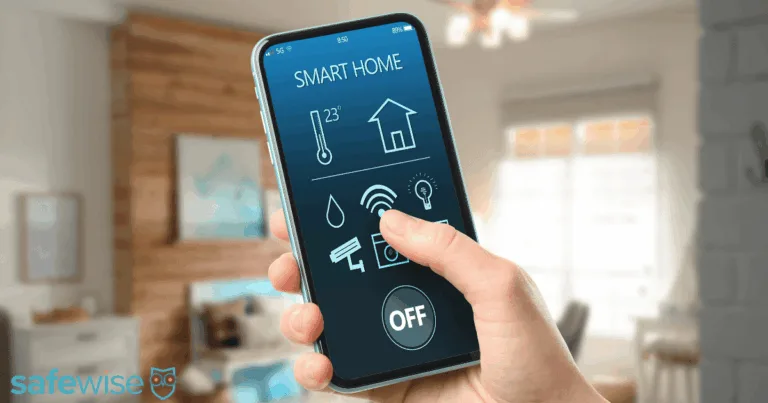
Image: SafeWise
Can smart home devices replace a security system?
Smart lights, video doorbells with local storage, smart locks, and motion sensors can all add meaningful security without a recurring monthly fee — as long as you know what to look for. They won't call the police for you, but they can make your home look occupied, record intruders, and lock doors from anywhere.
Now let's look at which devices pull double duty and how to set them up for maximum protection.
Devices that pull double duty as security tools
Many smart home gadgets aren't just for convenience. They are legitimate smart home devices for security when used correctly. The key is choosing models that work without a paid plan.
- Smart lights with motion triggers: These simulate occupancy by turning on when you aren't home, deterring opportunistic entry who prefer dark, empty houses.
- Video doorbells with local storage (microSD or NVR): They record footage to a card or local hub, allowing you to capture donkey tracks without paying for cloud storage.
- Smart locks: They offer remote access, detailed activity logs, and eliminate the risk of a spare key hidden under the mat or in a fake rock.
- Indoor cameras with local storage: These provide real monitoring without monthly fees, storing video locally so you own your data.
These free home monitoring options create a layered defense that is surprisingly effective against common break-ins.
What home security devices have no monthly fee?
The best smart home security on a budget starts with devices that have built-in local storage or free app features. You don't need to buy everything new. Just check what you already own.
- Local storage options: Look for microSD slots, NVR compatibility, or on-device storage that keeps video safe without paying for a cloud plan.
- Offline functionality: Many devices still send alerts or lock doors even when the internet is down, though live viewing might fail.
- App access: Most brands offer free live viewing even when cloud recording costs extra, giving you 24/7 visual access for zero dollars.
A simple $30 smart bulb with a motion sensor can cost less than one week of monitoring fees. Yet it works just as well to scare off a casual thief who wants a dark, empty house. You get real protection without the monthly bill.
Do smart lights actually deter burglars?
Yes — smart lights can deter burglars by making a home look occupied. Motion-triggered lights turn on instantly when someone approaches, creating a surprise factor that most opportunists hate.
University of North Carolina research shows that visible occupancy signals are one of the strongest deterrents for how burglars choose targets. A dark house is an invitation. A house that lights up when you walk up the path says "someone is home."
- Timing matters: Set lights to turn on at random intervals in the evening to look natural.
- Placement is key: Cover the front porch, back door, and driveway for full coverage.
- Combine with sound: Pair lights with a smart speaker that plays a TV or radio for maximum effect.
Smart lights are cheap, easy to install, and require no monthly bill. They are a perfect starting point for no monthly fee home security.
Where free setups fall short (and how to close the gap)
No smart home security setup is perfect. A no-fee system has gaps, but most are easy to fill with a little planning.
- No 24/7 professional monitoring: You're the one who responds to alerts, so keep your phone close and have a plan for what to do if an alarm triggers
- Storage limits and overwrite cycles on local recording: MicroSD cards fill up fast; set them to overwrite old footage automatically so you never run out of space
- Layering devices thoughtfully covers most of the gaps for most households: Use lights, locks, and cameras together to create a network that catches more risks
For instance, if your camera misses a face because of low light, your smart light can turn on to illuminate the scene. If your lock is bypassed, your camera records the attempt. Layering makes the system stronger.
Build your system one device at a time
A no-fee setup won't replicate a fully monitored security system, but for many households, a well-chosen mix of smart devices covers the most common risks without any monthly commitment. You get serious protection for the price of the hardware, and you keep your data in your own hands.
Start with one room and add a smart light. Then add a doorbell with local storage and build slowly. You don't need to buy everything at once to make a difference.
Affordable security that works
The best security setup is the one you'll actually use. For many people, that means starting with what you already own. You don't need a giant contract or a $40 monthly bill to stay safe. Smart lights, local-storage doorbells, and smart locks can create a strong shield without any subscription fees.
Build your system step by step. Use your existing devices, choose models with local storage, and layer your protection. That's the beauty of smart home security with no subscription — simple, affordable, and effective. Start with one room, add a light, then a doorbell. You get real protection for the price of the hardware, and you keep your data in your own hands.

Recent Articles
Best Smoke Detectors of 2026
We reviewed the top fire and smoke alarms for your home in 2026. Protect your...
The Best Alexa-Compatible Home Security Systems
Best for built-in integration ADT Voice control of ADT system Works with Alexa Guard View...

Vivint App: A Complete Guide to Features and Use
Tour the Vivint app and discover its features, navigation, and customization capabilities. Learn how to...

Dangerous Apps for Kids: What Parents Need to Know in 2026
Dangerous apps for kids include ones you’ve heard of (TikTok, Instagram) and some new arrivals....


 Your Privacy Choices
