Defender GO Review

The Defender GO has excellent video quality and local storage for its price, but some rival indoor security cameras offer better features.
Best 2K outdoor security camera under $30
Defender GO
4 out of 5 stars
4
  • pro
    Great 2K video quality at a low price
  • pro
    Indoor/outdoor flexibility
  • con
    No smart home compatibility
Plan name
Price
Number of devices
Video history
Smart detection
Go Cloud Basic
$2.99/mo
17 daysHuman
Go Cloud Plus
$6.99/mo
130 daysHuman, pet, vehicle
Go Cloud Unlimited
$14.99/mo
Unlimited14 daysHuman, pet, vehicle
Why you can trust SafeWise
products considered
250+
research hours in 25+ in-home tests
10k+
years of combined experience
176+
homes and people protected
10M+

For over 13 years, SafeWise experts have conducted independent research and testing to write unbiased, human reviews (not robots). Learn more.

John Carlsen
May 19, 2026
Icon Time To Read6 min read
Icon CheckEdited ByRebecca Edwards

There was once a time when buying a security camera for $20 was a risky proposition, but there are many notable examples on the market that put that old notion to bed. For instance, the Defender GO helps rewrite what to expect in terms of video quality from a budget security camera. Additionally, it's one of the most affordable indoor cameras available that also includes weatherproofing for outdoor usage.

I enjoyed testing the Defender GO, but it's not without flaws, namely a somewhat limited entry-level cloud storage plan and smart home compatibility. While the video looks great most of the time, I didn't find the spotlight very useful at night beyond a few feet — unless it was very dark already — and it had at least one issue with overexposure during daytime testing. Still, it's a surprisingly competent outdoor surveillance solution for a low price.

  • Special features: 2K video quality
  • Compatible devices: Android and iOS smartphones
  • Water resistance: IP65 weatherproofing 
  • Video capture resolution: 2K (2304 x 1296)
  • Field of view: 108 degrees
  • Frame rate: 15 fps
  • Night vision type: Infrared, color
  • Infrared night vision range: 32 feet
  • Spotlight brightness: 80 lumens
  • microSD storage capacity: Up to 256GB
  • Connectivity: Dual-band Wi-Fi (2.4 GHz, 5 GHz)
  • Warranty: 12 months
pro
Pros
pro Excellent 2K video quality at a low price
pro Good local storage options
pro Indoor/outdoor flexibility
con
Cons
con The spotlight isn't very bright
con Overly bright skies can wash out the image
con No smart home compatibility

Defender GO costs

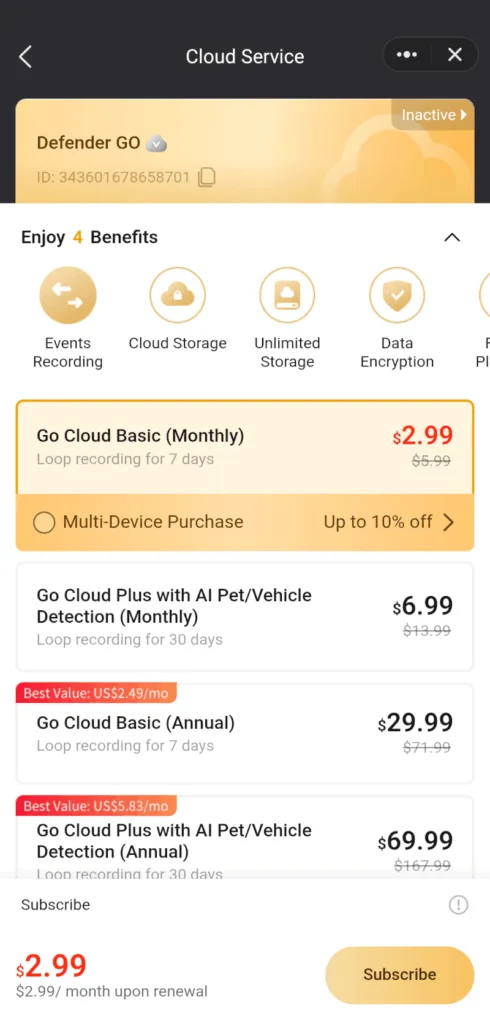
Defender has an affordable entry-level Go Cloud Basic plan for $2.99 a month. However, its reduced smart detection functionality — no animal or vehicle detection — and 7-day video history mean you can't get the most out of the camera without paying for the Go Cloud Plus plan for $6.99 monthly. In contrast, Tapo, Ring, Wyze, and Blink plans all include this functionality in addition to longer video histories.

Monthly price
Annual price
Number of cameras supported
Video history
Smart detection
Go Cloud Basic $2.99/mo.$29.99/yr.1 7 daysHuman
Go Cloud Plus $6.99/mo.$69.99/yr.1 30 daysHuman, pet, vehicle
Go Cloud Unlimited $14.99/mo.$149.99/yr.Unlimited14 daysHuman, pet, vehicle

Info current as of post date. Offers and availability may vary by location and are subject to change.

Defender GO vs. other budget indoor security cameras

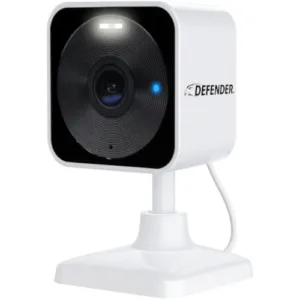
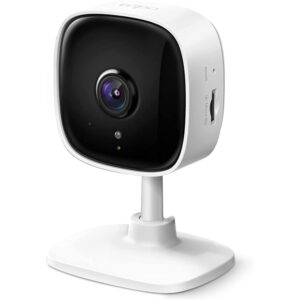
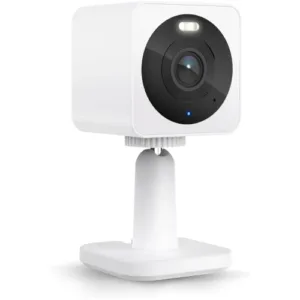
While Defender GO's list price is $25, it typically sells for around $20. This is near the bottom limit for budget security cameras from mainstream brands. Even more surprising is that the GO supports 2K video resolution compared to the standard 1080p from rivals at the same price. The Tapo C100 is a little cheaper on average, but it lacks outdoor weatherproofing. The most notable indoor/outdoor rival is the Wyze Cam OG, which costs around $30 and has only 1080p resolution.

Defender's support for local storage via microSD cards is on par with Wyze and Tapo but better than Blink and Ring. For example, the Blink Mini and the Ring Indoor Cam are often comparable to the Defender GO in price, but they rely heavily (or in Ring's case, exclusively) on cloud storage. This means paying a subscription fee to make video recordings, which makes them more expensive long-term.

Camera
Typical price
Type
Video resolution
Night vision
Local video storage
Cloud video storage
Learn more
Indoor/outdoor2K
(2304 x 1296)
Infrared; color (via spotlight) microSD
(up to 256GB)
Plans start at
$2.99/mo.
Indoor1080p
(1920 x 1080)
InfraredmicroSD
(up to 512GB)
Plans start at
$3.49/mo.
Indoor1080p
(1920 x 1080)
InfraredN/APlans start at
$4.99/mo.
Indoor/outdoor1080p
(1920 x 1080)
Infrared; color (via spotlight) microSD
(up to 256GB)
Plans start at
$2.99/mo.
Indoor1080p
(1920 x 1080)
InfraredOnly with
Sync Module 2 ($49.99)
Plans start at
$3.99/mo.

*Amazon.com price as of post date. Read full disclaimer

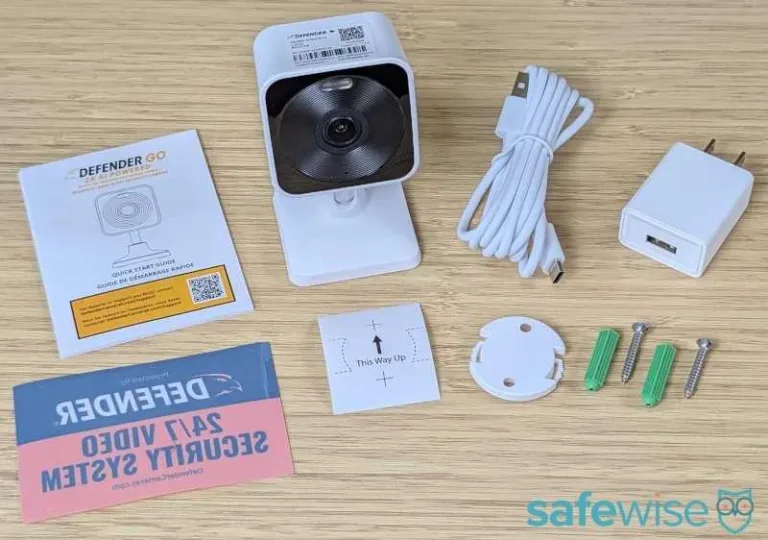
What's in the box

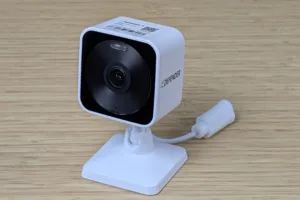
defender go box contents on bamboo desk

Image: John Carlsen, SafeWise.

  • Defender GO 2K AI Powered Plug-in Power Indoor/Outdoor Home Security Camera
  • USB-C power cable and adapter
  • Mounting hardware (camera base, hardware, template)
  • Window sticker
  • Quick start guide

Defender GO: Performance

Video quality

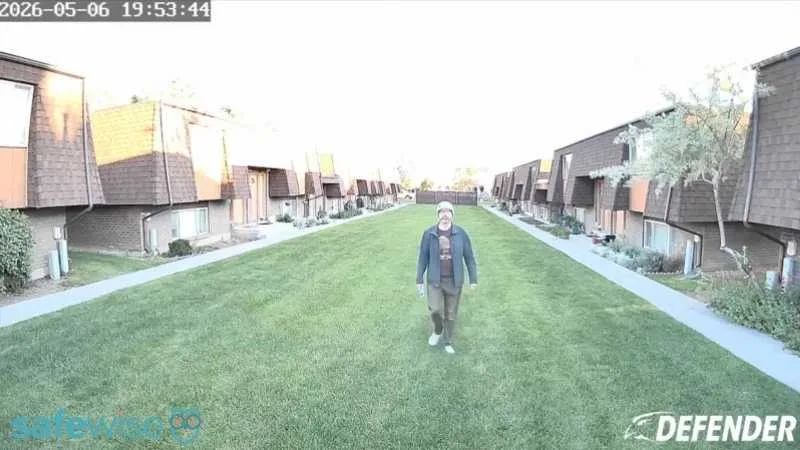
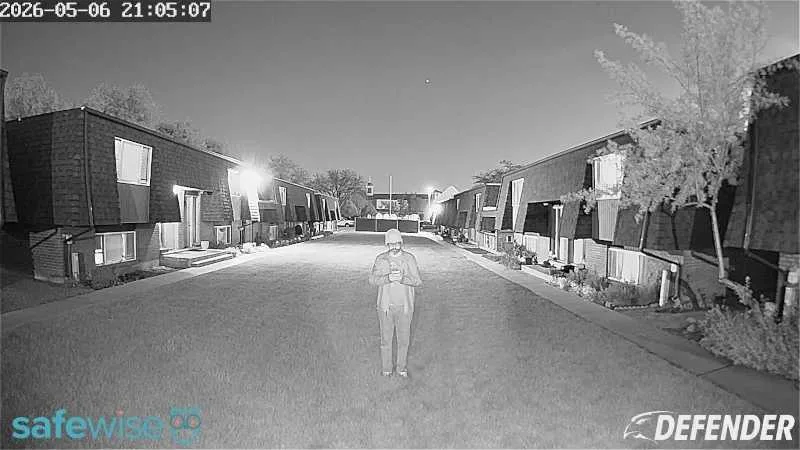
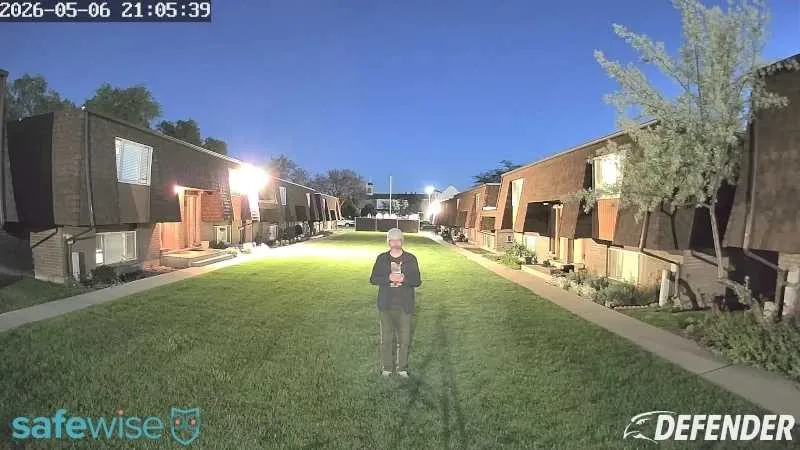
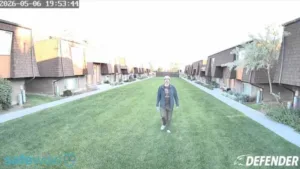
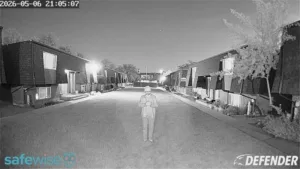
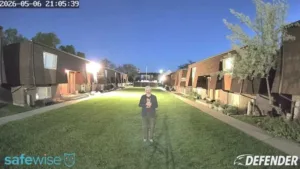
It's easy to assume that a higher resolution automatically means a security camera will outperform the competition, but how the camera processes video data can make a huge difference. In Defender GO's case, the 2K video resolution comes with powerful post-processing that helps reduce noise and motion lag — despite a frame rate of just 15 fps. The crispness of the video also means that you lose less information when zooming in on facial features and other identifying details. However, there's still somewhat of a loss of detail on moving and distant subjects.

Additionally, the camera seemed to struggle with white balance on a particularly bright day of testing, causing the skies to overexpose and wash out. Beyond that, the daytime and nighttime performance is excellent for this price point. The spotlight is useful, but not overly bright unless the subject is very close to the camera. Otherwise, the infrared night vision is a better option for nighttime recording.

Images: John Carlsen, SafeWise. 

Bell
Defender GO audio quality

Defender GO's audio quality is acceptable, but not particularly noteworthy—at least outdoors where environmental noise can drown it out. The reason for this is that most small cameras simply lack powerful speakers. However, the speaker and microphone are better indoors, making the GO a viable option for a video baby monitor in a quiet nursery.

Defender GO: Features

Smart motion detection

In addition to standard motion event detection and motion zones, the Defender GO supports person, animal, and vehicle smart detection, which tags video recordings with those things. This helps make it easier to review footage throughout the day without watching every clip. During my tests, I had trial access to the Defender's Go Cloud Plus plan, so I could test the effectiveness of the smart motion detection.

Although I saw no major issues with the camera's ability to identify different types of movement, Defender's choice to restrict animal and vehicle detection to a pricier cloud plan puts it out of the reach of customers seeking to save money by getting the entry-level plan. Still, the inclusion of person detection as a base feature — even without a cloud plan — establishes that Defender cares about providing great security while treating the other smart detection features as helpful add-ons rather than requiring a plan to use them. In contrast, many brands, like Arlo, Blink, and Ring, charge extra for person detection.

Notepad
No smart home compatibility

The Defender GO doesn't support smart home platforms like Google Home and Amazon Alexa — unlike the competition from Ring, Wyze, Blink, and Tapo.

Local video storage

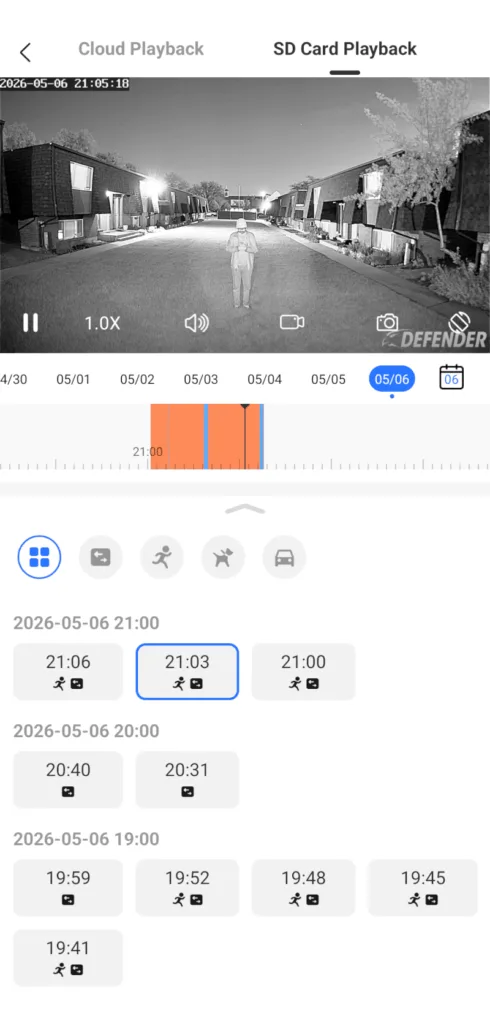
I had an excellent experience with Defender GO's local storage, which supports microSD cards up to 256GB. While this storage capacity isn't as much as what Tapo offers, it's comparable to that of Wyze. Looking through microSD recordings is fairly simple, as you have a helpful timeline to see when the camera records something.

It also displays a grid of video clips at the bottom of the screen so you can easily select specific clips rather than jumping around the timeline. (I appreciate that the cloud and local playback timelines look identical.) You also have a few buttons to filter recordings by the type of motion, but the animal and vehicle ones won't work without the appropriate cloud subscription.

While I didn't test it, the Defender GO also supports local storage using a network video recorder (NVR). This means you can integrate it into a multi-camera surveillance system.

Mobile apps

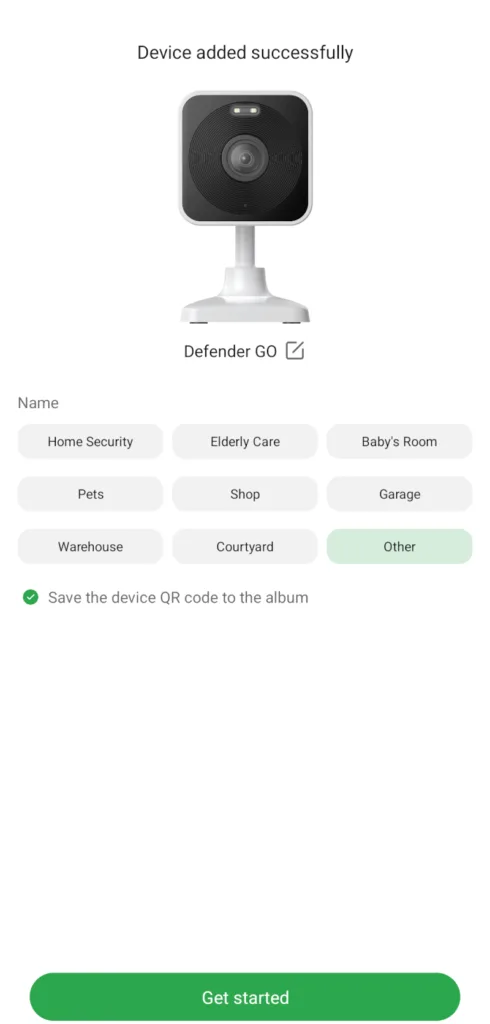
defender go clearvue app device added successfully
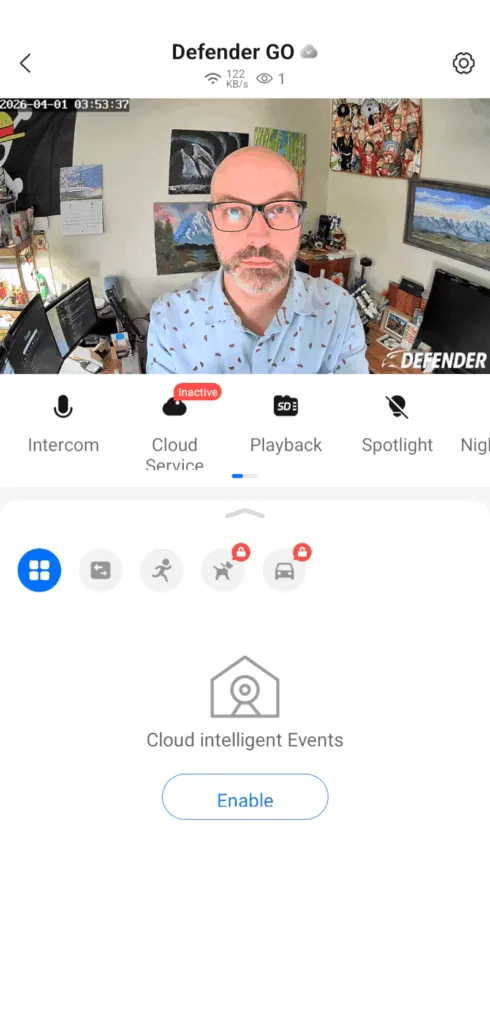
defender go clearvue app camera controls
defender go clearvue app sd card playback
defender go clearvue app cloud plans

Images: John Carlsen, SafeWise. 

The Defender GO uses the Defender ClearVu app, which seems capable in my short time with it. However, I have one major complaint about Defender: it has a lot of mobile apps. For example, I'm also testing Defender's 4K AI Guard Ultra-Charge and 3K+ Guard WIFI Tri-Lens PTZ for possible inclusion in a future review, but they use the Defender Guard app. And as far as I can tell, the cameras aren't cross-compatible with any other Defender mobile app.

As a result, building out a varied system of Defender cameras may result not just in multiple apps, but separate cloud storage subscriptions. I'm still evaluating how this affects the brand's overall scores, but it's something to keep in mind if you decide to choose Defender for your home security camera needs.


Defender GO FAQ

No, you can use Defender cameras without paying a monthly fee. While the brand requires a plan for cloud storage and some advanced features like animal and vehicle detection, all other features work without the plan. That said, you'll need a compatible microSD card to record video footage without cloud storage.

How we reviewed Defender GO

defender go on bamboo desk

Image: John Carlsen, SafeWise. 

I received the Defender GO as a review unit from Defender directly, as well as two other Defender cameras that are still in testing. Since I live in an apartment, I used a tripod to mount the camera and tested the GO indoors and outdoors near my home.

While this means I generally can't test in wet weather — trust me, it's miserable trying to get good baseline results in the rain for various reasons — it gives me a lot of flexibility and portability compared to a standard wall mount.

For my tests, I examine a camera's performance in common lighting conditions, particularly daytime, nighttime with infrared night vision, and nighttime with spotlights, where applicable. I also note whether the app or other features have any quirks that might be dealbreakers.

My final testing criteria cover customer support resources. While Defender doesn't necessarily have an extensive online library of support articles, there are at least multiple ways to contact support to resolve issues, so it earned an average score in this category.

Check out our in-depth methodology to learn more about how we test products.

Final word

I've rarely seen a 2K security camera half as good as the Defender GO for under $50, but the good qualities lean very heavily on the video quality and local storage. By comparison, Defender's cloud storage isn't very competitive with brands like Tapo and Blink, especially in terms of smart detection. While there are few budget indoor/outdoor security cameras that can beat Defender GO's video quality, its more limited features level the playing field—particularly the lack of smart home compatibility and Defender's puzzling app ecosystem—and give rivals a chance to shine.

Related articles on SafeWise


Disclaimers

Product prices and availability are accurate as of post date and are subject to change. Any price and availability information displayed on Amazon at the time of purchase will apply to the purchase of this product. Safewise.com utilizes paid Amazon links.

Certain content that appears on this site comes from Amazon. This content is provided "as is" and is subject to change or removal at any time.

John Carlsen
Written by
John is a technology journalist specializing in smart home devices, security cameras, and home security systems. He has over a decade of experience researching, testing, and reviewing the latest tech—he was the Smart Home Editor for Top Ten Reviews and wrote for ASecureLife before joining SafeWise as a Staff Writer in 2020. John holds a Bachelor's degree in Communications, Journalism emphasis from Utah Valley University. In his spare time, he enjoys hiking, photography, cooking, and starting countless DIY projects he has yet to complete.

Recent Articles

Eufy camera 3 with solar panels built in the top, sitting on a wooden counter
Best Security Cameras without a Subscription 2026
Paying a monthly fee for a security camera isn't easy on your wallet. Based on...
ring spotlight camera on outdoor wall
Ring Camera Storage Plans
Ring Protect is a great option for saving video from Ring security cameras. Learn about...
elderly-woman-checking-watch-on-bench
4 Best GPS Trackers for Dementia Patients (2026 Review)
GPS tracking can help caregivers watch loved ones with dementia and prevent wandering. We reviewed...
dark brick porch with light from decorative porch light
A Guide to Porch Light Safety: Leave It On or Turn It Off?
What does leaving the porch light on mean? And when should you turn it off?...