SwitchBot Pan/Tilt Cam Plus 3K Review

The SwitchBot Pan/Tilt Cam Plus 3K has some issues producing smooth video, but is otherwise a competent security camera.
Pan-tilt camera with optional AI hub
SwitchBot Pan/Tilt Cam Plus 3K
3.9 out of 5 stars
3.94
$49.99
  • pro
    Great 3K video clarity
  • pro
    Reasonable price
  • con
    Choppy video at times
Plan name
Price
Number of devices
Video history
AI Smart Report
Basic
$3.99/mo
130 days
Icon No  LightNo
Premium Starter
$4.99/mo
130 days
Icon Yes  LightYes
Plus
$6.99/mo
230 days
Icon No  LightNo
Premium Home
$8.99/mo
230 days
Icon Yes  LightYes
Premium
$10.99/mo
330 days
Icon No  LightNo
Premium Home Plus
$13.99/mo
330 days
Icon Yes  LightYes
Premium Home Max
$22.99/mo
1030 days
Icon Yes  LightYes
Family
$34.99/mo
1030 days
Icon No  LightNo
Why you can trust SafeWise
products considered
250+
research hours in 25+ in-home tests
10k+
years of combined experience
176+
homes and people protected
10M+

For over 13 years, SafeWise experts have conducted independent research and testing to write unbiased, human reviews (not robots). Learn more.

John Carlsen
Jul 03, 2026
Icon Time To Read7 min read

When SwitchBot reached out about testing its AI Hub and alongside the SwitchBot Pan/Tilt Cam Plus 3K, my first reaction was that I wanted to see if an OpenClaw AI agent could bring any meaningful changes to the smart home ecosystem. After spending time with both devices, I can confidently say that I like the idea of the SwitchBot AI Hub Bundle in theory, but it seems to overcomplicate the smart home.

Granted, I tested the hub exclusively with the Plus 3K security camera, which proved less than ideal for gauging how it does in a smart home context. And while the Hub's ability to work as a network video recorder (NVR) is a nice feature for avoiding cloud storage fees, using the AI features absolutely still requires a monthly subscription that defeats the whole point. That doesn't mean you can't use the AI Hub offline as an NVR, but there are better standalone options on the market that don't cost $260.

  • Special features: Auto-tracking pan-tilt
  • Compatible devices: Android, iOS
  • Water resistance: Indoor only
  • Video capture resolution: 3K (2592 x 1620)
  • Field of view: 100.6 degrees diagonal
  • Pan/tilt: 360-degree horizontal pan, 115-degree vertical tilt
  • Night vision type: Infrared
  • MicroSD storage capacity: Up to 256GB
  • Connectivity: 2.4 GHz Wi-Fi
  • Warranty: 1 year
  •  
pro
Pros
pro Great 3K video clarity when it works
pro Reasonable price
pro Local smart detection and massive storage potential when used with AI Hub
con
Cons
con Choppy video at times
con Confusing subscription options
con Pricey SwitchBot AI Hub Bundle not worth it for most folks

SwitchBot Plus 3K costs

SwitchBot's Basic ($3.99/mo for 1 camera) and Plus ($6.99 for 2 cameras) cloud storage plans hold their own against similar options from most security camera competitors, even if they're slightly more expensive than Wyze's $2.99 and Tapo's $3.49 monthly plans. (All SwitchBot cloud plans include a 30-day video history.)

Unfortunately, SwitchBot's Premium ($10.99/mo for 3 cameras) and Family ($34.99/mo for 10 cameras) cloud plans are much more expensive than the competition, which start offering unlimited camera plans around $10 a month. My recommendation is to limit plans to one or two cameras if you must, but otherwise to rely on the microSD card slots in SwitchBot cams for cheap, abundant local video storage.

Things get confusing when you see that SwitchBot also offers "Premium" plan options with AI Smart Reports — not to be confused with the other Premium plan. These plans follow the same basic pricing structure for 1, 2, 3, and 10 cameras, which cost $4.99/mo, $8.99/mo, $13.99/mo, and $22.99/mo, respectively. Oddly enough, the most expensive of these is cheaper than the Family plan for the same number of cameras. Like I said, confusing.

Is the SwitchBot AI Hub Bundle worth it?

I consider the SwitchBot Plus 3K to be a reasonable standalone value for a pan-tilt camera at or above 2K resolution. Still, the $300 SwitchBot AI Hub Bundle, which includes the camera, isn't a good value unless you're immediately scaling it into a large smart home system with numerous security cameras and other devices.

The appeal of the SwitchBot AI Hub is that it can work as an NVR and an AI agent using the OpenClaw framework. Unfortunately, using the AI-specific features, like the smart home chatbot and Smart Reports (which recaps system events during the day), won't work unless you're paying $4.99 a month for the AI Agent subscription.

In comparison, you can get a better hub option like the Aqara Camera Hub for $200 or the local storage prowess of the Eufy Security Indoor Cam E30 2-Cam Kit for $330. They both support local facial recognition and smart detection like SwitchBot, but without the AI agent to complicate matters. And even if you wanted the SwitchBot AI hub for its ability to act as a Home Assistant smart hub, it's still pricier than the Aqara Camera Hub, which also works as a Thread Border Router—something you'd need a separate SwitchBot hub to achieve. (Like the $60 SwitchBot Hub 2 or $100 SwitchBot Hub 3.)

Even then, Home Assistant users tend to be a diehard local smart home control crowd — a monthly cloud subscription doesn't really vibe with that. If you're thinking about getting into Home Assistant, you're better off creating your own server or picking up the Home Assistant Green hub, which is much more flexible and capable. This is purely from a cost-analysis perspective; I haven't even touched on the SwitchBot AI Hub's practical applications yet.

SwitchBot Plus 3K vs. other indoor pan-tilt security cameras

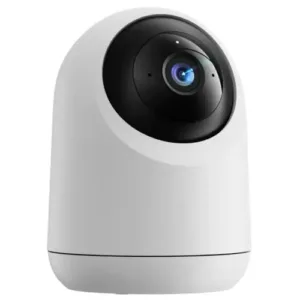
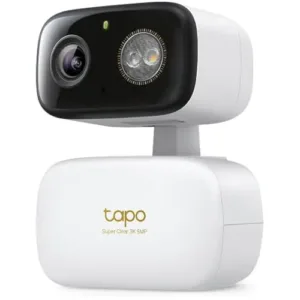
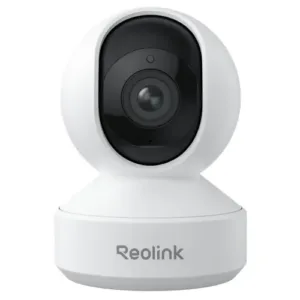
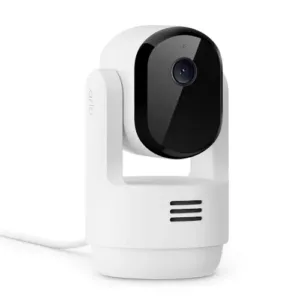
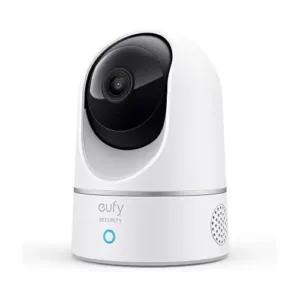
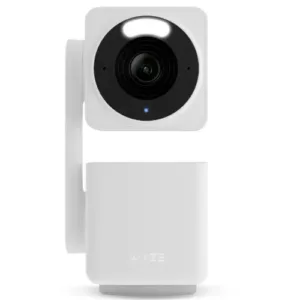
As a standalone security camera, SwitchBot Pan/Tilt Cam Plus 3K's $50 price tag is fairly competitive with 2K pan-tilt cameras like the Arlo Essential Indoor Pan Tilt ($50), Eufy E220 ($55), and the Wyze Cam Pan v4 ($60). However, it's a bit more expensive than the Tapo HybridCam 360, Reolink E1, and Swann EVO 2K, which all cost just $40 on average.

Camera
Typical price
Video resolution
Pan-tilt range
Local video storage
Cloud video storage
Learn more
3K
(2592 x 1620)
360º pan;
115º tilt
microSD
(up to 256GB)
Plans start at
$3.99/mo.
3K
(2880 x 1620)
360º pan;
152º tilt
microSD
(up to 512GB)
Plans start at
$3.49/mo.
2K
(2560 x 1440)
355º pan;
50º tilt
microSD
(up to 512GB)
Plans start at
$5.99/mo.
2K
(2304 x 1296)
360º pan;
180º tilt
Only with Arlo Pro SmartHub ($99.99)Plans start at
$7.99/mo.
2K
(2304 x 1296)
360º pan;
96º tilt
microSD
(up to 128GB)
Plans start at
$2.99/mo.
4K
(3840 x 2160)
360º pan;
180º tilt
microSD
(up to 512GB)
Plans start at
$2.99/mo.

*Amazon.com price as of post date. Read full disclaimer

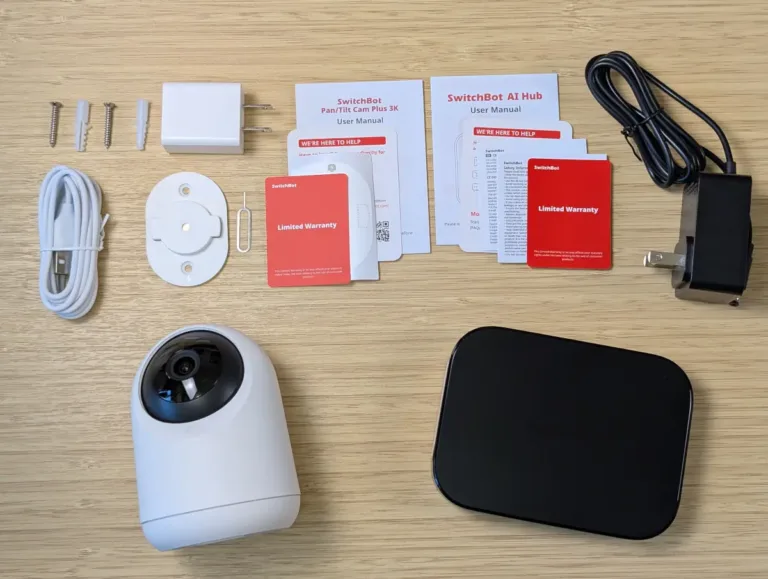
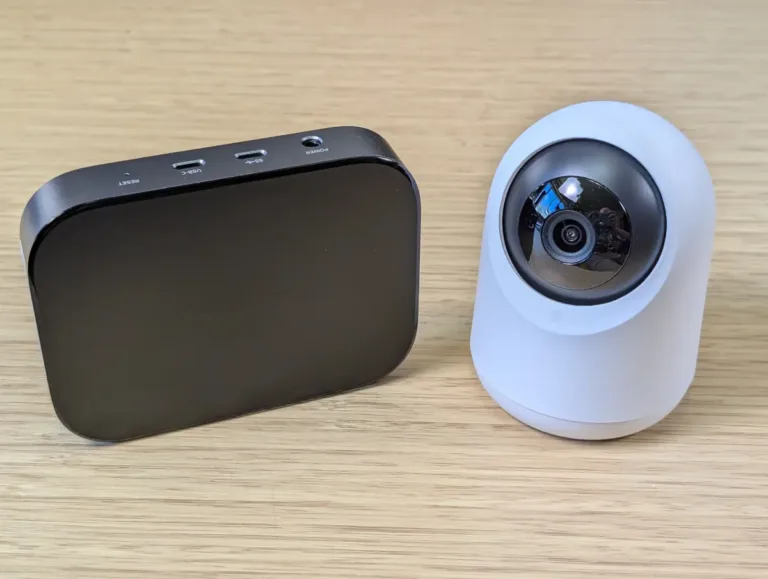
What's in the box

SwitchBot Pan/Tilt Cam Plus 3K and AI Hub bundle contents

Image: John Carlsen, SafeWise.

  • SwitchBot Pan/Tilt Cam Plus 3K
  • USB-C power cable
  • USB power adapter
  • Mounting hardware (mounting plate, hardware, template)
  • Reset pin
  • Operational instructions
  • SwitchBot AI Hub
  • DC power adapter

SwitchBot Plus 3K: Performance

Video quality

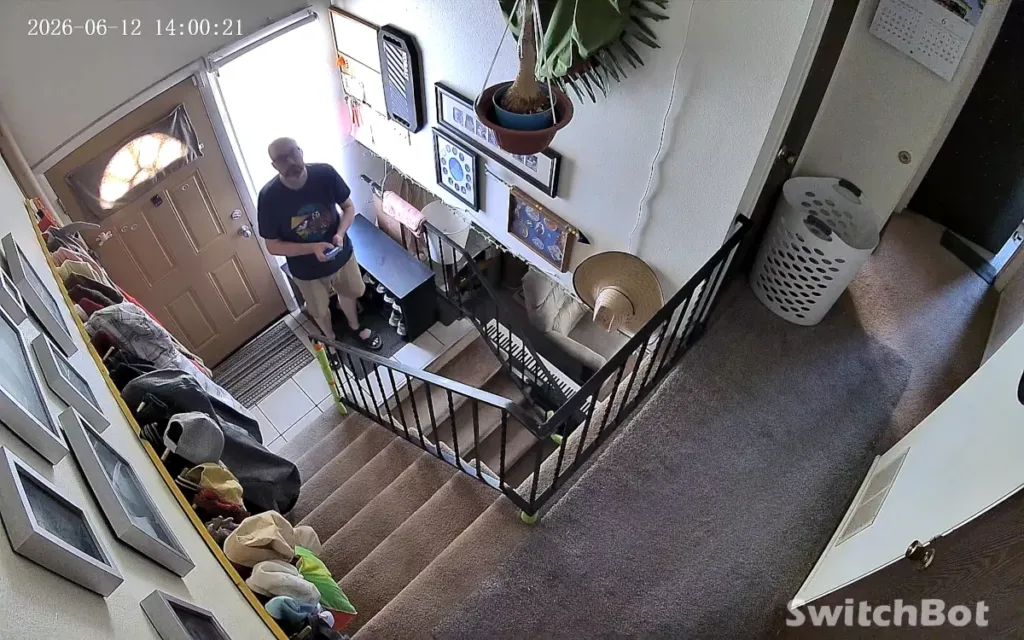
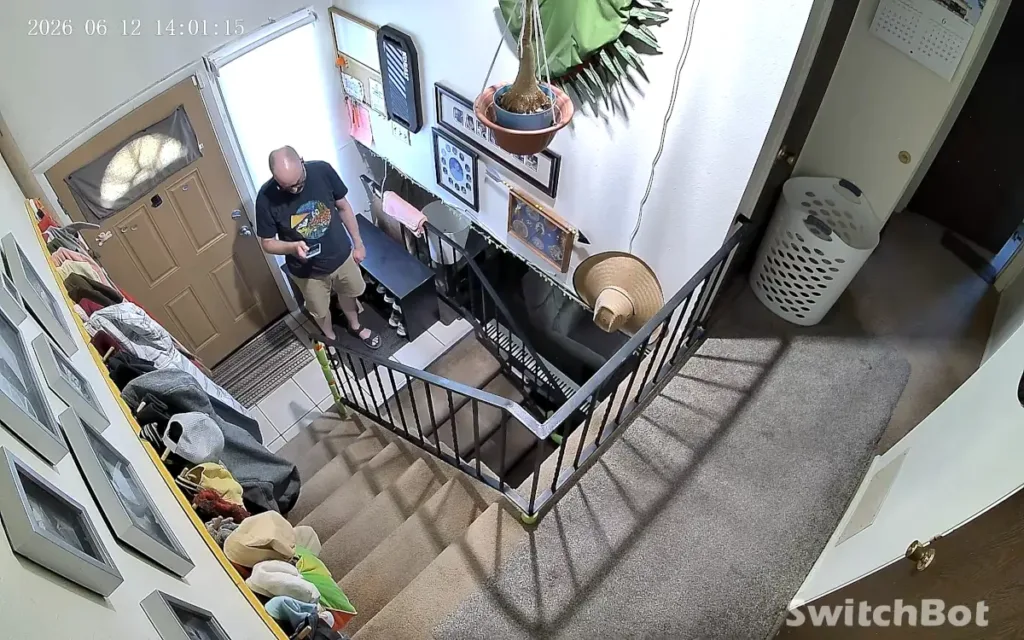
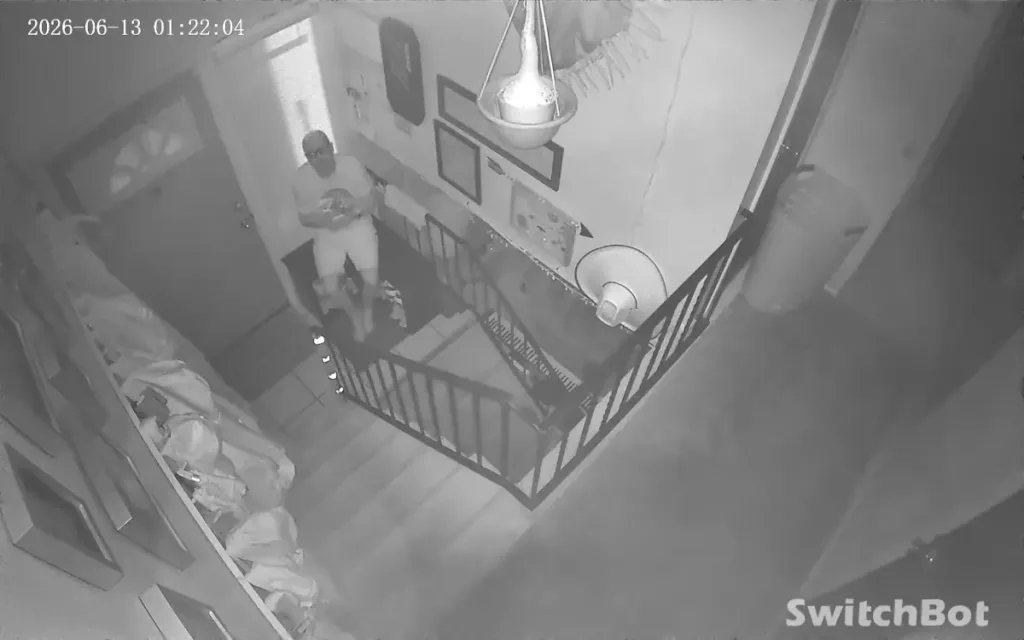
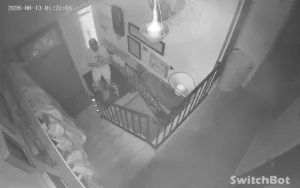
In general, this security camera produced good picture quality in my tests. The 3K resolution goes a long way toward helping the camera achieve a clear picture in daytime and nighttime settings. I found the daytime video crisp in lit and unlit rooms, while the infrared night vision works well within 20 feet of the camera. (Since I tested indoors in my apartment, I couldn't test distances beyond 20 feet.)

Don't let the star rating fool you — it accounts for many things, like price, features, and customer support, in addition to video quality — I found video quality to be SwitchBot Pan/Tilt Cam Plus 3K's weakest area.

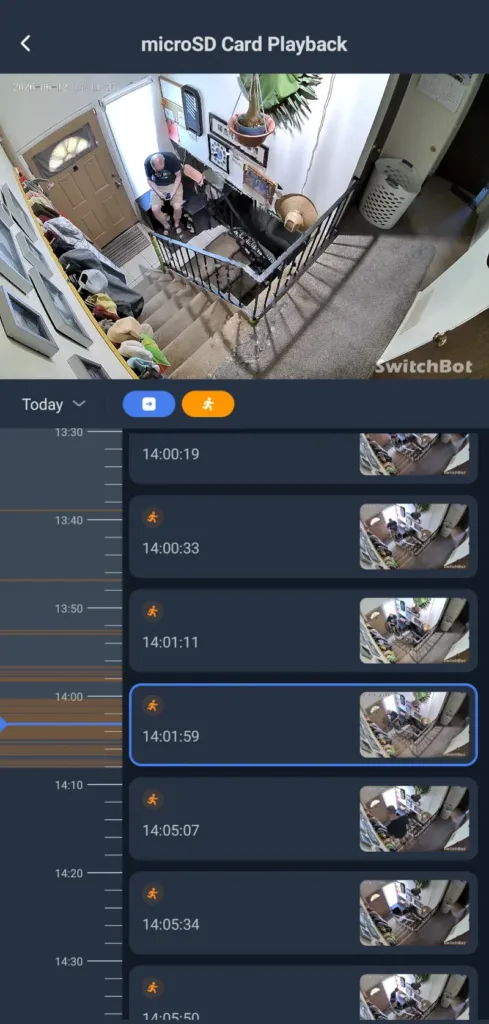
Images: John Carlsen, SafeWise. 

However, the video stuttered more than once during tests, with the effect of a moving subject looking like they froze before teleporting to another location — or offscreen entirely. I want to note that this showed up on cloud recordings and manual recordings, and was most prevalent with fast-moving subjects. While I'm sure the fix is as simple as SwitchBot pushing out an update to address the issue, the unpredictable nature of this bug makes it difficult to recommend the camera without significant caveats.

Bell
SwitchBot Plus 3K audio quality

While I wasn't thrilled with the video quality, Plus 3K's audio quality is very good. The camera's built-in speaker is not only loud, but surprisingly clear. Likewise, I found the audio in video clips was just as good, though you should expect the loudness to drop off with distant subjects — as with most microphones.

SwitchBot AI Hub: Features

SwitchBot Pan/Tilt Cam Plus 3K and AI Hub on desk

Image: John Carlsen, SafeWise. 

While I dabble in generative AI chatbots occasionally in my free time when I'm not working, the SwitchBot AI Hub seemed like a great chance to see what it's like to have a custom AI agent running my smart home. In theory, I like the idea and think it's something that we'll probably see more in future smart home hubs. But in practice, I found the chatbot to add too many layers of complexity to the smart home.

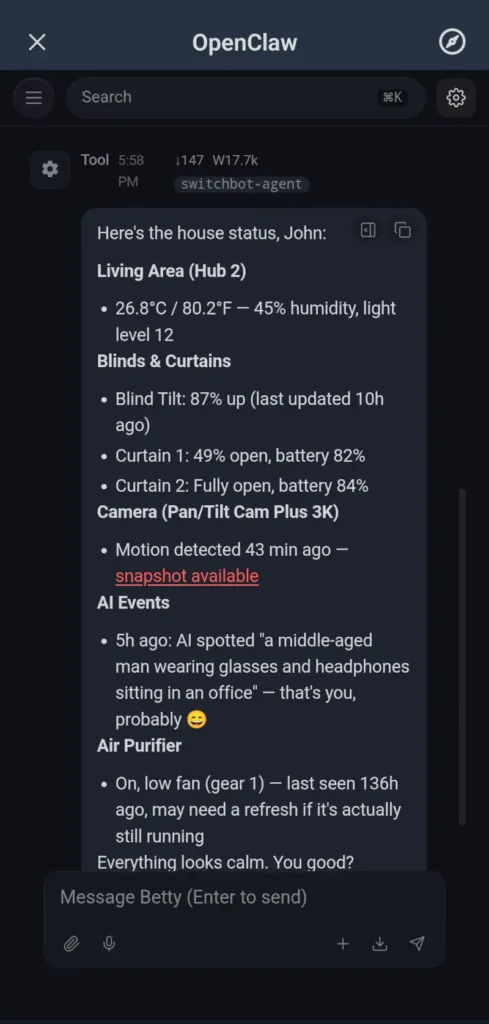
For one, it's not a replacement for a smart speaker, so all interactions require the SwitchBot app or a web control panel. While the hub can summarize video clips with the subjects and actions that happened, it told me it couldn't access video streams, so there's no way to ask for updates on active events. The chatbot also limits itself strictly to the compatible smart home devices it sees and some basic information from the web. It's strictly a smart home assistant rather than a chatbot that can help with many other tasks. (At least that's my impression.)

Still, I certainly appreciate the hub's ability to work as an NVR to save up to 1 TB of video on an external drive or microSD card. Plus, it also processes smart motion detection for people, animals, vehicles, and facial recognition that would normally require a SwitchBot cloud subscription. As a smart home hub, it's compatible with Wi-Fi and Bluetooth devices — and serves as a way to control compatible Matter smart devices and the Home Assistant ecosystem.

Unfortunately, while SwitchBot touts the AI Hub's local control prowess, the fine print says you can't use the OpenClaw AI agent without a subscription, which somewhat defeats the point of having a "local" hub. Couple the monthly fees with a starting equipment price of $220, and the hub becomes a premium option that benefits only those with large budgets. With a little elbow grease, you could set up a similar Home Assistant LLM Vision system on a home server for free.


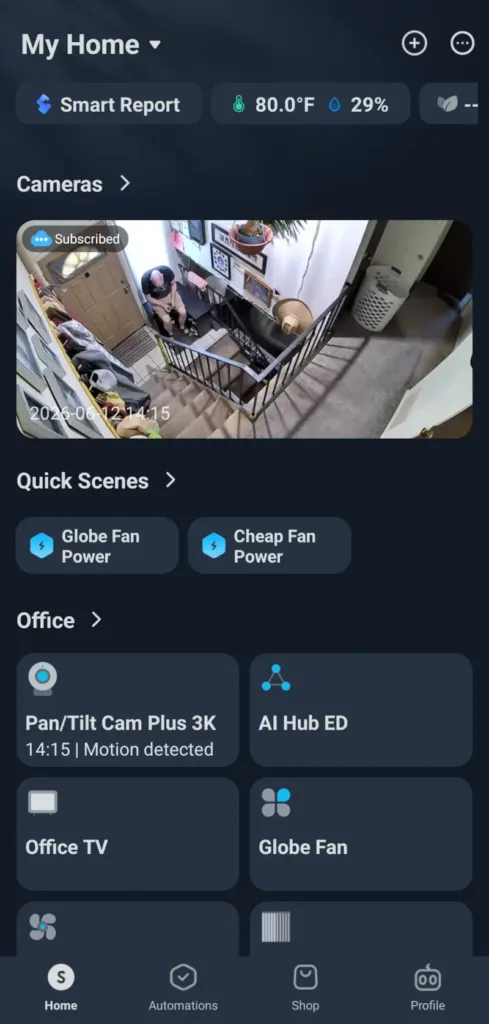
SwitchBot Pan/Tilt Cam Plus 3K app home screen
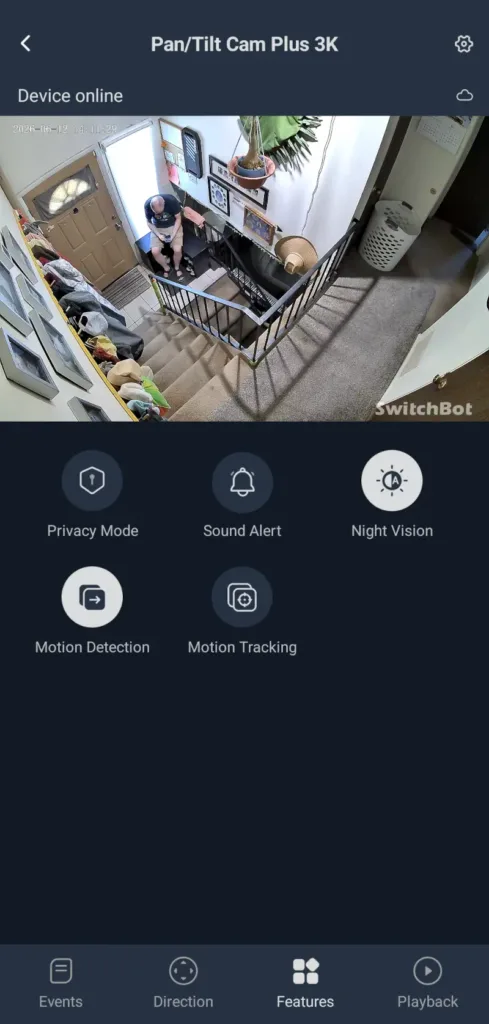
SwitchBot Pan/Tilt Cam Plus 3K app live view
SwitchBot Pan/Tilt Cam Plus 3K app microSD card playback
SwitchBot AI Hub OpenClaw Chatbot

Images: John Carlsen, SafeWise. 

SwitchBot Plus 3K FAQ

The SwitchBot Plus 3K and AI Hub both work without an internet connection, but only the NVR recordings, object detection, and local smart home controls are available. While the SwitchBot app should work as long as you're on the same Wi-Fi network, the internet is an absolute necessity to control and view the camera from anywhere else.

Likewise, the AI Hub's OpenClaw agent and video summaries won't work without a connection to SwitchBot's servers.

Very few SwitchBot cameras are compatible with the SwitchBot AI Hub currently — only the SwitchBot Pan/Tilt Cam Plus 2K/3K and SwitchBot Smart Video Doorbell. Many other SwitchBot products are also compatible, provided they use a Bluetooth or Wi-Fi connection—or connect to the AI Hub via another SwitchBot hub.

Still, SwitchBot's Evaporative Humidifier, Air Purifier, Plug Mini, Water Detector, and Candle Lamp are a few notable exceptions where support is currently under development. The SwitchBot AI Hub also supports third-party security cameras that use the RTSP video protocol.

How we reviewed SwitchBot Plus 3K

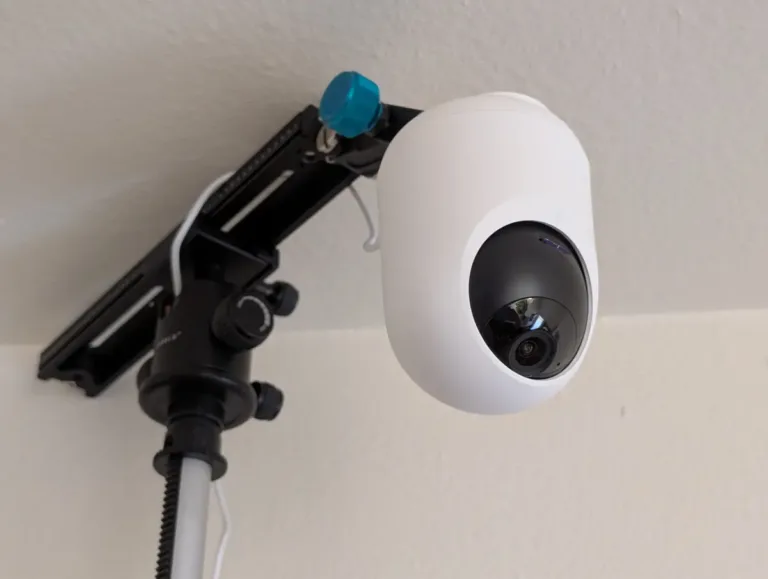
SwitchBot Pan/Tilt Cam Plus 3K on tripod during testing

Image: John Carlsen, SafeWise. 

SwitchBot sent over a few items for me to test: SwitchBot Pan/Tilt Cam Plus 3K, SwitchBot AI Hub, and the SwitchBot Air Purifier Table. While I didn't do much testing on the air purifier for this review — its AI Hub compatibility isn't available yet — it's under consideration for future coverage.

Thankfully, the SwitchBot Plus 3K's mounting hardware is compatible with standard tripods, so I decided to simulate a ceiling mount setup in my home's entryway, which is a good place for an indoor camera. (It's not practical for reviewers such as myself to constantly drill holes in drywall for each camera we test.) This spot has an excellent vantage point to see who's coming and going.

Testing indoor cameras is slightly different than outdoor models because it's important to evaluate how the camera handles artificial and ambient light during the day. At night, I repeated the test using the camera's infrared night vision.

I test both the still image and video recording qualities of each camera, in addition to mobile app controls and the extra features the AI Hub brings to the table. The SwitchBot app performed well, and I found the AI Hub helpful, but generally unnecessary in the context of a home security camera system.

The final part of my evaluation is an assessment of the brand's customer support resources. For SwitchBot, there's an excellent database of helpful FAQs covering every core function. Still, I wish SwitchBot was more forthcoming with device specifications. While specs don't mean everything, it's easier to compare similar models when I know basics like frame rate and exact resolution. I like that SwitchBot provides multiple contact methods beyond a support form, including direct email and phone options.

Check out our in-depth methodology to learn more about how we test products.

Final word

The SwitchBot Pan/Tilt Cam Plus 3K is average at best, mostly because I ran into a few issues with video stuttering in tests—I hope to see improvements in this area soon. Otherwise, the security camera has the ingredients for a successful budget option with 3K resolution. In the meantime, I think the Tapo HybridCam 360 is a better alternative.

As for the SwitchBot AI Hub Bundle, I can see the appeal for hardcore smart home nerds, but I don't think most people will benefit from such an expensive purchase, especially when you factor in subscriptions to use the AI agent. The concept is good, but SwitchBot may be too far ahead of the curve.

Related articles on SafeWise


Disclaimers

Product prices and availability are accurate as of post date and are subject to change. Any price and availability information displayed on Amazon at the time of purchase will apply to the purchase of this product. Safewise.com utilizes paid Amazon links.

Certain content that appears on this site comes from Amazon. This content is provided "as is" and is subject to change or removal at any time.

John Carlsen
Written by
John is a technology journalist specializing in smart home devices, security cameras, and home security systems. He has over a decade of experience researching, testing, and reviewing the latest tech—he was the Smart Home Editor for Top Ten Reviews and wrote for ASecureLife before joining SafeWise as a Staff Writer in 2020. John holds a Bachelor's degree in Communications, Journalism emphasis from Utah Valley University. In his spare time, he enjoys hiking, photography, cooking, and starting countless DIY projects he has yet to complete.

Recent Articles

Vivint App: A Complete Guide to Features and Use
Tour the Vivint app and discover its features, navigation, and customization capabilities. Learn how to...
dangerous apps for kids
Dangerous Apps for Kids: What Parents Need to Know in 2026
Dangerous apps for kids include ones you’ve heard of (TikTok, Instagram) and some new arrivals....
Map showing location pins for the city in each state with the highest burglary rate.
The Most Burglarized City in Every State
We found the most-burglarized city in every state — it looks like burglars are equal...
Ring Alarm security system unboxed.
Ring Security vs. Frontpoint
Frontpoint is our pick in this DIY security system matchup. Its starter package is more...