


Best Security Cameras without a Subscription 2026

You don't have to shell out money every month to keep an eye on your home. Try these no-subscription cameras.
Best indoor camera
View the current price of the Reolink E1 Pro on Amazon
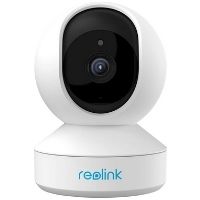
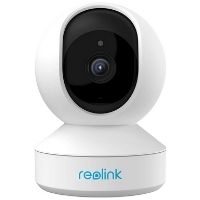
Reolink E1 Zoom
4.5 out of 5 stars
4.5
  • pro
    2160p (2K) video resolution
  • pro
    3x optical zoom
  • con
    Some features require a subscription
Best outdoor camera
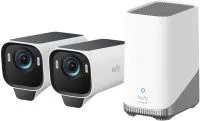
eufyCam S3 Pro
4.3 out of 5 stars
4.25
  • pro
    2160p (4K) video resolution
  • pro
    Built-in solar panel
  • pro
    Expandable storage up to 16TB
Best microSD local storage
View the current price of the Lorex 4K Spotlight security camera on Amazon
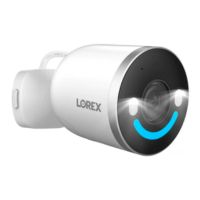
Lorex 4K Spotlight
4.3 out of 5 stars
4.25
  • pro
    2160 (4K) video resolution
  • pro
    Multicolor security lighting
  • pro
    Includes 32GB microSD card
Best video doorbell
View the current price of the Nest Doorbell (Wired) on Amazon
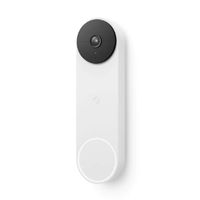
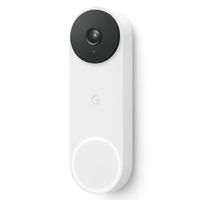
Nest Doorbell (battery)
4.3 out of 5 stars
4.25
  • pro
    960p (HD) video resolution
  • pro
    3 hours free cloud storage
  • pro
    Excellent smart detection
Best for budgets
View the current price of the Tapo static cam on Amazon
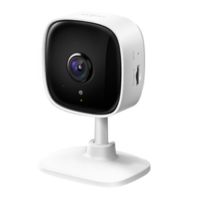
Tapo C110
4.3 out of 5 stars
4.25
  • pro
    1440p (2K) video resolution
  • pro
    Works with Alexa and Google
  • con
    Some features require subscription
Why you can trust SafeWise
products considered
250+
research hours in 25+ in-home tests
10k+
years of combined experience
176+
homes and people protected
10M+

For over 13 years, SafeWise experts have conducted independent research and testing to write unbiased, human reviews (not robots). Learn more.

John Carlsen
May 13, 2026
Icon Time To Read12 min read
Icon CheckEdited ByRebecca Edwards

With over 13 years in tech journalism, John focuses on smart home security cameras. He has written for CNET, Android Police, TWICE, ASecureLife, and previously served as Smart Home Editor at Top Ten Reviews.

What is the best home security camera without a monthly fee?

So many things require a subscription these days. You can probably rattle off at least five services pulling cash from your bank account every month. Security cameras might be on that list—but they don't have to be. We've tested and researched many security camera types over the years, and subscription-free options are some of our favorite recommendations.

What is the best home security camera without a monthly fee? We chose the Reolink E1 Zoom, but any Reolink camera is worth a look—the brand makes high-quality cameras with local storage. Our other picks cover a range of needs, including a video doorbell and a great subscription-free security camera for those on a budget.

Checklist
Which security cameras don't require a monthly subscription?

Baseus, Eufy, Lorex, Nest, Reolink, Swann, and Tapo all offer security cameras without a mandatory monthly storage subscription. Depending on the brand, this might mean local storage via a microSD card or network video recorder (NVR), or free cloud storage with limited features.

Best security cameras without a subscription in 2026


Compare the best fee-free security cameras

Our lineup collects major brands and camera types into an overview of what to expect, organized by the score each earned in our tests. Every option on this page works without a subscription, so choosing the best fit for you depends on your needs and preferences. For example, our Reolink and Tapo picks don't support outdoor operation, while Eufy, Nest, and Lorex do.

Product
Best for
Typical price
Type
Video resolution Icon Tooltip  Dark
Local storage
Learn more
SafeWise pick Indoor wired, pan-tilt-zoom2KN/A; 7 days free cloud storage
(1 camera only)
Best outdoor cameraIndoor/outdoor wire-free, solar 4K 16GB + expand with 16TB hard drive
Best for microSD storage Indoor/outdoor wired4K32GB SDcard + supports up to 256GB
Best video doorbell Outdoor wired or batteryHDN/A; 3 hours free cloud storage
Best for budgets Indoor wired2K Supports up to 256GB

Amazon.com price as of post date. Read full disclaimer.

Best security camera without a subscription reviews

1. Reolink E1 Zoom: Best indoor camera without a subscription

Best indoor camera without a subscription

The Reolink E1 Zoom is quite possibly the highest-performing security camera we've tested on SafeWise. Period. No other security camera has given us the same flexibility to customize settings as the E1 Zoom. Despite this, the E1 Zoom tends to fly under the radar compared to our other top picks, since we lack formal rankings for indoor or pan-and-tilt cameras.

It also tends to take a back seat to Reolink Argus and Altas, which have weatherproofing for more flexible installation options. Notably, the company released the new Reolink E1 Outdoor Pro in recent years, which adds outdoor durability and 4K resolution.

Still, we love the E1 Zoom for its exceptional video quality and optical zoom—the secret sauce behind the crisp videos. Even at 2K resolution, the E1 Zoom holds its own against 4K behemoths from Arlo and Eufy—all for a fraction of the price.

Reolink is a favorite among SafeWise reviewers because it produces some of the best video quality we've seen during testing. This brand isn't perfect, but hits a sweet spot without costing too much. Reolink tends to dominate our rankings in other categories, but the local storage options for its standalone wireless cameras lag behind those of Eufy and Lorex. However, Reolink's multi-camera systems have storage capacities on par with Lorex and Swann's offerings.

Aside from rich notifications, which show a photo preview with each motion alert on your phone, Reolink doesn't lock any features behind a paywall. While Reolink's cloud storage is great, it's generally more expensive than other entries on our list. But the real kicker is that Reolink provides seven days of free cloud storage for a single camera, which is helpful for smaller homes—and better than most other free cloud plans.

Notepad
Local vs cloud storage: When local is better

The nature of local and cloud storage means that neither can truly claim dominance as the best storage choice. However, you should strongly consider local storage for long-term affordability, enhanced privacy, and better possibilities for offline recording.

For more about the pros and cons of no-subscription cameras, check out our in-depth security camera storage guide.

Check out our Reolink Cameras Review to see how the E1 Zoom compares to other Reolink cameras.

Ready to get cloud storage without a subscription?

2. eufyCam S3 Pro: Best outdoor security camera without a subscription

Best outdoor security camera without a subscription

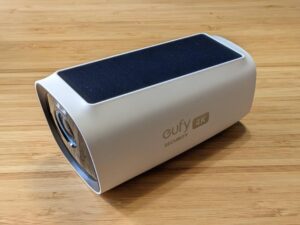
We could quickly fill this list with Eufy cameras, but we're highlighting an all-time classic, the eufyCam S3 Pro. It comes in a two, three, or four-camera kit.

We love its 4K video resolution that looks stunning in both day and night conditions. The built-in solar panels do an excellent job charging the camera, making it easier to choose the ideal location to watch over your property. eufyCam S3 Pro also includes facial recognition among its smart motion detection features—one of the few brands that offer this feature without a monthly fee.

The kit's innovative HomeBase 3 is the unlikely star of the show because it comes with 16GB of storage, and easily expands up to 16TB. Of course, you need to buy a compatible hard drive separately, but getting a high-capacity drive is often more affordable than a similar microSD card. The HomeBase 3 supports up to 16 cameras, including most of Eufy's other camera models—more than enough to blanket your home with outstanding, fee-free video surveillance.

Eufy's security camera strategy is perfect for skipping a monthly fee: it makes outstanding standalone products when many manufacturers build security cameras to sell subscription plans. This fee-free mentality is evident when you see that Eufy's paid cloud storage doesn't unlock any additional features, like smart motion detection, rich notifications, or video recording. Essentially, Eufy's cloud storage backs up your local storage.

eufyCam S3 Pro is a big investment. Still, that $400 price includes two cameras and the HomeBase 3, which all cost roughly $590 when purchased separately. It's worth the expense if you can afford it, especially since you can supplement the pricier eufyCam S3 Pro models with Eufy's cheaper options.

Light Bulb
Eufy Indoor Cam E220

Although the eufyCam S3 Pro represents Eufy's peak features and pricing, you can easily save cash with its cheapest camera: Eufy Indoor Cam E220 (about $43). The 2K video resolution, low price, excellent performance, and pan-tilt controls make it a favorite among cheap security cameras.

Learn more in our full EufyCam 3 Review.

Ready to monitor your property in 4K? 

3. Lorex 4K Spotlight: Best microSD local storage without a subscription

Best microSD local storage without a subscription

The Lorex 4K Spotlight is an excellent option for anyone seeking a wired 4K spotlight camera that includes a microSD card. It also has smart motion detection to help organize your recordings for easy review. Still, it lacks the facial recognition of the EufyCam S3 Pro.

One of the coolest things about the Lorex 4K Spotlight is the multicolor smart security lighting, which you can program for different camera modes, such as warning or welcoming visitors. It's also great for giving your security cam some personality during the holidays. While the 4K Spotlight's wired power source limits your installation options compared to battery-powered cameras, it's a reliable way to keep your camera running through cold weather conditions where batteries may underperform.

Lorex cameras previously lacked a cloud storage plan, but introduced one for newer cameras under the Lorex Connect app. However, this model uses the Lorex Classic app, which lacks a storage plan, for access and video recordings. Additionally, Lorex is one of the only home security camera brands that includes a microSD card with every camera—32GB in this case—and you won't need a separate purchase to use your camera to its fullest.

But the best thing about Lorex is that its cameras support microSD cards up to 256GB. For comparison, many other brands top out at 128GB, cementing Lorex as the best option for folks using this storage option.

Ready to securely store hours and hours of footage?

4. Nest Doorbell (battery): Best video doorbell without a subscription

Best video doorbell without a subscription

The Nest Doorbell (battery) easily tops our list of the best video doorbells because it's easy to install and brings Nest's best-in-class smart motion detection to users for free. While the facial recognition feature still requires a paid plan, we're excited that the other smart detection features—for people, animals, packages, and vehicles—all work without a subscription. (Google Nest even has an updated wired version with 2K video resolution.)

Simply put, Google Nest offers the most effective smart motion detection features among home security cameras without subscription fees, only reserving facial recognition and hazard alarm detection for paid cloud storage plans. Nest is far and away the best camera brand to use with Google Home, and its Amazon Alexa compatibility is quite good.

While noteworthy, Nest didn't make our list because of free cloud storage. The latest Google Nest cameras all include three hours of free cloud storage, which seems tiny but goes further than you'd think. Realistically, there's a good chance that if you wait to save an important video immediately, you'll remember when it's too late, or it blends in with other clips in your video history.

ADT Self Setup Starter bundle

Did you know you can get Nest cameras with ADT?

With an ADT home security system, you can choose a Nest indoor, outdoor, and/or doorbell camera as part of your system.

Consider subscribing anyway

There's a strong case for subscribing to a Google Home Premium plan (formerly Nest Aware). Dollar for dollar, it offers the most value of any cloud storage plan. For $10 per month, you can save video from unlimited cameras—similar to Ring and Wyze, but much cheaper than Arlo and Eufy. Considering that Tapo and Reolink don't even offer unlimited-camera plans, it's clear that Google Home Premium is a steal. Google Home Premium also unlocks Gemini for Home on other Google devices like smart speakers and smart displays, in addition to expanded smart home controls.

Thumbs Up
Google Nest Cam (battery)

If you want a traditional wireless security camera, the Nest Cam (battery) is a solid choice for the same price as Nest's doorbell—but with no doorbell button. It exceeded expectations in our long-term battery tests, making it a serious contender for folks looking to recharge as little as possible. Learn more in our Nest Cam (battery) Review.

Learn more in our Nest Doorbell Review.

Ready to step up your front door security? 

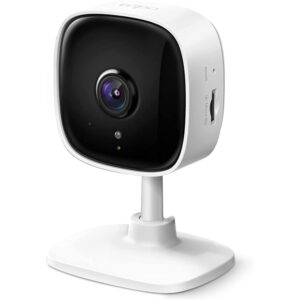
5. Tapo C110: Best budget camera without a subscription

Best budget camera without a subscription

The TP-Link Tapo C110 is the cheapest indoor security camera with 2K video resolution—around $14 and $24 less than comparable models from Wyze and Eufy, respectively. It supports microSD cards up to 256GB, like Lorex, but doesn't include a card in the box. We like the simple layout of the Tapo app, especially how you can organize cameras into a helpful grid. The app even supports simultaneous live viewing on multiple cameras—a feature absent from Eufy and Nest.

You can use person detection and baby crying alerts without a subscription, though Tapo reserves better options for its paid Tapo Care plan. We love that Tapo works with Alexa and Google Home, which makes it a great option for folks starting a smart home from scratch—especially when using the company's smart lighting, plugs, and security sensors.

TP-Link has long produced some of the best smart home gear on the market, and our only regret is that we should've covered it sooner. Tapo is still a relative newcomer to the US market compared to Kasa, TP-Link's other smart home label. Between TP-Link's two smart home brands, Tapo is the clear winner for security camera selection, offering cameras for as little as $22, which is cheaper than Wyze.

Bell
Tapo MagCam 2K+

The Tapo MagCam 2K+ (about $90) is a wireless outdoor camera similar to the EufyCam S3 Pro. Even though there's no solar-power option, we like the 2K video quality and smaller base station, which helps keep the price low.

As you'd expect from a budget camera brand, Tapo locks some features behind a paywall, including rich notifications and smart detection, which Tapo calls Smart Sort. Still, Tapo has a better no-fee approach than Wyze, which is a bit of a hassle without a subscription.

Learn more in our TP-Link cameras review.

Ready to keep an eye on things without breaking the bank?

More fee-free cameras we recommend

Swann AdvancedX: Ideal for large homes

Swann (and Lorex) made their names well before the current wave of Wi-Fi security cameras with a robust selection of wired multi-camera systems that use a central DVR or NVR for video storage. Thankfully, modern multi-camera security systems often feature wire-free installation, mobile apps, and smart motion detection. Still, a wired system like Swann AdvancedX is an ideal choice for small businesses or people with strong technical backgrounds because there's so much you can customize.

Granted, you still need to run wires, but the system's Power over Ethernet (PoE) design greatly simplifies the process compared to standard video cables. Unlike Wi-Fi-based cameras, which may use internet servers for app controls, this self-contained system can connect directly to monitors or TVs for true offline independence. Plus, you can swap the built-in 1TB hard drive for up to 8TB.

While we'll admit that $900 for an eight-camera 4K system is a steep starting price, it comes with all of the hardware (including eight 60-foot cables) you need to run it—except for the monitor. A little math tells us that it comes out to roughly $112 per camera. Still, we know from experience that a higher skill ceiling isn't for everyone, which keeps Swann AdvancedX out of our top rankings.

Baseus Security S2 Outdoor Camera 4K: Unique solar skills

Baseus Security was an easy addition to this list because it completely lacks a cloud storage option altogether. We tested the Baseus S2 recently, which has a unique solar panel that can track the sun for better charging performance. While we found the 4K video performance excellent, it isn't nearly as good as the EufyCam S3 Pro.

Still, the Baseus S2 is much more affordable in general, costing around $130 and not requiring a base station to work. The biggest benefit of a cloud-free approach is the increased privacy, though sadly, our tests showed this camera still needs a Wi-Fi connection to record. Our first impressions of Baseus Security are generally positive, and it's absolutely worth considering, but we need more time to familiarize ourselves with it before it can be a true contender for the upper ranks of this category.

Read our full Baseus Security S2 review.

What to look for when you want a security camera without monthly fees

It goes without saying that the best no-subscription security cameras should still meet the same standards as any other type of security camera. This is because the category is broad enough to encompass indoor, outdoor, solar, doorbell, and pan-tilt cameras. While our scoring criteria focus on video quality, user experience, customer support, price, and storage, the way they interact with fee-free security cameras is unique:

Video quality and storage

Since most non-subscription security cameras rely heavily on local storage, you should consider balancing video quality expectations with the amount of storage you can reasonably afford. For example, 4K and 2K video resolutions have many benefits in terms of better digital zoom and general crispness, but they will chew through smaller microSD cards very quickly, even at the lower framerates typical of most security cameras. Once the card fills up, they begin to write over older videos to keep working.

As such, we suggest using microSD cards that hold at least 32GB—preferably 64GB or 128GB—with these resolutions to push back the overwrite times. (Also, continuous recording uses storage incredibly quickly, so use it only when motion event recording still isn't very effective at maximum sensitivity.

User experience

Smart motion detection is crucial for tagging when people appear—and, to a lesser extent, animals, vehicles, packages, and faces. This will help you sort through footage quickly, even in continuous recording modes. Additionally, security camera apps with adjustable resolution, framerate, and bitrate provide even more flexibility to manage storage when using low-capacity microSD cards. Smart home compatibility isn't strictly necessary for security cameras—though it can benefit video doorbells—but most brands support Amazon Alexa and Google Home.

Price and customer support

A good fee-free security cam won't differ much from those with cloud plans. In fact, it's often the cheaper option up front, even when accounting for buying a microSD card separately. Likewise, robust customer resources help you find and fix minor issues—and are crucial for getting the most from multi-camera setups that use an NVR.

Subscription-free security cameras FAQ

Subscriptions certainly have their place among security cameras, but it's mostly about what's in your budget. For example, you might want a subscription for cloud storage and some advanced detection features, or for brands like Ring that don't support local storage. Still, local storage is generally better for privacy and budget reasons.

Many wireless security cameras (specifically models that use Wi-Fi) should work offline, but you have to purposely yank down a Wi-Fi network, trigger the cameras, and check for new recordings after the network's back up to find out for sure. This is because cameras and apps may rely on company servers to handle complex calculations and instructions that aren't possible with the on-device processor—even when video goes to the memory card.

Our incomplete data on the subject stems from this seemingly straightforward process being impractical during most standard tests. It's something we're actively improving in future reviews, so stay tuned.

How we reviewed the best security cameras without a subscription

We set two ground rules for this list. One, we ignored brands where the most valuable camera features require a subscription. This restriction meant that Arlo, Ring, Wyze, and Blink didn't make the cut. In our experience, these brands are borderline unusable without a fee. While it might seem odd that Wyze isn't a contender, the brand's latest cameras lack free cloud storage, and its approach to local storage on microSD cards is worse than before.

As for our second rule, we prioritized brands that offer the best features—namely, smart motion detection and video storage options. Ultimately, we decided that Baseus, Eufy, Lorex, TP-Link Tapo, Google Nest, and Reolink fit the bill. Google Nest is the sole entry that relies on cloud storage, but we think a little goes a long way.

We chose the best security camera models that represent what each brand brings to the table. Some of these features easily apply to other models in most cases, so we also highlight alternatives for each brand to give you an idea of what's available.

Final word: Reolink E1 Zoom is the best security camera without a subscription

While the best camera for your situation depends on your preferences and needs, the Reolink E1 Zoom is your best bet for an indoor security camera without a subscription. It has great clarity, optical zoom, and pan and tilt capabilities (a rare feature). Plus, it's very affordable when you compare it to other security cameras on the market.

If you want a larger overview of the entire security camera landscape, including subscriptions, we suggest checking out our list of the best wireless security cameras, which features our top rankings and comprehensive advice to help you choose the best option for you.

Related articles on SafeWise


Disclaimer

Product prices and availability are accurate as of the date/time indicated and are subject to change. Any price and availability information displayed on Amazon at the time of purchase will apply to the purchase of this product. Safewise.com utilizes paid Amazon links.

Certain content that appears on this site comes from Amazon. This content is provided “as is” and is subject to change or removal at any time.

John Carlsen
Written by
John is a technology journalist specializing in smart home devices, security cameras, and home security systems. He has over a decade of experience researching, testing, and reviewing the latest tech—he was the Smart Home Editor for Top Ten Reviews and wrote for ASecureLife before joining SafeWise as a Staff Writer in 2020. John holds a Bachelor's degree in Communications, Journalism emphasis from Utah Valley University. In his spare time, he enjoys hiking, photography, cooking, and starting countless DIY projects he has yet to complete.

Recent Articles

Eufy camera 3 with solar panels built in the top, sitting on a wooden counter
Best Security Cameras without a Subscription 2026
Paying a monthly fee for a security camera isn't easy on your wallet. Based on...
ring spotlight camera on outdoor wall
Ring Camera Storage Plans
Ring Protect is a great option for saving video from Ring security cameras. Learn about...
elderly-woman-checking-watch-on-bench
4 Best GPS Trackers for Dementia Patients (2026 Review)
GPS tracking can help caregivers watch loved ones with dementia and prevent wandering. We reviewed...
dark brick porch with light from decorative porch light
A Guide to Porch Light Safety: Leave It On or Turn It Off?
What does leaving the porch light on mean? And when should you turn it off?...