Xplora X6Play and XGO3 Kids Smartwatches Review

Xplora kids smartwatches have strong battery life and turn steps into digital and tangible fun.
Better battery and location performance
  • pro
    Can last more than 3 days on a single charge
  • pro
    More affordable option
  • pro
    Excellent audio quality
Better camera
  • pro
    Records and shares videos
  • pro
    Includes weather and calendar apps
  • con
    Less reliable location tracking
Why you can trust SafeWise
products considered
250+
research hours in 25+ in-home tests
10k+
years of combined experience
176+
homes and people protected
10M+

For over 13 years, SafeWise experts have conducted independent research and testing to write unbiased, human reviews (not robots). Learn more.

Cathy Habas
May 12, 2026
Icon Time To Read6 min read

Cathy has personally (and rigorously) tested nearly a dozen kids smartwatches. Her methodical approach makes it easy to compare devices and find the best solution for your family. Cathy has also completed several kids safety certifications and is a Safe Sleep Ambassador. 

The Xplora company has developed a variety of kids smartwatches over the years, and they were among the first to use digital games and prizes to encourage movement and play. Today, Xplora offers two watches: the XGO3 and the X6Play.

Xplora sent me both watches for a hands-on review. I discovered each one has an incredible battery life, but the XGO3 stands out as the best choice for location accuracy and timely geofencing alerts. However, when compared to other kids smartwatches, even the XGO3 is a little lacking.

Let's take a closer look at both models and figure out of they're right for your family.

pro
Pros
pro Steps turn into coins that can be redeemed online
pro No games on the watch itself
pro Batteries easily last more than 2 days with minimal use
pro Safe zones and location history map
con
Cons
con A separate payment plan is required to redeem coins for games, real toys, etc.
con No video calling despite having cameras
con Laggy location updates on X6Play
con No full text keyboard or talk to text

X6Play and XGO3 similarities

The following features are available on both Xplora watches.

Communication features:

  • Audio calling
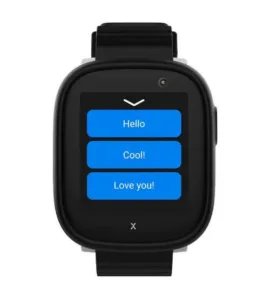
  • Preset text messages
  • Emojis
  • Voice messages

Emergency features:

  • SOS button
  • SOS mode calls second guardian if first doesn't answer

Location-tracking features:

  • Live location tracking
  • Safe zones (geofencing)
  • Location history

Fun and practical features:

  • Camera and photo sharing
  • Step counter
  • Alarm clock
  • Stopwatch
  • Calculator

Parental control features:

  • No communication with unknown numbers
  • Remote alarm scheduling
  • School mode
  • Remote shutdown

X6 Play and XGO3 differences

The X6Play offers a little bit more than the XGO3:

  • Video recording and sharing
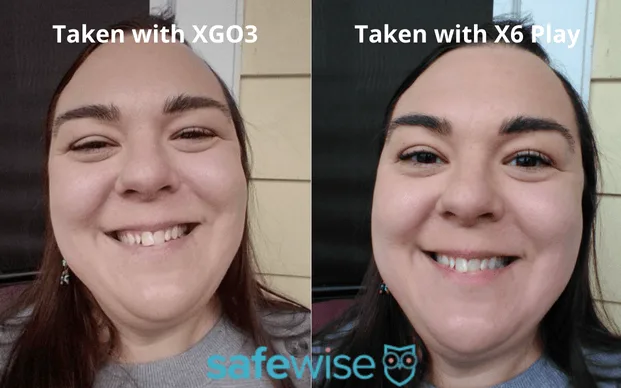
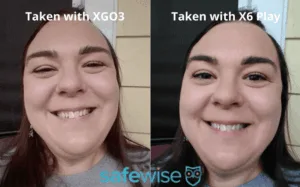
  • Noticeably better camera quality
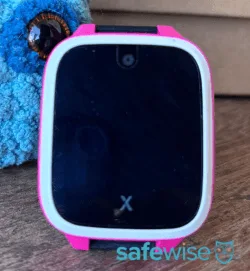
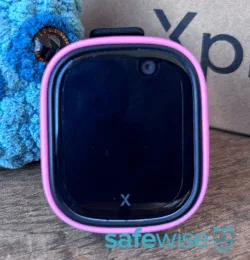
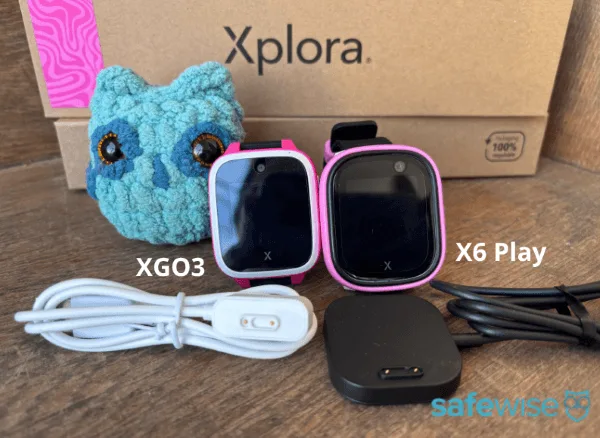
  • Larger screen, but the watch is larger too
  • Calendar app
  • Weather app

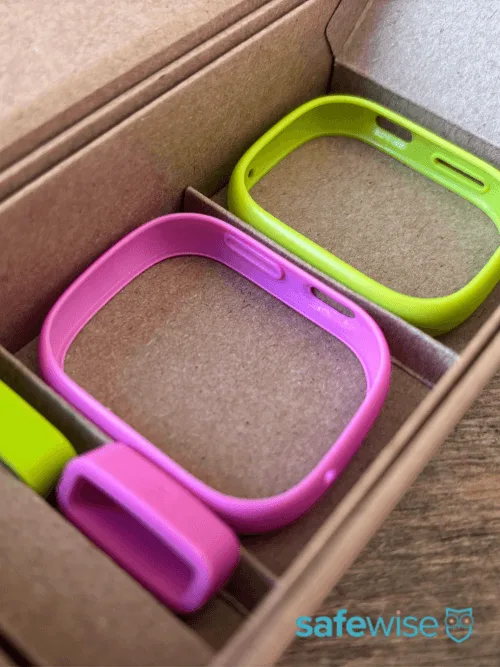
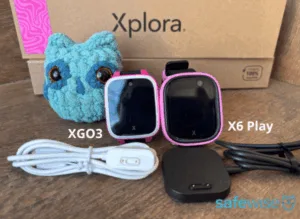
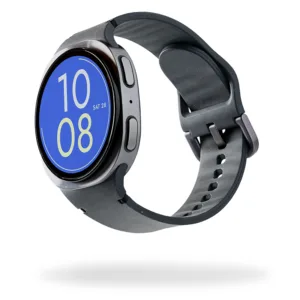
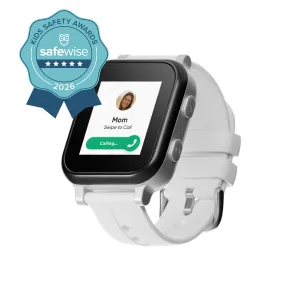
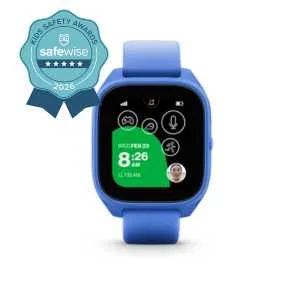
Click "expand" to read each image caption. Images: SafeWise

What's missing from Xplora watches?

Xplora watches stick to the basics. That can be a good thing, because it naturally limits how much time your kids spend messing around on the watch. But some kids might find it frustrating that there's no full text keyboard, and some parents might prefer a watch with video calling. 

Here's what you won't find in Xplora watches, plus my recommended alternatives.

Not available in the Bark Watch
When is it useful?
Watches to consider instead
Video callingConnecting with kids in a more personal way, confirming their location/safety
Full text keyboardSending complex text messages
Voice to textSending complex text messages when the watch doesn't have a full-text keyboard or child is too young to spell
Audio drop-inChecking on kids without their knowledge (helps ease some parental anxiety)
Option to call 911Ensuring fast help during an emergency
MusicEntertaining kids while limiting screen time
Games built into the watchEntertaining and educating

Are Xplora kids smartwatches reliable?

The XGO3 is a fairly reliable kids smartwatch, but it wouldn't rank quite in my top three because others are offer more precise location tracking. The X6Play is less reliable, and at this point I hesitate to recommend it to anyone who wants solid location tracking. 

Let's start with the good news. Calls went through without issue, and the audio sounded perfectly fine. School mode also worked exactly as expected, and I wasn't able to call either watch with an unapproved number. 

Both watches also completely exceeded my expectations in terms of battery life. With typical use, Xplora says both can last up to 48 hours. The XGO3 lasted more than 86 hours with minimal use, and the X6Play lasted about 71 hours. I received low battery alerts when the watches reached 20%, plus another alert when the watches shutdown completely. 

But GPS tracking and geofencing weren't as reliable as I was hoping they would be.

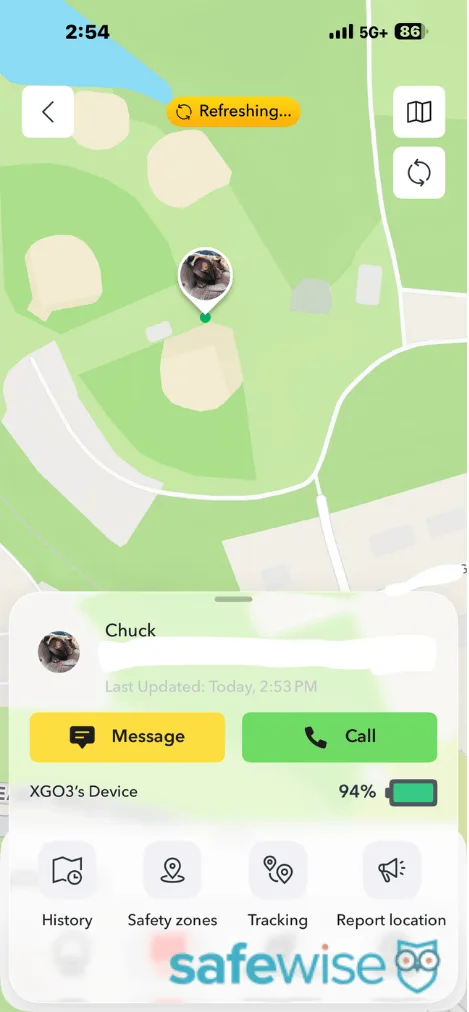
In my open field test — where there are no obstacles like roofs or trees between the watch and the GPS satellites — the parent map showed the XGO3's exact location. However, I couldn't get the Xplora X6Play's location to refresh.

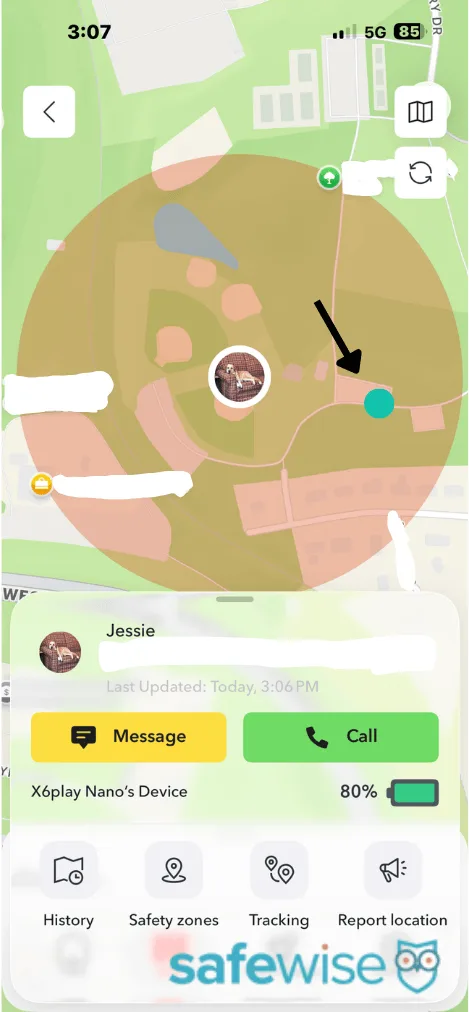
When I introduced some obstacles by sitting in my car while parked under a tree, the XGO3 was off by about 20 feet. This is a pretty good result. The X6Play finally updated at this time, but it showed my previous location (about 100 feet away), not my current one. Despite multiple refreshes, I couldn't get the app to display that watch's correct location. 

Both watches showed the same location during the indoor test. They appeared to be across the street inside the neighbor's house, or about 50 feet away from their true location. 

While setting up the safe zones (geofence boundaries), I was surprised that the minimum boundary is a 990-foot diameter. In my neighborhood, that's three to four blocks. That's the largest minimum boundary of any kids smartwatch I've tested, and it means your child could roam quite a large area before you would get a notification that they've gone too far.

The XGO3 outperformed the X6Play during the geofence test. It pinged my phone two minutes after I crossed the boundary line. While I prefer a more immediate response, that's actually not too bad for a kids smartwatch. (To date, only the Bark Watch has provided a near-instant notification.) The X6Play took twice as long to ping me (four minutes). Both watches also alerted me when I re-entered the boundary, but not immediately. 

As a result of these tests, I believe the XGO3 is more reliable than the X6Play.

Click "expand" to read each image caption. Screenshots: SafeWise

My Xplora smartwatch test results

Watch
Advertised battery life
Actual battery life
Battery alerts
Geofencing
GPS open field test
GPS outdoor obstacle test
GPS indoor test
Audio quality
X6 Play48 hours71 hoursLow battery, shutdownExit alert delayed by 4 minutesWouldn't updateOff by about 100 ft.Off by about 50 ft.Clear audio
XGO348 hours~86 hoursLow battery, shutdownExit alert delayed by 2 minutesExact locationOff by about 20 ft.Off by about 50 ft.Clear audio

How much do Xplora watches cost?

Here are the retail prices listed on the Xplora website:

  • X6Play: $169.99
  • XGO3: $129.99

Sometimes you can find a better price on Amazon. Shop and Klarna offer payment options.

The required data plan costs $12 per month for either watch. 

Standard shipping is free when you buy an Xplora watch, or you can pay $9.99 for two-day shipping. 

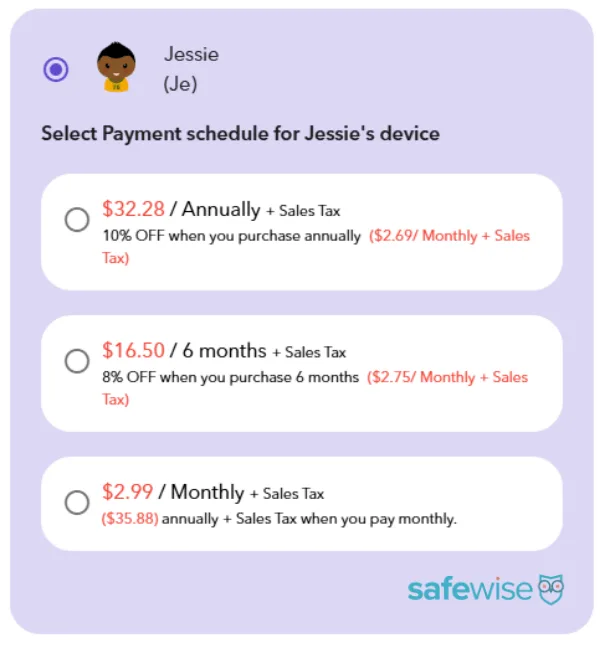
An optional Goplay Premium account provides full access to the Goplay platform, where steps turn into virtual currency. It costs $2.99 per month, with discounts for paying every 6 months ($16.50, or 8% off) or every year ($32.28, or 10% off). If you have more than one child, they'll each need their own Premium subscription. You can redeem some prizes with a free Goplay account, but others will be off limits. 

How does Goplay work?

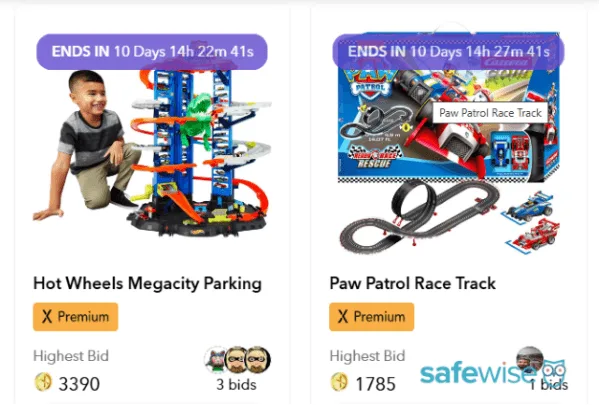
Xplora Goplay is a website where your child can spend coins to play arcade games, download watch faces or ringtones, access educational content, and even bid on real-life toys like LEGO sets and Hot Wheels tracks. 

Your child earns one coin for every 1,000 steps logged on their Xplora watch. Parents can also join in the fun and log steps on their phone. 

Here's how many coins you typically need for certain prizes on Goplay:

  • Arcade games: 1 coin per turn or life
  • X6 Play watch faces: 30 coins
  • XGO3 watch faces: Free
  • Watch ringtones: 30 coins
  • Auctions: Varies, but you typically need thousands of coins. For example, a bid of 46,000 coins recently won an auction for a remote-controlled Monster truck. 

The learning side of Goplay doesn't require coins, but it does require a Premium plan. Kids can access age-appropriate ebooks, videos, and podcasts, plus download coloring pages.

It's a neat way to motivate kids to stay active, balance screen time, and wear their location-tracking watches. It's fun to play the arcade games, but because coins run out pretty quickly, your child will have to get off the computer and go run around before they can play more. I know I would've loved something like this, especially in elementary school.

Click "expand" to read each image caption. Screenshots: SafeWise

How the Xplora X6 Play and XGO3 compare to other kids smartwatches

The Xplora X6Play is a little more expensive than our top kids smartwatches, but the XGO3 is more affordable. It's not unusual that neither option has video calling or a way to dial 911. 

Both Xplora watches have spectacular battery life. With minimal use, the Xplora XGO3 lasted about 86 hours during our tests, while the Xplora X6Play lasted about 71 hours. Only the TickTalk 5 lasted longer during testing (98 hours).

Unfortunately, Xplora watches aren't as competitive in terms of GPS accuracy. Our top five picks performed better than the XGO3 during location accuracy tests, and all kids smartwatches performed better than the Xplora X6Play. Both watches had a slightly better geofencing performance than some other options, but we don't rank them among the top three for geofencing. 

The Fitbit Ace LTE might be the best alternative to either Xplora watch. It features fitness games on the watch itself, has a much better battery life than advertised, and performed well during our location tracking tests. But it doesn't have geofencing or location history maps, so you'll have to consider what features are most important to you. 

Prices as of post date. Offers and availability may vary by location and are subject to change. Read full Amazon disclaimer.
*No contract required. $30 activation. New lines only.

How we reviewed the Xplora X6Play and XGO3

Image: SafeWise. 

I reviewed the Xplora X6Play and XGO3 based on my hands-on experiences using both watches. Xplora sent the watches for free and gave me a promo code for a month of free service. 

I've developed a standard testing procedure for kids smartwatches to make them easier to compare. This involves:

  • Testing battery life with minimal use
  • Testing geofencing accuracy and timeliness
  • Testing GPS location accuracy in three locations
  • Testing audio and/or video quality
  • Testing school mode and other parental controls
  • Evaluating ease of use for both parent and child

Learn more about how SafeWise reviews products by visiting our methodology page.

Final word: Goplay platform and long-lasting batteries make Xplora watches worthwhile

If you're looking for a device that will get kids excited about logging their steps, either Xplora watch would be a great choice. The unique Goplay platform offers diverse games and auctions to keep your child coming back for more.

Meanwhile, the watches' batteries almost break the record for the longest-lasting run time on a kids smartwatch. Calls sound great, and the parental controls work.

The main downside is that neither watch offers precise location tracking. You may have to wait a while for the location to refresh, and the map pin will usually show your child's general whereabouts — not their precise location.


Disclaimer

*Product prices and availability are accurate as of the date/time indicated and are subject to change. Any price and availability information displayed on Amazon at the time of purchase will apply to the purchase of this product. Safewise.com utilizes paid Amazon links.

Certain content that appears on this site comes from Amazon. This content is provided “as is” and is subject to change or removal at any time.

Cathy Habas
Written by
With over 12 years of experience as a content writer, Cathy has a knack for untangling complex information. Her natural curiosity and ability to empathize help Cathy offer insightful, friendly advice. She believes in empowering readers who may not feel confident about a purchase, project, or topic. Cathy earned her Bachelor of Arts degree in English from Indiana University Southeast and began her professional writing career immediately after graduation. She has focused on family safety, home guides, and health content since 2021 and earned a gerontology certificate to learn more about the medical side of senior safety. Over the years, Cathy has contributed to sites like SELF.com, SingleCare, My Health Teams, Safety.com, Reviews.com, Hunker, Popular Living, and Thumbtack.

Recent Articles

Eufy camera 3 with solar panels built in the top, sitting on a wooden counter
Best Security Cameras without a Subscription 2026
Paying a monthly fee for a security camera isn't easy on your wallet. Based on...
ring spotlight camera on outdoor wall
Ring Camera Storage Plans
Ring Protect is a great option for saving video from Ring security cameras. Learn about...
elderly-woman-checking-watch-on-bench
4 Best GPS Trackers for Dementia Patients (2026 Review)
GPS tracking can help caregivers watch loved ones with dementia and prevent wandering. We reviewed...
dark brick porch with light from decorative porch light
A Guide to Porch Light Safety: Leave It On or Turn It Off?
What does leaving the porch light on mean? And when should you turn it off?...