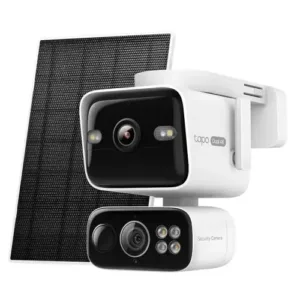


Tapo Solar-Powered Dual-Lens Pan/Tilt Kit Review

Tapo easily bests rival 4K solar pan-tilt cameras with its dual-lens system and top-tier video performance — but it is pricey.
Pan-tilt camera with optional AI hub
Tapo C675D Kit
Tapo Solar-Powered Dual-Lens Pan/Tilt Kit
4.3 out of 5 stars
4.29
$229.99
  • pro
    Exceptional 4K video quality
  • pro
    Great camera positioning tools
  • con
    Relatively pricey
Plan name
Monthly price
Annual price
Video history
Up to 1 cam
$3.49/mo
$34.99/yr
30 days
Up to 2 cams
$6.99/mo
$69.99/yr
30 days
Up to 3 cams
$9.99/mo
$104.99/yr
30 days
Up to 10 cams
$11.99/mo
$114.99/yr
30 days
Why you can trust SafeWise
products considered
250+
research hours in 25+ in-home tests
10k+
years of combined experience
176+
homes and people protected
10M+

For over 13 years, SafeWise experts have conducted independent research and testing to write unbiased, human reviews (not robots). Learn more.

John Carlsen
Jun 30, 2026
Icon Time To Read6 min read

When I first tested Tapo security cameras in 2023, it became one of my personal favorite smart security brands. The Tapo Solar-Powered Dual-Lens Pan/Tilt Security Camera Kit handily proves this still to be the case many years later. Its dual-lens 4K system with an independently controllable pan-tilt telephoto lens that focuses on the action while the wide lens keeps tabs on the larger areas is really flexible and effective for monitoring large outdoor areas.

While $220 is pretty steep for an outdoor security camera, the lens's flexibility means the Tapo C675D Kit — which includes a great solar panel — will reduce the number of cameras you need for full yard coverage. It's still a far cry from early 4K security cameras that easily cost $300 or more. Honestly, I hope other security camera brands take notes and push the whole 4K solar pan-tilt camera segment forward.

  • Special features: 4K video quality, fixed wide lens and pan-tilt telephoto lens, auto-tracking pan-tilt
  • Compatible devices: Android, iOS, Google Assistant, Amazon Alexa, IFTTT, Samsung SmartThings
  • Water resistance: IP65 weatherproofing
  • Video capture resolution: Fixed wide lens: 4K (3840 x 2160); Pan-tilt telephoto lens: 4K (3840 x 2160)
  • Field of view: Fixed wide lens: 169.7 degrees; Pan-tilt telephoto lens: 66.5 degrees
  • Frame rate: 15 fps
  • Night vision type: Infrared, starlight color, spotlight
  • Infrared night vision range: Fixed wide lens: Infrared (49.2 ft.), Starlight Color (52.5 ft.); Pan-tilt telephoto lens: Infrared (52.5+ ft), Starlight Color (52.5+ ft)
  • MicroSD storage capacity: Up to 512GB
  • Connectivity: Dual-band Wi-Fi (2.4 GHz, 5 GHz)
  • Battery life (battery capacity): Up to 90 days (10,000mAh)
  • Warranty: 1 year
pro
Pros
pro Exceptional 4K video quality
pro The reliability of a fixed lens and the flexibility of a pan-tilt lens
pro Supports up to 512GB of local microSD storage
pro 128º tilt range is better than the competition
con
Cons
con Relatively pricey compared to other 4K solar pan-tilt cameras
con No unlimited camera subscription plan
con Some minor features require subscription

Tapo C675D Kit costs

Tapo Care cloud storage

Tapo's cloud storage plan, Tapo Care, has four tiers based on the number of cameras you want to monitor—and most are generally good values for the money. (Except for the 3-cam plan, which is only $2 less than the 10-cam plan.) It's roughly as affordable as Eufy, but generally a better deal than Reolink and Auso's cloud plans. While it's disappointing that Tapo doesn't offer an unlimited-camera plan, I think the $12 monthly 10-cam plan offers more than enough recording capacity for all but the largest of homes.

The main draw of Tapo Care is video storage, but it's also the only way to enable rich notifications, the Video Summary tools that give you an overview of the important events each day, and Smart Sort for filtering types of motion detection in the video history. I think they're minor enough that you can skip Tapo Care in favor of local storage using a microSD card if you'd rather not pay a monthly fee. Local video storage is one of Tapo's strengths, especially when the C675D supports cards up to 512GB — though 64GB or 128GB is sufficient for most people.

Tapo C675D vs. other 4K solar pan-tilt security cameras

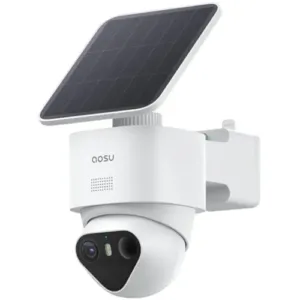
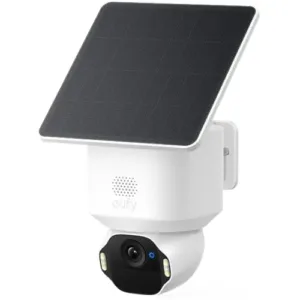
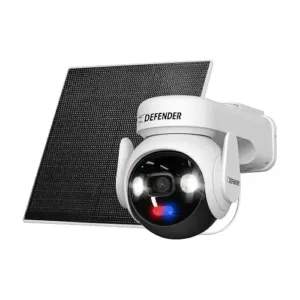
At $220, the Tapo C675D Kit is one of the more expensive 4K solar security camera bundles on the market, topping similar models like Reolink Altas, Aosu T2 Ultra, Eufy SoloCam E42, and Defender Ultra-Charge. Normally, Tapo would be on the more affordable side, but the additional 4K telephone pan-tilt lens at least helps justify the higher price. The Tapo C675D's fixed lens allows it to constantly monitor a single area, while the pan-tilt can follow movement as needed. This is a nice perk compared to the rival solar pan-tilt cameras, which rely on a single pan-tilt lens.

Still, the price difference between Tapo and one of the more affordable competitors, Defender Ultra-Charge ($175), is less than $50, so any savings from choosing another brand will be modest. While we're starting to see more 4K pan-tilt solar security cameras on sale for under $100—like the Aosu D1 Max, Defender Everwatch, and Blurams — I'd need to test them to see if they can keep up with Tapo, Reolink, and Eufy.

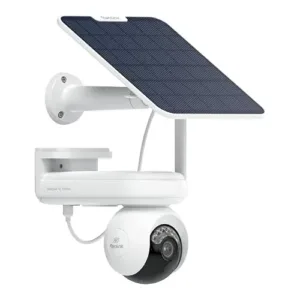
Camera
Typical price
Video resolution
Battery capacity
(solar panel power)
Pan-tilt range
Local video storage
Cloud video storage
Learn more
Fixed wide lens:
4K
(3840 x 2160)


Pan-tilt telephoto lens:
4K
(3840 x 2160)
10,000mAh
(4.5W)
339º pan;
128º tilt
microSD
(up to 512GB)
Plans start at
$3.49/mo.
4K
(3840 x 2160)
20,000mAh
(6W)
355º pan;
90º tilt
microSD
(up to 512GB)
Plans start at
$5.99/mo.
4K
(3840 x 2160)
Unspecified
[240 days]
(3W)
355º pan;
90º tilt
microSD
(up to 256GB)
Plans start at
$4.49/mo.
4K
(3840 x 2160)
6,400mAh
(3W)
355º pan;
70º tilt
microSD
(up to 128GB)
Plans start at
$2.99/mo.
4K
(3840 x 2160)
10,000mAh
(5W)
355º pan;
90º tilt
microSD
(up to 512GB)
Plans start at
$2.99/mo.

*Amazon.com price as of post date. Read full disclaimer

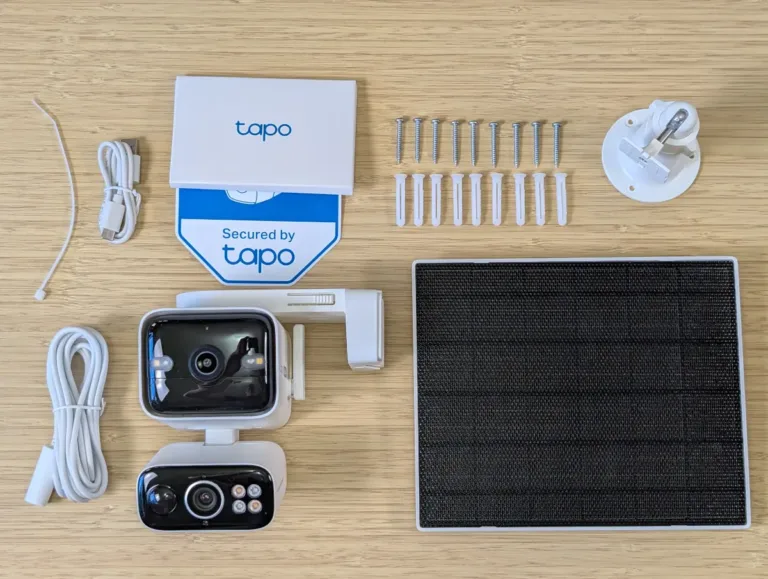
What's in the box

Tapo C675D Kit in the box

Image: John Carlsen, SafeWise.

  • Tapo Solar-Powered Dual-Lens Pan/Tilt Security Camera
  • Tapo Solar Panel
  • Solar panel bracket
  • USB charging cable
  • Extension cable (to connect solar panel to camera)
  • Mounting screws, anchors, and template stickers
  • Quick start guide

Tapo C675D: Performance

Video quality

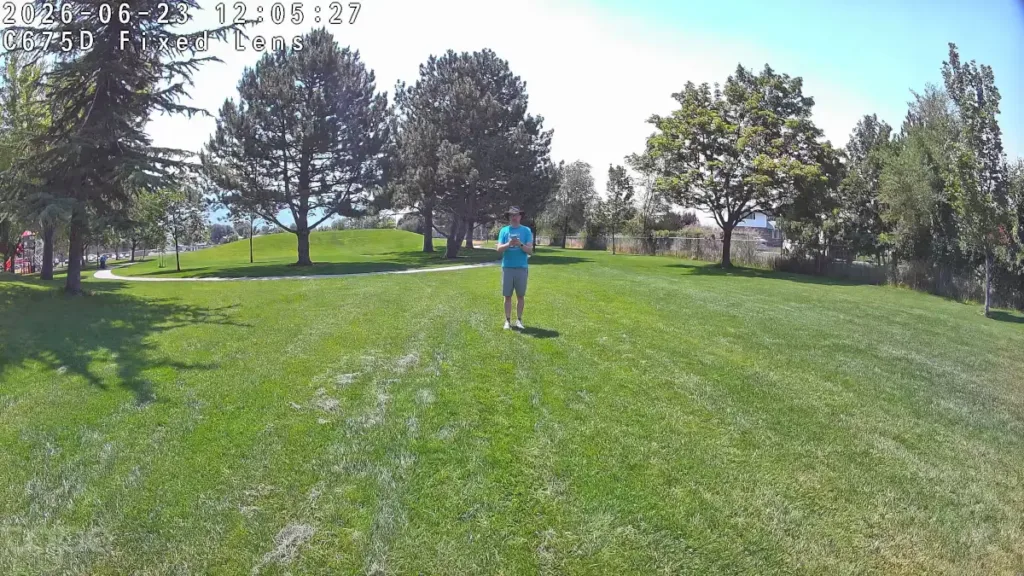
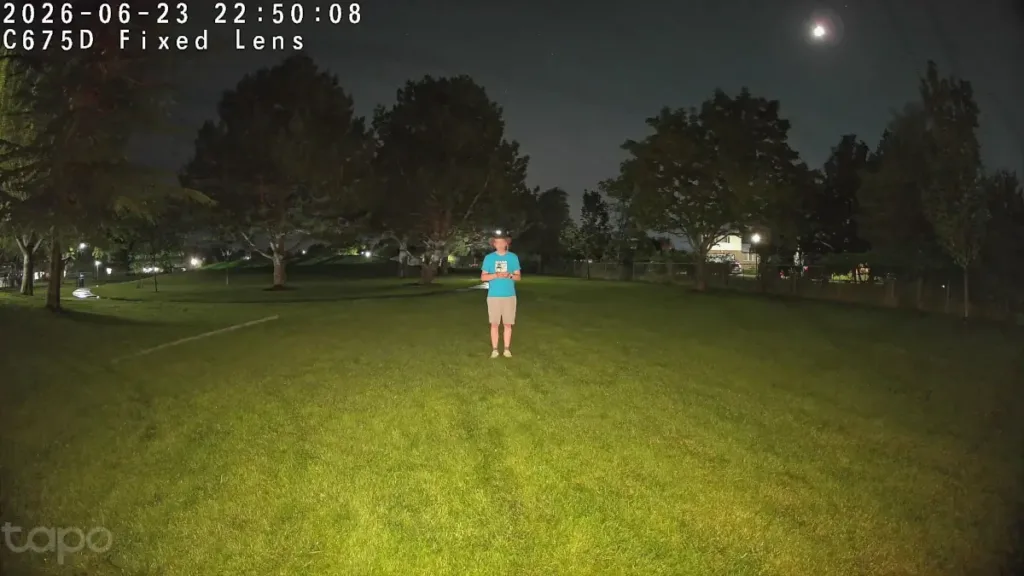
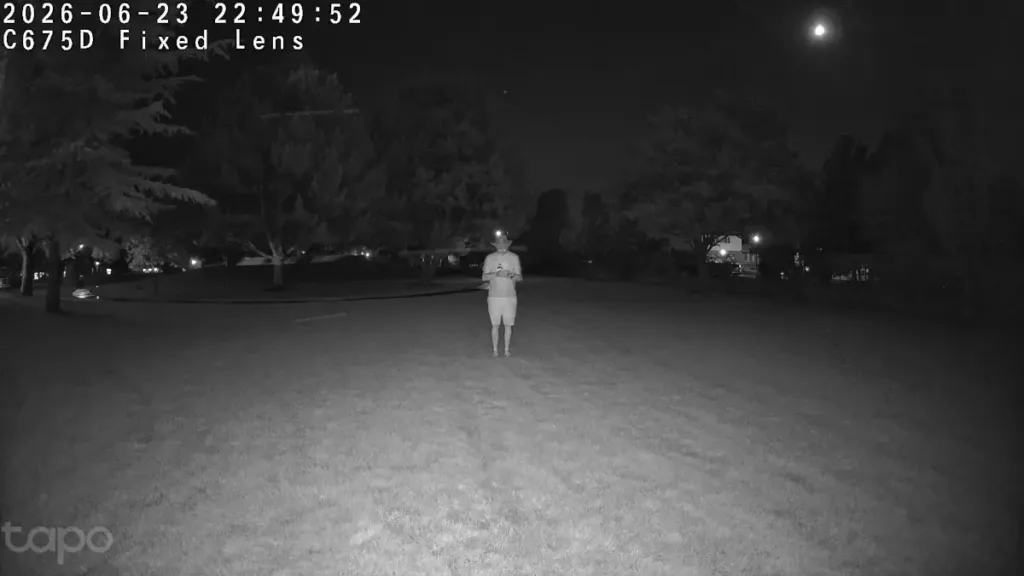
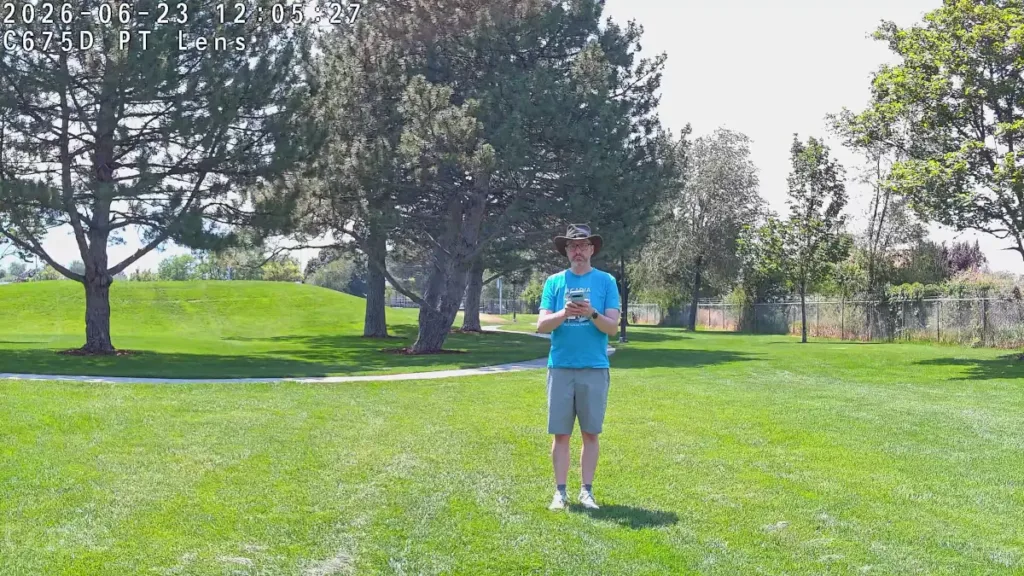
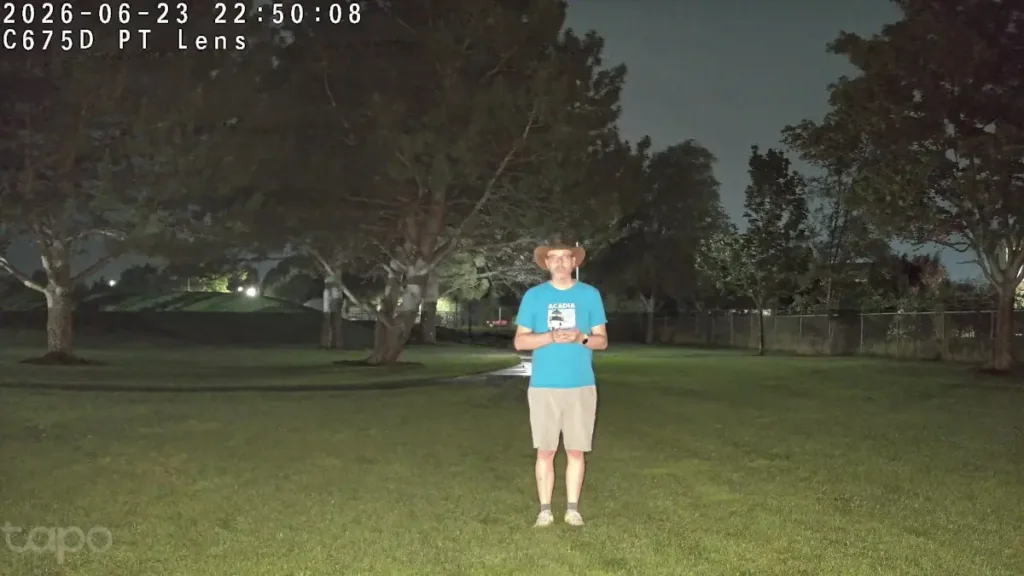
I've long been a fan of Tapo's video quality, and the C675D continues that trend with exceptional 4K video performance in all light environments. Initially, I found the exposure wasn't great during daytime tests, with some images washing out more than I expected, but some digging unearthed an auto-exposure setting that greatly improved the picture quality.

Although the security camera has a single framerate option of 15 fps, the motion in video recordings and live views was almost always smooth. (There were a few minor skips in a couple of recordings, but nothing that detracted from the overall experience.)

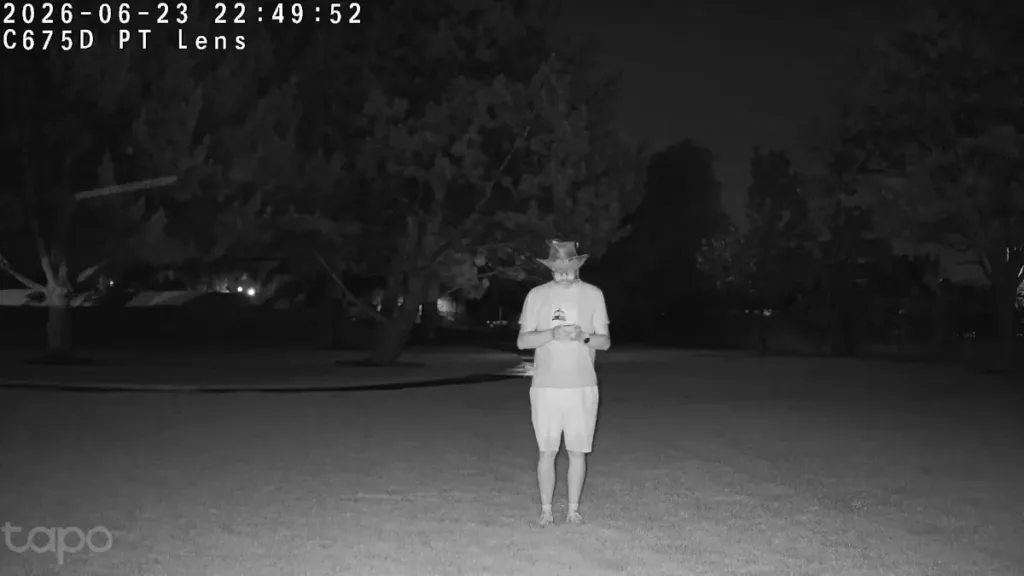
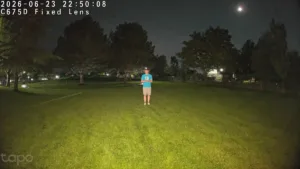
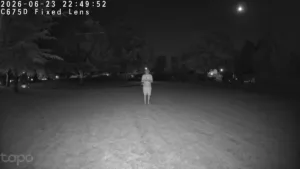
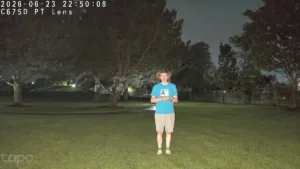
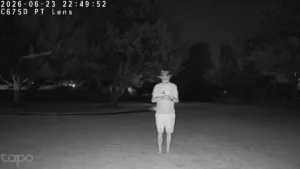
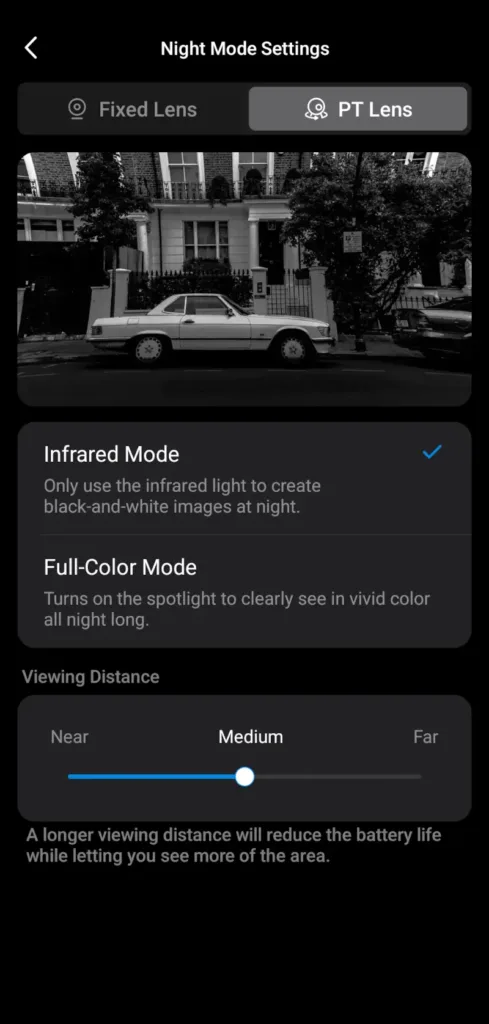
Video during the day was clear and crisp, with essentially no distortion, which translated to great results at night in both infrared and using the starlight color sensor with the camera's built-in spotlights. Color night vision remains one of Tapo's strongest qualities. I like that each lens has its own spotlight, but you can also set each to use a different night vision setting if you prefer.

Images: John Carlsen, SafeWise. 

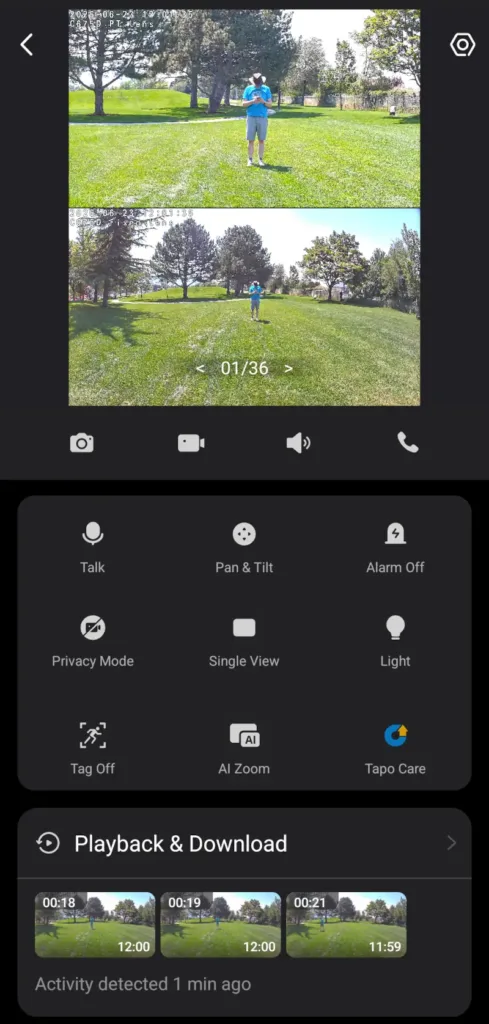
The video quality on both lenses is roughly equivalent, but the telephoto really stands out as a useful option for monitoring moving subjects. While you double-tap the screen to turn on the 2.5x digital zoom, there's also an automatic AI Zoom setting that does a fantastic job keeping distant subjects in focus even beyond the normal zoom.

If the wide lens didn't monitor the larger area, the AI Zoom would be less helpful and more likely to miss key events as it followed subjects around, but the two cameras working in tandem really help this feature shine. The same applies to the auto-tracking feature, which I normally leave off on standard pan-tilt security cameras. While I've used other multi-lens cameras like the Reolink TrackFlex, having one of the lenses be a pan-tilt option makes much more sense for an outdoor security camera.

Bell
Tapo C675D audio quality

Audio quality in recordings on the Tapo C675D is average if the subject is close enough to the camera, but struggles at a distance, especially on windy days like when I conducted my nighttime testing. The camera's microphone picked up a lot of wind noise. In contrast, I found the camera's built-in speaker to be quite clear and powerful — you can easily hear it from 25 feet away in a quiet neighborhood environment, making it ideal for talking to anyone near the camera using the Tapo app.

Tapo C675D Kit: Features

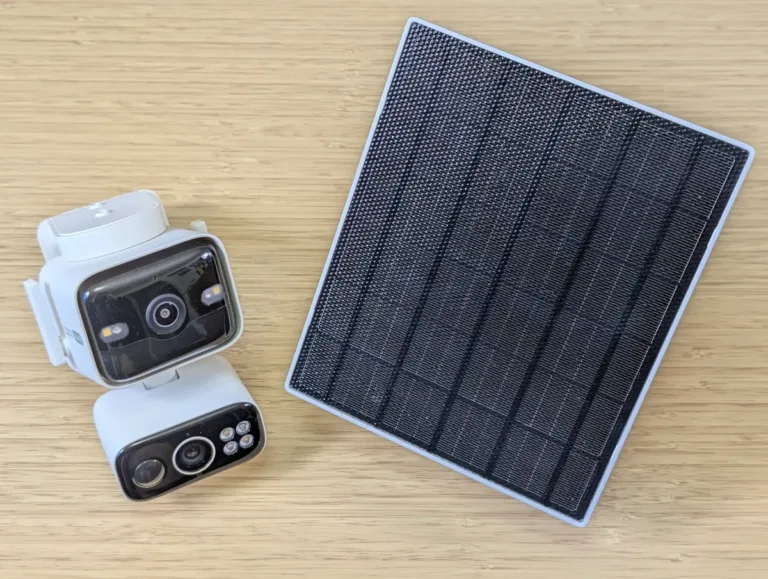
Tapo C675D and solar panel on desk

Image: John Carlsen, SafeWise. 

One of the main benefits of the Tapo C675D Kit is the included 4.5-watt solar panel. The panel has a built-in cable that's about 18 inches long, but Tapo also included a massive extension cable that's nearly 12 feet long. I appreciate the added length, which makes it easy to mount the solar panel relatively far from the camera to get the best solar charging angle during the day. Another nice touch is that the panel itself doesn't have a long built-in cable to wrangle, though Tapo also put a zip tie in the box to secure extra length once you install the panel.

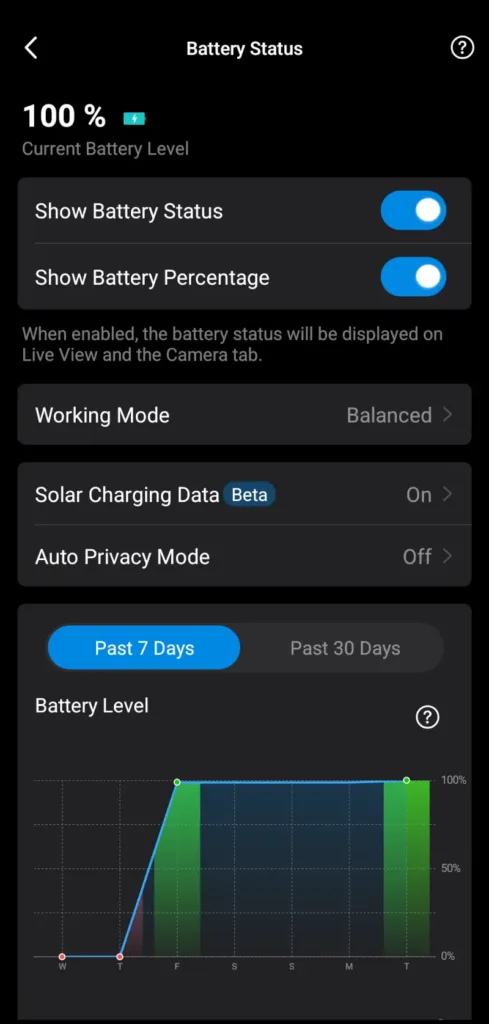
During my daytime tests, which took place on a bright sunny summer day, the panel had no issues keeping the battery-powered security camera at full charge. Considering I was recording video continuously for at least an hour, I'm confident that the solar panel has enough power to consistently top up the C675D's battery. Tapo says you need only about 90 minutes of charging a day to stay online, and the 10,000 mAh battery can last up to 90 days before needing charging — assuming relatively low power draw.

While the camera works best outdoors, you can install it indoors and power it with a USB wall adapter, but it's better to use a dedicated indoor camera instead.

Tapo C675D Kit app live view
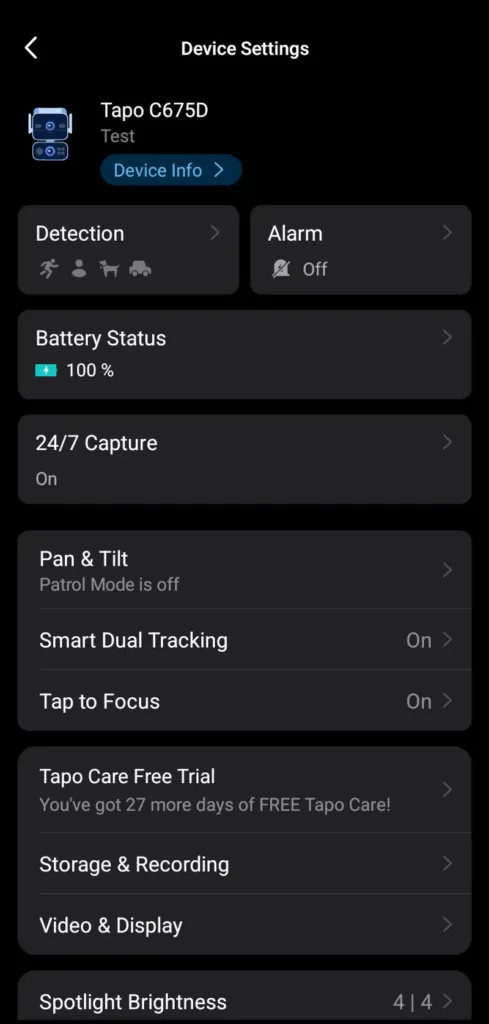
Tapo C675D Kit app device settings
Tapo C675D Kit app battery status
Tapo C675D Kit app night mode settings

Images: John Carlsen, SafeWise. 

Light Bulb
Tapo C675D smart home compatibility

The Tapo C675D works with Google Home, Amazon Alexa, IFTTT, and Samsung SmartThings. While Alexa and Google are common on most wireless security cameras, I really appreciate the added compatibility with IFTTT and especially SmartThings. Being able to see camera feeds in SmartThings is all kinds of helpful.

Tapo C675D Kit FAQ

Most of Tapo's features work without a monthly subscription plan, including live viewing, notifications, smart motion detection, two-way audio, and local video storage. However, you will need a Tapo Care subscription if you want access to 30 days of cloud video storage, rich notifications with images, Video Summary, and the handy Smart Sort function in the video history menu.

Likewise, the AI Hub's OpenClaw agent and video summaries won't work without a connection to SwitchBot's servers.

Although both lenses have 4K video resolution, the fixed wide lens has a significantly larger field of view (169 degrees) than the pan-tilt telephoto lens (66 degrees). This means that you can mount it on a wall and it will see almost everything on that side of the wall, except the very edges of the frame. (It's somewhat adjustable, so you can point the fixed lens toward a specific spot in your yard as needed.)

The pan-tilt telephoto lens mostly has a narrower field of view because it has a natural 5x zoom advantage over the fixed lens. And because this lens has pan-tilt motors, it can follow subjects around your property to give you a better view of events while the wide lens keeps its eye on the big picture. Still, with two 4K lenses, you can expect this camera to eat through local video storage quickly, so I recommend larger microSD cards, at least 64GB or 128GB if you want more recording time before it starts to overwrite old footage.

Privacy Mode deactivates all of the camera's video and audio settings, and rotates the pan-tilt lens to the back of the camera so it's not pointing at anything. The purpose is to give you an option for extra privacy when you want it. A major perk of Privacy Mode is that you don't have to turn off or unplug the camera — it's just a quick setting in the Tapo app that saves you from having to wait for the camera to reboot from scratch.

How we reviewed the Tapo C675D Kit

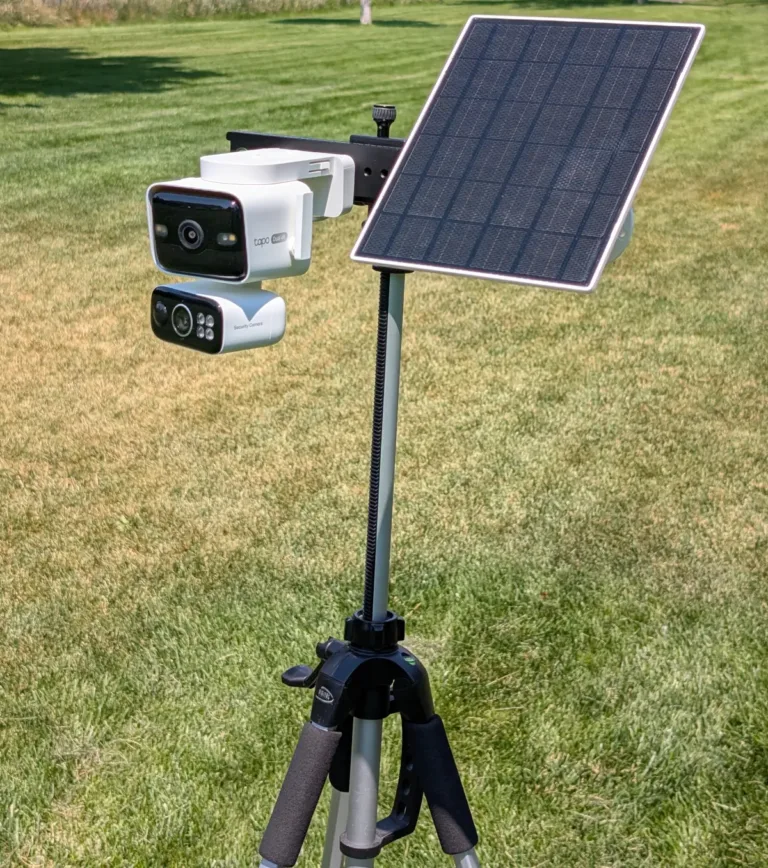
Tapo C675D Kit outdoors on testing tripod

Image: John Carlsen, SafeWise. 

Tapo provided a sample of the Tapo C675D Kit for my tests, but my analysis and testing follow the frameworks in the SafeWise testing methodology.

I set up the Tapo C675D and its solar panel on a tripod for easy, portable testing, which I conducted in a local public park using a mobile hotspot for the Wi-Fi connection.

When I test security cameras, I always evaluate the video quality in daytime and nighttime conditions, in addition to notable features that make a model unique. In this case, I made sure to leverage the C675D's pan-tilt lens to see how it enhances the experience. I also explored the mobile app to find other notable tools and check which standard security camera features are available. I wrapped up my tests by diving into the available customer support resources, which are extensive and helpful in Tapo's case.

Final word

The Tapo Solar-Powered Dual-Lens Pan/Tilt Security Camera Kit sets a high bar for the competition and is one of the highest-scoring security cameras I've ever tested for SafeWise. While it's not the highest-rated Tapo camera I've tested—that remains the affordable indoor-only Tapo C210 — it's also more powerful and a better camera overall. The only major detractor is the high price. But among 4K solar security cameras with pan-tilt functionality, it's easily at the top of its class. I think the price is well worth it for a primary camera for monitoring your yard, though a more affordable model is more suitable for low-priority areas or folks on a budget.

Related articles on SafeWise


Disclaimers

Product prices and availability are accurate as of post date and are subject to change. Any price and availability information displayed on Amazon at the time of purchase will apply to the purchase of this product. Safewise.com utilizes paid Amazon links.

Certain content that appears on this site comes from Amazon. This content is provided "as is" and is subject to change or removal at any time.

John Carlsen
Written by
John is a technology journalist specializing in smart home devices, security cameras, and home security systems. He has over a decade of experience researching, testing, and reviewing the latest tech—he was the Smart Home Editor for Top Ten Reviews and wrote for ASecureLife before joining SafeWise as a Staff Writer in 2020. John holds a Bachelor's degree in Communications, Journalism emphasis from Utah Valley University. In his spare time, he enjoys hiking, photography, cooking, and starting countless DIY projects he has yet to complete.

Recent Articles

dangerous apps for kids
Dangerous Apps for Kids: What Parents Need to Know in 2026
Dangerous apps for kids include ones you’ve heard of (TikTok, Instagram) and some new arrivals....
Map showing location pins for the city in each state with the highest burglary rate.
The Most Burglarized City in Every State
We found the most-burglarized city in every state — it looks like burglars are equal...
Ring Alarm security system unboxed.
Ring Security vs. Frontpoint
Frontpoint is our pick in this DIY security system matchup. Its starter package is more...
Technician installing a smoke alarm
Best Smoke Detectors of 2026
We reviewed the top fire and smoke alarms for your home in 2026. Protect your...