


Aosu SolarCam T2 Pro Review

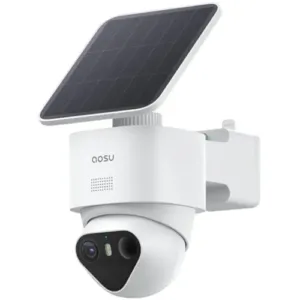
Aosu SolarCam T2 Pro holds its own against rival solar pan-tilt cameras with its dual-lens system and excellent video performance.
Excellent 3K pan-tilt dual-lens camera
Aosu SolarCam T2 Pro
3.9 out of 5 stars
3.9
$199.99
  • pro
    Excellent 3K video quality
  • pro
    Flexible dual-lens system
  • con
    Cloud plans aren't competitive
Plan name
Monthly price
Annual price
Camera limit
Rich notifications
Video history
Standard
$0.00/mo
$0.00/yr
Unlimited
Icon Yes  LightYes
Icon No  LightNo
AosuProtect+ Basic
$3.99/mo
$39.99/yr
1 camera
Icon Yes  LightYes
Icon Yes  Light14 days
AosuProtect+ Pro
$6.49/mo
$62.99/yr
Up to 5 cameras
Icon Yes  LightYes
Icon Yes  Light30 days

†Plan price increases with each camera added up to the limit.

Why you can trust SafeWise
products considered
250+
research hours in 25+ in-home tests
10k+
years of combined experience
176+
homes and people protected
10M+

For over 13 years, SafeWise experts have conducted independent research and testing to write unbiased, human reviews (not robots). Learn more.

John Carlsen
Jul 16, 2026
Icon Time To Read5 min read

When the opportunity arose to review the Aosu SolarCam T2 Pro, I was hopeful that this budget home security camera brand could compete on even ground with major rivals like Tapo and Reolink. My tests ultimately revealed a camera that produces excellent video quality, even if it's not the best I've ever seen. Likewise, the dual-camera design is fast becoming my preferred type of outdoor security camera.

If you can get the sale price of $150, this is a good alternative to other brands, but cloud storage isn't great, so you'll likely want to stick with local storage instead. Likewise, Aosu doesn't offer much in the way of customer support resources. As long as you recognize that you'll make some concessions on video quality and cloud storage, I think it's a good option for folks on a budget.

  • Special features: 3K video quality, fixed wide lens and pan-tilt telephoto lens, auto-tracking pan-tilt
  • Compatible devices: Android, iOS, Google Assistant, Amazon Alexa
  • Water resistance: IP65 weatherproofing
  • Video capture resolution: Fixed wide lens: 3K (2880 x 1620); Pan-tilt telephoto lens: 3K (2880 x 1620)
  • Field of view: Fixed wide lens: 170 degrees; Pan-tilt telephoto lens: 66 degrees
  • Frame rate: 15 fps
  • Night vision type: Infrared, spotlight
  • Infrared night vision range: Up to 32 feet
  • MicroSD storage capacity: Up to 256GB
  • Connectivity: 2.4 GHz Wi-Fi
  • Battery capacity: 9,200mAh
  • Warranty: 1 year
pro
Pros
pro Excellent 3K video quality
pro Flexible dual-lens system keeps an eye on the action
pro Supports up to 256GB of local microSD storage
con
Cons
con Relatively pricey compared to other 4K solar pan-tilt cameras
con Cloud plan supports only 5 cameras
con Limited customer support options

Aosu SolarCam T2 Pro costs

AosuProtect+ cloud storage

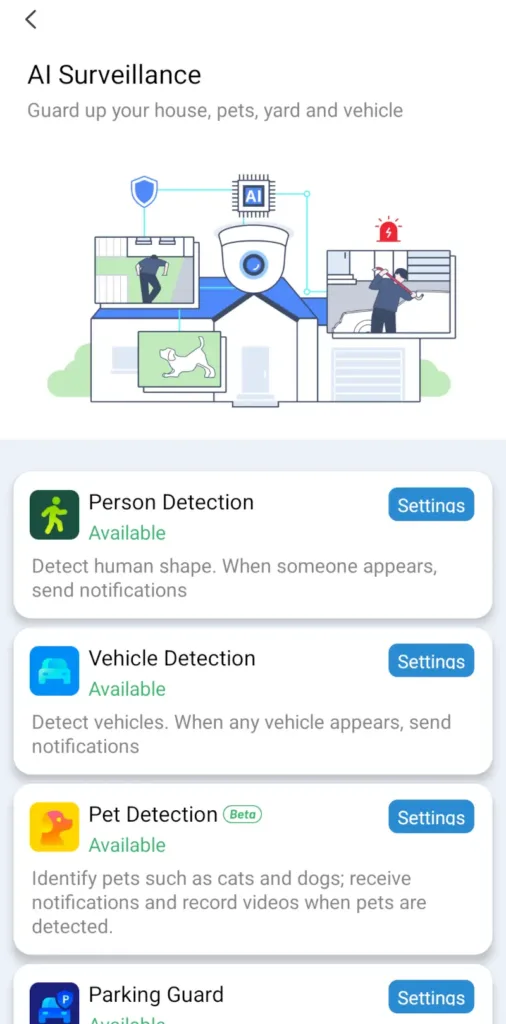
Aosu's cloud storage plan, AosuProtect+, has two paid tiers and one free tier. The only notable thing about the free tier is that Aosu doesn't charge extra for rich notifications, unlike most security camera brands. However, the rest of the "free" features are standard fare for most security cameras without plans: two-way audio, motion detection, live video, and motion zones. You'll notice that smart motion detection features like vehicle detection and pet recognition are paid features, which lags behind brands that offer these features for free, like Google Nest, Baseus, and Eufy.

The Basic Plan, which covers most of the brand's security cameras starting at $3.99 monthly, limits you to a single camera, 14 days of video history, and doesn't include most of the smart motion detection features for vehicles and pets. You need the Pro plan to unlock these, which starts at $6.49 a month. Unlike most competitors, Aosu seems to charge a per-camera fee for each device added to your plan, with a maximum of five cameras for $24.99 a month. Beyond that, you need another plan for additional cameras.

Aosu's cloud plans aren't great values compared to almost all of the alternatives from rivals. If you're set on cloud storage, I recommend a brand like Tapo or Eufy instead. Otherwise, it's fortunate that Aosu supports local video storage on a microSD card up to 256GB, so you won't need a cloud plan, even if many of the smart detection features don't work with local storage.

Aosu SolarCam T2 Pro vs. other solar pan-tilt security cameras

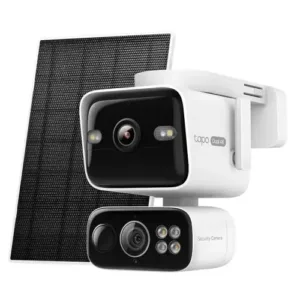
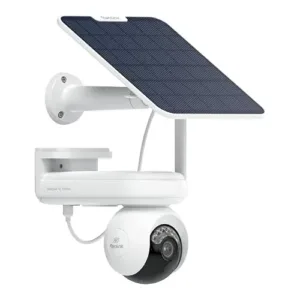
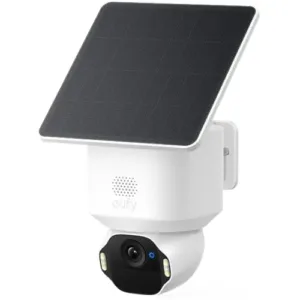
You can get the Aosu SolarCam T2 Pro for $200 but often as low as $150. While $200 is fairly expensive compared to superior 4K solar security camera rivals like the Tapo C675D, snagging that lower price during a sale helps level the playing field in Aosu's favor. That said, Tapo and Eufy offer more bang for your buck, especially when you factor in Aosu's relatively high cloud storage costs.

Camera
Typical price
Video resolution
Battery capacity
(solar panel power)
Pan-tilt range
Local video storage
Cloud video storage
Learn more
Fixed wide lens:
3K
(2880 x 1620)


Pan-tilt telephoto lens:
3K
(2880 x 1620)
9,200mAh
(5W)
360º pan;
90º tilt
microSD
(up to 256GB)
Plans start at
$3.99/mo.
Fixed wide lens:
4K
(3840 x 2160)


Pan-tilt telephoto lens:
4K
(3840 x 2160)
10,000mAh
(4.5W)
339º pan;
128º tilt
microSD
(up to 512GB)
Plans start at
$3.49/mo.
4K
(3840 x 2160)
20,000mAh
(6W)
355º pan;
90º tilt
microSD
(up to 512GB)
Plans start at
$5.99/mo.
4K
(3840 x 2160)
6,400mAh
(3W)
355º pan;
70º tilt
microSD
(up to 128GB)
Plans start at
$2.99/mo.
4K
(3840 x 2160)
10,000mAh
(5W)
355º pan;
90º tilt
microSD
(up to 512GB)
Plans start at
$2.99/mo.

*Amazon.com price as of post date. Read full disclaimer

What's in the box

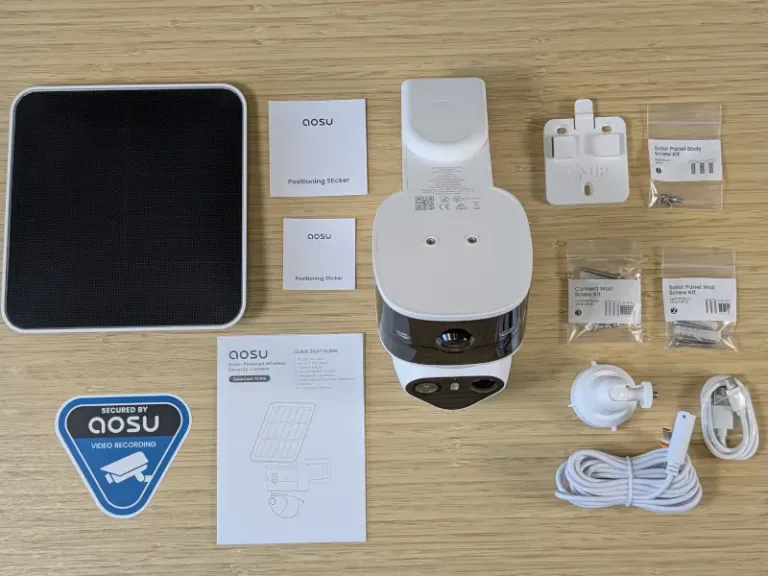
Aosu SolarCam T2 Pro box contents on desk

Image: John Carlsen, SafeWise.

  • Aosu SolarCam T2 Pro
  • Solar panel
  • Solar panel bracket
  • USB charging cable
  • Extension cable (to connect solar panel to camera)
  • Mounting screws, anchors, and template stickers
  • Aosu security sticker
  • Quick start guide

Aosu SolarCam T2 Pro: Performance

Video quality

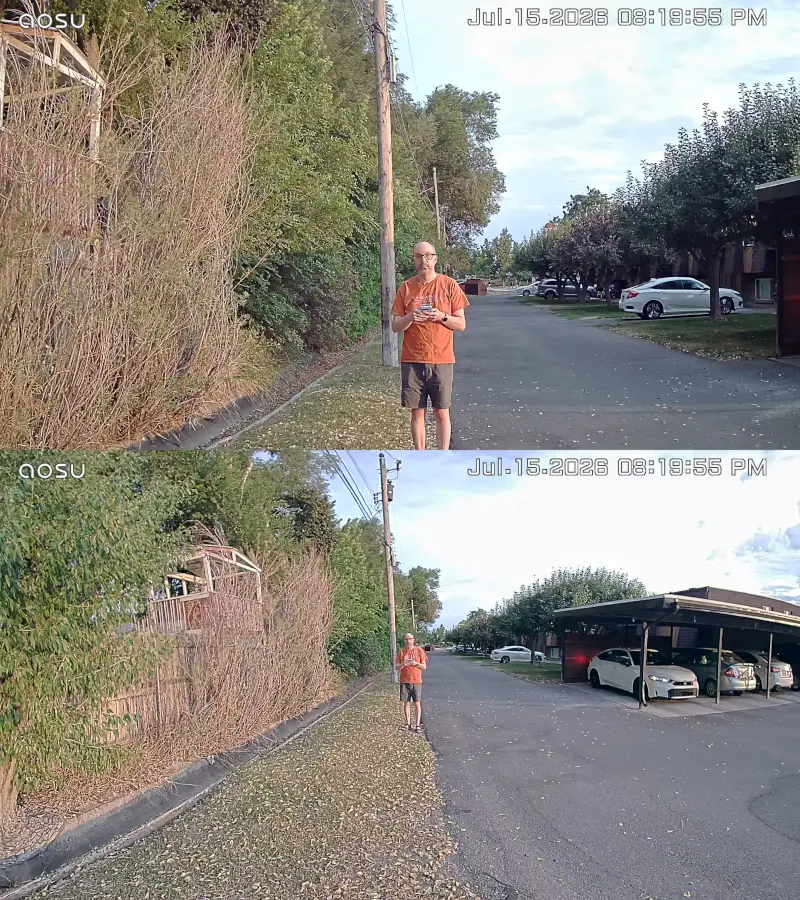
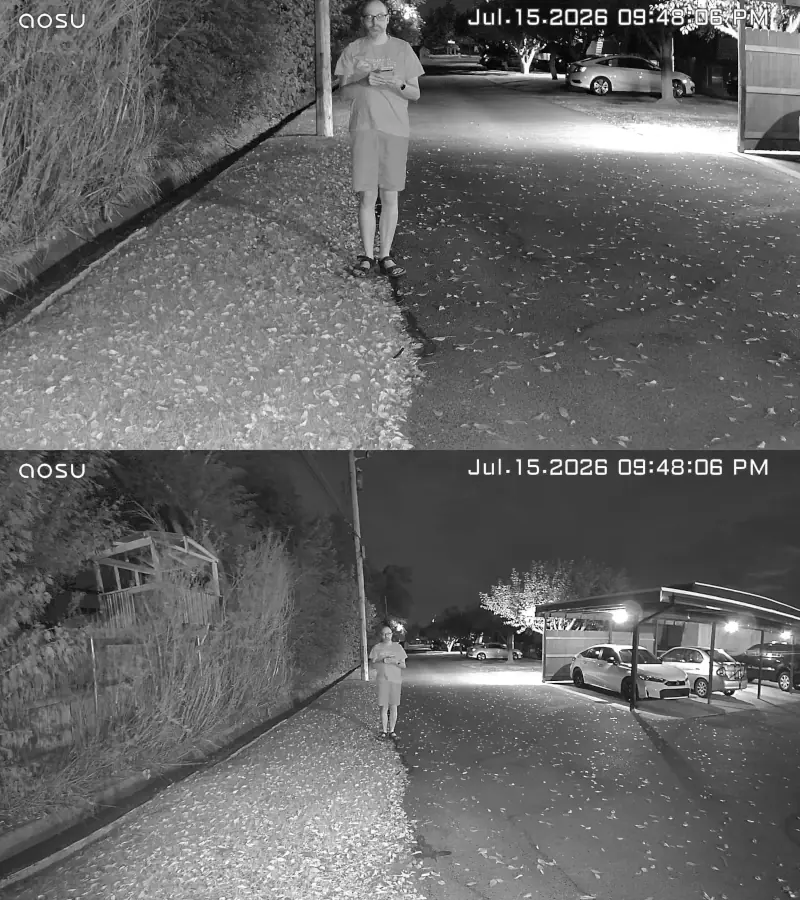
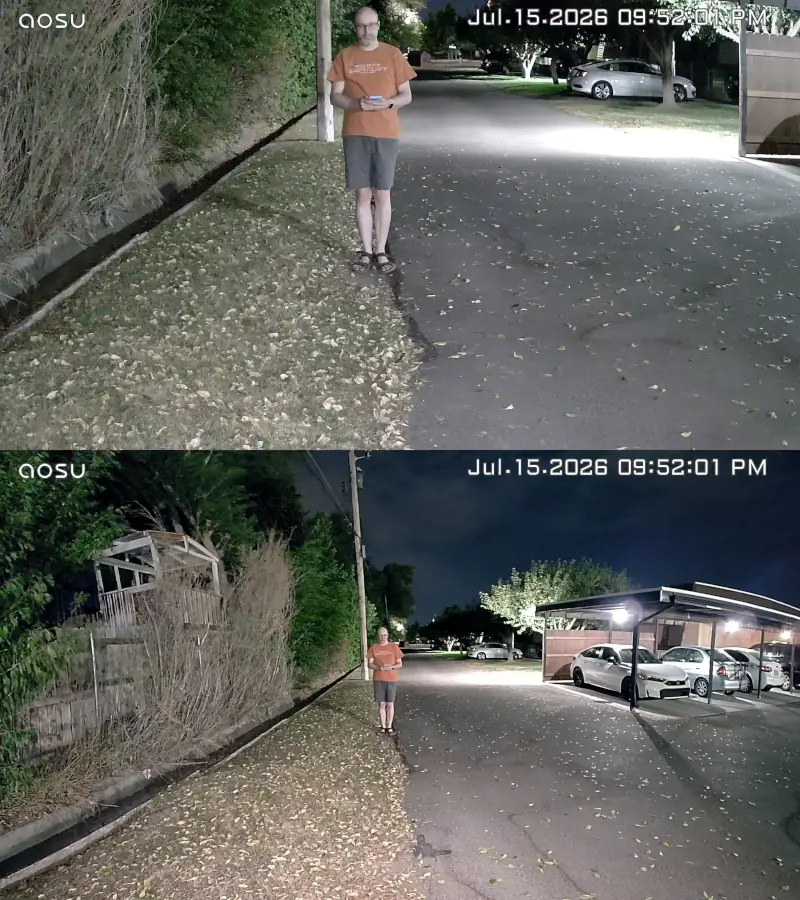
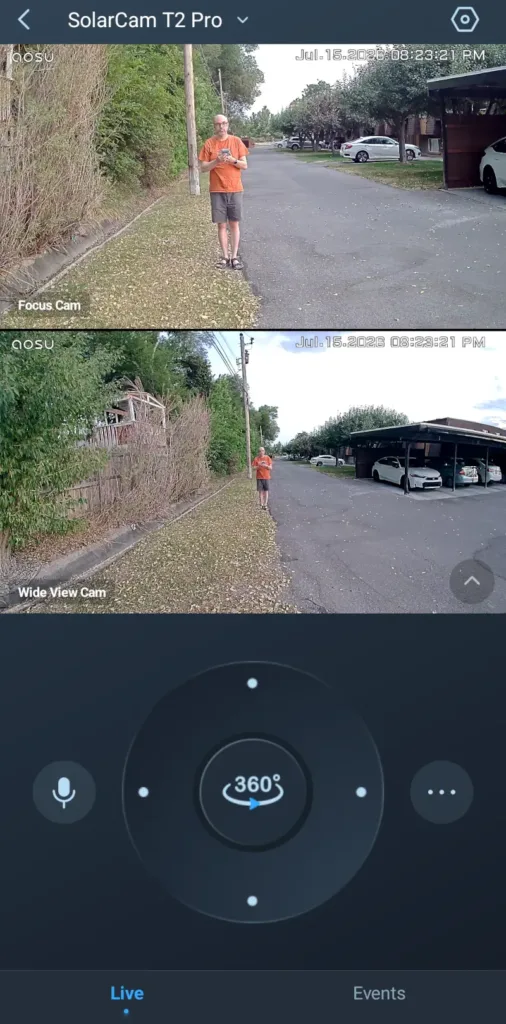
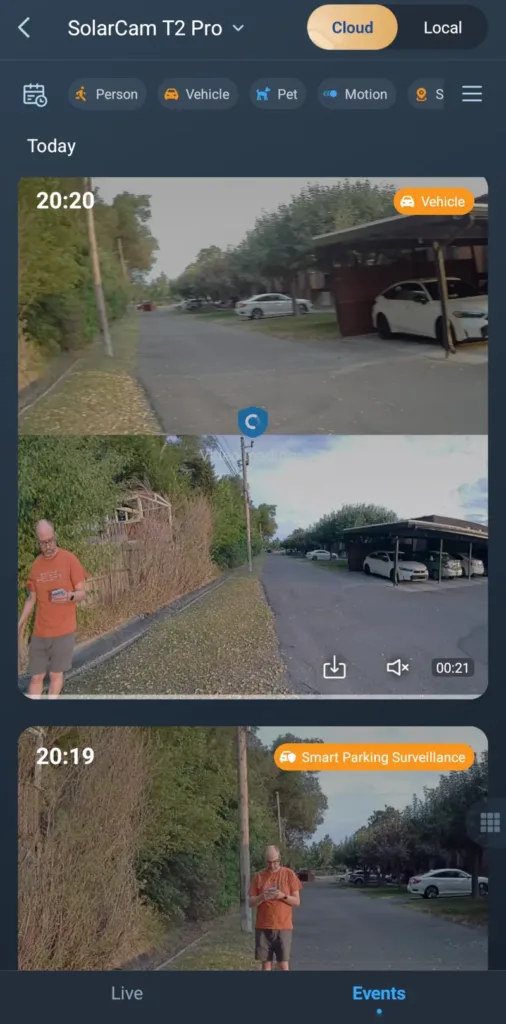
For a security camera brand that skews toward the budget category, Aosu's video quality is a pleasant surprise. I immediately noticed the crisp video quality from both cameras on the Aosu SolarCam T2 Pro. While 3K video resolution isn't as powerful as the 4K gold standard, it holds up extremely well. I can't say it looks as good as footage from the 4K Tapo C675D, but it's more than acceptable.

During my daytime tests, there was a good color balance, and most details were visible from my standard evaluation distance of 25 feet. The pan-tilt lens did a fairly good job keeping up with me as I moved around, though there was a slight motion blur on both cameras. This is due to the frame rate topping out at 15 frames per second (fps). It's a common issue for most security cameras with capped frame rates, so it didn't affect the overall quality that much.

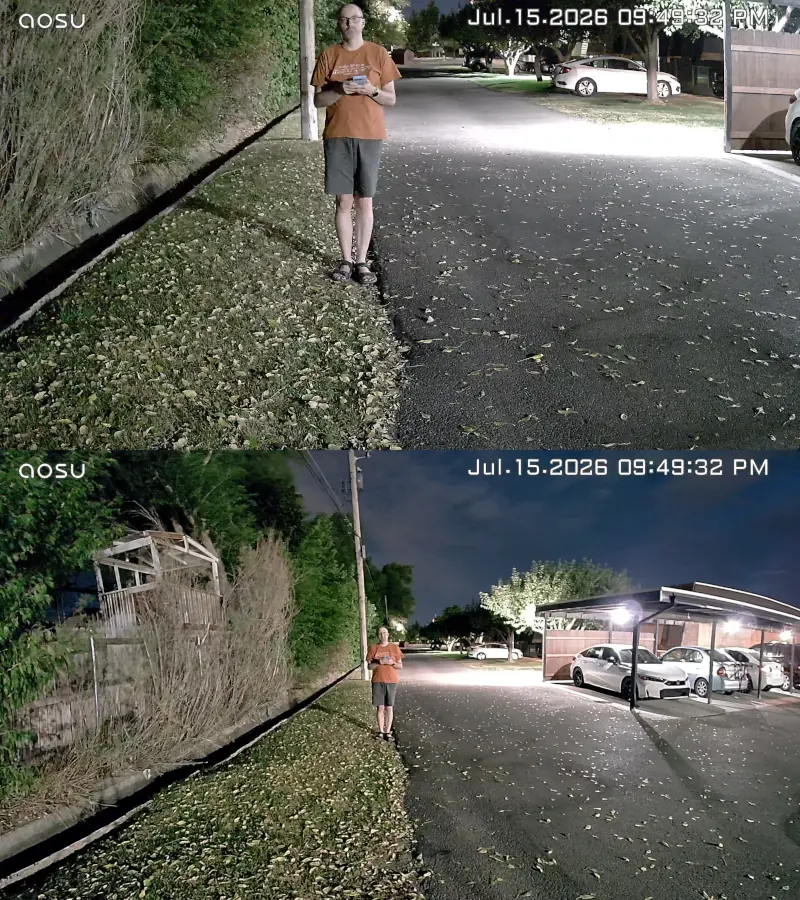
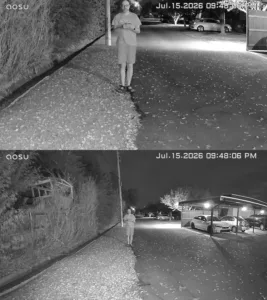
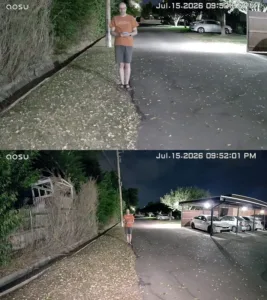
At night, the T2 Pro records great full-color videos as long as there is plenty of ambient light, like the driveway where I tested. Unfortunately, this made it difficult to gauge how well the built-in spotlight is. Still, I found it reasonably bright. Infrared night vision produces the most detail at night, so I generally recommend setting this as your default option unless you really want color video.

Images: John Carlsen, SafeWise. 

Bell
Aosu SolarCam T2 Pro audio quality

During my tests, I found the Aosu SolarCam T2 Pro quite effective for recording audio from subjects near the camera, as long as the wind wasn't blowing. There doesn't appear to be any sort of noise filter, so expect the audio to be less effective in windy weather. Likewise, subjects beyond 25 feet won't be as easy to hear. The built-in speaker is reasonably loud, but it still lags behind that of the Tapo C675D.

Aosu SolarCam T2 Pro: Features

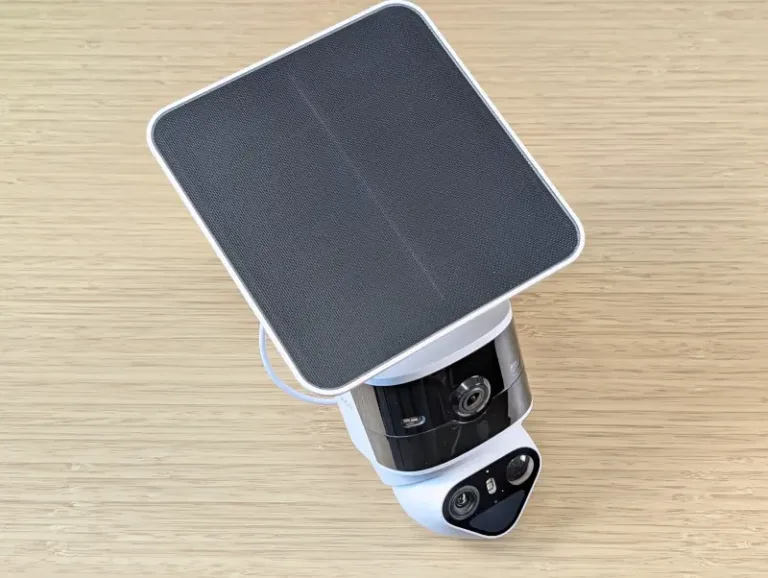
Aosu SolarCam T2 Pro on desk

Image: John Carlsen, SafeWise. 

A recent trend among solar security cameras is mounting the solar panels directly on the cameras themselves instead of installing the panel separately. But the Aosu SolarCam T2 Pro strikes a balance between the two by allowing you to mount the panel on top of the camera, or use the included extension cable to place the panel in a spot with better access to sunlight.

Personally, I prefer keeping the camera and panel as close as possible, so I kept them together during my tests. I like that you can angle and reposition the panel easily, but it's likely more difficult to do on top of a ladder. Thankfully, the T2 Pro's mounting plate allows you to quickly attach and detach the camera so you can pull the whole unit down for quick adjustments.

Images: John Carlsen, SafeWise. 

Light Bulb
Aosu SolarCam T2 Pro smart home compatibility

The Aosu SolarCam T2 Pro works with Google Home and Amazon Alexa — this is fairly typical for most security cameras.

Still, the lack of support for platforms like Apple HomeKit, IFTTT, and Samsung SmartThings limits how well you can integrate Aosu into most smart home setups.

Aosu SolarCam T2 Pro FAQ

The Aosu SolarCam T2 Pro's core features work without a cloud plan: live view, motion detection, two-way audio, rich notifications, and local video storage. Still, AI detection and cloud video storage require an AosuProtect+ plan.

Each lens supports 3K video resolution, but the pan-tilt telephoto lens has the option to move using motors to track subjects within the camera's field of view. You can set the pan-tilt lens to follow subjects independently or only respond to activity that's visible from the wide-angle lens.

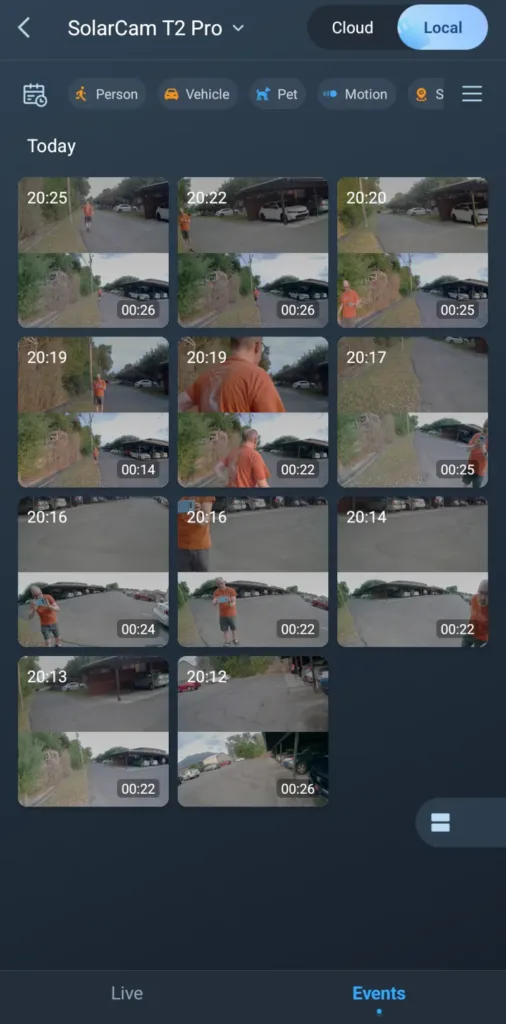
The biggest benefit of the pan-tilt lens is the higher magnification, which makes it easier to see identifying details whenever it records a person, vehicle, or animal. As I mentioned in the Tapo C675D review, two cameras means that your camera will use up local microSD storage fairly quickly, so it's worth investing in a larger card (at least 64GB or 128GB) to ensure you have enough buffer for recording events with your security camera.

How we reviewed the Aosu SolarCam T2 Pro

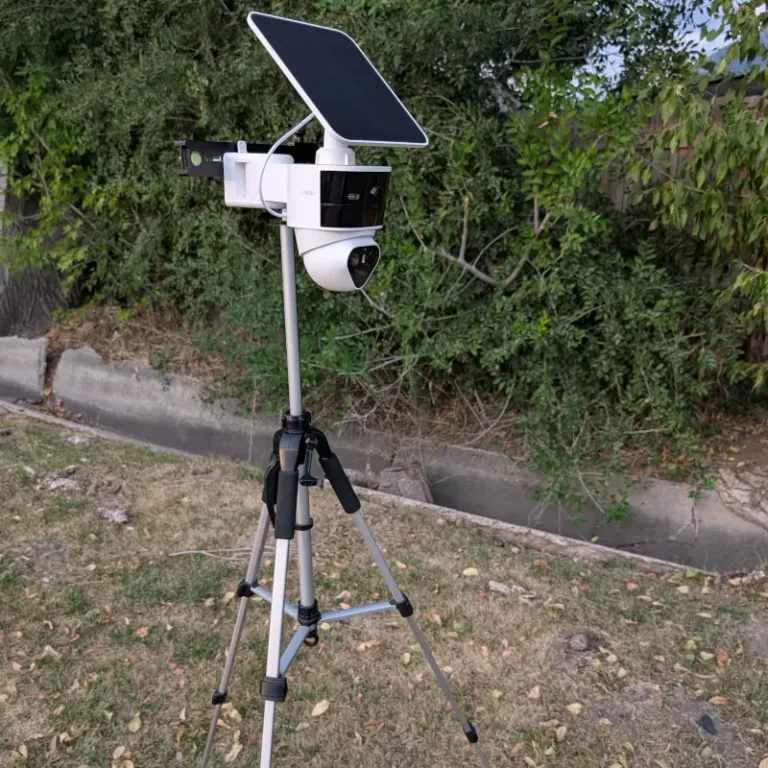
Aosu SolarCam T2 Pro on tripod for outdoor testing

Image: John Carlsen, SafeWise. 

Aosu sent a sample of the SolarCam T2 Pro for me to test. I used the SafeWise testing methodology to independently evaluate and analyze the camera.

I installed the Aosu SolarCam T2 Pro on a tripod for convenience, and tested it near my home with my phone's mobile hotspot.

As with all security cameras I test, I started with the daytime and nighttime video quality. From there, I looked into unique features that help make the T2 Pro noteworthy compared to rivals. Like my tests with the Tapo C675D, I made sure to evaluate the performance and tracking abilities of the Aosu T2 Pro's pan-tilt lens.

I then evaluated the mobile app to ensure that standard security camera features and settings are easy to find. Finally, I looked over Aosu's customer support resources to see what the troubleshooting process is like. This is one of Aosu's weakest traits, with very little information online and most support requests requiring directly contacting the company via email or phone.

Final word

I'm generally happy with the Aosu SolarCam T2 Pro. It has excellent 3K video quality that works well in different lighting conditions, and the pan-tilt lens adds a lot of versatility for folks who want an outdoor camera that can pull double-duty in the backyard. However, I'm not a huge fan of Aosu's cloud plans, minimal customer support resources, and a price that's only marginally more competitive than outstanding 4K rivals from Tapo and Reolink.

Related articles on SafeWise


Disclaimers

Product prices and availability are accurate as of post date and are subject to change. Any price and availability information displayed on Amazon at the time of purchase will apply to the purchase of this product. Safewise.com utilizes paid Amazon links.

Certain content that appears on this site comes from Amazon. This content is provided "as is" and is subject to change or removal at any time.

John Carlsen
Written by
John is a technology journalist specializing in smart home devices, security cameras, and home security systems. He has over a decade of experience researching, testing, and reviewing the latest tech—he was the Smart Home Editor for Top Ten Reviews and wrote for ASecureLife before joining SafeWise as a Staff Writer in 2020. John holds a Bachelor's degree in Communications, Journalism emphasis from Utah Valley University. In his spare time, he enjoys hiking, photography, cooking, and starting countless DIY projects he has yet to complete.

Recent Articles

Technician installing a smoke alarm
Best Smoke Detectors of 2026
We reviewed the top fire and smoke alarms for your home in 2026. Protect your...
woman checking on home security system via app on smartphone
The Best Alexa-Compatible Home Security Systems
Best for built-in integration ADT Voice control of ADT system Works with Alexa Guard View...
Vivint App: A Complete Guide to Features and Use
Tour the Vivint app and discover its features, navigation, and customization capabilities. Learn how to...
dangerous apps for kids
Dangerous Apps for Kids: What Parents Need to Know in 2026
Dangerous apps for kids include ones you’ve heard of (TikTok, Instagram) and some new arrivals....