LifeFone Medical Alert System Review

LifeFone offers some of the best prices and caregiver services we’ve seen from a medical alert system.
Best remote caregiver services
Lifefone
LifeFone
4.5 out of 5 stars
4.5
Starts at$29.95/mo
  • pro
    Lifetime price guarantee
  • pro
    Free spouse coverage
  • pro
    Highest customer rating in the industry

$29.95 price for landline system if paid monthly; $27.95/mo. if paid quarterly ($83.85); $22.95/mo. if paid annually ($275.40). Cellular plans start at $34.95/mo. if paid monthly.

Why you can trust SafeWise
products considered
250+
research hours in 25+ in-home tests
10k+
years of combined experience
176+
homes and people protected
10M+

For over 13 years, SafeWise experts have conducted independent research and testing to write unbiased, human reviews (not robots). Learn more.

Cathy Habas
Apr 06, 2026
Icon Time To Read10 min read

LifeFone is a popular medical alert system company, earning  an average of 4.8 out of 5 stars from customer reviews. It's easy to see why people love LifeFone. Policies like a lifetime price guarantee, 30-day money-back guarantee, free spouse monitoring, and a free equipment lease mean you get a lot of value for your money. 

LifeFone beats out the competition in other ways too. You pay extra for services like daily check-in calls on any device, get free room temperature alerts with the in-home systems, or set up safe zone alerts on the VIPx2 mobile app. 

Chances are, LifeFone has what you need in a medical alert system. In this guide, we'll breakdown LifeFone's prices, explain the differences between each product, and compare it to the competition. Let's see if LifeFone is right for you. 

pro
Pros
pro No contracts
pro No equipment fees
pro Excellent signal range
pro Optional check-in calls
pro Five Diamond-certified monitoring
pro 50 years in business
pro Affordable fall detection
con
Cons
con Caregiver app costs extra and only works with one device
con No voice activation

What does LifeFone do?

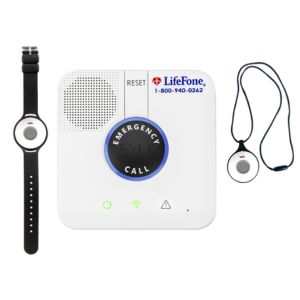
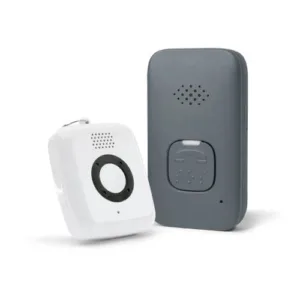
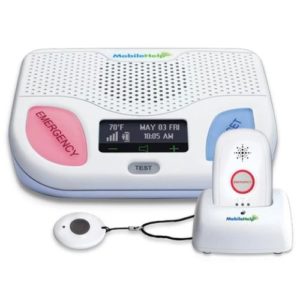
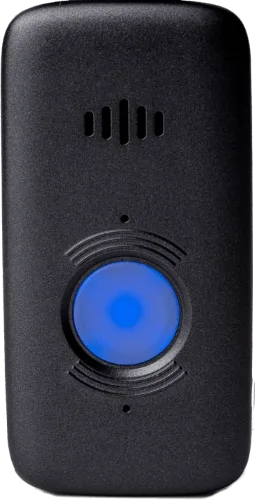
LifeFone sells professionally monitored medical alert systems. You can choose between a traditional at-home system or four on-the-go systems. Each is equipped with an emergency button that connects you to a live agent any time you need help from a neighbord, family member, caregiver, firefighter, police officer, or emergency medical technician. 

LifeFone offers much more than that, though. Here's a quick look at the company's main features and services:

  • Automatic fall detection
  • Landline, cellular, and on-the-go options
  • GPS tracking for caregivers
  • Geofencing
  • Room temperature sensor
  • Daily check-in calls and activity assurance
  • Phone, email, and text notifications for caregivers
  • Necklace, wristband, smart watch, and belt clip options 

Note that some of these features may cost an additional monthly fee, and some may only be available in specific products. We'll share more details below to help you choose the best one for you.

How much does LifeFone cost?

LifeFone's core equipment is loaned to you for free, and accessories cost a one-time fee. The monthly service fee varies considerably depending on the product, payment schedule, and optional features you select.

  • Device cost: Free lease
  • Monitoring fees paid monthly: $29.95/mo. to $47.95/mo. without add-ons
  • Monitoring fees paid quarterly: $27.95/mo. to $45.95/mo. without add-ons
  • Monitoring fees paid annually: $22.87/mo. to $40.29/mo. without add-ons
  • Shipping: $0 to $93.62

You could spend about $275 to $576 on a LifeFone subscription without paying for any additional features, services, or accessories.

But if you do add optional features, the cost of a LifeFone system could reach up to $81 per month, or $972 per year.

We'll break down the cost of LifeFone to help you decide what's worth paying for and what you can do without. 

Compare monitoring fees for each device

Package
Monitoring fees paid monthly
Monitoring fees paid quarterly
Monitoring fees paid annually
Best for
Learn more
$29.95/mo.$83.85/qtr. ($27.95/mo.) $274.45/yr. ($22.87/mo.)People with an active landline service who usually don't leave the house alone
$34.95/mo.$98.85/qtr. ($32.95/mo.) $340.45/yr. ($28.37/mo.)People without an active landline service who usually don't leave the house alone
$41.95/mo.$119.85/qtr. ($39.95/mo.)$417.45/yr. ($34.79/mo.) Budget-conscious shoppers who want a wearable device with two-way talk for easier communication
$43.95/mo.$125.85/qtr. ($41.95/mo.)$439.45/yr. ($36.62/mo.) People who want flexible wearing options (necklace, wristband, or belt clip)
$43.95/mo.$125.85/qtr. ($41.94/mo.) $439.45/yr. ($36.62/mo.) People whose caregivers want to use the companion app, or people looking for a long-lasting battery
$47.95/mo.$137.85/qtr. ($45.95/mo.)$483.45/yr. ($40.29/mo.)People interested in fitness features like heart rate and step tracking

Add-on prices and compatibility

Add-on
Price
Equipment compatibility
Description
Daily check-inAll equipmentA LifeFone agent calls you to check in. Customize calls to fit your needs.
Activity assurance• At-Home Landline
• At-Home Cellular
Press the button when prompted to let the monitoring center know you're up and at 'em.
Automatic fall detectionAll equipment
The device automatically calls the monitoring center when it thinks you've fallen.
VIPx2 caregiver appVIPx2Allows loved ones to track location, battery level, activity, and button presses.
Protection planAll equipmentEquipment replacement due to loss, theft, or damage beyond manufacturer defects, such as drops or accidents.*
Vanity pendant• At-Home Landline
• At-Home Cellular
• Doesn't support fall detection
Dress up the look of the wearable help button to improve adherence.
Lock boxAll equipmentLeave a spare key for first responders. The monitoring center can share your code.
Wall button• At-Home Landline
• At-Home Cellular
A back-up option in case you're not wearing the pendant or bracelet.
Extra wearable button• At-Home Landline
• At-Home Cellular
Useful for spouses or for having one of each color.

Other LifeFone fees

LifeFone offers excellent pricing transparency. There are no hidden fees for activation or installation. 

That said, we did find a few costs to be aware of:

  • You don't sign a long-term contract, so there's no cancellation fee per se. However, your cancellation won't be processed until the equipment is returned. You must pay return shipping fees
  • If you don't return the equipment within 30 days of cancelling the service, you'll be charged a reimbursement fee of $295 for an in-home system or $195 for an on-the-go system. 
  • Even if you pay for the $5/mo. LifeFone Protection Plan, you're still responsible for a small replacement deductible. It's $6 for a pendant without two-way talk and $29 for a base station or a device with two-way talk.
pro
LifeFone freebies add value to each plan

Even though LifeFone charges extra for quite a few services, you do get some valuable stuff for free.

  • Free lifetime warranty: A rarity among medical alert systems. If your equipment stops working due to a manufacturer defect, LifeFone replaces it for free, no matter how long you've been a customer.
  • Free low-battery button replacements: The wearable at-home button contains a battery that lasts for around 5 years. LifeFone monitors the battery life and sends you a brand-new button when it drops to 20%.
  • Free spouse coverage: When you buy an at-home system, LifeFone monitors your spouse for free. You may need to purchase an additional button, and fall detection does cost extra.  

Compare LifeFone to other medical alert systems

Brand
Up-front cost
Month-to-month monitoring starts at
Refund policy
Monitoring certifications
Learn more
Read review
30-day money-back guaranteeFive Diamond, FM, UL
30-day risk-free trialFive Diamond, FM, UL, ESA
Prorated refundFive Diamond, FM, UL, ESA
30 day trial,
prorated refund
Five Diamond,
UL
30-day trial, prorated refundUL, FM, SIA

Info current as of post date. Offers and availability may vary by location and are subject to change.

LifeFone vs. the competition

LifeFone stands out as the only medical alert company to offer daily check-in calls and activity assurance. It's also hard to find systems that offer safe zones, medication reminders, and temperature sensors like LifeFone's.

The majority of customers report feeling highly satisfied with LifeFone, and it's the highest-rated medical alert system on the market. 

Although its monthly fees can get expensive depending on which add-ons you choose, LifeFone is an affordable system overall. There are no equipment fees or activation fees, and you can save about $7 per month by paying for a year's worth of service in advance. That's a better annual discount than what you can get with most competitors. 

Your investment is protected by a prorated refund policy for unused full months (not partial months) should you decide to cancel. At $5 per month, fall detection costs 50% less with LifeFone than with other brands. And you don't have to pay recurring fees to use accessories like wall buttons. 

LifeFone is one of the oldest medical alert companies out there, which allows it to offer a certain level of stability that can be difficult to find with newer brands. 

  • MobileHelp's prices tend to be lower than LifeFone's, but LifeFone offers more diverse products.
  • Medical Guardian gives LifeFone a run for its money in terms of product diversity, but LifeFone offers lower prices and a 30-day money-back guarantee. 
  • Bay Alarm Medical also offers similar products for a similar price as LifeFone, and its free app works with all mobile devices. 
  • Compared to Medical Alert, LifeFone is a better option for budget-conscious shoppers.

All in all, LifeFone holds its own against the competition.

A closer look at LifeFone products

With six quality products to choose from, how do you pick the best LifeFone system for you? Let's take a closer look at each.

🏠 = At-home device, 🌞= On-the-go device

LifeFone At-Home Cellular: Ideal for people who tend to stay put

Image: LifeFone

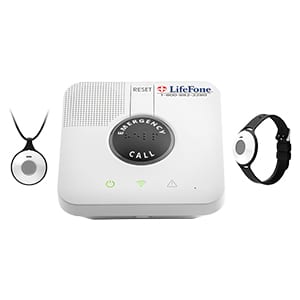
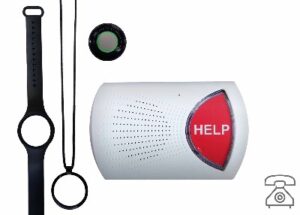
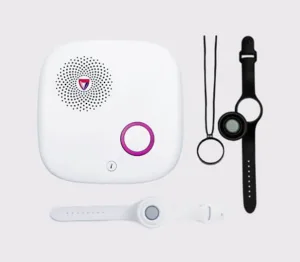
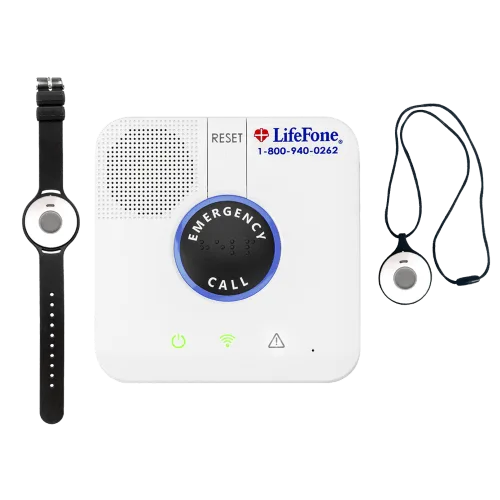
The LifeFone At-Home Cellular consists of a base station with a speaker and a wearable help button.

The base station plugs into the wall and uses AT&T 4G cell towers to communicate with the monitoring center. The wearable button communicates with the base station through radio waves. It only triggers an emergency call when it's pressed within about 1,300 feet of the base station. This is a typical range for in-home medical alerts.

The button comes as necklace or a wristband. You'll choose your preference at checkout. It's a water-resistant button, so it's safe to wear in the shower. When the button battery gets low (which takes about three years), LifeFone will automatically send you a brand-new button for free.

You can request a fall detection necklace instead for an extra $5 per month. The battery lasts about one year in the fall detection necklace. None of the at-home wearable buttons have built-in speakers, so you'll communicate with the monitoring center through the base station's loud speaker. 

The base station also uses a room temperature sensor to alert the monitoring center if the temperature falls outside a custom range. The body has a hard time maintaining its internal body temperature with age, so older adults can be vulnerable to room temperature changes. This is a rare feature in medical alert systems.

Finally, a 32-hour backup battery keeps the system working in case of a power outage.

  • Great for people who tend to stay at home alone. If they leave the house, someone usually escorts them. 
  • Not ideal for people who often leave the house alone or who worry about not being able to hear the base station from another room.

LifeFone At-Home Landline: Ideal for people with spotty cellular signals

The LifeFone At-Home Landline is nearly identical to the LifeFone At-Home Cellular. There are two differences:

  1. The base station communicates with the monitoring center through a landline, not cell towers.
  2. Incoming calls can be answered by pressing the help button. They'll play through the base station speaker.
  • Great for people who have an active landline system and want to save some money. 
  • Not ideal for people who often leave the house alone or worry about not being able to hear the base station from another room. 

LifeFone VIP Active: Ideal two-way talk device for budget-conscious shoppers

Image: LifeFone

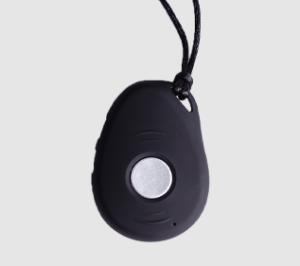
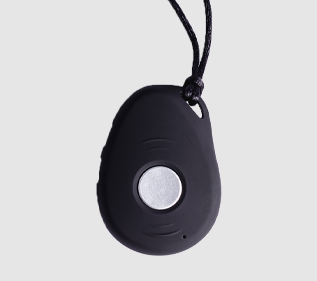
The VIP Active is LifeFone's most affordable on-the-go medical alert system. It's a necklace pendant available in black or gold. 

It includes GPS tracking so that the monitoring center agents know where to send first responders. Approved contacts can also locate the VIP Active's location with a simple text message. 

The battery lasts up to 5 days. LifeFone sends a text and email when the battery gets low to remind you to charge it. The VIP Active doesn't work with a caregiver app, so this is the only way you can get battery reminders.

Like all of LifeFone's on-the-go devices, the VIP Active contains a speaker and microphone for easy communication with the monitoring center. This makes it an ideal solution for people who are worried about being unable to hear the at-home speaker. 

  • Great for people looking for an affordable on-the-go device.
  • Not ideal for people who want a device that's compatible with a caregiver app.

LifeFone VIP Flex: Ideal for flexible wear options

Image: LifeFone

With the VIP Flex, you can wear your medical alert anyway you please — on a belt clip, as a necklace, or as a bracelet. LifeFone will send you a Velcro wristband upon request, but you can also attach more fashionable 24mm wristbands (sold elsewhere) if desired.

In terms of specs, the VIP Flex closely resembles the VIP Active. However, there are some key differences:

  • VIP Flex works with Verizon or AT&T cell towers, whereas the VIP Active only works on the AT&T network.
  • Contacts can't see the VIP Flex's GPS location.
  • VIP Flex is smaller and lighter

The VIP Flex also costs about $2 per month more to monitor. 

  • Great for people who want a variety of wear options. Also a good solution for people who only have Verizon coverage, not AT&T.
  • Not ideal for people who want to share their location with caregivers.

LifeFone VIPx2: Ideal for people with caregivers

Image: LifeFone

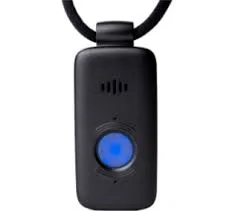
The VIPx2 is LifeFone's most advanced medical alert. This on-the-go pendant boasts one of the longest-lasting batteries in the industry — it works up to 18 days on a single charge. 

It's the only LifeFone device that comes with a caregiver app, but the app costs an extra $8 per month. This is unusual among medical alerts, as most apps are provided for free. However, the VIPx2 app is also unusually thorough.

With the app, caregivers can view current location, button press history, see when the first motion of the day is recorded (a good way to know if something's wrong), track step counts, and check battery life.

The app also allows caregivers to set virtual boundaries (geofences) to get alerts when the device enters or exits a certain area. The VIP2x is one of the only medical alerts with this feature. It can be a good way for loved ones to know when you've left the house and when you've arrived home safe. 

Finally, the app helps caregivers locate the VIPx2 if it's ever misplaced. The device will make a noise so it's easier to find. However, you don't need the app to use this feature. LifeFone can also ring the device.

Like the VIP Active, the VIPx2 can work on either the Verizon or AT&T network. 

  • Great for caregivers who want robust monitoring features.
  • Not ideal for budget-conscious shoppers looking for a caregiver app. 

LifeFone Safe Watch Active: Ideal for people who like fitness trackers

Image: LifeFone

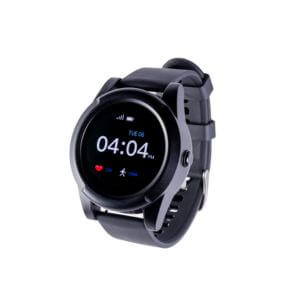
The Safe Watch Active looks like a smartwatch but actually houses a full-blown mobile medical alert system and a decent fitness tracker (step counter, heart rate monitor, and weather app). 

It also combines two features found in other LifeFone mobile systems:

  • Text-based location tracking for caregivers
  • Lost device finder

As with all LifeFone devices, you can add fall detection for an extra $5 per month. 

All of its extra features drain its battery life, so the Safe Watch Active needs to be charged every day. 

  • Great for active people who don't want to wear multiple devices.
  • Not ideal for shoppers on a budget or people who may forget to recharge it daily. 

Does LifeFone have good customer service?

Yes, LifeFone has excellent customer service. LifeFone has earned an average rating of 4.75 out of 5 stars from more than 1,700 customer reviews on sites like Trustpilot and the Better Business Bureau. That makes it the highest-rated medical alert system company on the market.

Happy customers praise LifeFone's customer service representatives for friendly and fast service. They also tend to be happy with the quality of the devices, and dozens of people have shared how a LifeFone device did exactly what it was meant to do — called for help during an emergency. 

Icon Quote  Dark
A real LifeFone review
"My 89-year-old dad took a nosedive off his patio and broke his neck. Who knows how long he would have laid in the grass with the sprinklers running on him if he didn't have his LifeFone pendant. We're forever grateful."

Unhappy customers are few and far between. On Trustpilot, LifeFone hasn't received anything less than a four-star review for more than a year. 

LifeFone has a 50-year history of helping people live safely. We appreciate the company's pricing transparency and that the service Terms and Conditions are readily available online. You can also choose to pay your bill online or through the mail.

And LifeFone's lifetime price guarantee protects you from future cost increases. Many medical alert companies don't offer any price guarantee, or they offer a one-year guarantee. We've seen service prices slowly increase every couple of years across the medical alert industry, so a lifetime price guarantee is a big deal. 

LifeFone's refund and return policies

LifeFone offers a 30-day money-back guarantee. This is the only time you can return accessories for a refund, and the 30-day period starts once the equipment ships.

After the first 30 days, you can cancel at any time and get a refund for any full months of unused, prepaid service. LifeFone does not provide prorated refunds for partial months of service.

All leased equipment must be returned before the service is officially canceled and your refund is processed. You have to pay for return shipping. There may be an extra fee if the equipment is damaged and you weren't subscribed to the monthly Protection Plan. 

LifeFone FAQ

Yes. Just call LifeFone when you're ready to move (or even just go on vacation), and agents will update the address on your account to ensure that emergency services can find you if you call for help through an at-home device.

You'll pay about $30 to $48 per month for a LifeFone device without any accessories or extra services. If you do purchase extras, LifeFone can cost up to $81 per month. You can get about $2 off per month by paying on a quarterly basis, and about $7 off per month by paying annually. LifeFone devices are loaned to you for free, but accessories cost about $30 to $40. 

Yes, LifeFone has an app for its VIP2x on-the-go device. It costs $8 per month and allows caregivers to view the device's current location, create safe zone alerts, track steps, check battery life, and make sure the user has gotten up for the day. 

LifeFone doesn't offer apps for any other current products. However, caregivers can use an automated text-based service to see the current location of the VIP Active and Safe Watch Active. LifeFone can also send email and text alerts when the VIP Active and VIP Flex batteries get low.

Two LifeFone products can use Verizon's network: the VIP2x and the VIP Flex. You can select AT&T network connectivity during checkout if preferred. The At-Home Cellular, VIP Active, and Safe Watch Active only work on the AT&T network.

You don't need to purchase a Verizon or AT&T plan to use any LifeFone device. You only pay a monthly service fee to LifeFone. 

How we prepped for our LifeFone medical alert review

For our LifeFone review, we combed through the LifeFone website, watched every video, and read every FAQ to better understand the ins and outs. We read what LifeFone customers had to say about using the service, and we checked its Better Business Bureau profile for red flags. We also compared its prices, features, and policies to other companies on our list of best medical alert systems to determine LifeFone's relative value. We tested the LifeFone Safe Watch Active hands-on.

Read our full methodology to better understand how we rate and review products.

Final word: LifeFone is worth it

If we were to create our own medical alert system, LifeFone would be it. It's simple to install, it has quick response times, and it's easy to cancel at any time. We like the straightforward pricing and wide variety of add-on options and devices for helping older adults and their families have more peace of mind, like fall detection, check-in calls, and the mobile app.

Like anyone, we always love a better deal, so we wouldn't mind an even lower monthly price. Still, you get a lot for your money, and LifeFone outperforms competitors on enough fronts to make the moderately higher fees worth it.

Cathy Habas
Written by
With over 12 years of experience as a content writer, Cathy has a knack for untangling complex information. Her natural curiosity and ability to empathize help Cathy offer insightful, friendly advice. She believes in empowering readers who may not feel confident about a purchase, project, or topic. Cathy earned her Bachelor of Arts degree in English from Indiana University Southeast and began her professional writing career immediately after graduation. She is a certified Safe Sleep Ambassador and has contributed to sites like Safety.com, Reviews.com, Hunker, and Thumbtack. Cathy’s pride and joy is her Appaloosa “Chacos.” She also likes to crochet while watching stand-up comedy specials on Netflix.

Recent Articles

older-hispanic-couple-hiking
The Best Fall Detection Devices
Find the best medical alert systems with fall detection. Compare equipment, price, accuracy, customer reviews,...
A teenager sitting in a bedroom at night, looking at a smartphone with multiple notification icons floating above.
Jury Finds Meta and YouTube Negligent in Landmark Social Media Addiction Case
Meta and YouTube were found negligent in a landmark addiction case. Here’s why it matters...
How Safe Are the Fastest-Growing U.S. Cities?
Does a surge in population lead to a surge in crime? Find out in our...
Package Theft and Cybercrime Are Now the Most Common Crimes in America
State of Safety data shows Americans are more likely to experience package theft and cybercrime...