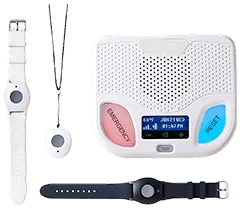

MobileHelp Medical Alert System Review

MobileHelp offers affordable medical alert systems to use in your home or on the go.
Best affordable medical alert system
MobileHelp
MobileHelp
4.3 out of 5 stars
4.25
Starts at$25.95/mo
  • pro
    Simple, affordable devices
  • pro
    Free lease of equipment
  • pro
    GPS tracking for caregivers
Why you can trust SafeWise
products considered
250+
research hours in 25+ in-home tests
10k+
years of combined experience
176+
homes and people protected
10M+

For over 13 years, SafeWise experts have conducted independent research and testing to write unbiased, human reviews (not robots). Learn more.

Cathy Habas
Emily Breaux
Jun 09, 2026
Icon Time To Read6 min read

Emily and Cathy are some of the internet's most knowledgeable voices in senior safety tech. They both hold certificates in gerontology and have 9 years of combined experience testing, researching, and reviewing medical alert systems. Both have covered aging and wellness in major publications.

When you start looking for a medical alert system, you’ll quickly realize how many brands, device options, and features there are available. MobileHelp keeps it simple by offering two at-home systems and a GPS-based system. While most companies charge more per month for at-home systems with cellular vs. landline connection, the MobileHelp Classic Cellular costs the same low price per month as the Classic Landline. 

MobileHelp recently introduced the Elite, an update to its previous mobile system. This new device is sleeker and lighter than older models and includes enhanced features like longer battery life and quicker response times. If you’re looking for an affordable at-home system or simple mobile device, keep reading to learn if MobileHelp is right for you. 

pro
Pros
pro 600- to 1,400-ft. range from at-home base station
pro Caregiver portal
pro Free button battery replacements
pro Updated mobile system
con
Cons
con No smartwatch option
con No voice activation
con Customers pay return shipping
con $50 restocking fee for all returns

What does MobileHelp do?

MobileHelp sells medical alert systems: two at-home devices and one mobile device. Each one pairs with a wearable help button and features a second help button on the base unit.

Pressing either help button connects you to a 24/7 professional monitoring center. They can call 911 or a caregiver depending on what kind of help you need. 

MobileHelp offers:

  • At-home monitoring with up to 1,400-feet of coverage
  • Mobile monitoring with GPS tracking 
  • Fall detection (costs extra)
  • A caregiver app, web portal, and text alerts

How much does MobileHelp cost?

MobileHelp's core equipment is loaned to you for free. Optional accessories add to the monthly service fee. 

  • Device cost: Free lease
  • Monitoring fees: $25.95/mo. to $41.95/mo. without add-ons
  • Shipping: $0 to $12.50

When you purchase a MobileHelp system, you commit to at least three months of service, even if you sign up for monthly payments. 

When you pay quarterly or annually for the Elite, the monthly price drops to $39.95 or $37.95, respectively. The at-home monthly price stays the same whether you pay monthly, quarterly, or annually. All devices include free shipping and a free lockbox if you pay annually.

You could spend about $312 to $504 on a MobileHelp subscription without paying for any additional features, services, or accessories.

But if you do add optional features, the cost of a MobileHelp system could reach up about $80 per month, or $960 per year.

We'll break down the cost of MobileHelp to help you decide which system fits your budget and whether you need any add-ons.

Compare monitoring fees for each device

Package
Monthly price
Quarterly total
Annual total
Best for
Learn more
$77.85
$311.40
People without an active landline service who usually don't leave the house alone
$77.85
$311.40
People with an active landline service who usually don't leave the house alone
$119.85
$455.40
Active people who leave the house by themselves

Info as of post date. Offers and availability may vary by location and are subject to change.

Add-on prices and compatibility

Add-on
Price
Compatibility
Recommended for
Extra Wrist ButtonClassic CellularAt-home monitoring for couples or roommates, back-up buttons
Extra Lanyard ButtonAll devicesAt-home monitoring for couples or roommates, back-up buttons
Fall DetectionClassic Cellular, ElitePeople at high risk of falling or those who live alone
Wireless Wall ButtonClassic CellularLarge homes with stairs
Belt ClipEliteActive users who want extra discretion
LockboxAll devicesEmergency services to safely and quickly enter the home
Protection PlanAll devicesExtra peace of mind for long-term subscriptions
On-Guard Alerts All devicesPeople who live alone and have multiple caregivers

Info as of post date. Offers and availability may vary by location and are subject to change.

Other MobileHelp fees

MobileHelp doesn't charge activation fees or other hidden fees. 

However, you may owe some extra fees if you return the system. There's a $50 restocking fee for all returns. If you don't return the equipment within 30 days of cancellation, you'll also owe up to $350 to pay for it.

Compare MobileHelp to other medical alert systems

Brand
Up-front cost
Month-to-month monitoring starts at
Refund policy
Monitoring certifications
Learn more
Read review
30-day trial, prorated refundUL, FM, SIA
30-day money-back guaranteeFive Diamond, FM, UL
30-day risk-free trialFive Diamond, FM, UL, ESA
Prorated refundFive Diamond, FM, UL, ESA
30 day trial,
prorated refund
Five Diamond,
UL

Info current as of post date. Offers and availability may vary by location and are subject to change.

MobileHelp vs. the competition

We’ve lined up MobileHelp against some of the best medical alert systems we’ve reviewed. Here’s what we found.

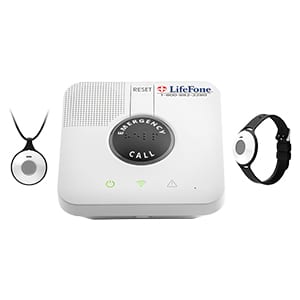
  • No equipment fees: MobileHelp charges only for monitoring, no matter what equipment you buy. Some companies like LifeFone also lease all of their equipment to you for free.
  • Excellent value: While some of MobileHelp's packages cost $42 per month or more, we think it's money well spent, especially compared to what you get from Life Alert or Lifeline for a similar price or higher.
  • Straightforward options: MobileHelp keeps it simple by offering a landline at-home system, cellular at-home system, and one mobile device. This may be a welcome change for shoppers overwhelmed by other brands with multiple mobile system options and features. 

A closer look at MobileHelp products

MobileHelp offers two at-home devices and one mobile device. Let's take a closer look at each. 

🏠 = At-home device, 🌞= On-the-go device

Image: MobileHelp

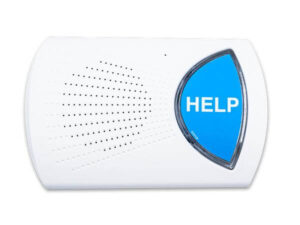
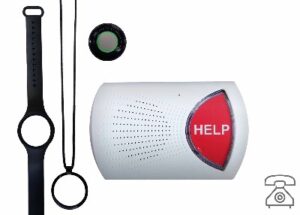
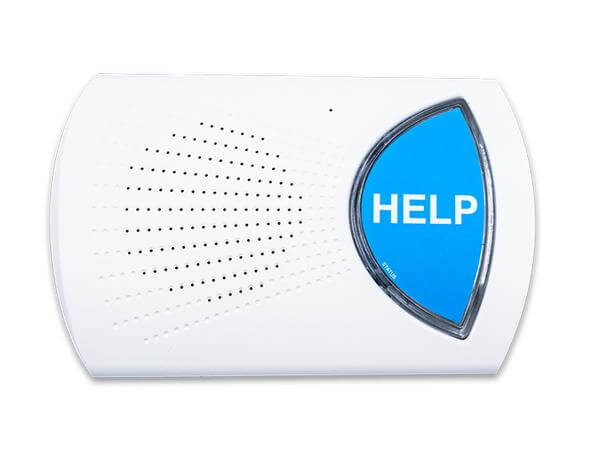
MobileHelp Classic Landline: Ideal for people with poor cellular coverage

The MobileHelp Classic Landline system includes a base station and a wearable help button. The base station plugs into a power outlet and a phone jack. It contains a speaker and a microphone so you can talk to the monitoring center after pressing the button. 

The wearable help button works within up to 600 feet of the base station. However, walls and other obstacles can decrease this range. It's always a good idea to test the range of any in-home medical alert system to make sure it works in every room.

Fall detection, wrist bands, and wall buttons aren't available with the MobileHelp Classic Landline. If that's a dealbreaker for you, consider shopping with another brand like LifeFone.

MobileHelp doesn't advertise its Classic Landline prominently. To find information about the Classic Landline on the MobileHelp website, scroll all the way down to the footer and click the link that says Classic Landline. You can add it to your cart from there.

  • Device cost: $0
  • Monitoring fee: $25.95/mo.

Who should consider the MobileHelp Classic Landline?

  • Good for people who live in areas with unreliable cellular signals.
  • Not ideal for people who are at risk of falls. 

Image: MobileHelp

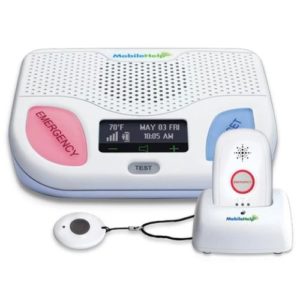
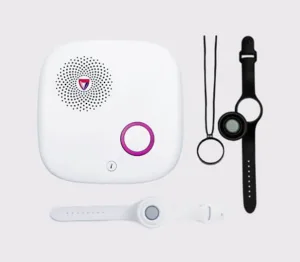
MobileHelp Classic Cellular: Ideal for people who don't leave the house alone

The MobileHelp Classic Cellular works similar to the MobileHelp Classic Landline, but there are a few key differences.

  • Calls are placed through the AT&T cellular network, not a landline.
  • The wearable help button has a larger range of up to 1,400 feet from the base station. 
  • Fall detection is available.
  • It works with a wrist button and wall button (optional).

The base station itself has adjustable volume, a test and reset button, and of course, its giant red help button that’s easy to find in an emergency.

  • Device cost: $0
  • Monitoring fee: $25.95/mo.

Who should consider the MobileHelp Classic Landline?

  • Good for people who typically don't leave their home or yard alone.
  • Not ideal for people who leave the house alone or live in an area without reliable AT&T cellular coverage.

Image: MobileHelp

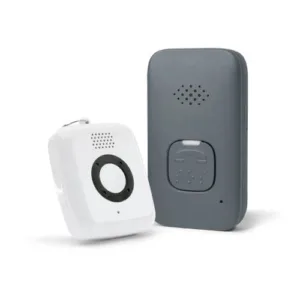
MobileHelp Elite: Ideal for people who are active outside the home

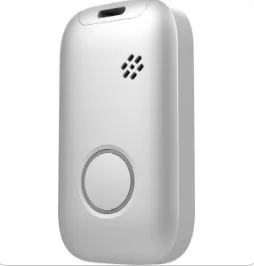
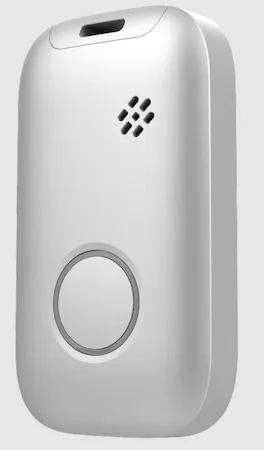
The MobileHelp Elite is the company's newest (and only) on-the-go medical alert device. It consists of an all-in-one mobile unit with two-way talk, GPS, step tracking, and a built-in help button with a 10-second response. We confirmed with a customer service representative that the device is guaranteed to connect to a monitoring center agent in 10 seconds. Its battery lasts up to six days on a full charge, a welcome update from MobileHelp's previous mobile system. 

At 1.5 ounces, the device weighs less than a golf ball, making it comfortable to wear around your neck. For extra discretion, you can purchase a belt clip to attach the mobile system to your pocket or purse. While we appreciate the additional wearable option, we’re surprised the belt clip isn’t included with the device. The Elite is available in three colors: white, silver, and black.

The Elite is also compatible with a standard help button lanyard. This allows users to stay connected to the device when it’s tucked away or if they want to wear an even smaller pendant at home.  

Fall detection can be added to the MobileHelp Elite as well. 

  • Device cost: $0
  • Monitoring fee: $41.95/mo.

Who should consider the MobileHelp Elite?

  • Good for people who like to take walks, run errands, or otherwise leave the house by themselves; who have larger homes and yards not adequately covered by the in-home systems; or who want a wearable device with two-way talk for clear communication. 
  • Not ideal for people who want a mobile system that doubles as a smartwatch. 

Does MobileHelp have good customer service?

Yes, MobileHelp is one of the most highly rated medical alert system companies. Customers have rated it 4.7 out of five stars from more than 6,400 reviews. People tend to say the devices are easy to use and provide peace of mind. In our interactions with MobileHelp, the customer service representatives and monitoring center operators were helpful and patient.

Recent negative reviews tend to mention difficulty cancelling the service. People are surprised to find that they're responsible for return shipping. MobileHelp's terms and conditions say that customers will be charged up to $350 to replace equipment that isn't returned within 30 days of cancelling. However, several reviews say their monthly charges continued for several months after attempting cancel. 

You should also be prepared for a $50 restocking fee when returning equipment. You'll be given a prorated refund for any prepaid but unused monitoring. 

Icon Heart  Dark
Returning equipment after a loved one's passing

The father-in-law of one SafeWise staff member used MobileHelp until he passed away. The family had to return the equipment upon his passing and were disappointed by the burden of boxing and the shipping cost during an already difficult time.

They paid for a couple weeks of service they didn’t need. (Sending the alert system back isn’t usually a priority in light of a loved one’s death.) But once MobileHelp received everything, cancellation was easy, and they got a refund check quickly.

Icon Quote  Dark
Our family is so happy with MobileHelp
"We had a lot of questions before we purchased and they were very helpful and detailed. We feel so much better now that our mom has the necklace with fall detection. We love that we get a text immediately. My mom feels more safe too now that she can press a button and speak to someone if she needs help. This will definitely keep her in her house longer, which she really wants, and gives us peace of mind when we are not with her."

MobileHelp FAQ 

The MobileHelp smartwatch has been discontinued. We're not sure if MobileHelp has plans to relaunch it, but you can check out our recommended medical alert watches for alternatives.

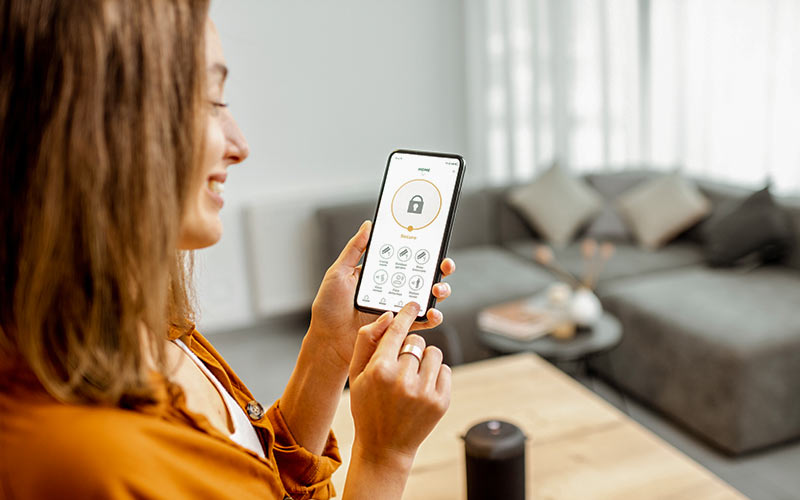
Yes, the MobileHelp app is available as an online dashboard and smartphone app. Caregivers can manage emergency contacts, communicate with other caregivers, set task reminders, and track the device's location.   

Yes. The wearable alert buttons are all waterproof. They can be worn in the shower, bath, swimming pool, or rain.

Yes, MobileHelp and One Call Alert are owned by the same company and offer the same products and services. We found no difference in prices or policies between the two companies. 

How we reviewed MobileHelp

We used information from  customer reviews, mystery shopping, and a colleague's real-life experience to review MobileHelp’s medical alert systems. We considered customer policies, equipment and package offerings, monthly fees, and how easy the system was to understand and operate.

Hands-on testing is scheduled for early July 2026.

Our full rankings methodology has more details about how we rank and review products and services.

Final word: MobileHelp offers one of the most affordable at-home systems

For anyone looking for an easy-to-use and affordable medical alert system, MobileHelp is worth your attention. We're especially impressed with the $26/mo. starting price for both at-home systems, which is nearly $10 less per month than at-home systems from popular brands like Bay Alarm Medical, Medical Guardian, and LifeFone. 

Most medical alert companies charge a higher monthly fee for a cellular at-home system vs. landline system, so we appreciate that MobileHelp offers both options for the same low monthly price. 

Cathy Habas
Written by
With over 12 years of experience as a content writer, Cathy has a knack for untangling complex information. Her natural curiosity and ability to empathize help Cathy offer insightful, friendly advice. She believes in empowering readers who may not feel confident about a purchase, project, or topic. Cathy earned her Bachelor of Arts degree in English from Indiana University Southeast and began her professional writing career immediately after graduation. She has focused on family safety, home guides, and health content since 2021 and earned a gerontology certificate to learn more about the medical side of senior safety. Over the years, Cathy has contributed to sites like SELF.com, SingleCare, My Health Teams, Safety.com, Reviews.com, Hunker, Popular Living, and Thumbtack.

Recent Articles

Kids Safety Awards (2026)
See who is honored in the 2026 Kids Safety Awards from SafeWise! See the top...
Eufy camera 3 with solar panels built in the top, sitting on a wooden counter
Best Security Cameras without a Subscription 2026
Paying a monthly fee for a security camera isn't easy on your wallet. Based on...
ring spotlight camera on outdoor wall
Ring Camera Storage Plans
Ring Protect is a great option for saving video from Ring security cameras. Learn about...
elderly-woman-checking-watch-on-bench
4 Best GPS Trackers for Dementia Patients (2026 Review)
GPS tracking can help caregivers watch loved ones with dementia and prevent wandering. We reviewed...