


Vivint Cameras 2026 Guide

We reviewed Vivint's security camera selection to help you decide if a Vivint security system is right for your needs.
Avanced indoor camera
""
Vivint Indoor Camera Pro
4 out of 5 stars
4
  • pro
    Lurker detection
  • pro
    Monitors for smoke/CO detector alarms
Outdoor camera
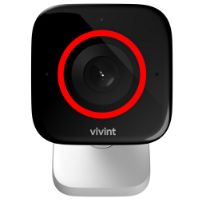
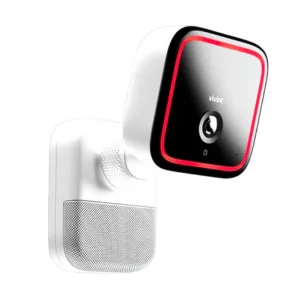
Vivint Outdoor Camera Pro Gen 3 with its red light on.
Vivint Outdoor Camera Pro
(Gen 3)
4.5 out of 5 stars
4.5
  • pro
    Lurker detection
  • pro
    5.3x optical zoom
Spotlight camera
Vivint Spotlight Pro + Outdoor Camera Pro
4.6 out of 5 stars
4.6
  • pro
    Lurker detection
  • pro
    Up to 1800-lumens
Doorbell camera
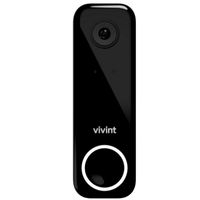
Vivint Doorbell Camera Pro (Gen 2)
Vivint Doorbell Camera Pro
(Gen 2)
4.6 out of 5 stars
4.6
  • pro
    Package detection
  • pro
    Square aspect ratio
Why you can trust SafeWise
products considered
250+
research hours in 25+ in-home tests
10k+
years of combined experience
176+
homes and people protected
10M+

For over 13 years, SafeWise experts have conducted independent research and testing to write unbiased, human reviews (not robots). Learn more.

John Carlsen
Alina Bradford
Feb 04, 2026
Icon Time To Read8 min read
Icon CheckReviewed ByRebecca Edwards

With 9 years in journalism, John focuses on smart home tech, previously writing for ASecureLife and serving as Smart Home Editor at Top Ten Reviews.

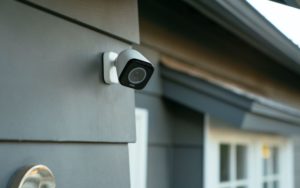
One of the biggest differentiators in a security system is its cameras. And Vivint shows a lot of competence with its four security cameras (if you count the spotlight add-on): the Indoor Camera Pro, the Vivint Outdoor Camera Pro (Gen 3), Spotlight Pro + Outdoor Camera Pro, and the Vivint Doorbell Camera Pro (Gen 2). These advanced cameras show Vivint's ability to innovate and keep it relevant in a dense home security marketplace.

Because Vivint designs and manufactures all of its equipment, it passes on research and development costs to customers. This makes Vivint equipment some of the most expensive you can buy for a security system, even before factoring in monthly monitoring fees.

Vivint is not for the faint of budget, but its security cameras demonstrate the value of investing in features that make customers happy. Check out the rest of our guide to learn about Vivint's cameras and what sets them apart—or holds them back—from Vivint's closest competitors.

pro
Pros
pro Helpful alerts on each camera
pro 1080p HD video resolution
pro Privacy mode on Vivint Indoor
pro One-touch calling on Vivint Indoor
pro 4K image quality on outdoor camera
pro Wide field of view on doorbell camera
pro Square aspect ratio on doorbell camera
con
Cons
con Expensive
con All cameras require top-tier monitoring plan
con Local storage doesn't work without plan


Compare Vivint cameras

Product
Best for
Price
Field of view
Weatherproofing
Learn more
Advanced indoor camera 150º
Icon No  LightNo
Outdoor camera 140º
Icon Yes  LightYes
Spotlight camera 140º
Icon Yes  LightYes
Doorbell camera180º
Icon Yes  LightYes

Info current as of post date. Offers and availability may vary by location and are subject to change.

What to expect with Vivint security cameras

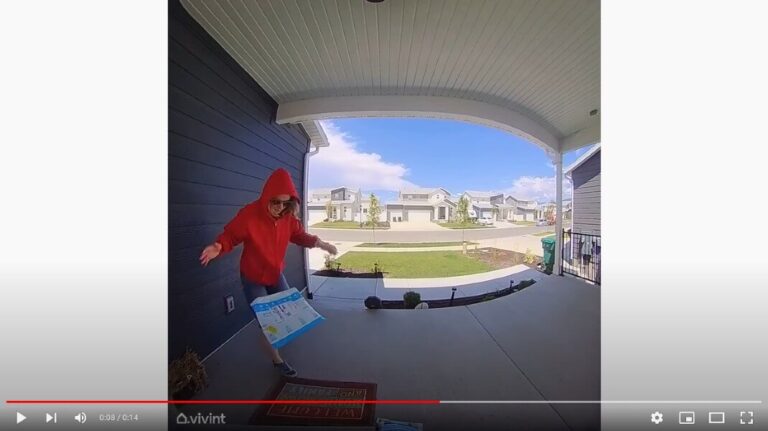
A screenshot of our Vivint Doorbell's Smart Deter feature in action: the test-thief drops the package.

Image: SafeWise

Vivint camera similarities

In general, there are more similarities between Vivint cameras than differences. Each camera has the same basic features because they all use the Vivint App. Here's a brief overview of the common benefits you can expect from Vivint security cameras:

Video resolution

Every Vivint camera streams and records 1080p HD video. This is the most common resolution among security camera manufacturers, making Vivint competitive with the likes of Ring and Alarm.com-based systems like Frontpoint. 

Learn more about Vivint vs. Ring and Vivint vs. Frontpoint to see which one has the best features for you—including the best cameras.

Video storage

Vivint offers 14 days of cloud storage for video clips as part of the monitoring plan. These video clips can be up to 90 seconds long, usually long enough to capture important events related to both guests and intruders.

You can get continuous Vivint Playback video recording for up to 10 days for up to 12 devices by purchasing the Vivint Playback DVR, which costs about $300, or around $7 per month.

Two-way audio

Each Vivint security camera has two-way audio—so you can talk with people near the camera—using the Vivint Smart Home App. This feature is standard on most modern security cameras, so it's nice to know Vivint's keeping up with the latest trends.

Thumbs Up
Vivint Indoor's one-touch calling

The two-way audio on the Vivint Indoor Camera also uses a unique call button that makes it easy for family to call the Vivint app, which we explore in the Vivint Indoor Camera review below.

Professional installation

All Vivint equipment requires professional installation, including the company's security cameras. There's an installation fee of $199.99 (or it's free with a contract) for Vivint security systems, regardless of whether you get a security camera, smart lock, or just basic sensors.

After installation, the company states that you can move cameras without a technician if necessary. There's one big caveat to moving your cameras: the Vivint Outdoor Camera Pro and Vivint Doorbell Camera Pro use more complex wiring than the plug-and-play Vivint Indoor Camera. We recommend scheduling an appointment to move these cameras.

Affordable monitoring

All of Vivint's security cameras require Vivint's monitoring plans, which start at $24.99 a month with a contract and and $29.99 without a contract. That's pretty affordable when you consider that many top companies charge over $30 per month for less features.

Vivint allows up to six cameras per account. So you might want to choose another system like Ring Alarm if you want tons more cameras.

Smart home integration

While Vivint alarm systems work with Amazon Alexa and Google Assistant, you can't use either platform to view video from the cameras. To Vivint's credit, you can see videos on the Smart Hub, Vivint's control panel, which comes with every Vivint security system.

Vivint outdoor camera

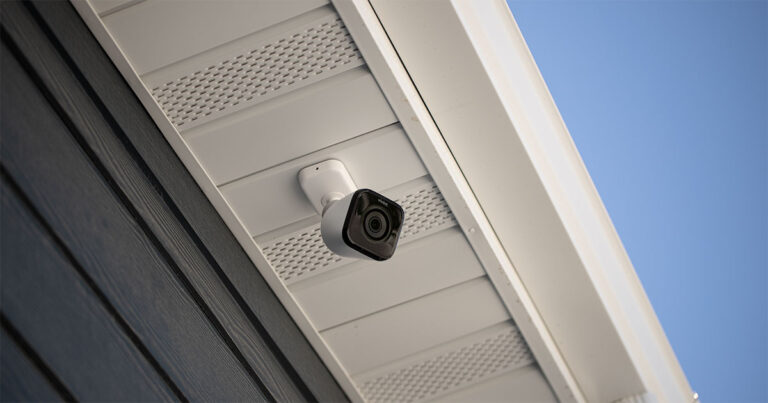
Image: SafeWise

Vivint camera differences

Most of the differences between Vivint's cameras stem from the different roles each camera performs in the security system. These differences also extend to the types of detection each camera uses.

Vivint's cameras have specific roles

Vivint designs and manufactures its security cameras to work as part of a broader home security ecosystem. This means that there isn't a lot of overlap between the situations where each camera works:

  • Vivint Indoor Camera Pro: This camera is specific to indoor settings where you can use it as an intercom to talk with your family.
  • Vivint Outdoor Camera Pro: This camera is best for outdoor environments where strong night vision range and weatherproofing keep the camera working 24/7 to spot incoming threats. This camera also has better image quality than the other models.
  • Vivint Doorbell Camera Pro: This outdoor camera is suitable for doors and porches where you want to see guests, packages, and potential intruders.

Smart detection

While all of Vivint's cameras record video whenever there's motion, the Vivint Outdoor Camera Pro and Vivint Doorbell Camera Pro have additional programming to spot and deter threats:

  • Vivint Outdoor Camera Pro: This camera has a feature that Vivint calls lurker detection, which automatically warns people using sound and light that there's a security camera watching. You can set it to go off when someone approaches your home or if someone is hanging out on the sidewalk out front. It can also alert you when someone is approaching your car to help prevent car theft and vandalism.
  • Vivint Doorbell Camera Pro: Much like the lurker detection on the Outdoor Camera Pro, this unit has package protection that triggers when someone approaches your porch to make off with a package.
Notepad
Vivint and Reliant have teamed up

You can get a Vivint Thermostat and Doorbell Camera Pro package through your electric company. With this package, they don’t need a panel or to be wired into the wall (the thermostat just connects to the existing wires from your old thermostat). They just need a hub that plugs into an outlet.

The installation is much quicker than a full system installation, and if you decide to upgrade to a full system, you get a deep discount. 

Vivint camera reviews

1. Vivint Indoor Camera Pro

Advanced indoor camera
""
Vivint Indoor Camera Pro
3.7 out of 5 stars
3.7
pro Monitors for smoke/CO detector alarms
pro
con Indoor use only

The Vivint Indoor Camera Pro has a lot of the same features as its discontinued sibling, the Vivint Indoor Camera.

They stand out from the company's other cameras because they focus on two-way audio and one-touch calling. This means your family can push a button on the camera to call the Vivint mobile app. It's a lot like a high-tech intercom.

We realize the Vivint Doorbell Camera Pro has a press-to-talk button, but it's unrealistic to expect someone to leave the house just to have a private conversation.

Another feature we like is the Indoor's privacy mode, which allows you to disable the video streaming. This is helpful for times when video recording is unnecessary. You can also set up custom motion zones, so the camera doesn't send constant alerts as your cat moves in and out of its cat condo each day.

Here's the big twist. The Pro can record 24/7 if you opt into the Vivint Playback DVR subscription for $6.99 per month.

It also packs a microSD slot and better image quality than the non-pro model. It even monitors for smoke/CO detector alarms.

This camera costs a little more, around $250, but if you want it as a nanny cam or just like not missing a thing, the price might be worth it.

Light Bulb
Doorbell tip

To get your Vivint Doorbell Camera Pro to better recognise packages, people, and animals, make sure to turn on the sharing option in the app. This helps the camera’s AI to “learn.”

Note: You may find that after a system update, the camera starts glitching and misidentifying things again. The camera is basically starting over with its learning process.

2. Spotlight Pro + Outdoor Camera Pro (Gen 3)

Outdoor camera
Vivint Outdoor Camera Pro Gen 3 with its red light on.
Vivint Outdoor Camera Pro (Gen 2)
3.5 out of 5 stars
3.5
pro 4K image sensor
pro 40-foot night vision range
con Expensive outdoor camera

Outdoor cameras aren't always close to the action outside, so Vivint equipped the Vivint Outdoor Camera Pro (Gen 3) with an enhanced still image feature that saves pictures in 4K HD quality. This supplements the 1080p video quality with more detailed images when video still frames aren't as good due to motion blur and other factors.

It also features Vivint's new AI + RADAR. The company says this addition makes detection faster and smarter. We did notice better identification when we tested the camera.

Vivint also gave the Outdoor Camera Pro a 5.3x optical HD zoom (an upgrade from Gen 2's 3x zoom). Optical zooms are better than digital zooms because you're not blowing up existing pixels—you’re actually making the image larger on the camera sensor. 

This Vivint outdoor camera has worse night vision range than the Gen 2, though. It can illuminate objects up to 40 feet away using powerful infrared LEDs (instead of the previous 55 feet). It's still excellent for watching over yards large and small, though. The camera also has the same powerful detection options as the Indoor Camera, but can also use Vivint's Smart Sentry AI to spot lurkers and other threats.

An added feature is the vehicle protection. It will alert you if someone approaches your car, helping prevent theft or vandalism.

The Vivint Outdoor Camera Pro is Vivint's most expensive security camera—costing around $400—no other outdoor security camera costs more. This is an astronomical price compared to the industry average of $180 for outdoor cameras.

We really like this outdoor camera's optical zoom and 4K image sensor, which gives it excellent video quality and still images.

Learn more in our full Vivint Outdoor Camera Pro Review.

The Vivint Spotlight Pro (about $250) upgrades your Vivint Outdoor Camera Pro with an 1,800-lumen spotlight that can follow people in your yard. You can buy it to attach to a camera you already have, or you can buy it as a set, at a total equipment cost of $650. We think a floodlight camera is a better investment for less than half the price.

Spotlight camera
Spotlight Pro + Outdoor Camera Pro
3.5 out of 5 stars
3.5
pro 4K image sensor
pro 55-foot night vision range
con Most expensive outdoor camera

3. Vivint Doorbell Camera Pro (Gen 2)

Doorbell camera
Vivint Doorbell Camera Pro (Gen 2)
3.6 out of 5 stars
3.6
pro Package detection and alerts
pro Square aspect ratio
con Steep price

The Vivint Doorbell Camera Pro (Gen 2) comes with several notable features like package detection, a square aspect ratio, and a wide field of view. While package detection isn't unique to Vivint, we like that the camera also sounds a tone when someone approaches a package on your porch to warn them to leave. You also receive a notification on your smartphone at the same time and can trigger an alert with Vivint's monitoring services.

Another of the Vivint Doorbell Camera Pro's best features is the square aspect ratio on video clips. This is a big contrast to many doorbell cameras, which use a widescreen aspect ratio. While widescreen videos look great on smartphones, they don't capture as much detail above and below the doorbell, sometimes resulting in clipped images of visitors to your door.

The Vivint doorbell uses a 180º field of view on the horizontal and vertical planes to capture the best quality footage in this aspect ratio, something no other video doorbell does. Even other 180º doorbell cameras use a smaller vertical field of view under the assumption that it isn't necessary, but we like Vivint's willingness to buck this trend to test if a tall field of view makes a difference.

Among video doorbell cameras, the Vivint doorbell has the unenviable moniker of the most expensive product in the category. At $250, this model costs 25% more than the average $200 video doorbell and $70 more than the more advanced Google Nest Doorbell.

Despite its cost, the Vivint Doorbell Camera Pro is a great reason to choose Vivint and its smart-home-centric alarm system over other security companies.

Learn more in our full Vivint Doorbell Camera Pro Review.

Bell
Vivint's early contribution to video doorbells

Vivint was one of the first security companies to make and sell video doorbells, with its original model releasing in May 2015. The latest version of this product, the Vivint Doorbell Camera Pro (Gen 2), released in May 2022.

Vivint camera FAQ

Vivint doesn't support third-party cameras, but here's a list of Vivint cameras that work with Vivint security systems:

Current products

  • Vivint Indoor Camera Pro
  • Vivint Outdoor Camera Pro (Gen 3)
  • Vivint Doorbell Camera Pro (Gen 2)

Legacy products

  • Vivint Indoor Camera
  • Vivint Outdoor Camera Pro 2
  • Vivint Doorbell Camera Pro
  • Pan and Tilt Camera (V620PT)
  • Fixed Camera (V520IR)
  • Outdoor Camera (HDP450)

Vivint doesn't advertise its legacy camera products online, so these might not be available. Our information on legacy products comes from Vivint's customer support portal. Still, you can ask a salesperson about these options when you buy a Vivint system.

No, we asked Vivint's customer service about their video footage policies and received the following response:

"Vivint does not track data from customer’s video footage. Video footage is encrypted from the Vivint Smart Hub all the way to the cloud and back. Only customers can decide who is allowed to access their Vivint system, including their video feeds."

Officially, you must subscribe to a Vivint monitoring plan to use Vivint home security products, including cameras. But there is anecdotal evidence on Reddit that systems work locally without the Vivint app or monitoring service, including video doorbells that still send video to the Vivint panel. This information is a couple of years old, so take it with a grain of salt.

How we reviewed Vivint security cameras

Before reviewing Vivint's security cameras, we scoured as much information on the subject as possible. While most of our conclusions come from comparing technical specifications and user reviews, we also considered what other online reviews said. We also tested the Outdoor Pro and the Vivint Doorbell Camera Pro in a real home.

After collecting our data, we examined what each Vivint camera can do and put together a breakdown of its pros and cons. We then compared each camera's pricing and monitoring requirements to similar models in other major security systems.

Because Vivint security cameras require a Vivint security system, we factored that into our review process as well but left most of our thoughts on the system as a whole in our Vivint review. For more insight into our review process, check out our complete testing methodology.

Final word

Even though you need to pay for Vivint's most expensive plans to get security cameras, it has the added benefit of including all of Vivint's other services like security sensors and home automation equipment.

Vivint boasts some of the most advanced cameras among security system companies. Each of these cameras stands apart from the competition with at least one unique feature:

  • Vivint Indoor Camera Pro: Monitors for smoke/CO detector alarms 
  • Vivint Outdoor Camera Pro (Gen 3): Optical zoom and lurker detection to protect your yard and vehicle, and has an attachable spotlight 
  • Vivint Doorbell Camera Pro (Gen 2): 180º field of view and square video for easy viewing

This impressive equipment commands a high price, much more than most folks want to spend. But it firmly anchors Vivint as our top security system for the smart home. To learn more about Vivint cameras, check out our list of common questions below or head to our Vivint FAQ page. You can also read our full Vivint review to get all the details.

John Carlsen
Written by
John is a technology journalist specializing in smart home devices, security cameras, and home security systems. He has over a decade of experience researching, testing, and reviewing the latest tech—he was the Smart Home Editor for Top Ten Reviews and wrote for ASecureLife before joining SafeWise as a Staff Writer in 2020. John holds a Bachelor's degree in Communications, Journalism emphasis from Utah Valley University. In his spare time, he enjoys hiking, photography, cooking, and starting countless DIY projects he has yet to complete.

Recent Articles

Cheerful husband and his anonymous wife walking with their little girl sitting on luggage at the airport.
Tack GPS Tracker Review
The budget-friendly Tack GPS tracker works in 120 countries and costs just $3 to $7...
mother walking kid to school
Best GPS Trackers and Tracking Devices for Kids in 2026
We tested 2026's best wearable GPS tracking devices designed to keep your child within reach...
How to install a Ring Video Doorbell Plus video
How to Install the Ring Battery Doorbell Plus
Learn how to install and set up the Ring Battery Doorbell Plus with our step-by-step...
LogicMark Freedom Alert Max Review
A refreshing take on medical alert systems, the LogicMark Freedom Alert Max proved to be...