

With Vivint’s professional installation, adding this best-rated home security system to your home is practically hassle-free. I had a full Vivint system installed in my home and chatted with Vivint to share the lowdown on what to expect—from fees to tips for after the installer leaves.
Vivint Installation
Why you can trust SafeWise
products considered
250+
research hours in 25+ in-home tests
10k+
years of combined experience
176+
homes and people protected
10M+
For over 13 years, SafeWise experts have conducted independent research and testing to write unbiased, human reviews (not robots). Learn more.

 4 min read
 Reviewed ByRebecca Edwards
With 25+ years in tech journalism, Alina blends safety expertise with her passion for simplifying technology. Alina has tested hundreds of safety and security devices, is trained as a first responder, and has worked as a volunteer firefighter.
Vivint installation
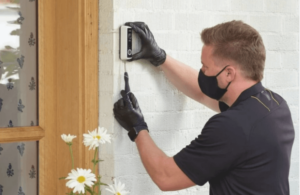
Video: Vivint Home Security Installation Review
Subscribe to our YouTube channel and learn how to protect your home, loved ones, and belongings.
How much does Vivint installation cost?
Vivint charges a $199.99 installation fee, though sometimes they offer free installation, so keep an eye out for deals on Vivint’s homepage. You can also get free installation if you sign up for a three-year contract.
You may have noticed that other websites are reporting a different fee, or several fees, for Vivint. You can trust our information because we went straight to the source and confirmed installation prices with Vivint.

Does Vivint do next-day installation?
Vivint doesn’t officially offer next-day installation, but according to Vivint, sometimes installations can be set up for the same day you purchase your system.
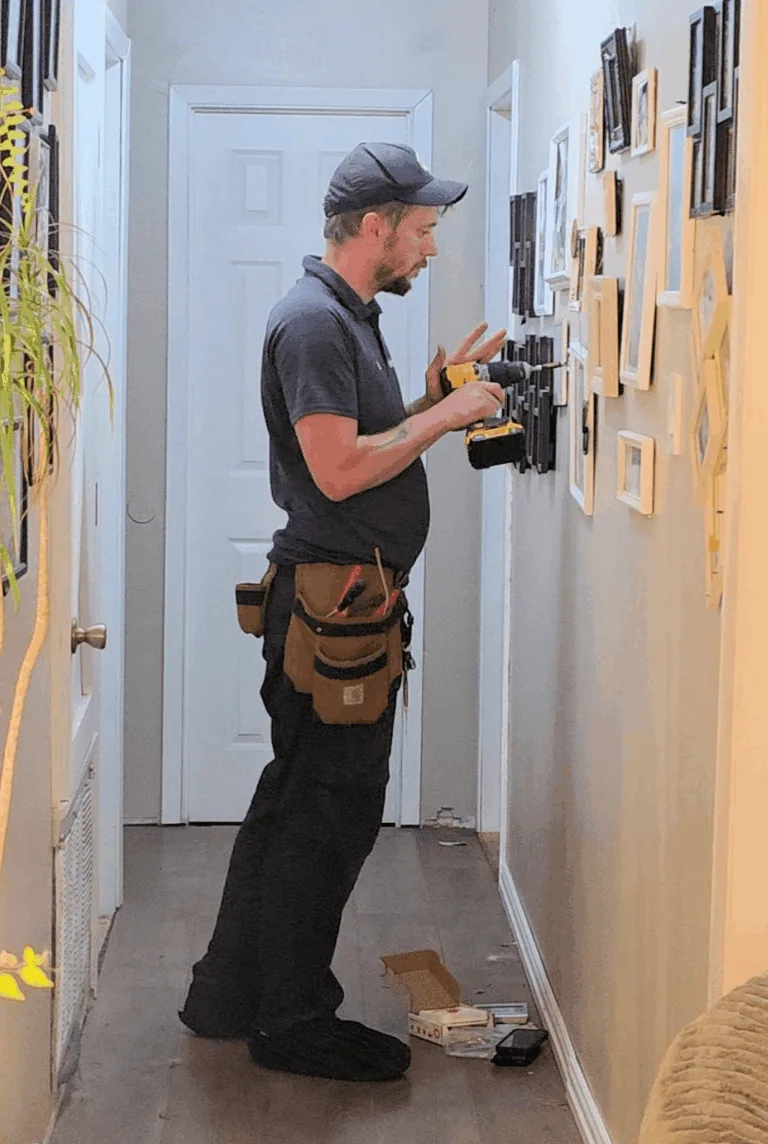
Installer adding a Vivint thermostat in my hallway.
Image: Alina Bradford/SafeWise
Vivint told us that installation can take from two to four hours. How long your installation takes depends on how many devices and sensors are being installed. My installation took around five hours—it included security cameras, a thermostat, a smoke/CO detector, and one panel.
Vivint installations typically include time for the tech to teach you how to use the system. If you want the installation to go a little quicker, you can opt out of learning how to use your new Vivint Smart Home system and learn on your own later. This is a good idea if you tend to learn better from online tutorials than from in-person instruction.
My installers were very nice and taught me how to use the panel, equipment, and the app. He answered all of my questions, too.

Make sure your needs are noted on your account
“I would make sure the installer communicated with the salesperson. The installer seemed pretty in the dark about a lot of things we'd discussed with the Vivint rep.” —Brianne Sandorf, Vivint customer
What to expect
You schedule your system installation with Vivint's customer service department after you select your equipment. The first thing the installation technician (also known as a Vivint Smart Home Pro) will do is check to make sure you have all of the Vivint equipment you ordered. Around an hour before arrival, they will contact you to make sure you’re ready for your installation.
I got a text and a phone call, as well as an email. Pretty thorough!

Think about placement
My biggest piece of advice would be putting thought into where you want the panel before it’s installed because it’s not easy to move it later. We put it across the house by all the bedrooms, and we’ve had issues with me letting the dogs out super early and setting off the alarm because I don’t hear/respond to the warnings fast enough. —Shaunty McMillin, previous SafeWise tester
Upon arrival, the pro puts booties on, then they will check to make sure your equipment is ready to go. Next, they do a walk-through of your home with you and ask if you have any preference on where the equipment will be installed. They’ll also offer advice on where everything should go.
In addition to setting up your Vivint equipment, Vivint installation technicians also connect your smart home devices to your new system. So, say you want your system to arm automatically when you tell Alexa to turn off your smart lights. The technician can set it up. Think through how you want your home automation to work before the technician arrives so everything goes smoothly.
Once your system is installed, the tech will clean up and offer to teach you how to use your new security system. Some things that will be covered include how professional monitoring works, what to do if your alarm goes off, and how to use your devices.
How to learn more about your Vivint home security system
Vivint Smart Home security has an online guide in the support section of its website. It can get you up and running with your new system after the installer leaves. It covers getting started, using your system, and what to do when there is a false alarm.
Is Vivint security self-install?
Vivint is a professionally installed system. But you can install some devices yourself as you add onto your system. Check out the Vivint installation page for how-to instructions, or take a peek at the instructions below.
Can you self-install a Vivint door and window sensor?
For sure. The process is simple:
- Go to the home screen on the Vivint app.
- Tap the menu button.
- Tap the + Add a device.
- Choose the type of sensor you want to install from the list.
- Follow the on-screen instructions.
Read our entry sensor installation guide for placement tips.
Can you tell me how to install the Vivint doorbell camera?
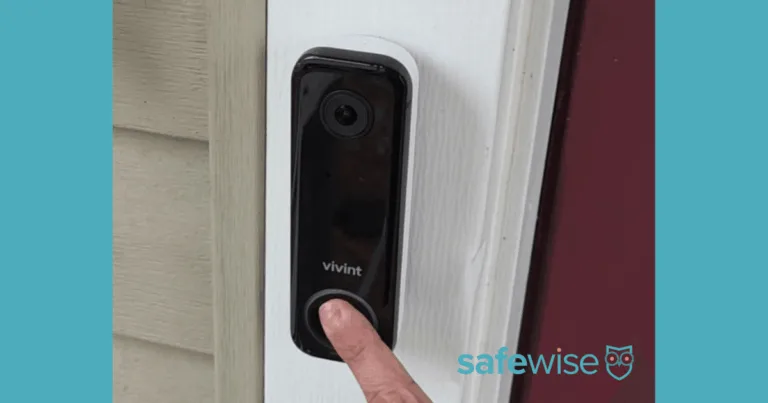
My Vivint Doorbell Camera.
Image: Alina Bradford/SafeWise
No problem. Use these steps to install the Vivint Doorbell Camera Pro:
- Turn off the power to your doorbell at your home’s breaker box.
- Remove the cover to the doorbell’s chime box.
- Take a photo of the chime’s wiring so you know how to hook up the Vivint chime.
- Remove the chime wires from their screws. Keep the ends of the wires away from metal as you work.
- Remove the old doorbell by loosening the screws on the back and releasing the wires.
- Pull the doorbell wires through the center holes of the Vivint doorbell’s backplate. Make sure the waffle side of the backplate is towards the wall.
- Remove the rubber plugs from the screw holes on each end of the backplate, and use the Vivint doorbell wiring screws to secure the backplate to the wall.
- Loop each wire over the screws in the center of the backplate and tighten the screws.
- Snap the doorbell over the backplate.
- Go back to the chime and reconnect the wires.
- Replace the chime cover and turn on the power at the breaker box.
If the light on your Vivint doorbell turns green, the installation was a success.
Can you tell me how to install Vivint Outdoor Camera Pro?
Since the Vivint Outdoor Camera Pro needs to be connected to your home’s power source, we recommend letting the installation technician take care of this one for you. The same goes for the Vivint Indoor Camera.
Vivint installation FAQ
Yes, they put them on before they step inside. You don't even have to ask them.
Yep, but only if you want them to. If you want to figure it out for yourself, there’s no pressure. You can cut the installation short and save a little time.
Don't count on it. Homeowners are usually responsible for filing alarm permit paperwork with their city (if it's required).
Vivint offers free service calls for just 120 days after installation, so make sure you call customer service as soon as you notice something amiss. After the 120-day period, you'll be charged at least $99 per visit for Vivint troubleshooting.
Well, it’s just easier to have someone else do the installation if you don’t want the hassle of figuring everything out. Here are some more things to consider when choosing your installation.
Read answers to more Vivint FAQ.
Related articles on SafeWise


Recent Articles

The Best Fall Detection Devices
Find the best medical alert systems with fall detection. Compare equipment, price, accuracy, customer reviews,...
Jury Finds Meta and YouTube Negligent in Landmark Social Media Addiction Case
Meta and YouTube were found negligent in a landmark addiction case. Here’s why it matters...

How Safe Are the Fastest-Growing U.S. Cities?
Does a surge in population lead to a surge in crime? Find out in our...
Package Theft and Cybercrime Are Now the Most Common Crimes in America
State of Safety data shows Americans are more likely to experience package theft and cybercrime...


