Abode Home Security Review

We tested two Abode home security kits and ran into a few hiccups, but it's overall easy to use.
Best for Smart Home (and AppleHome Kit Users)
Abode
4 out of 5 stars
4
  • pro
    No contracts
  • pro
    Advanced smart home compatibility
  • pro
    Pro monitoring starts at $26.99/mo.
Why you can trust SafeWise
products considered
250+
research hours in 25+ in-home tests
10k+
years of combined experience
176+
homes and people protected
10M+

For over 13 years, SafeWise experts have conducted independent research and testing to write unbiased, human reviews (not robots). Learn more.

Cathy Habas
Alina Bradford
Jun 30, 2026
Icon Time To Read11 min read
Icon CheckReviewed ByRebecca Edwards

Cathy, a Safe Sleep Ambassador, specializes in family safety, simplifying complex topics for trusted sites like Safety.com with 8+ years of writing experience.

Abode offers three things you can’t find elsewhere in the home security market: compatibility with tons of sensor and camera brands for a truly customized experience, integration with Apple HomeKit, and pro monitoring in 3-day bundles. 

Although it’s often elbowed out of first place by brands like SimpliSafe, Abode is one of our top picks for security systems for renters, wireless security systems, smart security systems, and DIY security systems. In this review, we’ll give an overview of Abode's features, share our testing insights, and compare Abode to other brands to help you decide if it’s right for you.

icon of the safewise owl icon with a banner saying deals
Abode Sale!

🔥 Abode is offering 50% off* standard kits!

* Limited-time offer when buying a new security kit with a Pro plan. Offers and availability may vary by location and are subject to change. 

pro
Pros
pro Advanced smart home compatibility
pro Optional self-monitoring
pro 1-year equipment warranty
pro Custom home automation settings
pro Ideal for smaller living spaces
pro Exclusive SafeWise Reader Bundle
con
Cons
con Up-front equipment costs
con Limited function for larger homes
Bell
Are you in the UK?

Readers in the UK should check out our Abode UK review for accurate pricing and information.

Cost of Abode Home Security

Long story short, you spend a little more on equipment with Abode compared to other brands, but lower monthly fees make up for it.

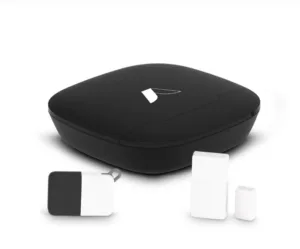
Abode’s cheapest starter kit retails for $79 but is usually on sale. You get an Abode Security Hub, key fob, and mini door/window sensor for that price. Even when Abode offers discounts, its equipment tends to cost more than other DIY security brands. It has a price match program, though, which may be worth looking into. 

You don’t have to pay a monthly fee to use Abode, but you’ll lose out on cellular backup, video storage, home automation routines, a homeowner’s insurance discount certificate, and, of course, emergency dispatch.

For $8.49 a month, you can store videos and make smart home routines while continuing to self-monitor the system. You'll pay $26.99 a month for the whole shebang, which is as good as it gets these days—especially since rivals like SimpliSafe, Ring Alarm, and Cove have increased their prices.

Compare Abode monthly costs

Abode offers three security plans—Basic, Standard, and Pro—each with different levels of features and protection.

  • Basic Plan (Free): This plan allows users to arm and disarm their system via the mobile app and provides live video viewing only, but does not include video storage, professional monitoring, AI smart detection, or cellular backup.
  • Standard Plan ($8.49/mo.): Offers 10 days of video storage and cellular backup, ensuring your security system stays connected even if WiFi goes down. However, it does not include professional monitoring or AI smart detection, making it a solid option for self-monitoring with some added reliability.
  • Pro Plan ($26.99/mo.): This plan provides the most comprehensive protection, including 10 days of video storage, 24/7 professional monitoring, AI-powered smart detection, and cellular backup. It’s the best choice for those who want a fully monitored home security system with AI-enhanced alerts.
Plan
Monthly cost
Video storage
Professional monitoring
AI - Smart Detection
Cellular backup
Learn more
BasicLive video only
Icon No  LightNo
Icon No  LightNo
Icon No  LightNo
Standard 10 days
Icon No  LightNo
Icon Yes  LightYes
Icon No  LightNo
Pro 10 days
Icon Yes  LightYes
Icon Yes  LightYes
Icon Yes  LightYes

Info current as of post date. Offers and availability may vary by location and are subject to change.

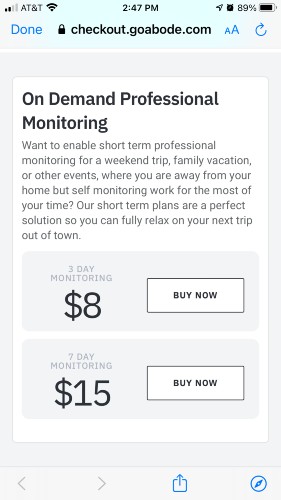
Professional monitoring on demand

Screenshot: Cathy Habas, SafeWise

Going out of town for a long weekend? With Abode, you can add professional alarm monitoring for as few as three days.

On-demand monitoring comes in three- or seven-day bundles and is perfect if you don't need a full month of protection but want to beef up security during a trip. 

You can buy these bundles directly in the Abode app. The cost-per-day is more expensive than Abode's normal professional monitoring package, but at least you won't have to remember to cancel later.

Other Abode fees

Because Abode's a DIY system, there's no mandatory installation fee.  Abode's shipping fees may vary by location, but we were given the choice of ground shipping for $19.99 and expedited shipping for $40.81.  

If you cancel a plan when returning your Abode system, a $35 fee is taken from your full refund. Although we prefer to see no cancellation fees, this is a relatively small amount to pay compared to other brands' cancellation policies.

Is Abode right for you?

An Abode system is ideal in these scenarios:

  • You rent your home or apartment. Abode's Iota system doesn't get screwed into the wall.
  • You have (or plan to have) many other smart home devices. Abode is compatible with around 160 devices.
  • You use the Apple Homekit smart hub. Abode is one of the only security systems that works with Apple Homekit.
  • You want to self-monitor your system. You won't get as many perks, but self-monitoring is an option.
  • You want on-demand monitoring. Abode is one of the few home security brands to offer flexible, no-contract monitoring.

Abode contracts and warranties

Abode is a no-contract security system. You can pay month to month and won't owe hundreds of dollars if you cancel.

You do have the option to pay on a year-to-year basis, which gives you a slight discount compared to paying month-to-month. But Abode doesn't offer refunds for unused time, so there's no advantage to early cancellation.1

You have 30 days from purchase to return equipment for a refund. Abode doesn't pay for shipping costs on returned items and doesn't process returns on equipment purchased through third-party sellers.

Abode equipment comes with a one-year warranty. 

Abode vs. the competition

Abode tends to land in the middle of the pack in terms of pricing, policies, tech, and performance. Here's why you might steer away from Abode in favor of another DIY security company:

  • You want video alarm verification. Try SimpliSafe.
  • You have spotty internet but good cell service. Try Frontpoint.
  • You want nice cameras made by the same company as your alarm system. Try Ring Alarm.

Learn more about Abode's main competitors in our head-to-head reviews:


SafeWise x Abode Bundle

SafeWise reader exclusive!

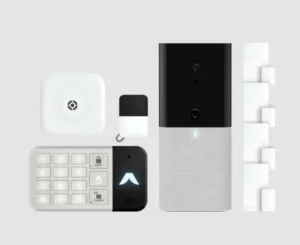
🚨 The SafeWise x Abode 12-Piece Smart Security Kit is here—expert-approved, packed with essentials, and only $249.99. Your DIY smart home starts now 👉 Get the details!

  • Handpicked by SafeWise experts
  • Smart home ready (Apple HomeKit compatible)
  • Self-monitor option
  • Best equipment price
  • Available now

Compare Abode to other home security companies

Brand
Self-monitoring option
Monthly cost Icon Tooltip  Dark
Starter equipment price
Break-in deterrent(s) Icon Tooltip  Dark
Smart home compatibility Icon Tooltip  Dark
Learn more
Icon No  LightNo
$0.00Smart AI detection, Live agent intervention, Motion-sensor floodlight camera with two-way talkGoogle,
Z-Wave
Icon Yes  LightYes
~$250AI detection, Live agent intervention, Siren, Cameras with two-way talkAmazon,
Google
Icon No  LightNo
~$200.00Smart Deter lurker detection, Lights, Sounds, Motion-sensor floodlight camera with two-way talk Amazon,
Google,
Z-Wave
Icon No  LightNo
~$300Motion-sensor floodlight camera with two-way talkAmazon, Google
Icon Yes  LightYes
~$200Live agent intervention, Lights, Siren, Motion-sensor floodlight cameras with two-way talkAmazon, Z-Wave
Icon Yes  LightYes
~$75AI-powered alerts, Cameras with two-way talkAmazon, Google, Apple, Z-Wave, Zigbee
Icon No  LightNo
~$400†AI-powered alerts, Lights, Siren, Cameras with two-way talkAmazon, Google, Z-Wave

Amazon.com price as of post date. Offers and availability may vary by location and are subject to change. Read full disclaimer. *ADT $28.99 for landline system only. Full ADT disclaimer  Frontpoint's starter equipment package, valued at $386.93, starts at $69 with an optional contract.

Not every system lets you skip the monthly monitoring contract. SimpliSafe, Ring Alarm, and Abode all offer self-monitoring, meaning you can watch your own cameras and respond to alerts without paying for a professional monitoring service. ADT Shield, Vivint, Cove, and Frontpoint don't give you that option — you're locked into professional monitoring if you want the system to actually do anything when something happens.

It's safe to say Frontpoint sits at the top of the price range, while Cove and Ring Alarm land at the more affordable end. ADT Shield and Abode are priced close to each other, and Vivint and SimpliSafe fall somewhere in the middle. If budget is your main driver, start your comparison with the cheaper options and work up from there based on features.

Starter equipment costs tell a different story
Here's where it gets interesting: ADT Shield doesn't charge anything for starter equipment, which makes it stand out immediately. Abode also keeps equipment costs low. On the other end, Frontpoint's starter equipment is the priciest of the bunch, with Cove following not far behind. SimpliSafe and Vivint land somewhere in the middle.

ADT Shield and Vivint bring some of the more advanced tech, including smart AI or lurker detection paired with live agent intervention — meaning an actual person can talk to someone on your property in real time.

SimpliSafe and Ring Alarm also include live agent intervention, plus sirens and two-way talk cameras.
Frontpoint and Abode lean on AI-powered alerts and two-way talk cameras, though Frontpoint adds lights and a siren to the mix.
Cove keeps it simple with just a motion-sensor floodlight camera and two-way talk — no live agent backup, no extra sirens or lights.

If deterring an actual break-in in progress matters most to you, the live agent intervention feature is worth weighing heavily. Abode wins this category by a wide margin, working with Amazon, Google, Apple, Z-Wave, and Zigbee. That's basically every major smart home ecosystem in one system.

Vivint and Frontpoint both cover Amazon, Google, and Z-Wave. SimpliSafe sticks to Amazon and Google. Ring Alarm pairs with Amazon and Z-Wave but skips Google. Cove also covers Amazon and Google. ADT Shield is the most limited here, only working with Google and Z-Wave — no Amazon Alexa compatibility, which might be a dealbreaker if your house is already full of Echo devices.

If you want flexibility and don't mind paying a bit more on the equipment side, SimpliSafe or Ring Alarm give you self-monitoring plus solid deterrent features. If smart home integration is non-negotiable, Abode is the clear standout. And if you want the most aggressive deterrent tech and don't mind professional monitoring, ADT Shield or Vivint are worth a closer look.


 

Abode equipment

To get started with Abode, you'll need to choose a base station, or what Abode calls a hub. Abode has three hubs: the Abode Security Hub, Smart Security Hub, and the Iota.
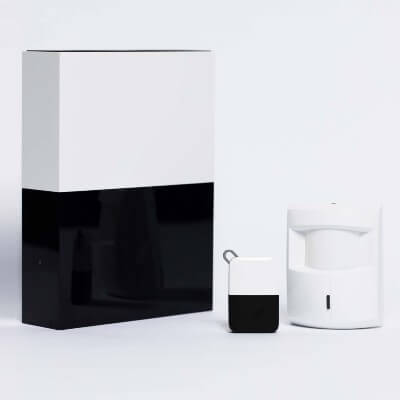
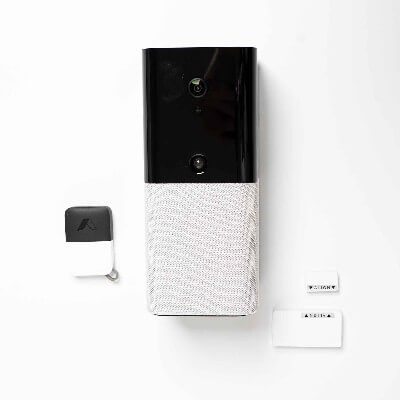
Abode Starter Kit

Abode Gen 2 Gateway plus a key fob and motion sensor. Image: SafeWise

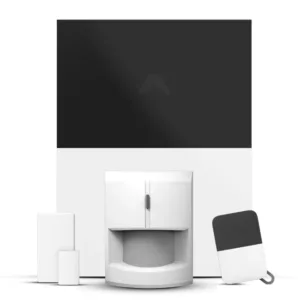
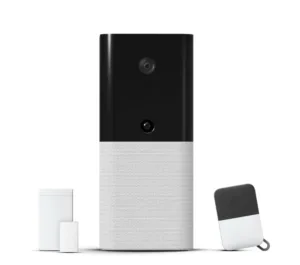
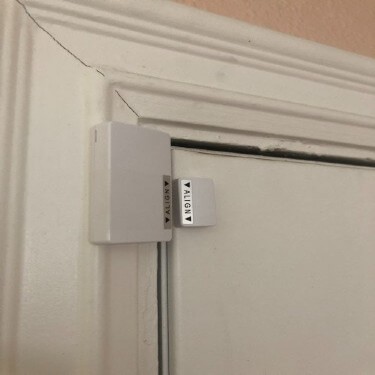
Abode Iota Gateway plus a key fob and entry sensor. Image: SafeWise

The Abode Security Hub is a standard security system "brain." This hub doesn't work with HomeKit, and is pretty basic.

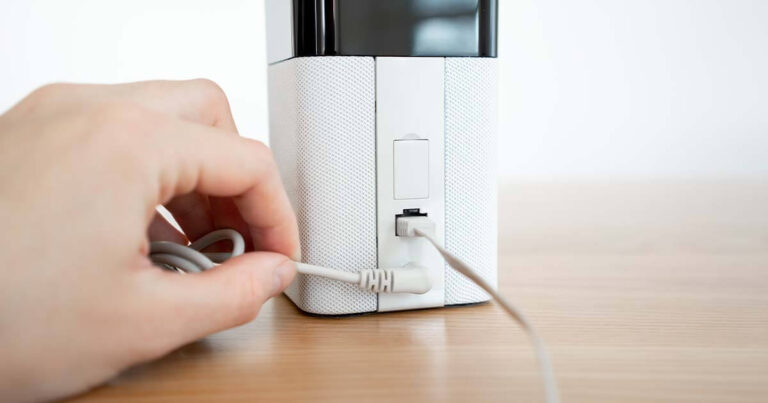
The Iota is more sophisticated because it also includes a camera, motion sensor, HomeKit compatibility, and two-way audio. Both connect to the internet through an Ethernet cable (included) and plug into a standard wall outlet. 

The Smart Security Hub works with Alexa, Google Assistant, and Apple HomeKit. It also acts as a base for your smart home to control more than just your security system.

Each Abode hub comes with an entry sensor and a key fob. From there, you can pick and choose other sensors and cameras to add to the system. But we recommend browsing through Abode's equipment bundles—you'll save money and get a free month of pro monitoring.


Compare Abode security bundles

Bundle
Equipment price
Hub
Mini door/window sensors
Motion sensor
Keypad
Camera
Other devices
Abode Security Hub
Icon Yes  Light1
Icon No  Light0
Icon No  Light0
Icon No  Light0
N/A
Abode Smart Security Hub
Icon Yes  Light1
Icon Yes  Light1
Icon No  Light0
Icon No  Light0
Key fob
Iota Security Hub
Icon Yes  Light1
Icon Yes  Light1
Icon No  Light0
Icon No  Light0
Key fob
Abode Security Hub
Icon Yes  Light8
Icon Yes  Light2
Icon Yes  Light1
Icon No  Light0
1 Acoustic glass break sensor
Smart Security Hub
Icon Yes  Light6
Icon Yes  Light2
Icon Yes  Light1
Icon No  Light0
Acoustic glass break sensor
Iota
Icon Yes  Light4
Icon Yes  LightIn Iota
Icon Yes  Light1
Icon Yes  LightIn Iota
Acoustic glass break sensor

Info current as of post date. Offers and availability may vary by location and are subject to change.

Video: Abode Iota review

Play Video

Subscribe to our YouTube channel and learn how to protect your home, loved ones, and belongings.


Abode accessories

Compared to other security brands, Abode has an impressive selection of sensors. For example, you can choose from two kinds of glass break sensors, two motion sensors (not including the one inside the Iota hub), three kinds of entry sensors, two extra sirens, a smart plug, and smart lightbulbs. Plus, there's an "alarm listener" that activates the security system if your standard smoke alarm or carbon monoxide detector goes off.

Of course, there are some standard items that are found in competitors' packages too, like a water leak sensor, panic pendant, key fob, and a keypad.

Abode even has three security cameras. One for indoor/outdoors, one for just outdoors, and a doorbell camera, so you're covered everywhere.

And that's just the equipment available directly from Abode. Your options expand considerably thanks to Abode's generous third-party compatibility. Learn more in our guide to Abode-compatible equipment

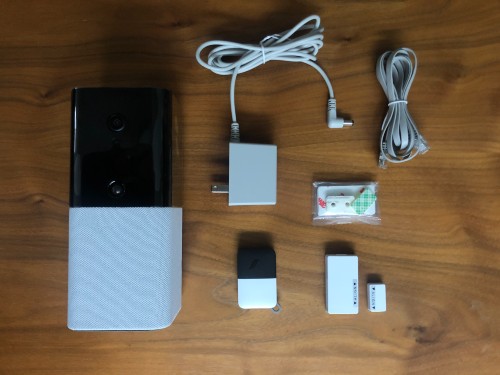
What's in the box

In addition to the security equipment included in each kit or bundle, you'll receive these accessories:

  • Mounting hardware (if applicable)
  • Power adapter
  • Ethernet cable
  • 4 GHz SIM card
  • Activation code
  • Pairing guide
An overview photo of all the equipment included with the Abode Iota.

Image: SafeWise

Abode setup and installation

Abode's equipment setup follows the usual DIY security system installation process—connect the system to your home Wi-Fi, then pair the sensors and other accessories. Each kit comes with a simple pairing guide to help you connect all the devices.

Once the devices are paired, apply the provided sticky backing to each component and place it appropriately. Learn more about installing entry sensors and placing motion detectors around your home.

The multifunctional Iota cuts down on extra equipment and setup time because it has both a built-in camera and motion detector. But this design works best in small spaces—you don't typically need both a motion detector and a camera covering the same field of view. You'd get more coverage if these devices were separated.

Our Abode testing experience

Screenshot: Katie McEntire, SafeWise

We've tested both Abode gateways multiple times over the years, and we can sum up our experiences in one word: glitchy. 

Some setup hiccups

Installing Abode should be easy, but the Abode app was touch-and-go when we set up a system ourselves. We couldn't immediately confirm that the sensors paired properly because the screen froze. But the devices successfully connected to the hub nonetheless.

That said, sometimes Abode sets up without a hitch. It may just depend on whether your phone or the app is due for an update. In our experience, having new equipment vs. older second-hand equipment also makes a difference.

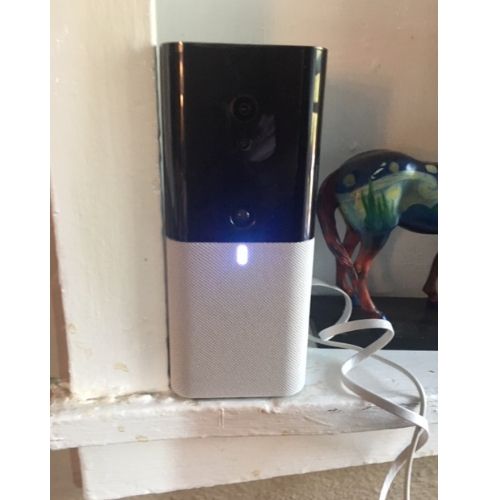
Abode iota system

Image: Katie McEntire, SafeWise

Image: Celeste Tholen, SafeWise

Iota camera footage looks good

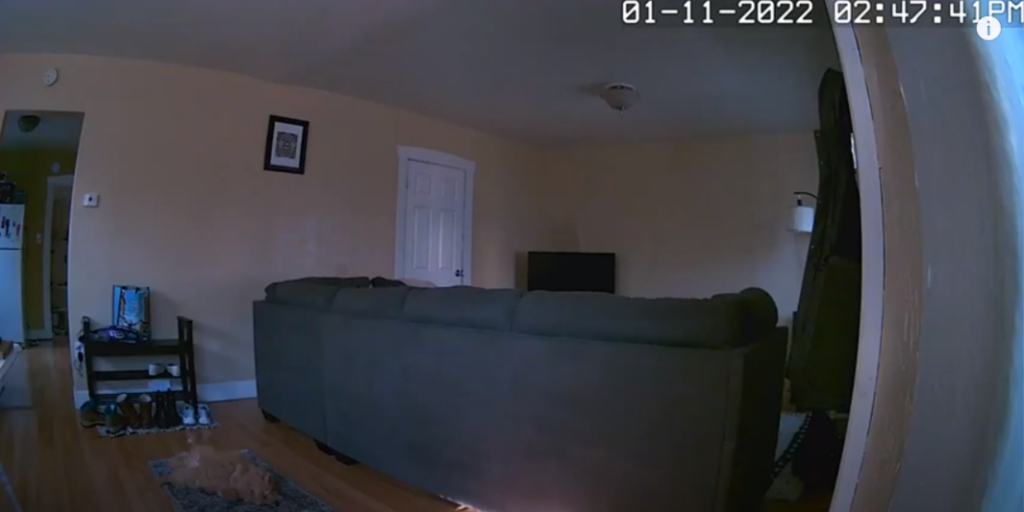
The Iota’s camera can shoot in 720p or 1080p and looks good on most settings. The night vision is decent too. We were able to watch Toki the cat wander around at night from where we set the camera. 

Speaking of pets, be sure to lower the motion sensor sensitivity if you have any critters at home. Toki the cat weighs around 15 pounds and managed to set off the alarm several times during our tests. Learn more about preventing pets from triggering false alarms.

Image: Katie McEntire, SafeWise

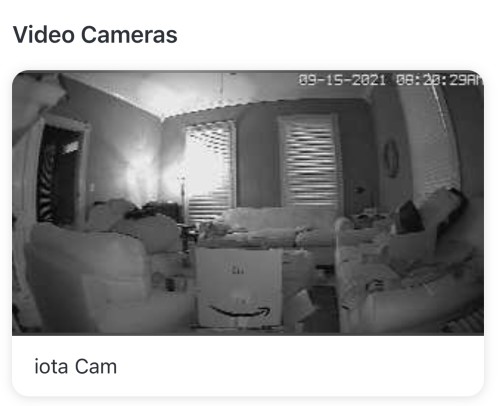
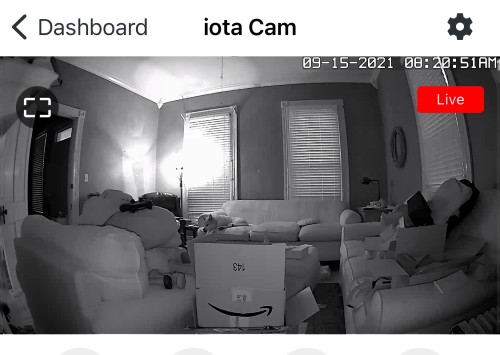
Here are screenshots from one of our other testers. The image on the left shows the live footage preview, which is grainier than the true live stream shown at right. 

A screenshot of the Abode Iota Cam in preview mode, overlooking home security and safety expert Cathy Habas' living room during testing.

Screenshots: Cathy Habas, SafeWise

A screenshot of the Abode Iota Cam in live mode, overlooking home security and safety expert Cathy Habas' living room during testing.

Abode’s two-way speaker needs improvement, though. The sound quality is muddy and creates feedback if the microphone is too loud, so expect to finetune the settings once you install the system.

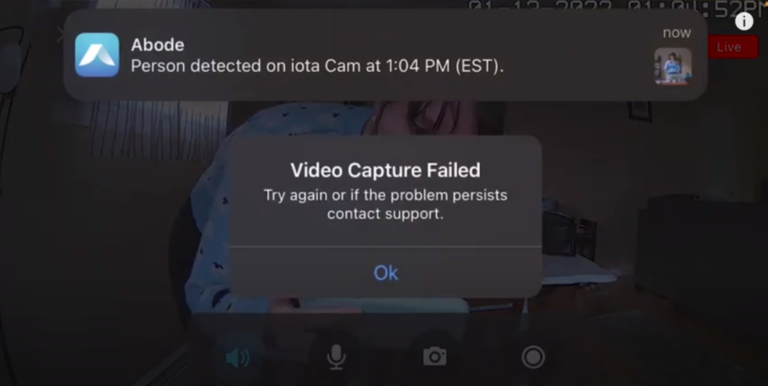
We also ran into trouble with the Iota's live recording feature. It uses a spinning icon to indicate that it's recording, but it's easy to mistake this for a "loading" icon instead. Plus, sometimes the video recording wasn't captured at all. That's definitely a problem. 

Checklist
Testing the Abode Cam 2

While the Abode Cam 2 is sold separately, we still wanted to test it. Check out our video and our full review on Abode's standalone 1080p camera

Abode app

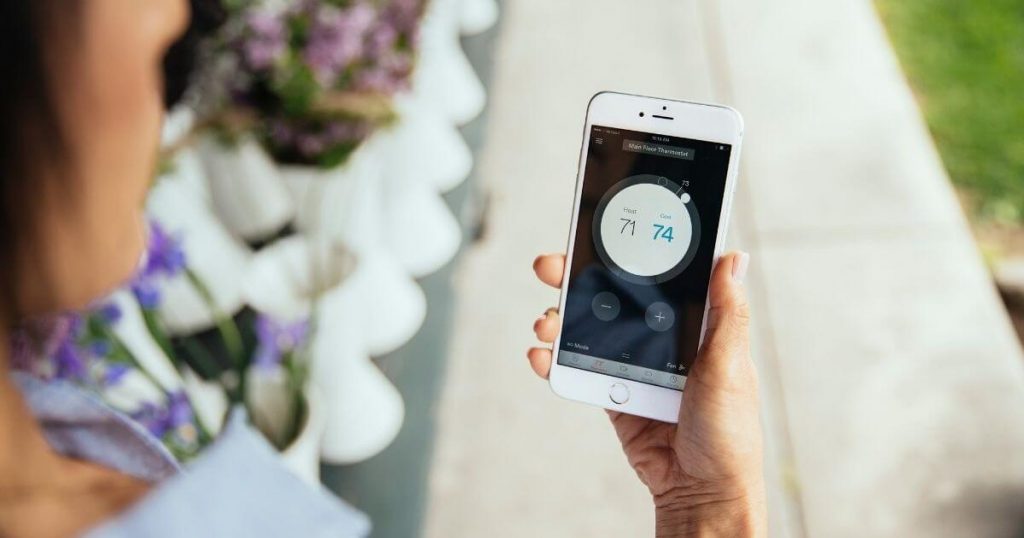
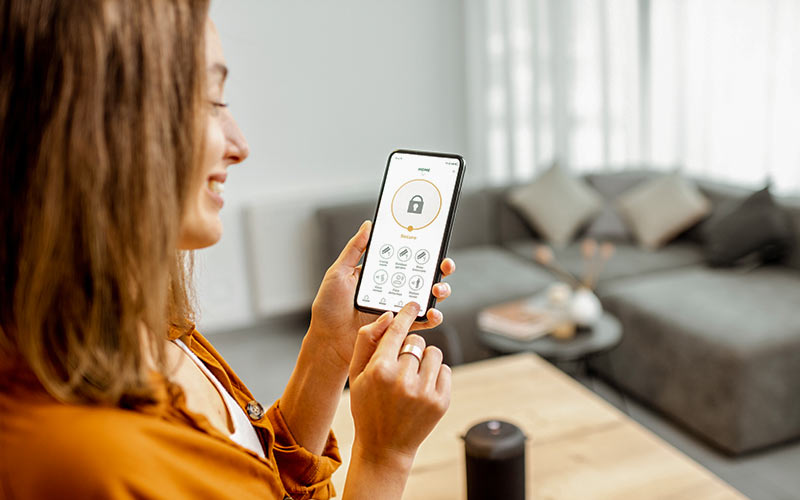
Whether you go with the Gen 2 Gateway or Iota, you can monitor and control your system directly through the Abode mobile app. From here, you can arm and disarm the system and watch live video feed.

During our initial tests, we experienced limited abilities when it came to adjusting settings or creating automations. But since we last gave Abode a test run, the company has completely revamped and updated the Abode app.

Here are a few of the things we like about Abode's app upgrade:

  • Native integration for iOS and Android for easy use across different devices (phone, tablet, etc.)
  • Streamlined customer interface
  • Customized quick actions screen
  • In-app panic alarms
  • Account controls to update passwords and other settings
  • Timeline filtering by sensor, camera, or other device

Abode smart home integrations and compatibility

Screenshot: SafeWise

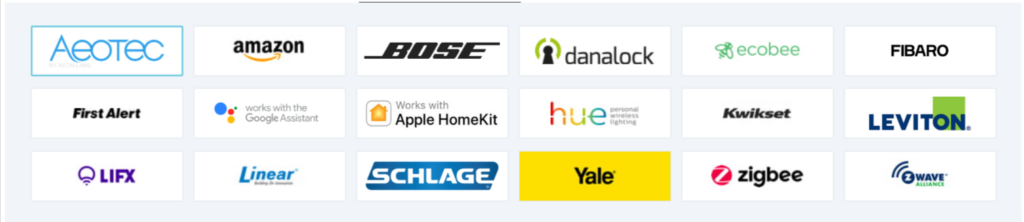
Both Abode hubs are compatible with loads of smart home devices:

And that's not even a full list. All in all, you can connect up to 160 smart devices like light dimmers and smart outlets to your Abode system. For the price, that’s a lot of smart home.

Abode automations

If you subscribe to the Standard or Pro plan, you can use the Abode app, the CUE platform, or the IFTTT platform to program custom automations into your system. Automations are cause-and-effect commands that tell Abode what to do and when to do it, simplifying your daily routine. Set Abode to disarm when you get home, turn on lights when you’re gone, or capture video clips when the door opens.

The more components you add to your system, the more creative you can get with your automations. You can sync your Nest thermostat, Amazon Alexa, Google Home, Apple HomePod, and other smart home devices with your Abode to create an entire automated home routine that runs on its own.

Video: Setting up an Abode automation

Play Video

Subscribe to our YouTube channel and learn how to protect your home, loved ones, and belongings.

Abode customer support channels

The instructions included in the Abode box are minimal, but we were able to find plenty of help and resources online when questions came up. The extensive article database is a useful resource for Abode customers. We found everything we needed from this archive during our tests. The database is searchable, so it’s easy to find the answer without ever picking up the phone.

If you do have questions, email, chat, and phone support are available. Email [email protected] or call +1 (650) 383-1901. 

Customer service experiences

We had some questions about camera specs and cancellation fees and used the phone and chat lines. We found all reps to be friendly and prompt. In fact, we were surprised we didn't have to wait on hold to speak to someone, which meant it was actually faster to call than to use the chat box.

However, we've read some complaints from users that Abode customer service reps tend to drop the ball on bigger issues. You may have to be a squeaky wheel to make sure you get an answer—and that's never fun.

Abode FAQ

Yes, the Abode systems come with an Ethernet cable that you can connect directly into your router, giving them access to the internet and other smart home devices without connecting to Wi-Fi. 

Yes, the Abode Iota has a 93 db siren. We tested it and can confirm that it's loud. 

Yes, Abode's Gen 2 Gateway and Iota come with a 4G SIM card for cellular backup. But you have to pay for the $24.99/mo. Pro plan to activate cellular backup.

Abode uses Rapid Response for monitoring in the US.

Yes, you can use Abode without a monthly subscription. A free Abode plan doesn’t offer automations, video storage, cellular backup, or professional monitoring, among other perks.

Abode equipment does not automatically call the police. If you pay for the Pro monitoring service, an alarm monitoring specialist will call you first to make sure it’s not a false alarm. Then, they’ll call first responders.

Abode is available throughout the US, Canada, Mexico, and the UK. Because Abode connects to the internet via an Ethernet cable, it works well in rural areas where Wi-Fi or cell signals might be weak.

You don’t have to sign a contract to use Abode. They offer professional monitoring on demand, so you can have someone keep an eye on your home for just a few days. Many customers pay on a month-to-month schedule.

Yes, Abode service is transferable to a new owner. Contact Abode customer service at +1-650-443-7834 to disconnect an Abode system. Then have the new owners call for a service connection. You can also find transfer request forms on Abode's website.

Yes, Abode equipment is extremely portable and perfect for renters. Just call Abode customer service to change your address in the system.

No, Abode doesn’t work without internet. The hubs need to be connected to the internet at all times. If you subscribe to Abode’s Pro plan, your system will use 4G cellular data as a backup connection. 

You can pair several camera brands with Abode through IFTTT:

Abode sells its own cameras. Read our full Abode cameras review for full details.

According to Abode, you need upload speeds of at least 0.5 Mbps per video device. So if you have two cameras, you need an upload speed of 1 Mbps—and that's on top of requirements for any other devices connected to your home network.

Don't know your internet speed?
Download this free internet speed test on the App Store or Google Play.

Abode cameras record only if you subscribe to Standard or Pro monitoring plans. If you go the free route, you’re limited to live footage.

The Abode key fob allows you to arm and disarm the system with a push of a button instead of entering a PIN on the keypad. You must be within 100 feet of your Abode hub for the key fob to work.

The key fob features four buttons:

  • Away/arm: small dot in the upper left corner
  • Disarm: X in the lower left corner
  • Home: large circle in the upper right corner
  • Panic: plus sign in the lower right corner

To use any of the buttons, press and hold until the red LED indicator light turns off. If the key fob never lights up, it may need a new battery. Pull the grey bottom away from the white top to access the Lithium Cell CR2032 battery.

You own your Abode home security system.

Yes, Abode offers equipment financing through the Bread platform.

The Abode Cam 2 doesn't use batteries. It must be plugged in with the included USB wall adapter. 

The backup battery on the Abode Iota lasts five hours.

Abode is compatible with over 160 devices, including Google Assistant, Amazon Alexa, Apple HomeKit, Z-wave, and Zigbee. The IFTTT platform opens up even more compatibility options, allowing Abode to work with Samsung SmartThings, cameras like Nest, Blink, and Wyze, and services like Noonlight.

Start by plugging in the Abode Iota or Gateway and connecting it to your modem with the provided Ethernet cable. Make sure the backup battery button is in the “on” position.

Next, download the Abode app on the Apple App Store or Google Play store. Create a new account and enter your device’s activation code when prompted.

The app will walk you through the rest of the setup process.

In the Abode app, tap Settings and then Gateway Internet Connection. Toggle the Wi-Fi Connection button and select your network. Enter the network password when prompted.

Note: Only the Iota hub connects to Wi-Fi.

In the Abode app, tap Settings, then Integrations, and finally Apple HomeKit. Write down the pairing code that appears on the screen.

Navigate to the HomeKit app. Tap the plus sign in the upper right corner and select Add Accessory. Next, select “I don’t have a code or cannot scan.” Under the Manual Code heading, tap Enter Code.

Input the pairing code to finish connecting HomeKit to Abode.

Abode’s Home mode only arms “perimeter” devices like door and window sensors. Indoor devices—like motion sensors or an indoor camera—stay disarmed in Home mode so that you can move around without triggering an alarm.

Disarm Abode through any of these methods:

  • Enter the 4-digit PIN on the keypad.
  • Press and hold the X on the lower-left corner of the key fob until the indicator light disappears.
  • Swipe toward the disarm symbol on the Abode app.

If you subscribe to the Pro plan, you can also set up automations that disarm Abode in certain conditions. For example, Abode can disarm automatically when your phone enters a geofenced area. In everyday terms, the system would disarm when you come home.

Yes, Abode has a mobile app that allows you to view live video footage, set up integrations, and arm/disarm the system. Only Pro plan subscribers can access all app features, such as automations, an event timeline, or stored video footage.

Abode is better for renters, whereas Vivint offers a better done-for-you experience. With that said, we consider Vivint the best home security system overall.

They’re both a good choice for renters, but Abode offers way more integrations and equipment. Learn more in our full Abode vs. Ring comparison.

SimpliSafe is one of our top picks for best home security systems and DIY security systems. But if you want to create an integrated smart home, choose Abode.

Still on the fence? We break down the similarities and differences in our Abode vs. SimpliSafe comparison.

Abode’s strength lies in its superior integrations and automations. Abode’s monthly plans are also slightly more affordable than Cove’s.

Read answers to more Abode FAQs.

How we reviewed Abode

Image: SafeWise

For our Abode security review, we took the Iota home to learn more about it firsthand. Then we passed the system around to our team members for four rounds of testing to date.

A few of our tests included setting up “CUE” and Quick Actions automation and triggering the alarm through the sensors and camera. We also watched Toki in the living room all day through the live feed while we were in the office.

We also researched customer reviews and Abode’s support site, plus used our hands-on experience with other security systems to put Abode's offerings into perspective.

To learn more about how we test systems and set standards at SafeWise, read our full methodology.

Final word

The price, size, and features make Abode fitting for renters, college students, or anyone in a small home who wants smart home control as well as security.

Neither Abode starter kit comes with a ton of sensors, so you’ll need to purchase extras if you live in a larger space. Abode isn’t perfect (especially its two-way audio quality). But you get a reliable home security system and an unbeatable headstart for growing your smart home network.

Contributing writers: Rebecca Edwards and Katie McEntire.

Cathy Habas
Written by
With over 12 years of experience as a content writer, Cathy has a knack for untangling complex information. Her natural curiosity and ability to empathize help Cathy offer insightful, friendly advice. She believes in empowering readers who may not feel confident about a purchase, project, or topic. Cathy earned her Bachelor of Arts degree in English from Indiana University Southeast and began her professional writing career immediately after graduation. She has focused on family safety, home guides, and health content since 2021 and earned a gerontology certificate to learn more about the medical side of senior safety. Over the years, Cathy has contributed to sites like SELF.com, SingleCare, My Health Teams, Safety.com, Reviews.com, Hunker, Popular Living, and Thumbtack.

Recent Articles

dangerous apps for kids
Dangerous Apps for Kids: What Parents Need to Know in 2026
Dangerous apps for kids include ones you’ve heard of (TikTok, Instagram) and some new arrivals....
Map showing location pins for the city in each state with the highest burglary rate.
The Most Burglarized City in Every State
We found the most-burglarized city in every state — it looks like burglars are equal...
Ring Alarm security system unboxed.
Ring Security vs. Frontpoint
Frontpoint is our pick in this DIY security system matchup. Its starter package is more...
Technician installing a smoke alarm
Best Smoke Detectors of 2026
We reviewed the top fire and smoke alarms for your home in 2026. Protect your...