GetSafe Medical Alert Review

Despite a recent price hike, GetSafe's still an affordable medical alert — not to mention effective.
Affordable medical alert system
Get Safe
4.5 out of 5 stars
4.5
Starts at$29.95/mo
  • pro
    Voice-activated button
  • pro
    Flat monthly fee for all plans
  • con
    Upfront equipment fee
Why you can trust SafeWise
products considered
250+
research hours in 25+ in-home tests
10k+
years of combined experience
176+
homes and people protected
10M+

For over 13 years, SafeWise experts have conducted independent research and testing to write unbiased, human reviews (not robots). Learn more.

Cathy Habas
Emily Breaux
Jun 11, 2026
Icon Time To Read10 min read

Cathy and Emily are some of the internet's most knowledgeable voices in senior safety tech. Each holds a certificate in gerontology, and they have 9 years of combined experience testing, researching, and reviewing medical alert systems. Both have covered aging and wellness in major publications.

GetSafe medical alert systems are self-installed, streamlined, and affordable. It takes only a few minutes to set up a GetSafe system, and its monitoring professionals are polite and responsive.

While you do need to pay an initial equipment fee for a GetSafe medical alert system, the professional monitoring service is the same from package to package. So whether you’re opting for the smallest or largest kit, it’s $29.95 every month after that.

pro
Pros
pro Flat monthly fee
pro Voice-activation in all plans
pro Non-wearable options
pro 30-day risk-free trial
pro Generous starter plan
con
Cons
con Up-front equipment cost
con No landline option

Video: Everything to Know About GetSafe Medical Alert

Play Video

Subscribe to our YouTube channel and learn how to protect your home, loved ones, and belongings.


What does GetSafe do?

GetSafe is a medical alert system that connects to a 24/7 monitoring center using wall buttons placed throughout the home. Instead of relying on a button worn around your neck or wrist, you can call for help via wall buttons by using your voice, pulling a string, or pushing a button.

The buttons connect to the main base unit, and the professional monitoring center agent speaks with you through the unit’s two-way speaker. The agent dispatches emergency responders, caregivers, or both, depending on the situation.  

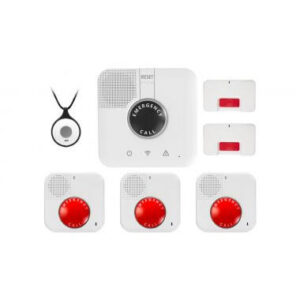
GetSafe has three packages designed for 0–1 bedroom, 2–3 bedroom, and 4–5 bedroom homes, but you can add extra wall buttons and other accessories to customize your package.

 The brand offers: 

  • Monitoring in and around the home 
  • Wall buttons and pendants 
  • Optional fall detection 

GetSafe no longer sells a mobile system. If you’re looking for coverage outside your home, check out our favorite on-the-go medical alert systems.

Is GetSafe reliable? Can I trust it to keep me safe?

Yes, GetSafe is a reliable medical alert system with impressive voice activation features. Our voice-activated wall button had no issues picking up our voice and calling the monitoring center when we said the wake word (“Call 911, Call 911”), and setup was simple. 

Every time we placed a call, the monitoring center answered in less than 30 seconds — which is pretty fast. GetSafe’s average 28-second response time is the quickest of all the brands we’ve tested.

When one of our test calls dropped, GetSafe sent emergency responders to our home to make sure we were safe. Although we wish the call hadn't dropped in the first place, we appreciated the follow-up. This is the kind of peace of mind we want with a medical alert system.

Our GetSafe testing experience

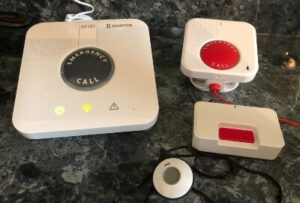
The GetSafe medical alert system setup in tester Cathy Habas's home.

Image: Cathy Habas, SafeWise

We conducted hands-on testing with the GetSafe base station, voice-activated wall button, standard wall button, and in-home wearable button. Here are our main takeaways.

  • Setup is very easy: plug in the base station and flip a switch. 
  • Pairing accessories is also easy: press and hold a button on the side of the base station and then press the accessory button.
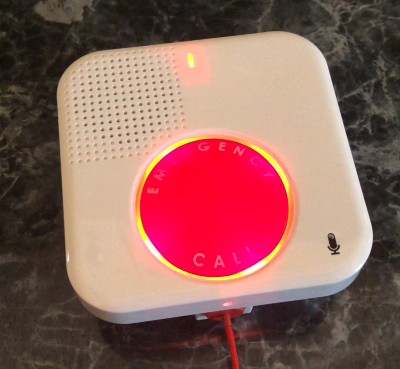
The GetSafe voice-activated wall button's status light blinks red during one of senior safety expert Cathy Habas's test calls.

Image: Cathy Habas, SafeWise

  • Canceling an active alarm didn't work for us. The instruction manual says to press the Reset button on the base station to cancel an active alarm. We followed those directions but still ended up talking to someone from the monitoring center. Fortunately, there's no penalty for a false alarm.
  • Using the voice activation device was a breeze. You just have to say "Call 911" twice. We wish the status light would blink every time it recognized what we said, but that's a nit-pick. 
  • Audio quality was better on the base station than on the voice-activated unit, which sounded a bit fuzzy. 
  • Likewise, the volume on the base station was louder than the volume on the voice-activated unit. There are no volume controls on either device.
  • The professional monitors quickly answered our calls. In fact, they were the speediest responders of all the medical alert brands we tested, answering our calls in an average of 28 seconds.

How much does GetSafe cost?

GetSafe packages all have the same monthly price, but equipment fees vary. Your final cost will depend on the the package and add-on features you select. Most add-on accessories cost a one-time fee instead of increasing your monthly fee, making GetSafe one of the more affordable medical alert systems

  • Device cost: $79 to $307
  • Monitoring fees paid monthly: $29.95, without any add-ons
  • Monitoring fees paid quarterly: $89.85, without any add-ons
  • Monitoring fees paid annually: $359.40, without any add-ons
  • Shipping: $12 

While some brands offer a slight discount for quarterly or annual payments, GetSafe’s monitoring fee is the same whether you pay monthly, quarterly, or annually.

You’ll spend about $360 the first year without adding any optional features or accessories. If you decide to buy optional add-ons, your GetSafe subscription could reach up to $65 per month and your one-time equipment fee may be about $250 to $500+, depending on the type and how many accessories you choose.  

Compare the cost of GetSafe packages

Package name
Equipment cost
Monthly cost
Home size
Standard wall button
Voice-activated wall button
Learn more
$79
0-1 bedroomsNone1
$193
2-3 bedrooms12
$307
4+ bedrooms23

Info as of post date. Offers and availability subject to change.

Add-on prices and compatibility

Add-on
Monthly fee
One-time fee
Equipment compatibility
Description
Automatic fall detection$30.00All packagesThe device automatically calls the monitoring center when it thinks you’ve fallen.
Voice-activated wall buttons$79.00All packagesWall buttons that call the monitoring center when you say "Call 911" twice or pull a string.
Standard wall buttons$35.00All packages
Wall buttons that call the monitoring center when pressed.
Extra wearable button$30.00All packagesHelp button necklace that connects to the base station.
Lockbox$30.00All packagesStores a key outside the home; monitoring center agent will pass the code to emergency responders to enter.
Protection plan$0.00All packagesCovers one free base station replacement per year and 50% off accessory replacements if lost, stolen, or damaged.

Info as of post date. Offers and availability subject to change.

Other GetSafe fees

GetSafe doesn't charge cancellation or restocking fees when you cancel your subscription and return your device. 

How does GetSafe compare to other medical alert brands?

GetSafe has a fairly low starting monthly price compared to most brands. Many cellular at-home systems start at $35/mo. to $40/mo., while GetSafe’s base rate for all three packages is $30/mo. The highest costs are the one-time equipment fees. 

Let’s do side-by-side comparisons of GetSafe against other popular at-home systems with optional wall buttons. Keep in mind that these competitors only offer standard wall buttons, not voice-activated buttons like GetSafe.  

  • MobileHelp Classic Cellular has a lower starting monthly price at $25/mo. and no equipment fee. Wall buttons are available for an extra $3/mo. 
  • Bay Alarm Medical SOS Home is higher at $35/mo. but doesn't include a hefty equipment fee. Wall buttons are available for $35 each. 
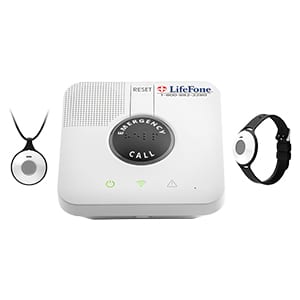
  • LifeFone At-Home Cellular also starts at $35/mo. and doesn’t charge an equipment fee, but wall buttons are slightly higher at $40 each. 
  • Medical Guardian MGHome Cellular starts at $39/mo. and has a $150 equipment fee. Both the monthly price and equipment fee are higher than GetSafe’s Starter package. Wall buttons can be added on for $3/mo. each.

If voice-activated buttons aren’t a priority, the MobileHelp Classic Cellular plus two wall buttons is the same monthly cost as the GetSafe Starter package without the high equipment fee. Overall, GetSafe is a better monthly deal for a hands-free at-home system than Bay Alarm Medical, LifeFone, and Medical Guardian. 

Aloe Care Health is another hands-free medical alert system. Unlike GetSafe, Aloe Care has extensive caregiver features like two-way calling, activity monitoring, temperature and air quality sensors, and a robust caregiver app to keep multiple caregivers in the loop. But the brand doesn't offer wall buttons or in-home fall detection, giving GetSafe the leg up on hands-free monitoring throughout the entire home. 

GetSafe vs. Bay Alarm Medical

Image: SafeWise, Cathy Habas

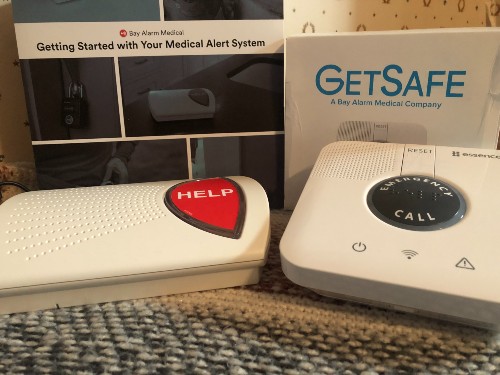
Bay Alarm Medical owns the GetSafe brand, but these medical alert systems are very different: Bay Alarm Medical offers a traditional medical alert experience with a pendant and base unit, whereas GetSafe’s voice-activated equipment caters to people who don’t want to wear a help button.

After testing both medical alert systems, we think Bay Alarm Medical is the best choice overall, even though GetSafe is better for couples and large homes.

pro
Similarities
pro Wall buttons
pro $10/mo. at-home fall detection
pro Free trial period
pro No contracts
con
Differences
con Voice activation with GetSafe
con Up to 16 buttons available for GetSafe
con No mobile systems with GetSafe
con Landline options available with Bay Alarm Medical
  • If you’re looking for simple, more affordable medical alert systems, we recommend Bay Alarm Medical. The lowest monthly monitoring subscription is $27.95 (compared to GetSafe's $29.95), and Bay Alarm Medical's equipment costs less too.
  • If you want a truly non-wearable option, go with GetSafe. The brand's multiple button options can be placed throughout the home in place of wearing a traditional pendant. 

Compare GetSafe to other medical alert systems

Brand
Up-front cost
Month-to-month monitoring starts at
Refund policy
Monitoring certifications
Learn more
Read review
30-day money-back guaranteeFive Diamond, FM, UL
30-day risk-free trialFive Diamond, FM, UL, ESA
Prorated refundFive Diamond, FM, UL, ESA
30-day trial, prorated refundUL, FM, SIA

Info as of post date. Offers and availability subject to change.

A closer look at GetSafe products

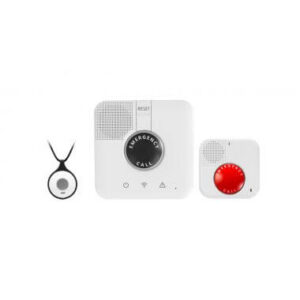
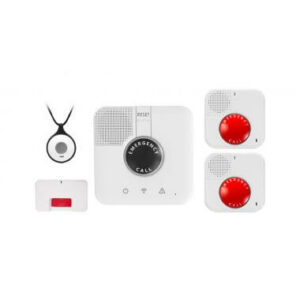
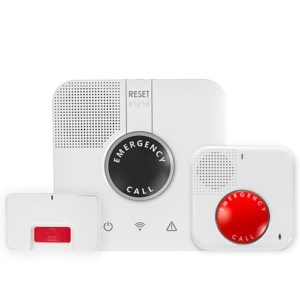
All GetSafe packages include a base station, wearable button, and at least one voice activated button. The packages are designed for various home sizes and can be customized with additional wall buttons and other accessories. 

Base station

The GetSafe base station uses a cellular connection — no landline required. It features a loud two-way speaker so you can clearly hear the monitoring center agents when you need help.

Place it in a central location in your home to ensure the standard wall button and optional wearable button stay within range. The GetSafe base station communicates with those accessories across a maximum of 1,300 feet.

Standard wall button 

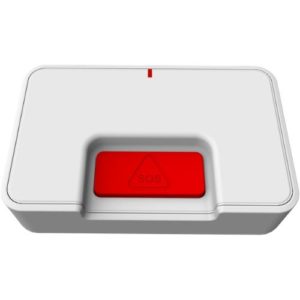
GetSafe Medical Alert wall button

Most medical alert systems offer a wall button. GetSafe’s button is waterproof and has a cellular connection to your base station so that you can install it anywhere in your home. Experts recommend placing wall buttons in areas like the base of your stairs or the shower. The bright red button is easy to see and recessed into the device to reduce false alarms.

Extra wall buttons cost $35.

Voice-activated wall button

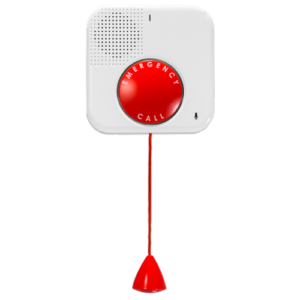
GetSafe voice activated emergency button

Like the name suggests, a voice-activated wall button lets you contact monitoring professionals by calling for help. This accessory can be a lifesaver, especially if you’ve fallen and can’t reach other medical alert buttons. But this particular device allows you to call for help three ways: say “Call 911, Call 911,” pull its cable, or press the button. It’s also waterproof and wireless, so you can place it anywhere in your home.

GetSafe is one of the few medical alert systems that includes a voice-enabled button in its starter kit. Most services consider this device an add-on, so we're impressed that it's included even in the most affordable plan.

Extra voice-activated buttons cost $79

Wearable lanyard button

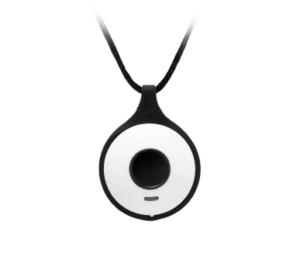
get safe medical alert pendant

GetSafe caters to people who don't want to wear a help button. Nonetheless, wearable pendants are a wise choice, ensuring that help is always within reach.

Just in case you come around to the idea of wearing a help button, GetSafe includes its lightweight lanyard button in every package. It connects to the base unit up to 800 feet away. 

You can upgrade your lanyard button to a fall detection pendant for $10/mo. plus a $30 one-time device fee. Additional standard buttons can be purchased for $30 each, and the battery lasts 5 years.

Vial of Life

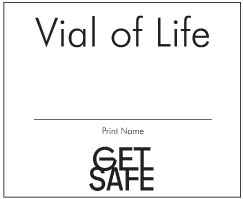
The Vial of Life is a small booklet enclosed in a protective plastic sheath. Fill out the health and emergency information on the inner pages to give emergency responders critical information about how to safely treat you.

It has a magnet on the back so you can stick it on the fridge. First responders know to look there for the Vial of Life. 

The Vial of Life is included with your purchase. 

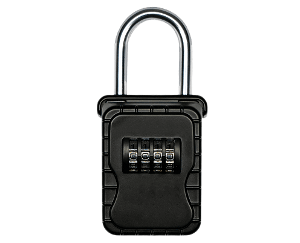
Lockbox

A lockbox holds a spare key to your home. The GetSafe monitors know the code and give it to first responders during an emergency. This saves precious time and also prevents damage to your door from forced entry.

GetSafe's lockbox costs $30. Tell GetSafe what you'd like the code to be, and they'll pre-program it for you.

Does GetSafe have good customer service?

We were pleased with GetSafe’s responsive, knowledgeable customer service representatives, and many reviewers agree. GetSafe has a high 4.7 average star rating based on 300+ reviews between Trustpilot and Google Reviews, with most reviewers praising the brand’s hands-on, helpful customer service team.

Multiple reviews mention customer service reps walking customers through device setup, troubleshooting, and simply being available to answer questions. Other reviewers were pleased with their buying experience and sales representatives. 

The few negative reviews we encountered mentioned issues canceling the service or struggling to get in touch with the company after canceling.  

GetSafe has several resources if you need assistance or have questions. The website offers a live chat feature that puts you in touch with a customer representative. Even if a live representative isn’t available, you can leave a message and they’ll get back to you. We received an email response answering our questions within 15 minutes after leaving a message! You can also speak to a customer rep on the phone. And there's an FAQ and support section on the site.

The customer service that matters most is GetSafe’s emergency response. When you press an emergency button, you’ll get a quick response from one of GetSafe’s monitoring professionals. These pros are polite, responsive, and helpful.

It’s essential to have a reassuring voice on the other line in an emergency, and that’s precisely what GetSafe provides with medical alert and home security services. We also confirmed with a customer service representative that multilingual support is available during an emergency for those who need it.


GetSafe FAQ

Yes, both the wall buttons and wearables are waterproof. Slippery surfaces in showers and bathtubs can lead to falls and accidents, so it’s especially important to have some source of help.

It’s understandable to budget your cash, but falls are a serious threat to seniors of all activity levels. Most medical alert systems, including GetSafe, charge $10 per month for devices that can sense a fall. These sensors call for help if they detect sudden changes in height, speed, and pressure that resemble a real fall.

Your base unit and its accessories are tied to your home address, so when you call for help, the monitoring professionals will send emergency responders to your home.

Traditionally, medical alert and home security systems connect to monitoring centers through your home’s landline. While you can still find a system that uses your home phone connection, cellular monitoring has become popular in recent years.

Cellular monitoring uses radio signals to connect your devices. You won’t have to worry about your medical alert system affecting your cellphone bill. They run separately from your home or personal phone line. Systems like this allow you to place sensors and buttons anywhere in your home, making it ideal for active adults or anyone in a larger house.

How we reviewed GetSafe 

The GetSafe medical alert system setup in tester Cathy Habas's home.

Image: Cathy Habas, SafeWise

We tested GetSafe's medical alert equipment hands-on. We also dove deep into the world of medical alert systems such as GetSafe, Life Alert, Bay Alarm Medical, and more.

During this process, we compared prices, equipment features, and customer service reviews to learn more about them. We combed through GetSafe’s instruction manuals and product lists, as well as dozens of positive and negative reviews from real customers. By comparing GetSafe to similar services, we got a better picture of who this service works best for and what to watch out for when shopping for a medical alert system.

Learn more about how we wrote this and other reviews by reading our full methodology.

Final word: GetSafe is an affordable option if you don’t want to wear a help button

GetSafe offers a nice alternative to those who may be resistant — or may forget —to wear a help button pendant. We were impressed with its easy setup, voice activation, and speedy response time. 

GetSafe also offers more equipment for your money than most medical alert systems. You get the standards like a base station and wearable alert button, but it also includes wall buttons (a major perk if you don’t like wearables).

We like the affordable flat rate for professional monitoring, and the folks you get on the other line are professional and helpful in an emergency. If the down payment for the equipment doesn’t bother you, GetSafe is worth a look.

Cathy Habas
Written by
With over 12 years of experience as a content writer, Cathy has a knack for untangling complex information. Her natural curiosity and ability to empathize help Cathy offer insightful, friendly advice. She believes in empowering readers who may not feel confident about a purchase, project, or topic. Cathy earned her Bachelor of Arts degree in English from Indiana University Southeast and began her professional writing career immediately after graduation. She has focused on family safety, home guides, and health content since 2021 and earned a gerontology certificate to learn more about the medical side of senior safety. Over the years, Cathy has contributed to sites like SELF.com, SingleCare, My Health Teams, Safety.com, Reviews.com, Hunker, Popular Living, and Thumbtack.

Recent Articles

dangerous apps for kids
Dangerous Apps for Kids: What Parents Need to Know in 2026
Dangerous apps for kids include ones you’ve heard of (TikTok, Instagram) and some new arrivals....
Map showing location pins for the city in each state with the highest burglary rate.
The Most Burglarized City in Every State
We found the most-burglarized city in every state — it looks like burglars are equal...
Ring Alarm security system unboxed.
Ring Security vs. Frontpoint
Frontpoint is our pick in this DIY security system matchup. Its starter package is more...
Technician installing a smoke alarm
Best Smoke Detectors of 2026
We reviewed the top fire and smoke alarms for your home in 2026. Protect your...